![Fixing CRM Contact Deduplication [Causes & Fixes Guide]](https://www.codesoltech.com/wp-content/uploads/2026/09/Fixing-CRM-Contact-Deduplication-Causes-Fixes-Guide.webp)
CRM contact deduplication is the process of identifying two or more records that describe the same person or company and merging them into one accurate master record. It relies on matching rules, not guesswork. Teams that skip it operate on split data, which produces inaccurate reports, wasted outreach, and broken automation.
Gartner classifies uniqueness as one of the nine core dimensions of data quality, alongside accuracy, completeness, and consistency. A CRM record fails the uniqueness test the moment the same contact exists twice under different spellings, email addresses, or import batches.
Deduplication is not the same as data cleansing. Cleansing fixes formatting inside a single record, such as correcting a malformed phone number. Deduplication resolves conflicts between multiple records competing to represent the same entity, which is a structurally different problem.
The scope of a deduplication project depends on the object type. Contact-level deduplication compares people. Account-level deduplication compares companies.
A mature CRM data quality program runs both, since one clean company account can still sit on top of five duplicate contact records underneath it.
Common Causes of Duplicate Contacts
Duplicates form through five recurring entry points. Each one introduces a new, unlinked version of a contact that already exists in the database.
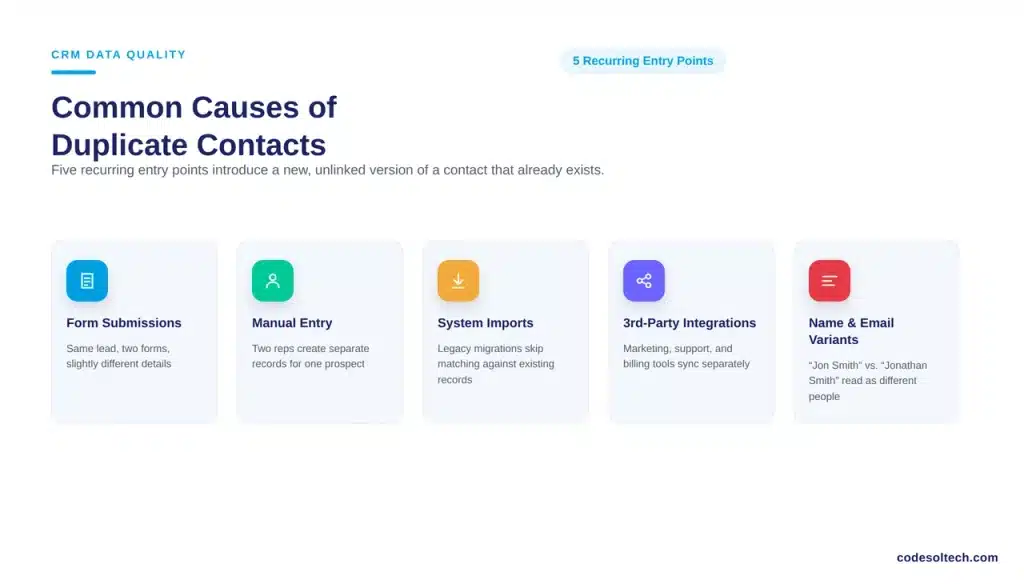
- Multiple form submissions: The same lead fills out a demo request and a newsletter signup with slightly different details.
- Manual data entry: Two reps create separate records for one prospect because neither searched first.
- System imports: A CRM data migration brings in records from a legacy system without matching against existing ones.
- Third-party integrations: A marketing tool, a support desk, and a billing platform each sync contacts through a different integration architecture, and none of them checks for existing matches first.
- Name and email variants: “Jon Smith,” “Jonathan Smith,” and “[email protected]” describe one person but read as three to a basic import script.
Gartner names inconsistency across data sources as the most commonly reported data quality problem among the organizations it surveys. Duplicate contact records are the clearest symptom of that inconsistency inside a CRM.
Growth compounds the problem. A company running a support desk, a billing platform, and a marketing tool on top of its CRM multiplies the entry points where a duplicate can form.
Each connected system writes contacts on its own schedule, and without a shared matching rule, every sync is a new opportunity to fork a record.
How Do You Find Duplicate Contacts in a CRM
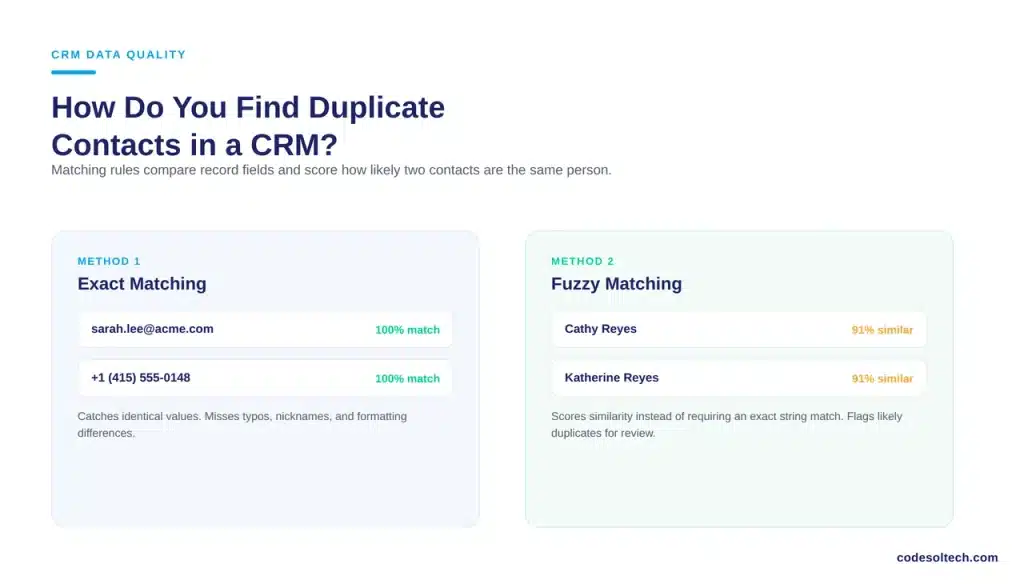
You find duplicate contacts by running matching rules that compare specific fields across records, then reviewing flagged pairs before merging. Most CRM platforms support two matching methods, and both matter for different types of duplicates.
Exact Matching
Exact matching compares fields character-for-character. It catches duplicates where an email address or phone number is identical across two records. It misses typos, nicknames, and formatting differences, which is why exact matching alone leaves a large share of duplicates undetected.
Fuzzy Matching
Fuzzy matching scores similarity between fields instead of requiring an exact match. It catches “Cathy Reyes” and “Katherine Reyes” at the same address, or a phone number entered with and without a country code.
Gartner lists matching, linking, and merging among the ten critical capabilities it evaluates in data quality software, precisely because fuzzy logic is what separates a functional dedup process from a manual spreadsheet exercise.1
A strong matching configuration layers both methods. Exact matching runs first because it is fast and produces no false positives. Fuzzy matching runs second, on a lower-confidence threshold, and routes its results to a human reviewer instead of auto-merging.
Manual Review vs. Automated Deduplication
The right method depends on CRM size and update frequency. The table below compares both approaches directly.
| Factor | Manual Review | Automated Deduplication |
|---|---|---|
| Best suited for | Databases under 5,000 contacts | Databases over 5,000 contacts |
| Matching method | Visual comparison, filtered reports | Exact and fuzzy matching rules |
| Speed | Slow, hours per batch | Continuous, runs on every new record |
| Error risk | High; reviewer fatigue causes missed merges | Low; rules apply consistently every time |
| Prevents future duplicates | No | Yes, via real-time duplicate alerts |
Most growing teams outgrow manual review within the first year. A database under 5,000 contacts is small enough for a quarterly manual pass. Past that volume, the number of new records created each week outpaces what a human reviewer can check by hand.
Merging Duplicate Records Without Losing Data
You merge duplicate records by selecting a master record, then applying survivorship rules that decide which field value wins when the records disagree. A merge that skips this step silently deletes activity history, notes, and deal associations.
Follow this sequence for every merge:
- Identify the record with the most complete and most recently updated fields. Set it as the master.
- Apply survivorship rules: the most recent value wins for contact details, the earliest value wins for creation dates.
- Reassign related records, including open deals, support tickets, and stored documents, to the master record before deleting the duplicate.
- Log the merge. A merge audit trail lets an admin reverse an incorrect merge without rebuilding the record from scratch.
Survivorship rules matter most when two records disagree on a field that drives automation, such as a lifecycle stage or an assigned owner. A merge that picks the wrong value can silently reroute a contact out of an active nurture sequence or reassign it to the wrong rep.
What Happens If You Don’t Deduplicate Your CRM
Unresolved duplicates distort every report, waste rep time, and erode trust in the CRM as a system of record. The cost compounds because each new duplicate multiplies the number of conflicting values a team has to reconcile later.
Gartner puts the average annual cost of poor data quality at $12.9 million per organization, a figure that spans lost productivity, missed opportunities, and compliance exposure across the enterprise.
Duplicate contact records are one of the direct drivers behind that figure, since they fragment the customer view that reporting and forecasting depend on.
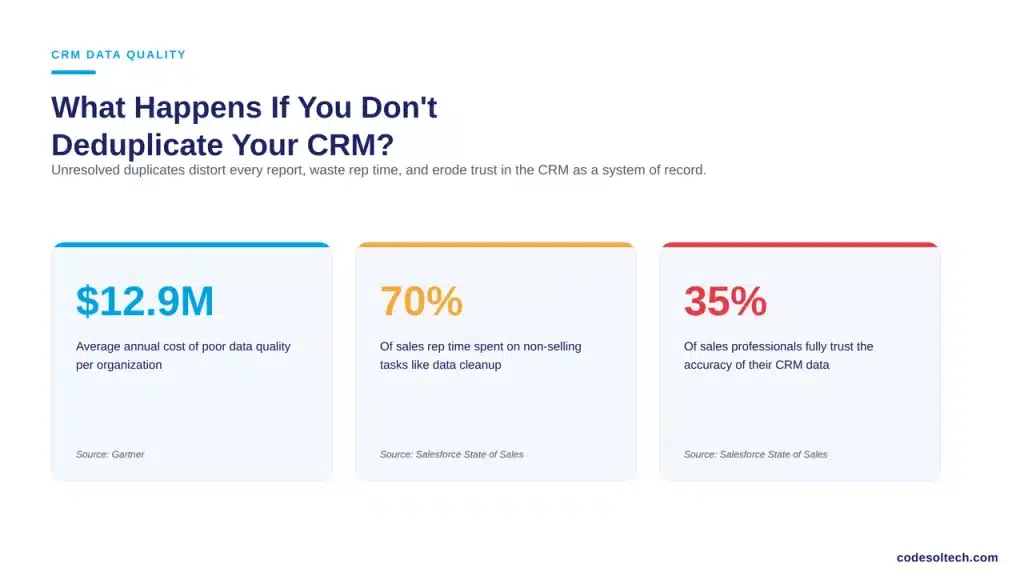
Salesforce’s State of Sales research reinforces the same pattern from the sales side. Sales professionals report spending 70% of their working time on non-selling tasks, including manual data entry and record cleanup. In the same research, only 35% of sales professionals say they completely trust the accuracy of their CRM data.
A CRM with unresolved duplicates cannot support accurate CRM data quality reporting. Every duplicate record splits a customer’s history across two files, which means a rep working one record never sees the full context sitting in the other.
A support ticket logged against the duplicate never reaches the rep working the master record, and a marketing suppression on one record does not carry over to its twin.
Best Practices to Prevent Future Duplicates
Deduplication is a one-time fix only if prevention rules stay active afterward. Configure these five controls to keep the database clean.
- Enable duplicate alerts at entry. Block or flag a new record the moment a rep types in a matching name, email, or phone number.
- Standardize required fields. Force consistent formatting for phone numbers, state names, and company names at the point of entry.
- Run scheduled dedup scans. Set a recurring weekly or monthly job to catch duplicates that bypass entry-point rules through imports or integrations.
- Assign data ownership. Give one team or role accountability for CRM data quality, since Gartner identifies lack of ownership as a primary reason data quality programs stall.
- Audit third-party syncs quarterly. Review every connected tool that writes contacts into the CRM, including any ticketing integration, and confirm it checks for existing matches before creating a new record.
FAQs
Does deduplication delete customer history?
No, not when survivorship rules are applied correctly. A proper merge reassigns notes, deals, and activity history to the surviving master record before the duplicate is deleted.
How often should a CRM run duplicate checks?
Active databases need entry-point matching rules running continuously, plus a scheduled full-database scan at least once a month to catch import and integration duplicates.
Can deduplication be automated for a small CRM?
Yes. Automation is not just for large databases. A small CRM with heavy form and import traffic still benefits from entry-point matching rules, since prevention is cheaper than a bulk merge project later.
Final Words
Duplicate contacts are not a cosmetic problem. They fragment customer history, inflate reporting numbers, and cost reps time they should spend selling. Fixing it once with a merge project and then walking away only buys a few clean months.
The fix that holds is entry-point matching rules plus a recurring scan, owned by one accountable team.
Need a CRM built with duplicate prevention rules from day one?
You May Like
Lead Scoring Systems in CRM (Workflow & Benefits)
Task & Activity Tracking in CRM: Why Deals Slip Through
CRM Reminder & Notification Systems: Never Miss Follow-Up Again