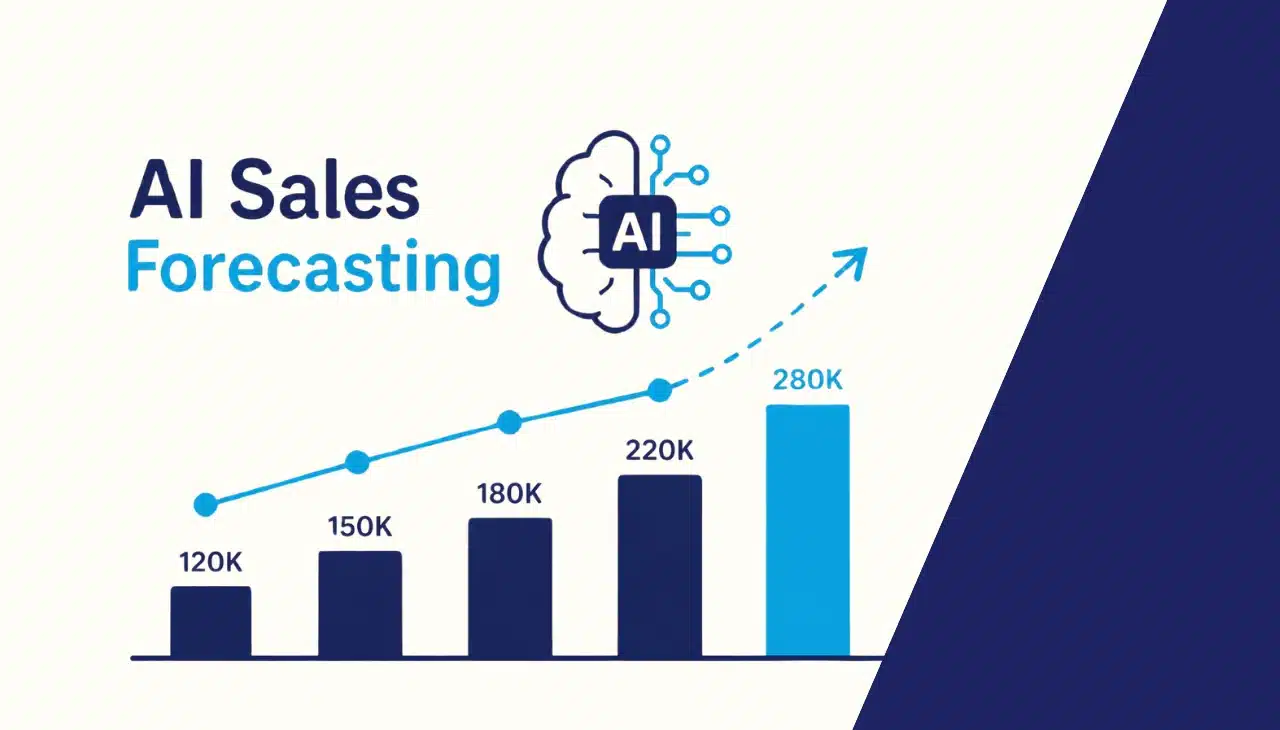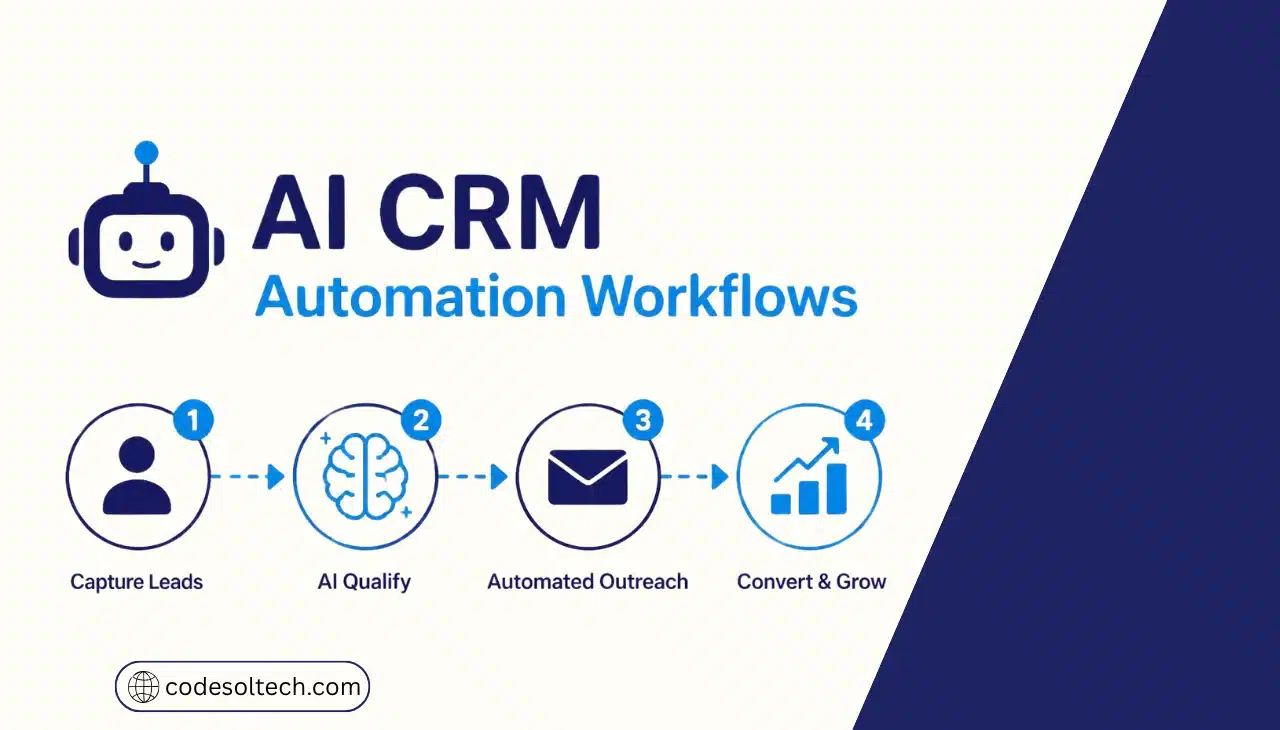
An AI CRM automation workflow is a CRM process where an AI model reads customer data, decides the next step, and executes it automatically. It scores leads, logs calls, updates deal stages, and drafts follow-ups the moment a customer event occurs.
Teams build one in 6 steps.
Every AI CRM automation workflow contains 4 components:
- Trigger: a customer event such as a form submission, a logged call, or an inbound email.
- Context: the CRM record, the activity history, and the enrichment data the model reads.
- Decision: a score, a classification, or a generated draft that the model produces.
- Action: the CRM write, such as a field update, a task, a message, or an owner assignment.
The decision component separates AI workflows from classic CRM workflow automation. A classic rule branches on fields a rep filled in. An AI model branches on meaning extracted from emails, call transcripts, and notes.
The model also learns from outcomes. Each won or lost deal updates the patterns that drive scoring, routing, and stage inference, so the workflow improves as the pipeline grows.
This structure prepares your CRM for customer relationship management at scale, because every customer event produces a recorded, repeatable response.
Why Do AI CRM Automation Workflows Matter
Sellers spend 40% of their time selling, according to the Salesforce State of Sales 2026 report. The other 60% goes to non-selling work.
The same report shows that 54% of sellers have used AI agents and nearly 9 in 10 plan to by 2027. Sellers expect agents to cut prospect research time by 34% and email drafting time by 36%.
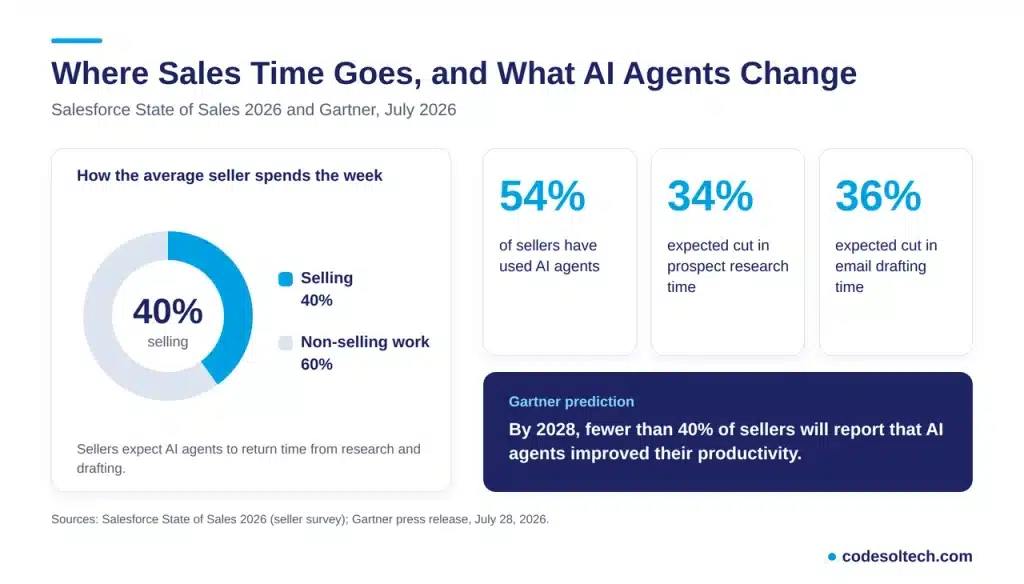
Adoption does not guarantee results. Gartner predicts that AI agents will outnumber sellers 10 to 1 by 2028, yet fewer than 40% of sellers will report improved productivity.
Gartner recommends a centralized context layer that connects enterprise data, systems, and seller judgment. Workflows with a defined data source and a defined owner produce the gains. Workflows without them add noise.
Salesforce also reports that top performers are 1.7 times more likely than struggling teams to use AI agents for prospecting. The advantage comes from consistent execution, not from a single feature.
AI Workflows vs. Rule-Based Workflows
AI workflows and rule-based workflows solve different problems. Production CRMs run both together.
| Factor | Rule-Based Workflow | AI CRM Automation Workflow |
|---|---|---|
| Decision logic | Fixed if-then conditions | Model-based classification and generation |
| Input data | Structured fields only | Fields, emails, call transcripts, and notes |
| Maintenance | Manual rule edits at every process change | Prompt and policy updates plus output review |
| Failure mode | Silent non-firing when a stage or field changes | Wrong output when the source data is wrong |
| Best use | Routing, assignments, reminders | Scoring, summarizing, drafting, stage inference |
Use rules for deterministic tasks such as assigning a lead by territory. Use AI for tasks that require reading language, such as summarizing a 30-minute call.
7 AI CRM Automation Workflows to Build First
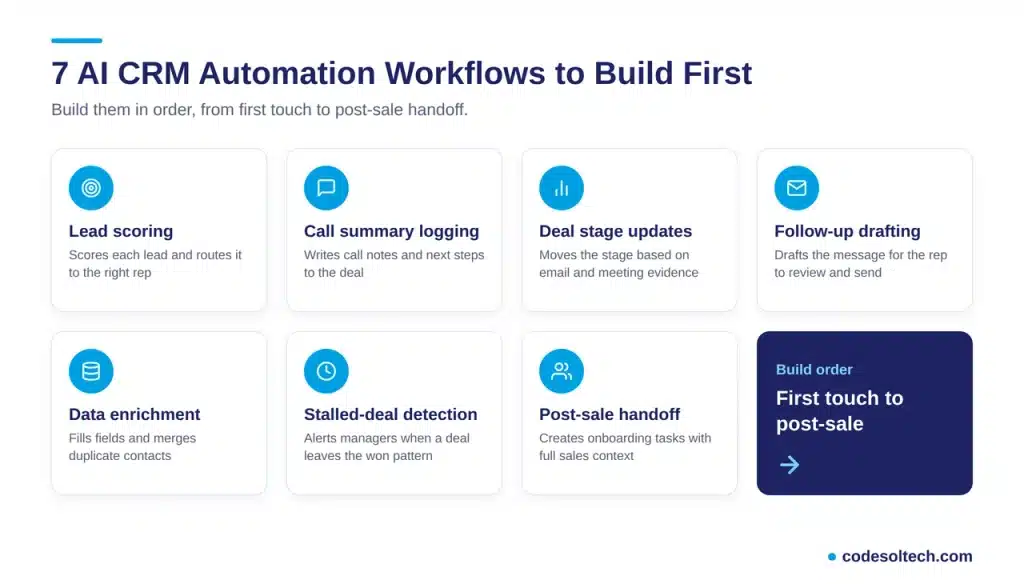
These 7 workflows cover the full path from first touch to post-sale handoff. Build them in this order.
1. AI Lead Scoring and Routing
The model scores each inbound lead against the patterns of closed-won deals. The workflow then assigns the lead to a rep by territory, deal size, or industry. Reps receive ranked leads instead of an unsorted queue.
Response time drops because the highest-intent lead reaches a rep first.
2. Call and Meeting Summary Logging
The model transcribes each call, extracts the next steps, and writes the summary to the deal record. Reps stop typing notes after every meeting. The CRM reflects what happened on the call, not what the rep remembered.
Managers read the same summary format on every deal.
3. Automatic Deal Stage Updates
The model reads email and meeting evidence and moves the deal to the correct stage. A signed proposal moves the deal to Contract. A pricing objection flags the deal as at risk.
The stage field stays current without a rep dragging cards across the board.
4. Follow-Up Drafting
The workflow drafts a follow-up using the call transcript and the contact’s role. The rep reviews and sends it. Delivery runs through email or CRM SMS integration depending on the contact’s channel.
5. Data Enrichment and Deduplication
The workflow fills firmographic fields, normalizes job titles, and merges duplicate contacts. Clean records feed every other workflow on this list. Our guide to CRM data quality covers the standards in detail.
6. Stalled-Deal Detection
The model compares each open deal with the activity pattern of won deals. It alerts the manager when a deal deviates. This replaces a fixed rule such as “no activity in 7 days” with a pattern matched to your own pipeline.
7. Post-Sale Handoff and Onboarding
When a deal closes, the workflow creates onboarding tasks and summarizes the sales conversation for the success team. It sends the kickoff message to the customer. Nothing waits in a queue for someone to notice the close.
The success team starts with full context on day one.
How Do You Build an AI CRM Automation Workflow
Build an AI CRM automation workflow in 6 steps: map the process, clean the data, define one trigger, set the decision and guardrail, connect the action, and test on live records.
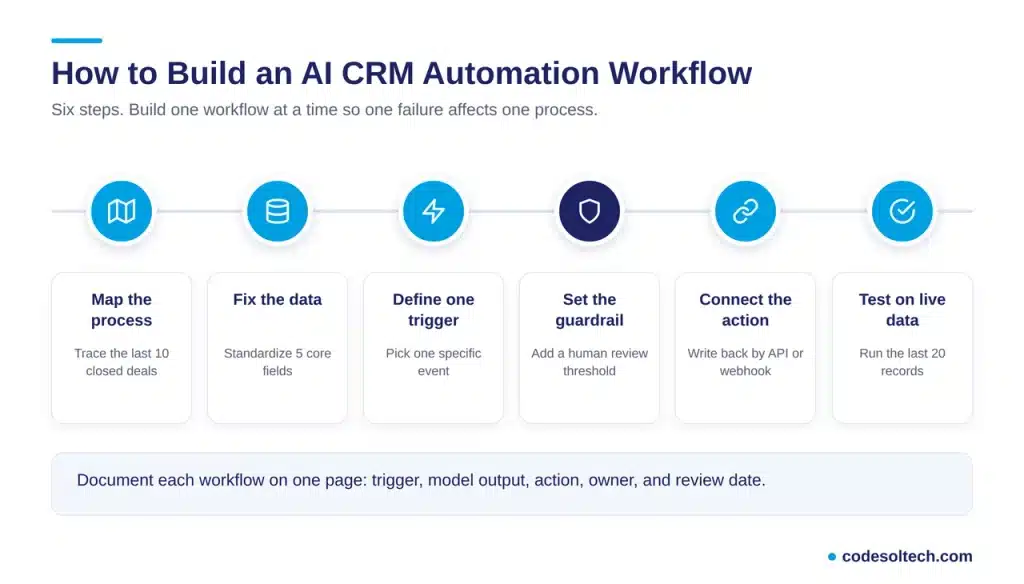
- Map the current process. Trace the last 10 closed deals from first contact to close. Record every manual step and who performed it.
- Fix the data first. Deduplicate contacts and standardize 5 core fields: owner, stage, source, industry, and deal value.
- Define one trigger. Choose a specific event, such as a demo request submitted from the pricing page. A general category such as “new lead” does not work as a trigger.
- Set the decision and the guardrail. Specify the model output (score, summary, or draft) and the confidence level below which a human reviews the result.
- Connect the action. Write the output back through the CRM REST API or a webhook. The pattern follows the principles in CRM integration architecture.
- Test on live records. Run the workflow on the last 20 records and compare its output with rep judgment. Release it to the full team after the results match.
Build one workflow at a time. A single failure then affects one process instead of the whole pipeline.
Document each workflow in one page: the trigger, the model output, the action, the owner, and the review date. This record keeps the logic visible when the sales process changes.
Native AI Features vs. Custom-Built AI Workflows
Platforms such as Salesforce, HubSpot, and Zoho ship native AI features that run inside the platform. Native features deploy fast and follow the vendor’s data model.
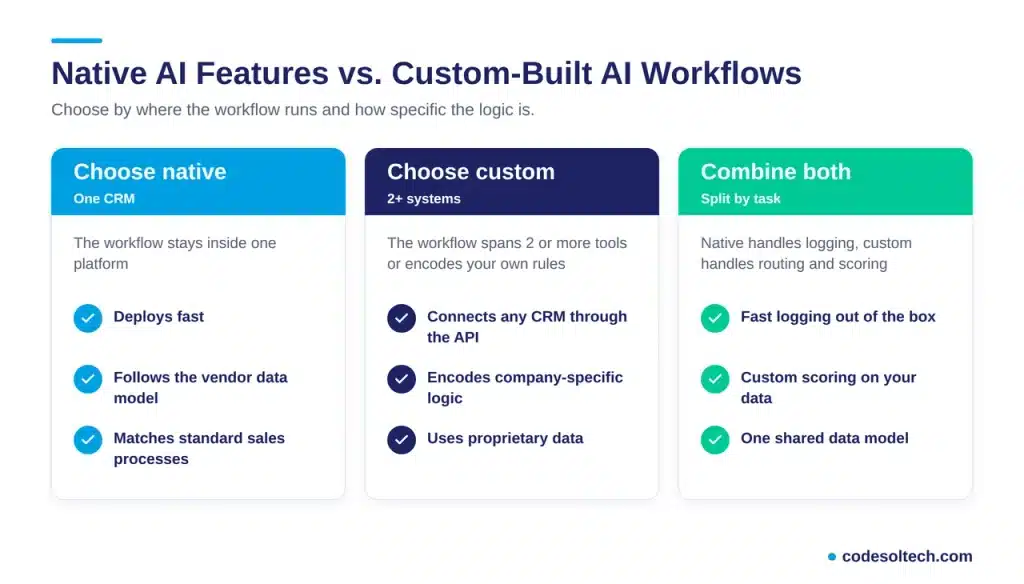
Custom-built workflows connect any CRM to an AI model through the API. They support company-specific logic, multiple systems, and proprietary data.
- Choose native when the workflow stays inside one CRM and the vendor feature matches your process.
- Choose custom when the workflow spans 2 or more systems or encodes your own qualification rules.
- Combine both when native features handle logging and custom logic handles routing and scoring.
A custom CRM build and an AI workflow layer share the same data model, which removes the integration gap that Gartner flags.
Which Data and Guardrails Does AI CRM Automation Need
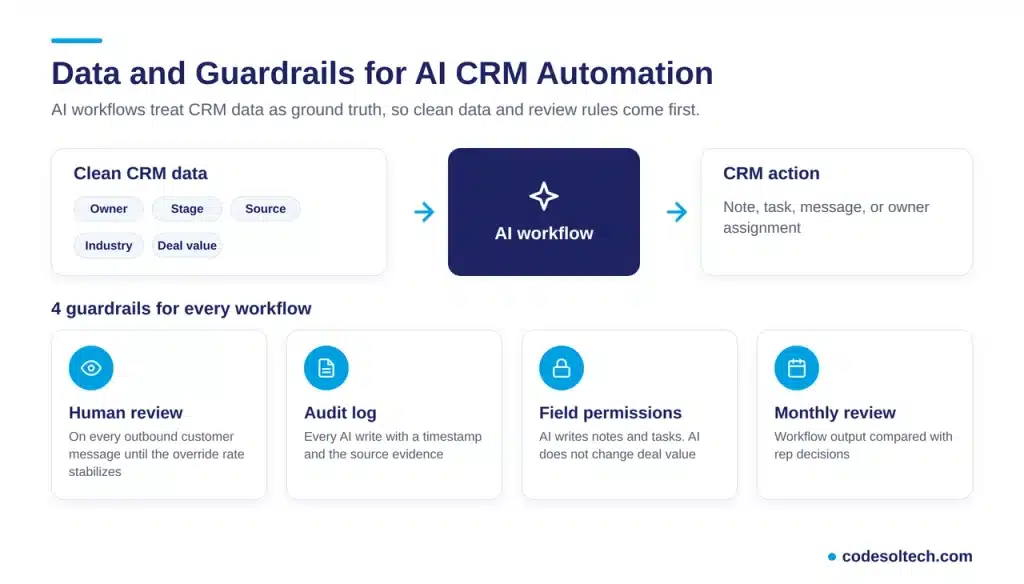
AI workflows treat CRM data as ground truth. A wrong owner field, a duplicate contact, or a stale stage can trigger the wrong action at machine speed.
Teams moving between platforms correct these defects during CRM migration, before any AI workflow goes live.
Apply 4 guardrails to every workflow:
- Human review for every outbound customer message until the override rate stabilizes.
- Audit log that records every AI write with a timestamp and the source evidence.
- Field permissions that allow AI to write notes and tasks but block changes to deal value.
- Monthly review of workflow output against rep decisions.
How Do You Measure AI CRM Automation Results
Measure AI CRM automation with 5 metrics, and compare each against a pre-launch baseline.
- Lead response time: minutes between form submission and first rep contact.
- Fields updated without manual entry: the percentage of record updates written by the workflow.
- Forecast accuracy: the gap between forecast and closed revenue per quarter.
- Hours reclaimed per rep per week: measured with a time-tracking sample.
- Override rate: the share of AI outputs that reps edit or reject.
Override rate is the quality signal. A rising override rate indicates bad source data or bad workflow logic.
Reclaimed hours count only when managers assign them to customer-facing work. Unassigned time disappears into internal meetings.
Final Words
AI CRM automation workflows replace manual entry with model-driven decisions. Clean data, one trigger, and a human review rule decide whether a workflow delivers results.
Start with 1 workflow, measure it for 30 days, and add the next one.
The 7 workflows above give you the build order, and each one compounds the value of the last.
Ready to build AI workflows into your CRM? Book a free CRM automation consultation with CodeSolTech and get a workflow plan for your pipeline.
You May Like
Conversational AI in CRM: Stop Typing, Start Talking [2026]
AI Sales Forecasting in CRM: How Machine Learning Predicts Revenue
AI Customer Segmentation in CRM [Proven Data + 6-Step Setup]
Thanks for Reading, Stay Connected With Us 🙂
![Conversational AI in CRM: Stop Typing, Start Talking [2026]](https://www.codesoltech.com/wp-content/uploads/2026/10/Conversational-AI-in-CRM-Stop-Typing-Start-Talking-2026.webp)