
A home service business lives or dies on the phone. A burst pipe, a dead furnace, or a clogged drain does not wait for office hours.
AI automation is software that handles repeat work without a person touching each step. It answers calls, books jobs, sends reminders, and chases invoices.
This guide explains what actually works for plumbers, HVAC techs, electricians, cleaners, and pest control firms. It also names the limits, so you do not buy hype.
It is written for owners and office managers at small and mid-size firms. No vendor paid for placement here.
AI Automation for Home Service Businesses at a Glance
Start with the map. Detail follows in the sections below.
| Automation | What it does | Best for | Watch out for |
|---|---|---|---|
| AI call answering | Answers every call and books jobs | Busy crews and after-hours calls | Bad handoffs on complex jobs |
| Scheduling and dispatch | Fills calendars and routes techs | Multi-truck firms | Routes that ignore real travel time |
| Quotes and estimates | Builds and sends priced quotes | Repeat job types | Quotes for jobs never seen in person |
| Reminders and follow up | Confirms visits and fills gaps | Every trade | Spammy messages that annoy customers |
| Invoicing and payments | Bills on site and chases late payers | Cash flow problems | Fees buried in payment terms |
| Reviews and reputation | Asks for reviews after each job | Local search visibility | Review gating that breaks platform rules |
| Repeat work and plans | Sells maintenance plans and renewals | HVAC, pest, and cleaning firms | Plans nobody tracks or delivers |
Most firms need two or three rows first. The rest can wait until the core flow is stable.
Key Statistics Home Service Owners Should Know
Adoption is now mainstream, but deep use is still rare. That gap is the opportunity.
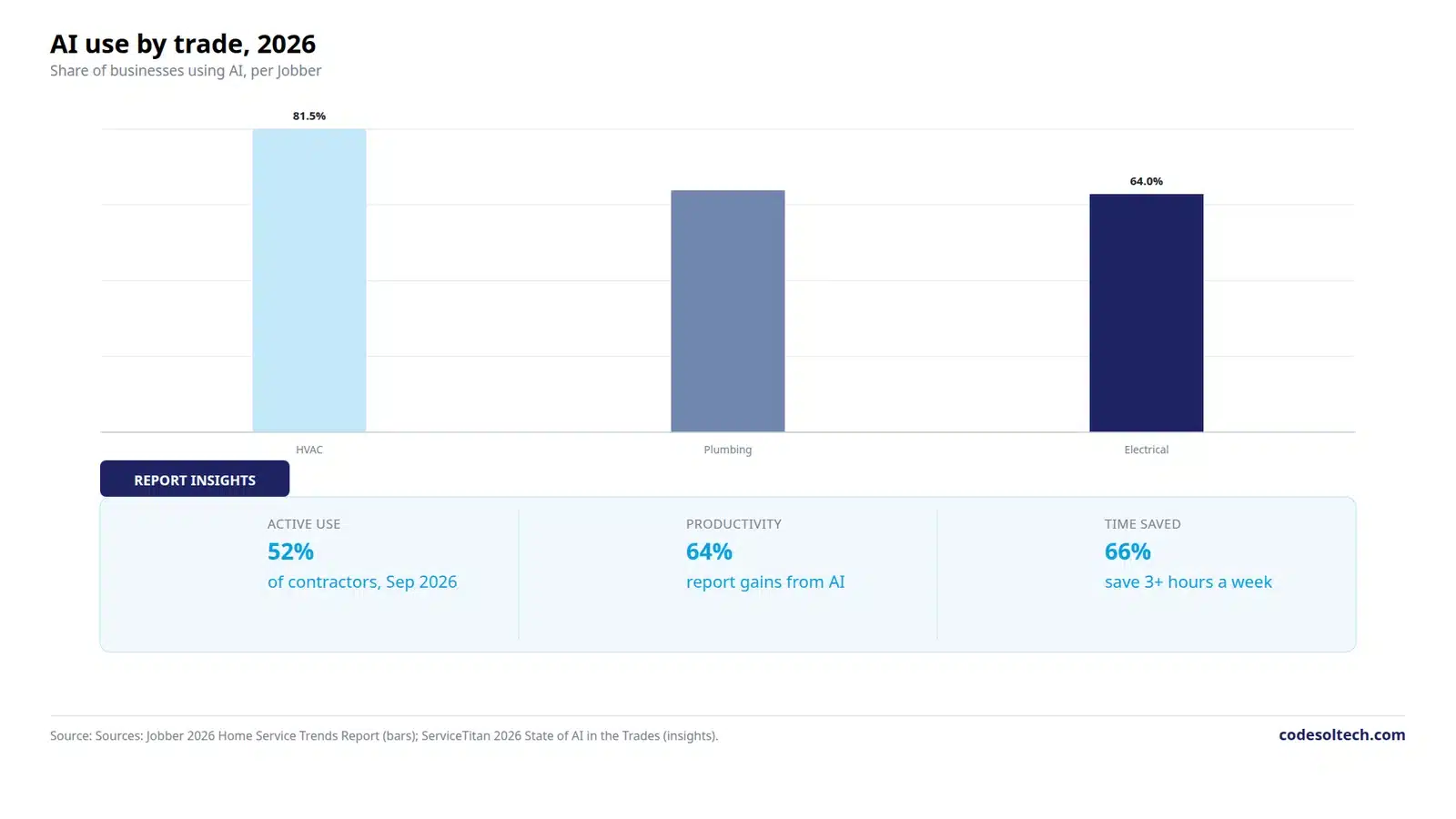
- In September 2026, 52 percent of US trades contractors were actively engaged with AI, up from 46 percent in December 2025, per the ServiceTitan report covered by Contractor Magazine.
- In the same survey, 77 percent called AI relevant to their industry, and 69 percent expected it to transform the trades within one to three years, per Contractor Magazine.
- Among AI users, 64 percent reported productivity gains, 55 percent reported faster decisions, and 66 percent said AI saved them at least three hours per week, per PHCP Pros.
- Only 47 percent of AI users in that survey reported improved profitability, and 43 percent reported increased revenue, per PHCP Pros. Time saved does not always mean profit gained.
- Jobber reports AI use at 81.5 percent for HVAC firms, 65 percent for plumbing firms, and 64 percent for electrical firms, per the Jobber 2026 Home Service Trends Report.
- Jobber also reports that only 17 percent of HVAC firms respond to leads within the hour, the slowest of any trade surveyed, per the Jobber 2026 Home Service Trends Report. Speed is still the weak spot.
- In one vendor case study, a home services firm recovered about 30 percent of missed leads after adding an AI receptionist behind its human team, per Vendasta. That is one firm, not an average result.
Read vendor surveys with care. Vendors survey their own market, so treat their numbers as direction, not proof.
The Seven Automations That Pay First
Start where money leaks today. For most firms, that is the phone, the calendar, and the invoice.
AI Answering and Booking
Calls come in while techs are on roofs or under sinks. The office phone is the first leak.
An AI receptionist answers on the first ring, day and night. It asks the address, the problem, and the urgency, then books a slot.

Good systems hand off to a person on request. A homeowner with a flooded basement should reach a human fast.
Set clear rules for emergencies. Define which words trigger an urgent page, and which jobs wait until morning.
Test the system with real calls before launch. Call it as a confused customer, an angry customer, and a Spanish speaker if you serve one.
Scheduling and Dispatch
Manual scheduling breaks when volume spikes. One dispatcher with a whiteboard cannot reroute five trucks at once.
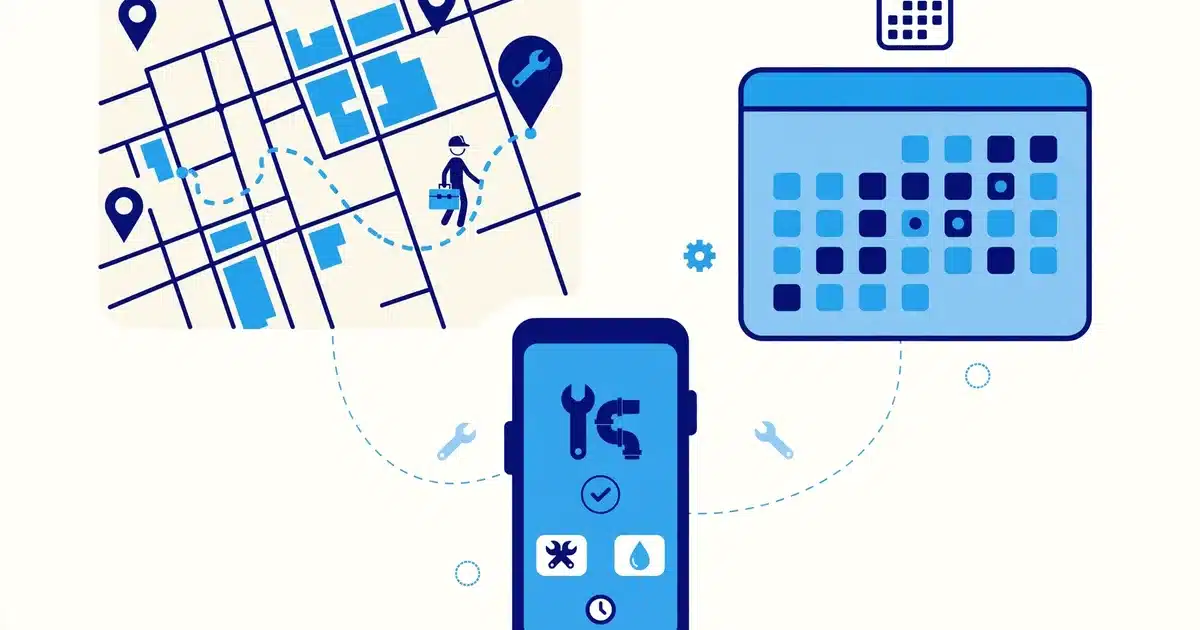
Dispatch software groups jobs by area, skill, and parts on hand. It cuts drive time and double bookings.
Keep a human in charge of exceptions. Storm work, warranty callbacks, and VIP customers still need judgment.
Track jobs per tech per day before and after. If the number does not move, the software is not the fix.
Quotes and Estimates
Slow quotes lose jobs. A customer who waits three days for a price has already called two rivals.
Template quotes cover repeat work well. Drain cleaning, tune-ups, and panel changes fit a price book.
Custom work still needs a site visit. Never let software price a repipe or a full rewire sight unseen.
Send quotes by text as well as email. Most homeowners open texts first, and many never open email.
Reminders and No-Show Reduction
A missed appointment wastes a truck roll and a tech hour. It also leaves a gap nobody can fill late.
Automated reminders go out at booking, the day before, and the morning of the job. Each message offers one-tap rescheduling.
Early cancellations are valuable. A slot freed three days out can be backfilled, but a same-day gap usually cannot.
Keep messages short and useful. Date, time window, tech name, and one link beat a long branded email.
Invoicing and Payments
Techs who finish a job should invoice on site, not from memory at week end. Memory loses line items.
Mobile invoicing captures parts, photos, and signatures at the door. The customer pays by card or link before the tech leaves.
Automated chasers handle polite follow up. A day-three nudge and a day-ten reminder beat an angry month-end call.
Check payment fees before you sign. A low monthly price with high card fees can cost more than a pricier plan.
Reviews and Reputation
Homeowners choose from a short local list. Reviews, response speed, and recent activity shape that choice.
Ask for a review right after a good job, while the customer is still happy. One link, one ask, no bribe.
Reply to every review, good and bad. A calm reply to a complaint often matters more than the complaint itself.
Never filter or gate reviews. Asking only happy customers to review breaks platform rules and backfires when found.
Repeat Work and Maintenance Plans
One-off jobs are expensive to win. Plans turn one visit into a yearly relationship.
Automation sells the plan at checkout, renews it on schedule, and books the next visit without a phone tag cycle.
Track plan delivery, not just plan sales. A plan that is sold but never serviced creates refunds and bad reviews.
HVAC tune-ups, pest treatments, and recurring cleans fit plans best. Emergency-only trades fit them less well.
What AI Automation Costs in 2026
Off the shelf tools are the cheapest start. Custom builds make sense only at a clear break point.
| Path | Typical cost signal | Best fit | Limitation |
|---|---|---|---|
| Jobber | About 29 to 599 dollars per month, by users | Solo operators to mid-size crews | Per-user cost grows with crew size |
| Housecall Pro | About 59 to 299 dollars per month, plus extra users | Small to mid-size crews | Top tiers add per-user fees |
| ServiceTitan | Quote only, often reported near 250 to 500 dollars per tech per month | Large multi-truck firms | High setup cost and long onboarding |
| Custom build | About 25,000 to 175,000 dollars one time, per a 2026 cost guide | Unusual workflows or high per-tech fees | Needs ongoing maintenance and hosting |
Those ranges come from a 2026 field service cost comparison by 0arch. Treat them as signals, not quotes, and confirm pricing in a demo.
Add AI answering on top of that base. Many AI receptionist tools charge per minute or per call, so a busy month costs more.
Count the full bill, not the headline price. Add onboarding, payment fees, extra users, and any AI add-on before you compare.
Our related guide on AI automation agencies in Texas covers how agencies scope this work. Our guide on cutting operational costs with automation covers the wider savings picture.
How to Choose in Six Steps
Do not buy on a demo alone. Demos show the happy path, never the messy Tuesday.
Step One: Name the Leak
Pick one leak to fix first. Missed calls, slow quotes, and late invoices are the usual three.
Measure it for two weeks. Count missed calls, quote turnaround, and days to payment before you shop.
Step Two: List the Non-Negotiables
Write down what the tool must do on day one. Booking, dispatch, invoicing, and your payment processor belong here.
Anything else is a nice extra. Nice extras should never decide the purchase.
Step Three: Check the Integrations
Ask how bookings reach dispatch, and how completed jobs reach invoicing. Manual retyping kills the whole gain.
Test the link to your CRM, accounting tool, and review platform. A broken link is a daily chore in disguise.
Step Four: Run a Paid Pilot
Pilot with one crew or one office for 30 days. Free trials hide the real cost of setup and training.
Set one success metric in advance. Booked jobs per week, or days to payment, beats a vague feeling of progress.
Step Five: Train the Team
Techs adopt tools they understand. A 30-minute field training beats a 100-page manual nobody opens.
Name one internal champion per crew. That person answers small questions before they become resistance.
Step Six: Review at Day 90
Compare the pilot metric to the baseline. Keep the tool only if the number moved enough to pay for itself.
Cancel fast if it did not. A tool nobody uses still costs money every month.
Red Flags in a Demo
Watch for a demo that never shows a failure. Real software fails, and vendors should show how it recovers.
Watch for no clear handoff to a human. An AI that traps angry customers will cost you reviews.
Watch for vague pricing. Per-tech, per-minute, and per-call charges should be in writing before you sign.
Watch for no migration plan. Open jobs, customer history, and unpaid invoices all need a move plan.
Watch for training as an afterthought. Software fails when techs learn it alone, under time pressure.
Watch for locked-in contracts with no exit data. Ask how you export customers, jobs, and history if you leave.
A Realistic Rollout Timeline
Small firms can go live in weeks. Larger firms need two to three months in many cases.
Days one to 30 cover one automation only. Answering and booking is the usual first pick, since it touches revenue directly.
Days 31 to 60 add reminders and invoicing. These two close the loop from booking to payment.
Days 61 to 90 add reviews and maintenance plans. By now the team trusts the system enough to use it daily.
Keep the old phone process readable during cutover. Staff need a fallback if a sync or booking stalls.
For trade-specific detail, see our pest control CRM guide on routes and billing. For build costs, see our guide to custom CRM development cost.
Where a Custom Build Fits, and Where It Does Not
Off the shelf tools suit most firms. They launch fast, and their vendors handle updates and support.
A custom build suits firms with a workflow no standard tool matches. Examples include unusual routing rules, custom commission logic, or pricing that changes by zone and season.
CodeSol Technologies is an Austin-based custom software firm that builds custom CRM and client portal tools. Its own site lists those services, but it publishes no standard price list.
That is an honest limitation. A custom quote takes a scoping call, and a small firm may find an off-the-shelf tool cheaper and faster.
Custom work also needs maintenance. Budget for hosting, fixes, and small changes after launch, or the tool will age fast.
Choose custom only when the per-tech fees of a standard tool, or a workflow gap, clearly outweigh the build and upkeep cost.
Methodology
This guide was built from public vendor surveys, industry reports, and named statistics sources. Links above name each source.
No vendor reviewed or approved this guide. Pricing ranges are reported ranges, not quotes for your firm.
Verify current pricing, contract terms, and feature availability in a demo. Vendors change plans often.
Where a statistic came from one firm or one case study, the text says so. National claims are not built on single-firm data.
What is AI automation for a home service business?
Which automation should a small home service firm start with?
Will AI answering replace my office staff?
How much does field service software cost per month?
Is a custom system better than Jobber or Housecall Pro?
How do I measure whether automation is working?
Want automation that fits how your crews actually work? Talk to our team.


