
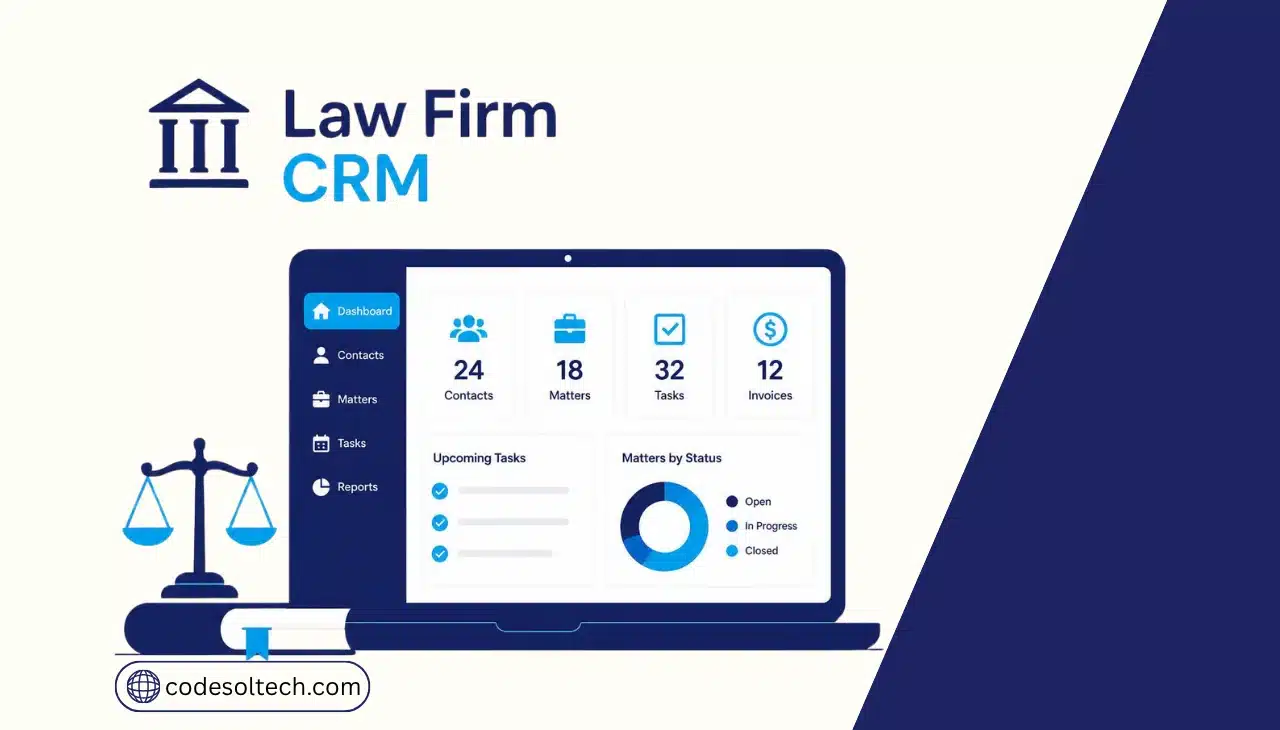
A CRM for law firms is software that centralizes client contact records, intake forms, case status, and communication history in one searchable system. It replaces spreadsheets and disconnected email threads with a single record per client and matter. Firms use it to track leads from first contact through signed engagement, then through active case management.
A legal CRM connects to three core functions inside a firm:
- Lead capture from a website contact form, phone call, or referral
- Automated intake sequences that qualify a prospect before a lawyer’s time is spent
- Ongoing client communication logged against the matter record, not a personal inbox
Firms that build this on custom infrastructure rather than a rigid off-the-shelf tool gain the ability to match the CRM to their specific practice areas.
A custom CRM development approach lets a firm define its own intake fields, case stages, and referral-tracking logic instead of adapting its process to generic software.
How Does a Legal CRM Improve Client Intake
A legal CRM improves intake by automating the response to a new lead within minutes instead of hours. Clio’s 2024 Legal Trends Report found that only 52% of law firms answer the phone or return a call from a prospective client, meaning 48% of inbound leads go unreturned.
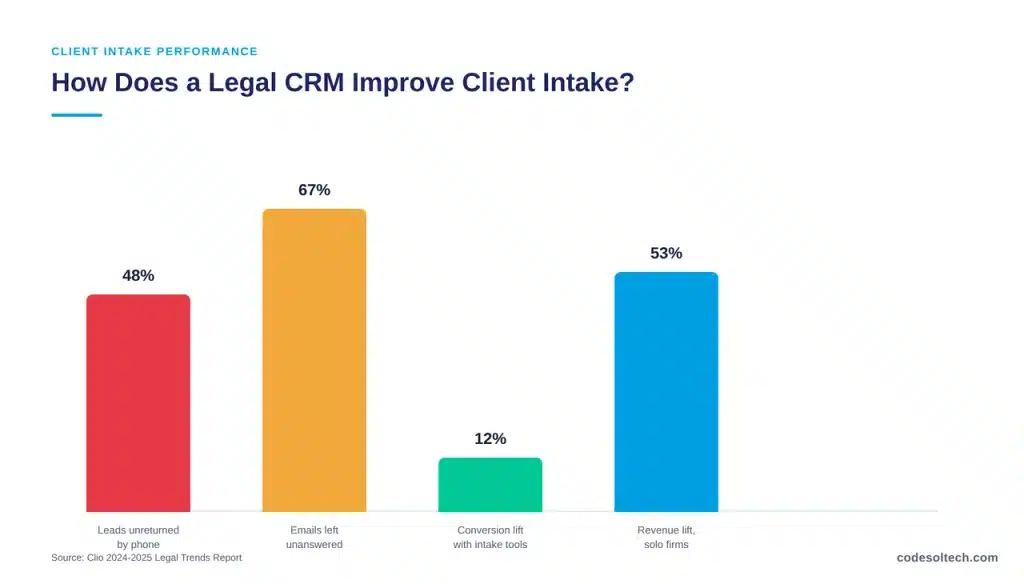
The same report found that email response rates from law firms dropped to 33% in 2024, down from 40% in 2019.
A CRM closes this gap through three mechanisms:
- Instant auto-response to web form submissions, phone missed calls, and chat inquiries
- Structured intake forms that route leads to the correct practice group automatically
- Scheduled reminders that flag a lead as unanswered after a fixed time threshold
According to Clio’s 2025 Legal Trends Report for mid-sized firms, firms using online intake forms, e-signatures, and online schedulers recorded 20% higher revenue and conversion rate gains of up to 12% compared to firms without these tools.
Solo and small firms using the same category of tools reported revenue increases of 53% and 28%, respectively. A firm can extend this automation through chatbot integration, which captures after-hours inquiries and pre-qualifies leads before a staff member reviews them.
Is CRM Different From Case Management Software?
CRM software and case management software serve two different stages of the same client relationship. A CRM manages the relationship from first contact through signed engagement.
Case management software manages the matter after it opens, including documents, deadlines, and billing. Many firms run both functions inside one connected platform rather than two separate systems.
| Function | CRM | Case Management Software |
|---|---|---|
| Primary stage | Pre-engagement (lead to signed client) | Post-engagement (open matter to closed matter) |
| Core data | Contact records, intake answers, referral source | Documents, deadlines, court dates, billing entries |
| Key metric tracked | Conversion rate, response time, lead source ROI | Utilization rate, realization rate, matter status |
| Typical users | Marketing staff, intake coordinators, partners | Attorneys, paralegals, billing staff |
Core Features of a Law Firm CRM
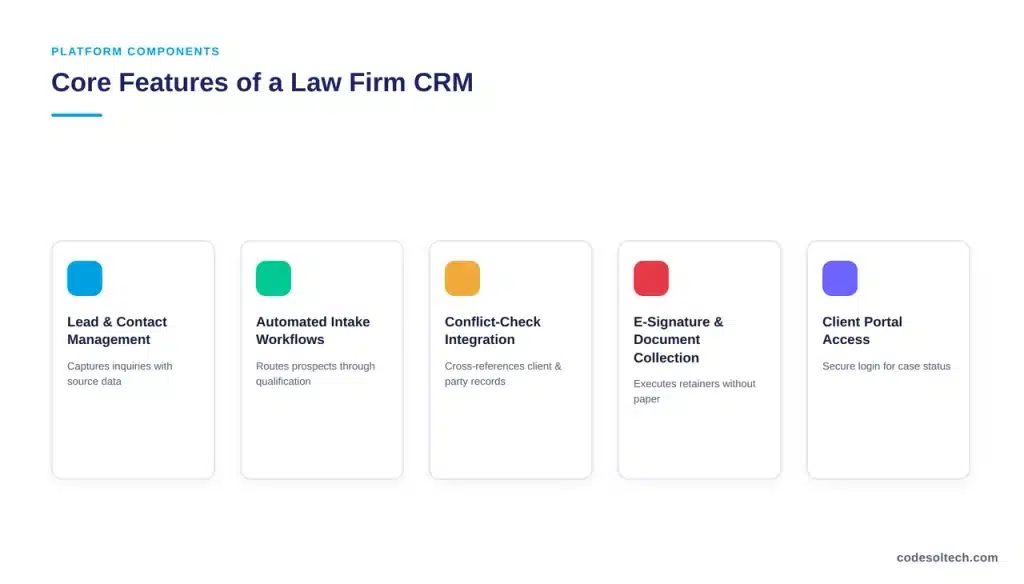
A functioning legal CRM configures around five components. Each component connects to the next, so a lead moves through the pipeline without manual data re-entry between stages.
- Lead and contact management — captures every inbound inquiry with source attribution
- Automated intake workflows — routes prospects through qualification questions before scheduling a consultation
- Conflict-check integration — cross-references new contacts against existing client and opposing-party records
- E-signature and document collection — executes engagement letters and retainer agreements without a printer
- Client portal access — gives clients a secure login to check case status and upload documents
Firms that develop these features on a custom platform can extend the CRM into adjacent operations. A workflow automation layer moves a matter from “intake complete” to “assigned to attorney” without a staff member manually updating a spreadsheet.
A firm can also integrate a payment gateway to collect retainer deposits directly from the intake form, shortening the time between engagement and a funded matter.
Client Intake Automation and Lead Conversion
Intake automation reduces the number of manual touchpoints between a lead’s first inquiry and a signed retainer. Every manual step in that sequence introduces delay, and delay reduces conversion.
The market data supports this pattern directly: AgentZap’s 2026 analysis of legal intake software found firms using dedicated intake CRM tools convert 47% more leads than firms tracking prospects manually or not tracking them at all.

An automated intake sequence typically executes four steps in order:
- Capture the lead’s contact details and case type from a web form, phone call, or chatbot
- Send an immediate automated confirmation while routing the lead to the correct intake staff member
- Deliver a structured questionnaire that qualifies the case before a lawyer reviews it
- Schedule a consultation directly on the CRM calendar, removing back-and-forth email scheduling
This sequence also feeds long-term client relationship data. A firm that tracks a client from lead to closed matter to referral source builds a customer lifecycle management record that shows which referral channels and practice areas generate the highest-value clients over time.
Case and Matter Management Within a CRM
Once a lead converts to a signed client, the CRM record transitions into an active matter. The system tracks matter status, assigned attorney, key deadlines, and every document exchanged with the client.
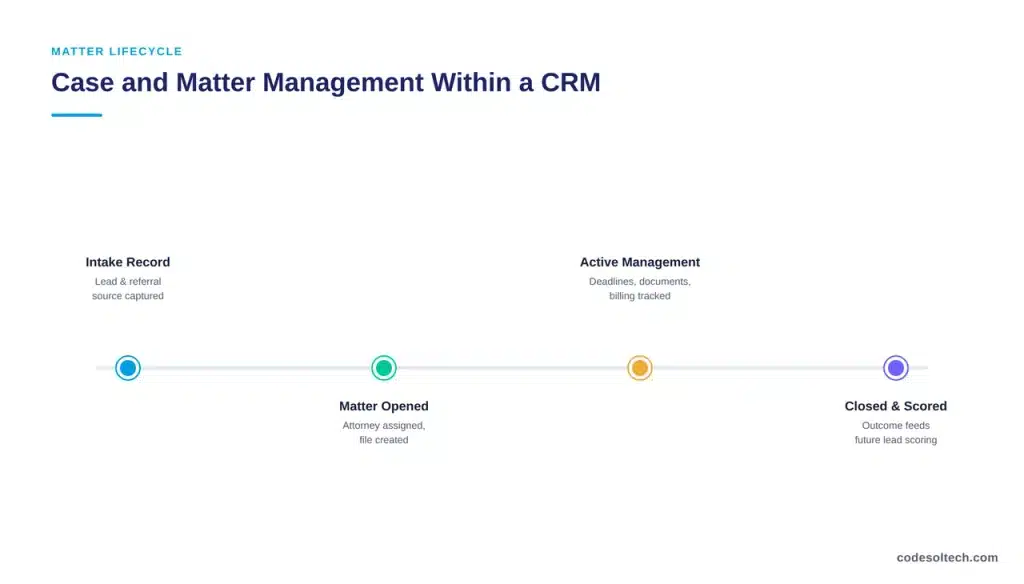
Firms operating without this connection between intake and case data lose the referral-source and case-history context that a fully connected CRM preserves automatically.
A connected CRM manages three matter-level functions that a standalone case management tool cannot replicate without manual data transfer:
- Linking the original intake record to the active matter file, preserving referral-source data for reporting
- Flagging a matter for a check-in message at fixed intervals to reduce the client-perception gap
- Feeding closed-matter outcomes back into intake scoring to prioritize similar future leads
Data Security and Compliance Requirements
A law firm CRM stores privileged and confidential client information, which places it under the same duty of confidentiality that governs a firm’s paper files.
The system must encrypt data in transit and at rest, restrict access by role, and log every user action against a client record.
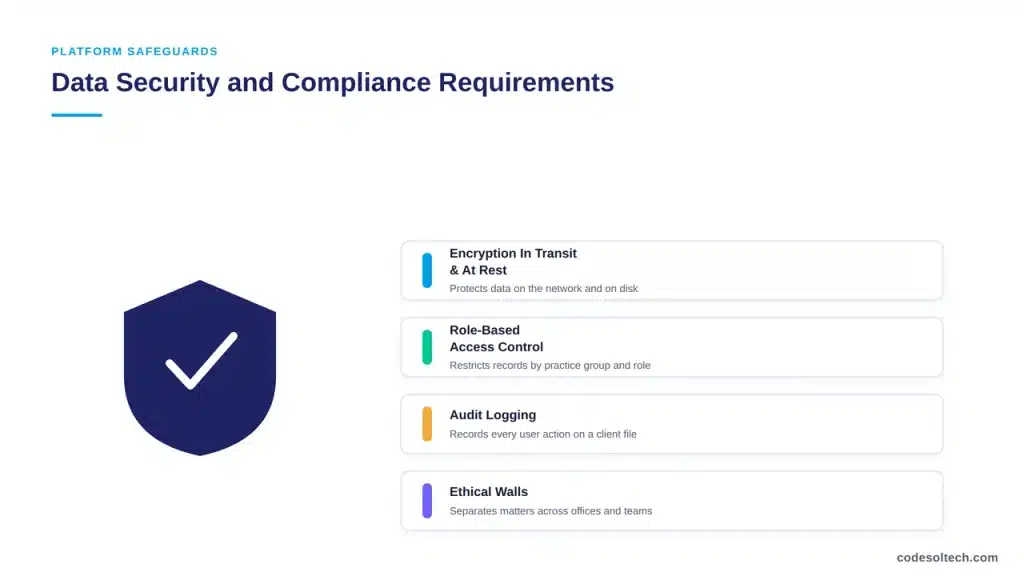
Firms handling regulated data, such as personal injury or healthcare-adjacent practice areas, apply additional access controls tied to the underlying compliance framework for that industry.
A CRM built on custom infrastructure allows a firm to configure access permissions by practice group, attorney, and staff role rather than accepting a fixed permission structure from an off-the-shelf vendor.
This matters most for firms with multiple offices or practice areas that require ethical walls between certain matters.
Selecting and Implementing a CRM for a Law Firm
Firm size and practice area determine which CRM configuration fits. A solo practitioner needs intake automation and e-signature above all else.
A mid-sized firm with multiple practice groups needs conflict-check integration and role-based permissions in addition to intake tools.
The legal practice management software market reflects this demand: the sector is projected to grow from $2.84 billion in 2025 to $5.96 billion by 2032, a compound annual growth rate of 11.07%, driven by cloud adoption and integration demand.
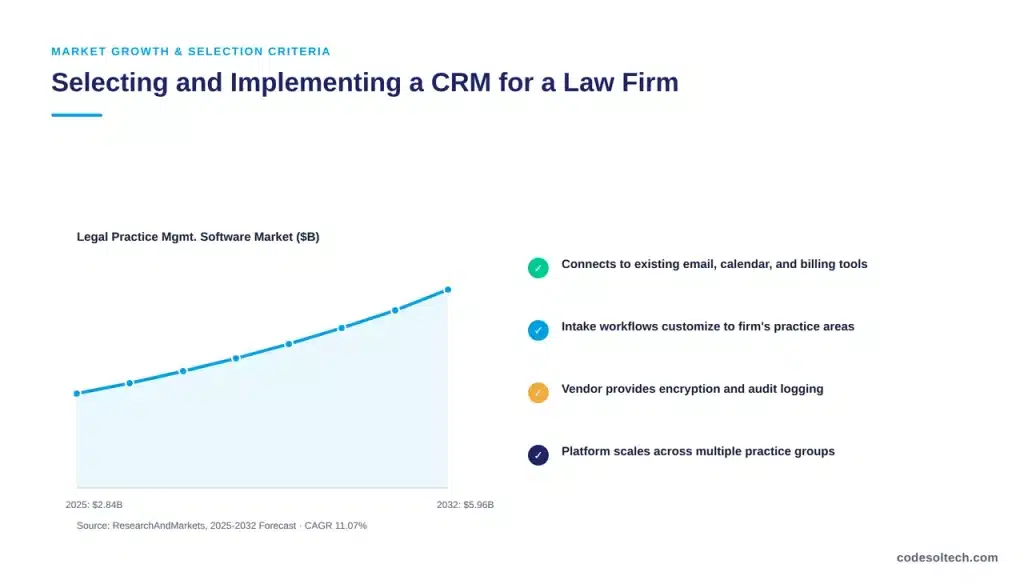
Firms evaluating a CRM implementation should confirm four points before signing a contract:
- The system connects to existing email, calendar, and billing software without manual re-entry
- Intake forms and workflows can be customized to the firm’s specific practice areas
- The vendor provides encryption, audit logging, and role-based access controls
- The platform can scale from a single office to multiple practice groups without a system change
Firms with intake logic or case-management requirements that off-the-shelf software cannot support typically move to a custom software development engagement, and firms already running a CRM but needing it to connect with billing, document management, or e-signature platforms should evaluate CRM integration before replacing the underlying system.
FAQs
Does a law firm CRM replace case management software?
No. A CRM manages the relationship from lead to signed client. Case management software manages the matter after it opens. Most firms run both functions on one connected platform.
How fast should a law firm respond to a new lead?
Clio’s 2024 Legal Trends Report found that 48% of law firm leads go unreturned by phone. Responding within the first hour materially improves conversion compared to a same-day or next-day response.
Can a law firm CRM include AI-driven features?
Yes. Litify’s 2024 State of AI in Legal Report found industry-wide AI use reached 47% among legal professionals, with document review and intake qualification among the top applications. Firms can add these capabilities through an AI-powered CRM layer built on top of existing intake and case data.
Final Words
A CRM turns scattered intake data into a connected system that tracks a client from first inquiry through case resolution. Firms that automate intake convert more leads and lose fewer prospects to slow response times.
The right CRM configuration depends on firm size, practice area, and existing software. A custom-built system closes gaps that generic platforms cannot.
Build a CRM That Matches Your Firm’s Intake and Case Workflow
CodeSoltech develops custom CRM systems for law firms that need intake automation, conflict-check integration, and secure client portals in one connected platform.



