
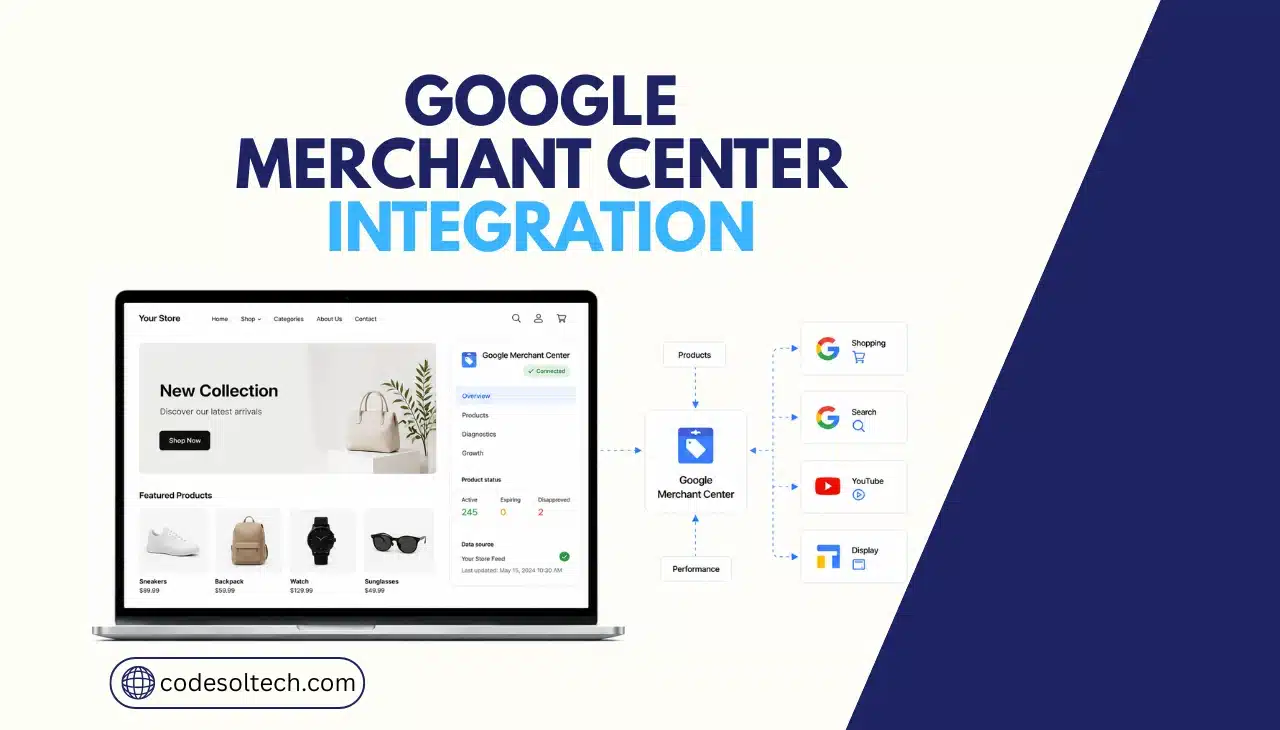
Google Merchant Center integration connects an ecommerce store’s product data to Google’s shopping surfaces. The store sends a product feed with titles, prices, availability, and images to the Merchant Center through a native app, a plugin, or the Merchant API.
Google reviews the feed and displays approved products on Search, Shopping, Maps, YouTube, and Images.
What Is Google Merchant Center and Why It Matters for Ecommerce
Google Merchant Center stores and validates product data submitted by a merchant. Google pulls this data into five surfaces: Search, the Shopping tab, Google Images, Google Maps, and YouTube.
Google confirms that account creation and organic product listings are free, while Performance Max and Standard Shopping campaigns require a linked Google Ads account for paid placement.
Merchant Center does not replace a store’s product catalog. It mirrors it. Every price change, stock update, or new SKU on the storefront must reach Merchant Center through the feed, or the listing goes stale, and Google suspends it.
- Product feed: the structured data file (XML, TSV, or API push) containing product attributes
- Data source: the specific feed connection registered inside Merchant Center for a language, country, or currency
- Merchant Center Next: the current account interface that replaced the legacy Merchant Center dashboard
- Merchant API: Google’s current programmatic interface for automated feed and account management
How Do You Integrate Google Merchant Center With an Ecommerce Platform?
A store integrates Google Merchant Center by connecting its product catalog through one of three channels: a native platform app, an auto-generated feed URL, or a direct API connection.
The platform then pushes product data to Merchant Center on a recurring schedule, and Google reviews each product before approving it for display.
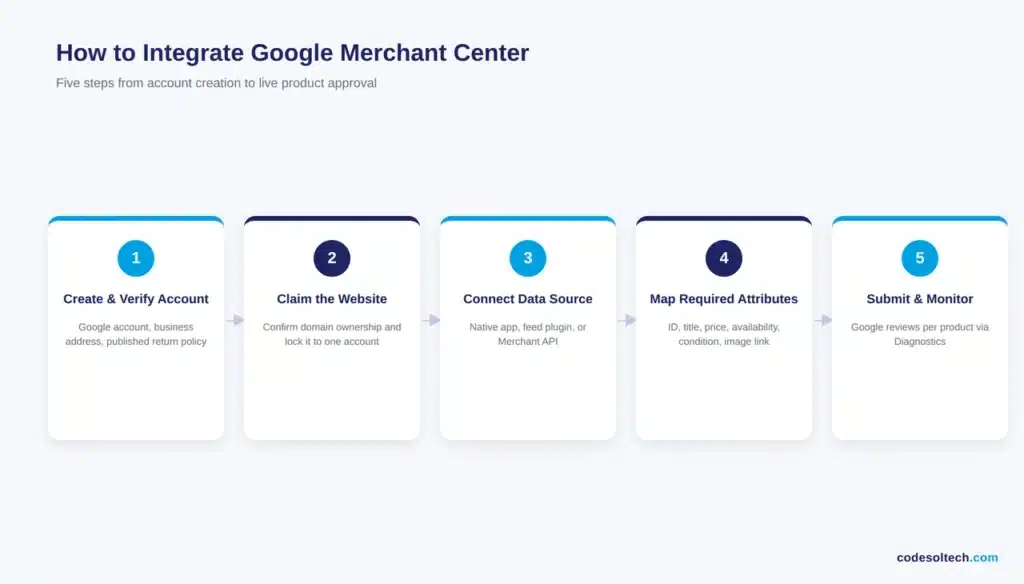
The integration sequence is the same across platforms:
- Create and verify the Merchant Center account. A Google account, a legal business address, and a published return policy on the store are prerequisites.
- Claim and verify the store’s website. Verification confirms domain ownership; claiming locks that domain to one Merchant Center account so it cannot be claimed by a competitor or reseller.
- Connect the data source. Shopify and WooCommerce merchants link through the platform’s native Google & YouTube channel or feed plugin. Custom-built stores generate a feed via the Merchant API or Content API for Shopping.
- Map required attributes. ID, title, description, link, image link, price, availability, and condition must populate correctly for every SKU.
- Submit for review and monitor Diagnostics. Google flags missing or invalid attributes per product rather than rejecting the entire feed.
Google’s own support documentation states that platform-synced products can take up to three days to appear in Merchant Center after the initial connection, so this step should run before a launch date, not on it.
Product Feed Requirements for Google Merchant Center
A compliant Merchant Center feed requires eight core attributes on every product: ID, title, description, link, image link, availability, price, and condition.
Products selling in multiple regions need a separate data source per language, country, and currency combination, since Google evaluates compliance at that level rather than at the account level.
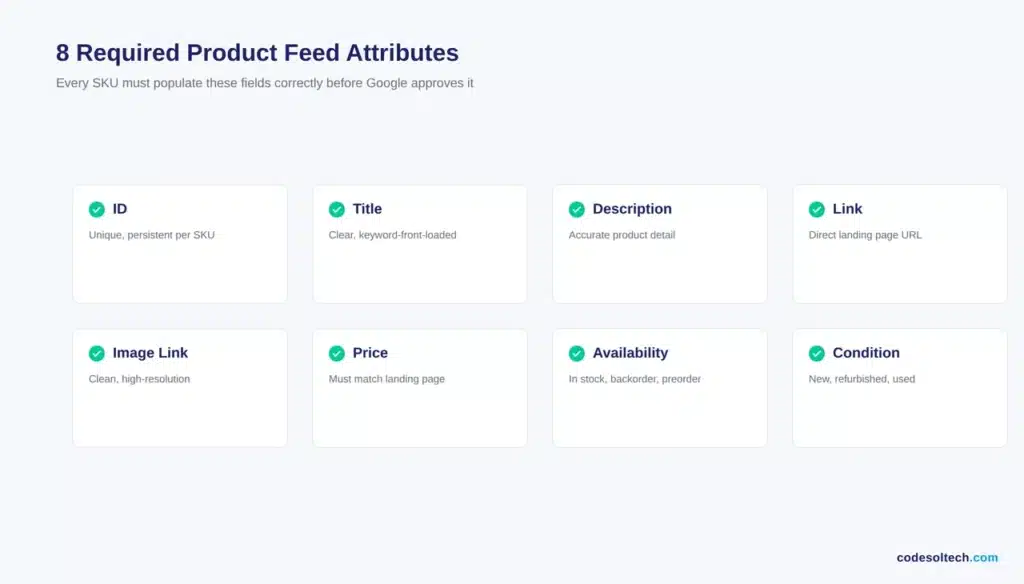
- ID: a unique, persistent identifier per product variant that never gets reused
- GTIN and MPN: manufacturer identifiers required for most product categories to qualify for free listings
- Availability: in stock, out of stock, preorder, or backorder — updated in near real time
- Price: must match the price displayed on the linked landing page exactly, including currency
- Shipping and tax settings: configured at the account level, with product-level overrides where needed
- Return policy: declared globally in account settings or per product through the
returnsattribute
Custom platforms integrating through the Merchant API should route new or high-risk attribute changes through a supplemental data source rather than the primary feed, since malformed entries in a primary feed can interrupt ingestion for the entire catalog.
Why Do Google Merchant Center Products Get Disapproved?
Products get disapproved in Google Merchant Center primarily due to price or availability mismatches between the feed and the landing page, missing required attributes, and policy violations such as misleading claims or prohibited content.
Google’s review cycle re-checks live products continuously, not only at first submission.
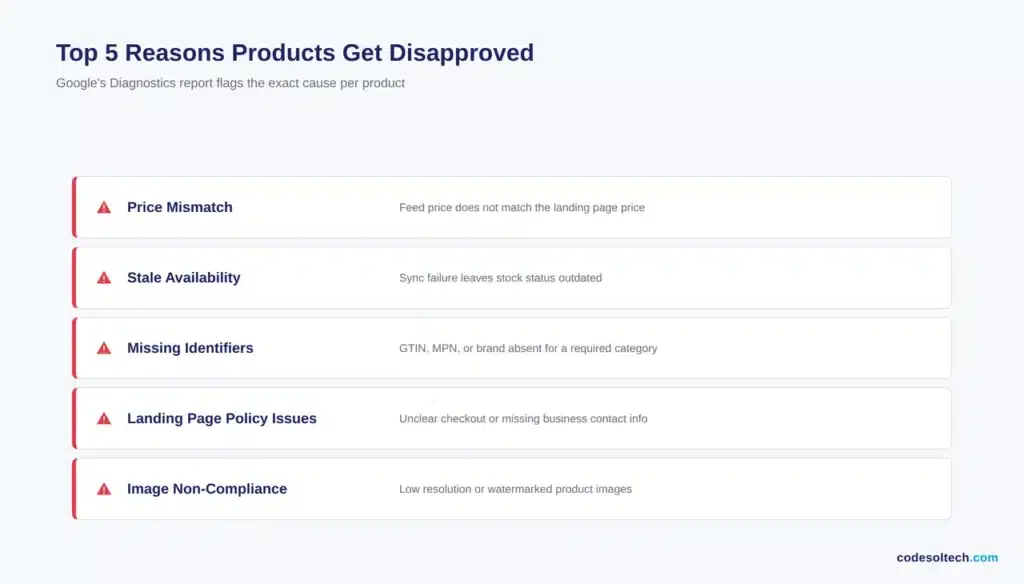
- Price shown in the feed does not match the price on the destination page
- Availability status is stale because the platform sync failed or lags behind real inventory
- Required identifiers (GTIN, MPN, brand) are missing for a category that mandates them
- Landing page fails to meet Google’s website policies, such as unclear checkout or missing business contact information
- Image does not meet resolution or watermark-free requirements
Diagnostics inside Merchant Center reports the exact rejection reason per product, and fixes made in the source platform sync back automatically once the next feed update runs.
Integration Methods Compared
| Method | Setup Complexity | Update Frequency | Best For |
|---|---|---|---|
| Shopify native app | Low | Automatic, near real time | Standard Shopify catalogs under 10,000 SKUs |
| WooCommerce feed plugin | Low to medium | Scheduled (hourly to daily) | WordPress-based stores with standard product types |
| Google Sheet / static feed | Low | Manual | Under 100 SKUs with stable pricing and stock |
| Merchant API / Content API | High | Real-time, developer-controlled | Custom-built platforms, multi-region catalogs, B2B portals |
Google Merchant Center and Performance Max
Merchant Center supplies the product data; Google Ads controls the bidding and budget on top of it.
Performance Max campaigns pull directly from the linked Merchant Center feed, so any attribute error that suppresses organic Shopping listings suppresses paid Performance Max listings at the same time.
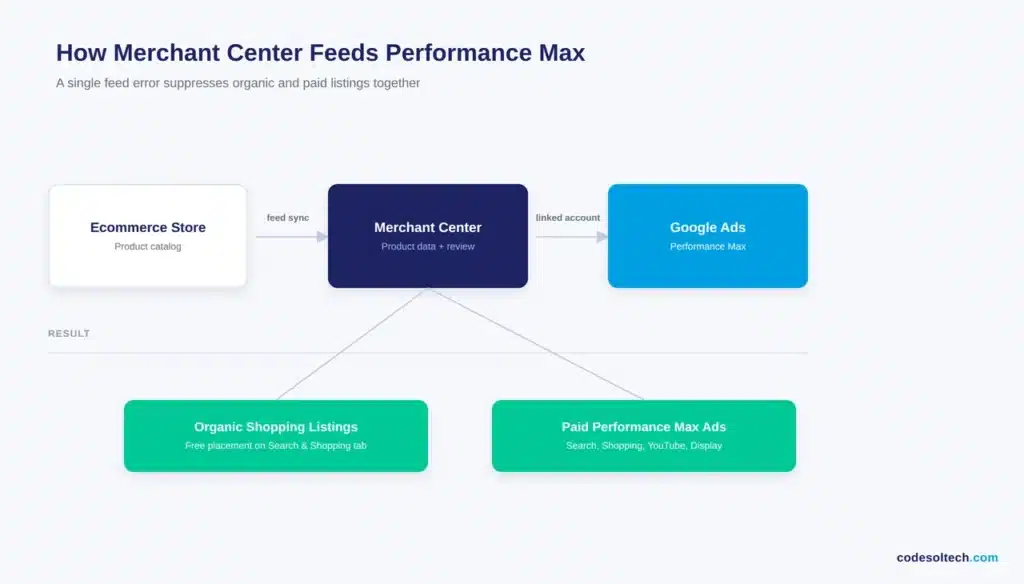
Linking the two accounts is a one-time setup step inside Merchant Center’s account linking settings.
Stores running custom checkout flows or subscription products should confirm that Merchant API-based integrations correctly report checkout eligibility and consumer notices per product, since these attributes now feed directly into Google’s newer commerce protocols alongside the standard shopping feed.
Final Words
Google Merchant Center integration is not a one-time task. It is a live data pipeline between the storefront and Google, and it breaks quietly when feed sync fails.
Treat feed health as an ongoing maintenance item, not a launch checkbox, and disapprovals stay rare instead of routine.
Need a Merchant Center Integration That Doesn’t Break on Launch Day?
Codesoltech builds and maintains custom ecommerce feed integrations, from Shopify and WooCommerce syncs to Merchant API pipelines for custom platforms.



