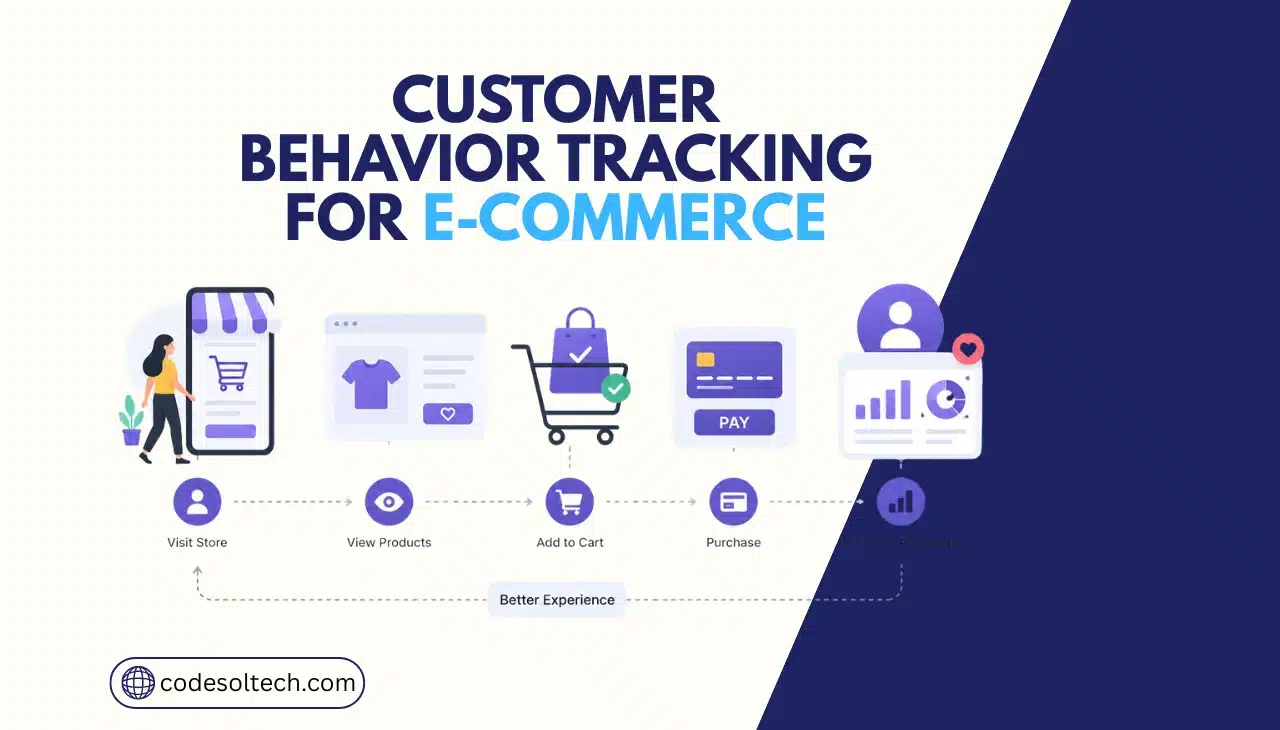
A customer behavior tracking system records how shoppers interact with an online store: pages viewed, products clicked, time spent, cart activity, and purchase decisions.
Ecommerce brands deploy these systems to identify friction points, predict churn, and trigger personalized responses in real time.
The average global cart abandonment rate sits at 70.22%, based on a meta-analysis of 49 independent studies, which makes behavior data the primary lever for revenue recovery.
What Is a Customer Behavior Tracking System?
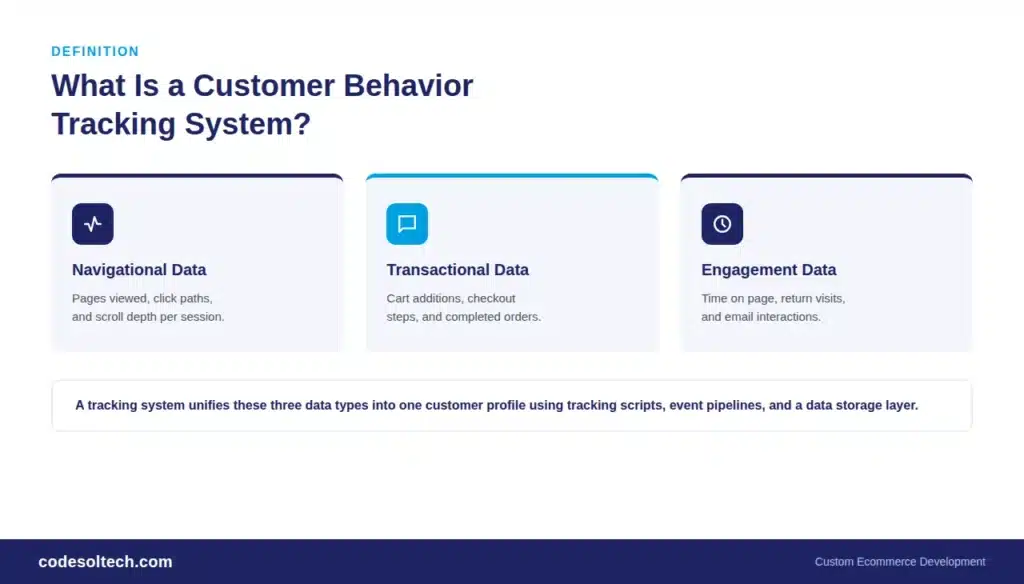
The system logs three categories of data: navigational data (pages, clicks, scroll depth), transactional data (cart additions, checkout steps, purchases), and engagement data (time on page, return visits, email opens).
Developers implement tracking through JavaScript event listeners, server-side APIs, or a combination of both, depending on the platform architecture.
Ecommerce platforms commonly connect four types of tools to build a complete tracking stack:
- Web analytics platforms — track pageviews, sessions, and conversion funnels (example: Google Analytics 4)
- Session recording and heatmap tools — capture mouse movement, clicks, and scroll behavior on individual sessions
- Customer Data Platforms (CDPs) — unify behavioral, transactional, and demographic data into a single customer profile
- Event tracking APIs — send custom events (add-to-cart, wishlist-add, coupon-applied) directly from the application backend
How Does a Customer Behavior Tracking System Work?
A tracking system works by firing an event every time a user performs a defined action, then sending that event to a data collection endpoint for processing.
The pipeline runs in four stages: data capture, data transmission, data storage, and data activation. Each stage runs continuously and feeds the next in near real time on a properly configured stack.
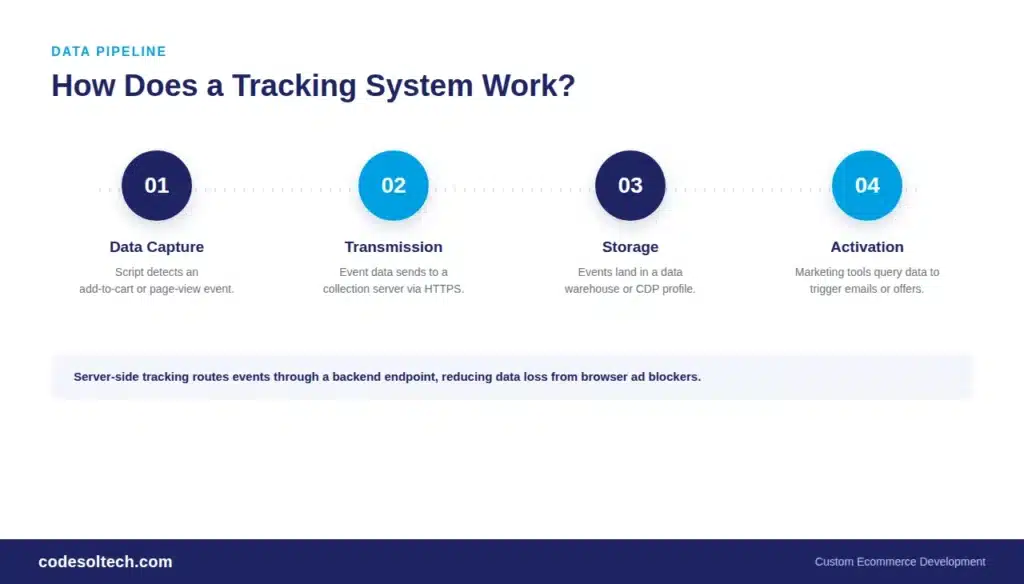
- Data capture: A tracking script or SDK detects an action, such as a product page view or an add-to-cart click.
- Data transmission: The event, along with metadata like timestamp, device type, and session ID, transmits to a collection server via HTTP request.
- Data storage: Events land in a data warehouse or CDP, where they are matched to a unique customer or session identifier.
- Data activation: Downstream systems query the stored data to trigger emails, adjust product recommendations, or update dashboards.
Server-side tracking has replaced pure client-side tracking as the technical standard for accuracy.
Browser-based ad blockers and Apple’s Intelligent Tracking Prevention block a measurable share of client-side JavaScript trackers, so ecommerce developers now route events through a server endpoint before they reach analytics platforms.
This method preserves data accuracy and reduces dependency on third-party cookies.
Comparison: Core Types of Customer Behavior Tracking Tools
| Tool Type | Primary Data Captured | Best Use Case |
|---|---|---|
| Web Analytics (GA4) | Sessions, conversions, traffic source | Funnel and channel-level reporting |
| Session Recording | Clicks, scrolls, rage clicks, form drop-off | Checkout and UX debugging |
| Customer Data Platform | Unified profile across web, email, and POS | Segmentation and lifecycle marketing |
| Event Tracking API | Custom backend events (cart, wishlist, coupon) | Custom platform and app development |
| Recommendation Engine | Product views, purchase history, affinity scores | On-site personalization and upsell |
Why Does Customer Behavior Tracking Increase Ecommerce Revenue?
Customer behavior tracking increases revenue by converting guesswork into targeted action at the exact point when a customer shows intent.
Personalization built on behavioral data lifts revenue by 5% to 15% for most companies, and fast-growing retailers generate 40% of their total revenue from personalization, compared with 30% for slower-growing competitors, according to McKinsey research.
Behavioral personalization also reduces customer acquisition costs by up to 50%, since retargeting relies on actual intent signals instead of broad demographic guessing.
Behavior tracking directly addresses cart abandonment, the single largest controllable revenue leak in ecommerce. Key figures include:
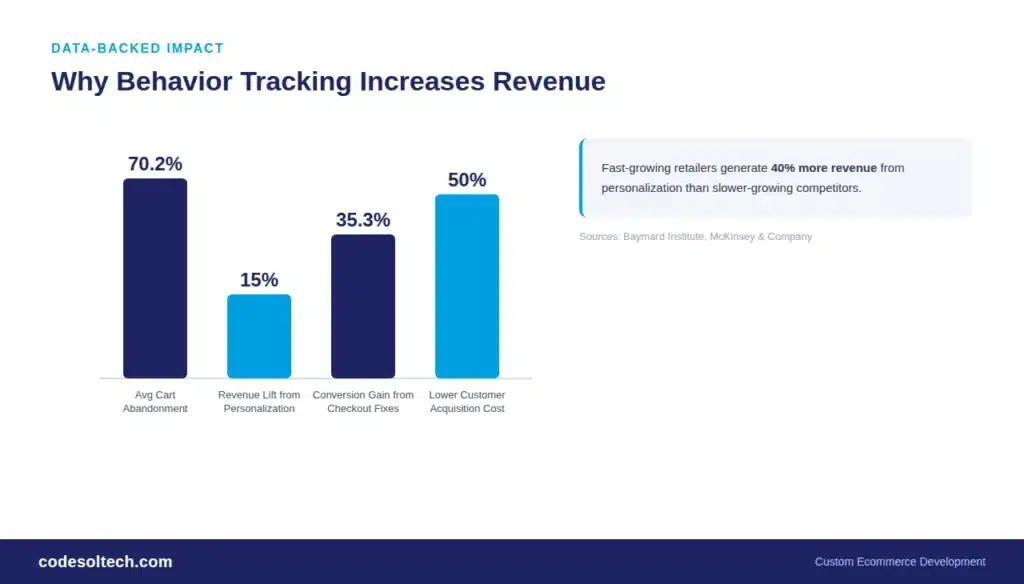
- The global average cart abandonment rate is 70.22%, based on Baymard Institute’s aggregation of 49 independent studies
- Unexpected costs at checkout, such as shipping and taxes, account for 47% to 48% of all abandonment cases
- Retargeting triggered by tracked cart events increases sales by up to 20% and lowers abandonment by 6.5%
- A fully optimized checkout, informed by session-level tracking data, can lift conversion rates by up to 35.26% on large ecommerce sites.
Each of these figures depends on the store capturing the underlying event first. A recovery email cannot fire without a tracked “cart abandoned” event, and a checkout fix cannot happen without session recordings showing exactly where the drop-off occurs.
Data Privacy and Compliance Requirements
Customer behavior tracking systems must comply with data protection regulations that govern consent, storage, and deletion rights.
The two regulations with the broadest reach for ecommerce businesses are the EU’s General Data Protection Regulation (GDPR) and California’s Consumer Privacy Act (CCPA).
GDPR requires explicit opt-in consent before non-essential tracking cookies load, while CCPA gives California residents the right to opt out of the sale or sharing of their personal information and requires a clear disclosure mechanism on the homepage.
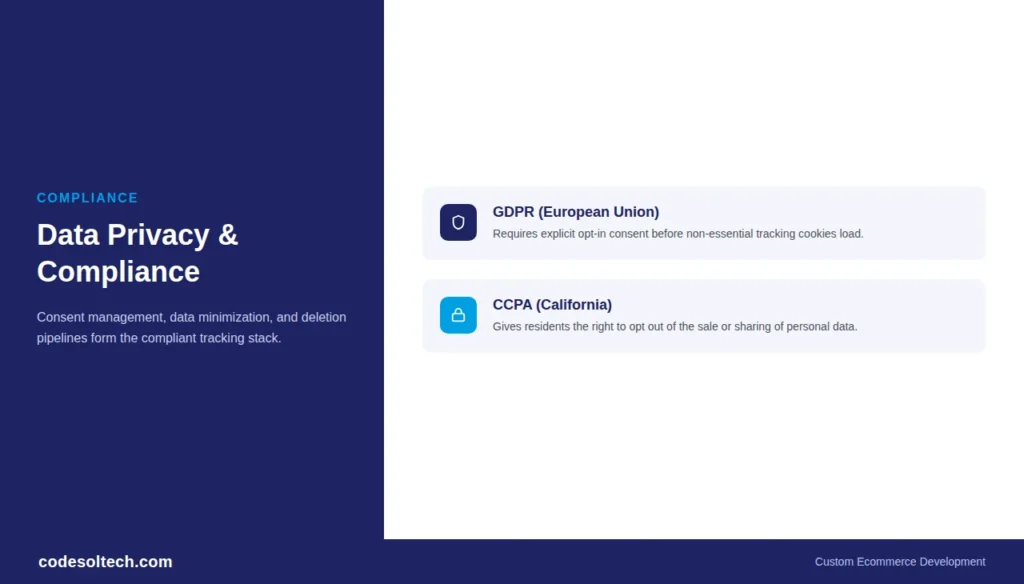
A compliant tracking architecture separates three layers: consent management (a cookie banner that blocks scripts until the user opts in), data minimization (collecting only fields required for the stated purpose), and a deletion pipeline (a process to erase a user’s tracked history on request).
Custom-built ecommerce platforms handle this more reliably than default plugin stacks, since developers can enforce consent logic at the server level rather than relying on client-side script blockers.
How to Choose a Customer Behavior Tracking System
Choosing the right tracking system depends on store size, technical stack, and the specific business question the data needs to answer. Follow this sequence when evaluating options:
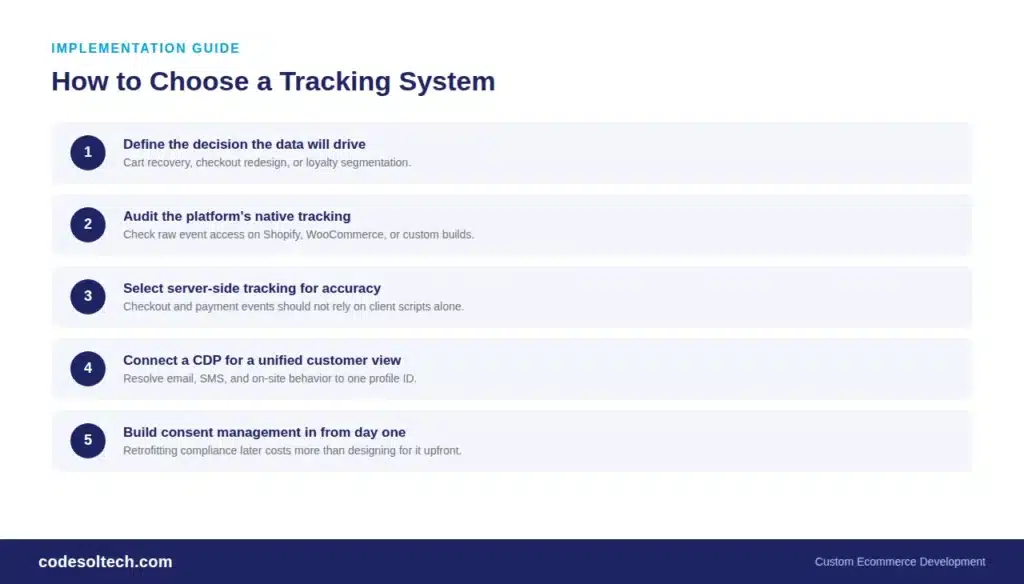
- Define the decision the data will drive — cart recovery, checkout redesign, and loyalty segmentation each require different event sets.
- Audit the current platform’s native tracking — Shopify, WooCommerce, and custom-built stores expose different levels of raw event access.
- Select server-side tracking where accuracy matters — checkout and payment events should never depend solely on client-side scripts.
- Connect a CDP if multiple channels need one customer view — email, SMS, and on-site behavior must resolve to a single profile ID.
- Build consent management into the architecture from day one — retrofitting compliance after launch costs more than designing for it upfront.
Stores running on custom infrastructure gain the most control, since developers can define exactly which events fire, where the data lands, and how quickly it activates downstream marketing tools.
This level of control is difficult to achieve on rigid, plugin-dependent platforms.
Final Words
Customer behavior tracking systems turn raw clicks into revenue decisions. They identify where shoppers drop off, what drives them to buy, and which segments deserve personalized attention.
Ecommerce stores that build tracking into their platform architecture, rather than bolting it on later, recover more lost revenue and scale personalization without compliance risk.
Build a Behavior Tracking System That Actually Drives Revenue
CodeSol Technologies designs and develops custom ecommerce platforms with server-side tracking, CDP integration, and compliant consent architecture built in from the start.

![Electrician CRM: Win More Jobs [Faster Estimates Guide]](https://www.codesoltech.com/wp-content/uploads/2026/10/Crm-for-an-electricians-business.webp)