
A web design framework is a pre-written, standardized collection of CSS rules, HTML component patterns, and JavaScript utilities that developers deploy to accelerate the construction of web interfaces.
Frameworks encode design decisions typography scales, spacing units, color tokens, and grid systems into reusable abstractions. This encoding reduces the time required to produce a functional, visually consistent UI from weeks to hours.
Web design frameworks exist on a spectrum defined by two architectural poles: utility-first frameworks (e.g., Tailwind CSS) that expose low-level, single-purpose class names, and component-based frameworks (e.g., Bootstrap) that provide pre-assembled UI blocks.
Understanding the history of these frameworks requires tracing the evolution of the 3 foundational technologies they depend on: HTML, CSS, and the browser rendering engine.
Era 1 (1991–1995): HTML as a Document Language, Pre-Framework
The Origin of HTML and the Absence of Presentation Logic
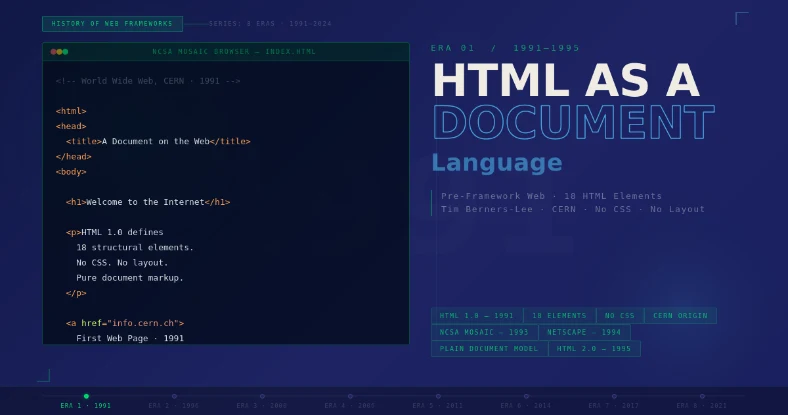
Tim Berners-Lee published the first formal description of HTML (HyperText Markup Language) in 1991 as a subset of SGML. HTML 1.0 defined 18 elements, all structural: headings, paragraphs, lists, anchors, and images. The specification contained zero presentational properties. Browsers controlled all visual rendering decisions, including fonts, colors, and spacing.
The NCSA Mosaic browser, released in 1993, introduced inline <img> tag rendering and was the first application to display images alongside text in a single window. This capability created immediate commercial pressure for authors to control presentation.
HTML 2.0, standardized by the IETF in 1995, incorporated attributes like align and bgcolor directly into structural tags a design decision that conflated structure with presentation and created technical debt that CSS was built to resolve.
HTML 1.0 contained 18 structural elements and 0 presentational properties. All visual styling decisions in 1991–1994 were controlled entirely by the browser, not the author.
Table-Based Layout: The First De Facto Framework
Between 1994 and 1999, the <table> element intended for tabular data became the dominant layout mechanism for the web. Developers nested tables inside tables to create multi-column page structures, achieving a rudimentary grid system.
This pattern constituted the web’s first shared layout convention, functioning as an informal, undocumented framework adopted universally across development teams.
Table-based layouts produced 4 structural problems that web design frameworks later solved:
- Presentational markup was inseparable from semantic markup, violating the separation of concerns principle
- Layout modifications required altering HTML structure, not CSS rules
- Accessibility assistive technologies (e.g., screen readers) misinterpreted layout tables as data tables
- Page weight increased by 15–40% due to redundant
<td>,<tr>, andcolspanattributes
Era 2 (1996–2004): CSS Emerges as a Presentational Language
CSS Level 1: The Specification That Separated Structure from Style
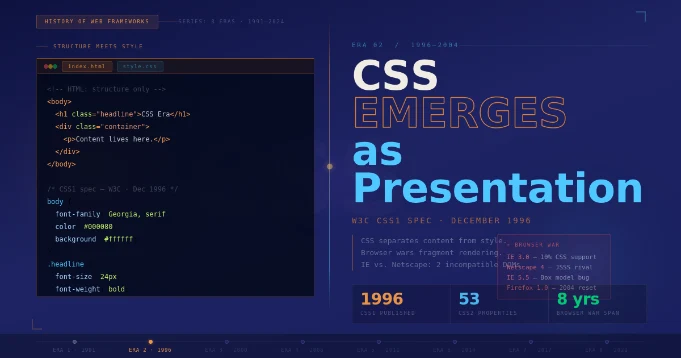
The World Wide Web Consortium (W3C) published CSS Level 1 as a formal recommendation on December 17, 1996. Håkon Wium Lie and Bert Bos authored the specification. CSS1 defined 53 properties covering typography (font-family, font-size, font-weight), box model attributes (margin, padding, border), and color.
The cascade algorithm the process by which conflicting style rules resolve based on specificity, origin, and order was defined in its final form in this specification.
CSS1 did not include a layout mechanism. Positioning required the float property, which the specification defined as a text-wrapping utility, not a column system. Developers repurposed float: left and float: right to build 2-column and 3-column layouts, creating the next generation of web layout conventions.
CSS Level 2 and the Box Model Standard
The W3C published CSS Level 2 in 1998, extending the specification to 120 properties. CSS2 introduced absolute and relative positioning, the z-index stacking context, the :hover and :focus pseudo-classes, and media types (though not the responsive breakpoint model of later CSS3).
The specification also formalized the CSS Box Model, defining how width, height, padding, border, and margin compose an element’s rendered dimensions.
Browser implementation of CSS2 was inconsistent across Internet Explorer 5, Netscape 4, and Opera 3. Internet Explorer 5 implemented the box model incorrectly, calculating width to include padding and border — the opposite of the W3C specification.
This discrepancy forced developers to write 2 separate CSS rule sets for the same element, one targeting IE and one targeting standards-compliant browsers. This dual-codebase pattern created the industrial demand for a shared, cross-browser-compatible CSS abstraction layer.
“The Internet Explorer 5 box model discrepancy required developers to maintain 2 separate CSS rule sets per element — creating the industrial demand for cross-browser CSS abstraction layers.”
CSS Reset and Normalization: The First CSS Frameworks
Eric Meyer published CSS Reset in 2004, a stylesheet that set all browser-default styles (margins, padding, font sizes, list decorations) to zero before any author styles were applied. This 50-line file is recognized as the first widely distributed CSS utility framework.
Its adoption created a shared rendering baseline across Internet Explorer, Firefox, and Safari, enabling developers to write CSS rules that produced identical results in all 3 browsers.
Nicolas Gallagher published Normalize.css in 2011 as a structural evolution of Meyer’s reset. Where CSS Reset zeroed all browser defaults, Normalize.css preserved useful browser defaults while correcting documented browser bugs and enforcing cross-browser consistency on 8 categories of elements.
Normalize.css was downloaded over 40 million times in its first 3 years and became a standard dependency in Bootstrap 2 and Bootstrap 3.
Era 3 (2006–2013): The Rise of CSS Grid Systems and Component Frameworks
960 Grid System: Formalizing the 12-Column Grid
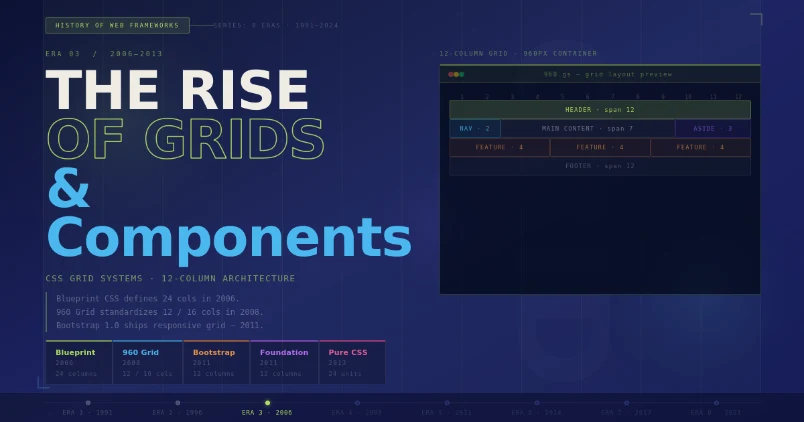
Nathan Smith released the 960 Grid System in 2008. The framework established the 960-pixel container width as a layout standard — wide enough to accommodate 1024×768 monitor resolutions (the dominant screen size in 2008) while maintaining centered, readable content.
The framework divided the 960-pixel container into 12 or 16 equal columns separated by 10-pixel gutters, producing a named grid system that designers and developers shared as a common spatial language.
The 960 Grid System demonstrated 3 properties that all subsequent CSS frameworks adopted:
- A fixed-width container with a defined maximum pixel value
- A columnar division system expressed as semantic class names (e.g.,
.grid_6,.grid_12) - A cleared float mechanism (
.clearfix) to collapse parent containers around floated child elements
Twitter Bootstrap: The First Full-Stack CSS Framework
Mark Otto and Jacob Thornton at Twitter released Bootstrap 1.0 on August 19, 2011 as an open-source project on GitHub. Bootstrap combined 4 architectural layers into a single package: a CSS reset based on Normalize.css, a 12-column responsive grid system, a component library (buttons, modals, navigation bars, forms, alerts), and a JavaScript plugin system built on jQuery. No previous CSS framework integrated all 4 layers.
Bootstrap 2.0, released in January 2012, introduced the responsive grid system as the framework’s core innovation. The responsive grid used CSS @media queries to reflow 12-column layouts to narrower column configurations at 3 predefined breakpoints: 767px (mobile), 979px (tablet), and 1200px (desktop).
This breakpoint model became the de facto standard across the front-end industry.
| Year | Framework / Technology | Core Contribution | Columns |
|---|---|---|---|
| 1996 | CSS Level 1 | Separated presentation from structure; defined cascade algorithm | — |
| 2004 | CSS Reset (Meyer) | Zeroed browser defaults; first distributed CSS utility | — |
| 2008 | 960 Grid System | Formalized the 12-column grid; standardized 960px containers | 12 / 16 |
| 2011 | Bootstrap 1.0 | First full-stack framework: reset + grid + components + JS | 12 |
| 2012 | Bootstrap 2.0 | Responsive grid with media query breakpoints | 12 |
| 2013 | Foundation 4 (ZURB) | Mobile-first architecture; Sass preprocessor integration | 12 |
| 2014 | Bootstrap 3.0 | Mobile-first grid; flat design component system | 12 |
| 2017 | CSS Grid Level 1 | Native 2D layout engine; eliminated float and framework grid dependency | N |
| 2017 | Tailwind CSS | Utility-first architecture; eliminated component abstraction layer | N |
| 2020 | Bootstrap 5.0 | Removed jQuery dependency; added CSS custom properties and RTL support | 12 |
Foundation by ZURB: Mobile-First Architecture
ZURB released Foundation 3 in 2012 as the first major CSS framework to adopt a mobile-first architecture. Mobile-first methodology inverts the cascade direction: base styles target the narrowest viewport, and @media (min-width) queries add complexity at wider breakpoints.
This inversion reduces the CSS shipped to mobile devices, improving Time to First Meaningful Paint on low-bandwidth connections. Foundation 4, released in 2013, integrated Sass (Syntactically Awesome Stylesheets) as a compilation dependency, introducing variables, mixins, and nesting to a production CSS framework for the first time.
Era 4 (2014–2017): HTML5, Semantic Markup, and CSS3 Modules
HTML5: Structural Semantics as an SEO and Accessibility Primitive
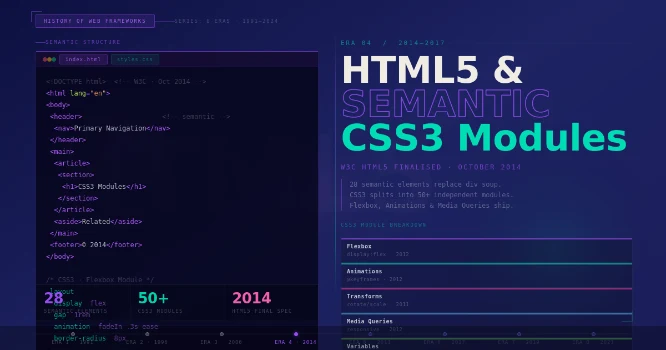
The W3C published the HTML5 specification as a formal recommendation on October 28, 2014. HTML5 introduced 28 new structural elements. The 7 most architecturally significant elements for web layout frameworks are:
<header>— defines the introductory content or navigational region of a document or section<nav>— marks a block containing primary navigation links<main>— identifies the primary content area of the document; only 1 instance per page is valid<article>— denotes a self-contained composition (blog post, news item, comment)<section>— groups thematically related content within a document<aside>— marks content tangentially related to the surrounding content<footer>— contains closing information for its nearest sectioning ancestor
HTML5 semantic elements replaced <div> containers with machine-readable structural signals. Search engine crawlers process <article> and <main> tags as primary content indicators, increasing the precision of content extraction algorithms.
Web design frameworks updated their HTML template scaffolding to use HTML5 semantic elements in Bootstrap 3 (2013) and Foundation 5 (2014).
CSS3 Flexbox: The First Native Single-Axis Layout Engine
The W3C published the CSS Flexible Box Layout Module Level 1 as a Candidate Recommendation in 2012, with stable cross-browser support achieved in 2014. Flexbox defines a 1-dimensional layout model: a flex container distributes its child elements (flex items) along a single axis either horizontal (flex-direction: row) or vertical (flex-direction: column).
The flex container calculates available space and distributes it according to 3 properties: flex-grow, flex-shrink, and flex-basis.
Flexbox solved 5 layout problems that required CSS hacks in previous frameworks:
- Vertical centering of an element within its parent container
- Equal-height columns without JavaScript measurement
- Dynamic space distribution between elements of unknown widths
- Reordering of visual elements independently of DOM source order
- Alignment of child elements to a shared baseline
Bootstrap 4 (2018) replaced its float-based 12-column grid with a Flexbox-based implementation. This architectural migration reduced the Bootstrap grid source from 986 lines of CSS to 421 lines while expanding its layout capabilities.
Sass and CSS Preprocessors: Programmable Stylesheets
Sass (Syntactically Awesome Style Sheets) was created by Hampton Catlin in 2006 and extended by Natalie Weizenbaum. Sass introduced 4 programming constructs absent from CSS: variables ($primary-color: #c8392b), nesting (selector hierarchies within a parent block), mixins (parameterized reusable style blocks), and extend/inheritance (shared rule sets).
The .scss syntax, introduced in Sass 3 (2010), maintained CSS-compatible syntax to lower the adoption barrier.
Bootstrap 3 migrated its source from Less to Sass in Bootstrap 4 (2018). This migration standardized Sass as the CSS preprocessor of choice for framework development, a position it retained through 2025.
The introduction of CSS custom properties (variables) in the CSS Variables specification (stable browser support: 2017) reduced the functional dependency on Sass for runtime variable manipulation, since CSS custom properties update dynamically in response to JavaScript and :root overrides.
Era 5 (2017–Present): CSS Grid, Utility-First Frameworks, and the Post-Bootstrap Architecture
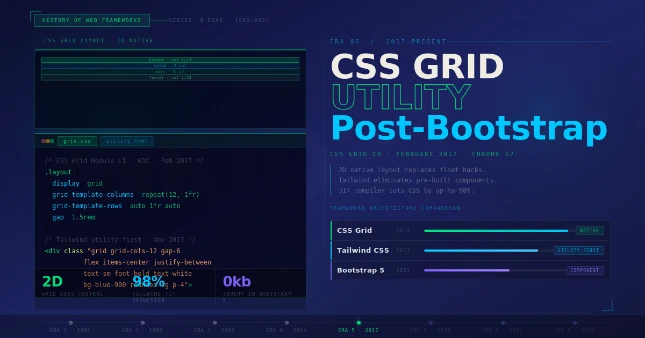
CSS Grid Layout: A Native 2D Layout Engine
The W3C published the CSS Grid Layout Module Level 1 as a Candidate Recommendation in 2017, achieving stable support in all major browsers simultaneously — Chrome 57, Firefox 52, Safari 10.1, and Edge 16 — between March and October 2017.
CSS Grid defines a 2-dimensional layout system in which a grid container establishes explicit rows and columns. Developers define the grid track structure using the grid-template-columns and grid-template-rows properties.
CSS Grid introduced the fr (fractional unit), a length unit representing a fraction of the available space in the grid container. The declaration grid-template-columns: 1fr 2fr 1fr creates 3 columns where the center column receives twice the space of each outer column, calculating the exact pixel value dynamically based on the container width.
The fr unit eliminated the need for percentage-based column calculations that all float-based frameworks required.
CSS Grid Level 1 achieved simultaneous cross-browser support in Chrome 57, Firefox 52, Safari 10.1, and Edge 16 between March and October 2017 — the first major CSS layout specification to land without a multi-year browser support gap.
CSS Grid provides 6 capabilities unavailable in any previous CSS framework grid system:
- Named grid areas defined with
grid-template-areasthat map ASCII diagrams to element placement - Implicit grid track creation via
grid-auto-rowsandgrid-auto-columnsfor dynamically generated content - Subgrid alignment (CSS Grid Level 2, 2022) allowing nested grids to inherit parent track definitions
- Dense auto-placement that fills visual gaps created by irregular item sizes
- Overlapping element placement by assigning the same grid coordinates to multiple items
- Intrinsic sizing functions:
minmax(),fit-content(), andrepeat(auto-fill, ...)
Tailwind CSS: The Utility-First Paradigm Shift
Adam Wathan released Tailwind CSS 0.1 in November 2017. The framework’s architectural thesis inverts the component model: instead of providing pre-assembled components (e.g., Bootstrap’s .btn-primary), Tailwind provides 1 CSS class per property-value pair.
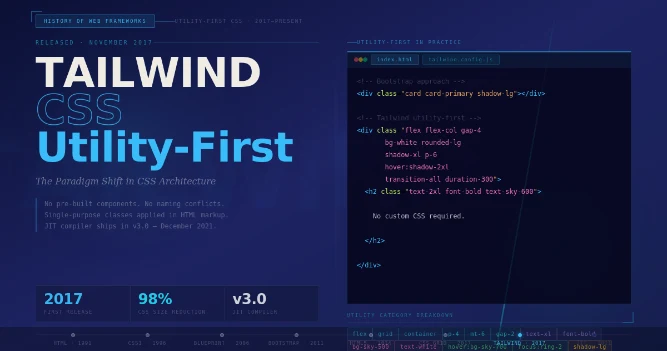
A button styled with Tailwind uses 8–15 single-purpose class names (e.g., bg-blue-600 text-white px-4 py-2 rounded font-semibold hover:bg-blue-700) applied directly to the HTML element.
Tailwind CSS 3.0, released in December 2021, introduced Just-in-Time (JIT) compilation. The JIT engine scans HTML, JavaScript, and template files at build time and generates only the CSS classes referenced in those files. A production Tailwind build ships between 5KB and 20KB of gzipped CSS, compared to Bootstrap 5’s 22KB minified and gzipped output for its base CSS.
Tailwind v4, released in 2025, migrated from a JavaScript configuration file to a CSS-first configuration using custom properties, removing the Node.js build requirement for basic usage.
Bootstrap 5: The jQuery-Free, CSS Variable–Native Era
Bootstrap 5.0 was released on May 5, 2021. The release removed the jQuery dependency that Bootstrap had required since version 1.0 in 2011. Bootstrap 5 rewrote all 13 JavaScript plugins in vanilla ES6 JavaScript, reducing the total JavaScript payload by 6KB minified and gzipped.
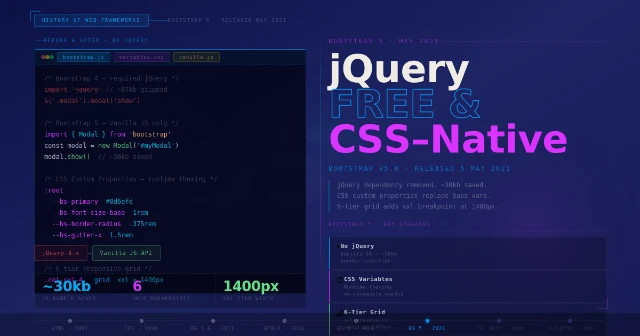
Bootstrap 5 also introduced CSS custom properties as the primary theming mechanism, replacing Sass variable overrides as the first customization layer. CSS custom properties update at runtime in the browser, enabling theme switching without recompilation.
Bootstrap 5.3, released in 2023, added a built-in color mode system supporting light and dark themes via the data-bs-theme HTML attribute. The color mode system uses 9 semantic color custom properties (--bs-body-bg, --bs-body-color, etc.) that resolve to different values depending on the active theme, enabling dark mode implementation without a single line of custom CSS.
CSS Grid vs. Bootstrap Grid: A Technical Comparison
CSS Grid and Bootstrap’s 12-column grid solve the same problem — distributing elements across a horizontal space — through 2 fundamentally different architectural approaches. Bootstrap’s grid operates at the HTML layer: layout is encoded in class names applied to elements.
CSS Grid operates at the CSS layer: layout is defined on the parent container and the browser positions children algorithmically.
| Property | Bootstrap 12-Column Grid | CSS Grid |
|---|---|---|
| Axes | 1-dimensional (row only) | 2-dimensional (rows + columns) |
| Layout location | HTML class attributes | CSS grid-template properties |
| Column definition | 12 fixed columns with gutters | N columns, any unit |
| Gap control | Fixed gutter (1.5rem default) | gap property, any value |
| Item overlap | Not supported | Native via coordinate assignment |
| Implicit tracks | Not supported | grid-auto-rows |
| Browser support (2025) | All browsers via Bootstrap CSS | All browsers natively |
The Role of Web Design Frameworks in SEO
Web design frameworks affect 4 measurable SEO signals. First, framework choice influences Core Web Vitals: Bootstrap 5’s full CSS file (22KB gzipped) adds 22KB to the render-blocking stylesheet payload, increasing First Contentful Paint compared to a Tailwind JIT build (5–12KB).

Second, frameworks that use HTML5 semantic elements in their component scaffolding improve search engine content extraction accuracy. Third, frameworks with mobile-first responsive grids ensure that Google’s mobile-first indexing crawler receives the same content as the desktop crawler.
Fourth, framework-generated class names in HTML are machine-parseable signals that allow static analysis tools to audit accessibility compliance at scale.
The adoption of CSS custom properties in Bootstrap 5 and CSS Grid as a native layout primitive reduces the dependency on framework-specific HTML class structures.
This reduction in HTML class coupling increases the portability of semantic markup and decreases the specificity conflicts that historically degraded CSS maintainability in large-scale web applications.
Summary: 5 Architectural Transitions in Web Design Frameworks
The history of web design frameworks resolves into 5 discrete architectural transitions, each driven by a browser technology reaching stable cross-browser status:
- 1994–2004: Table-based layouts → Float-based layouts (CSS1/CSS2 adoption)
- 2008–2012: Ad-hoc float grids → Named 12-column grid systems (960 Grid, Bootstrap 1)
- 2012–2018: Fixed-width grids → Responsive, mobile-first grids (Bootstrap 2–4, Foundation 3–6)
- 2017–2021: Float/Flexbox grids → Native CSS Grid layouts (CSS Grid Level 1 universal support)
- 2017–2025: Component-first frameworks → Utility-first frameworks (Tailwind CSS JIT compilation)
Each transition preserved backward compatibility at the HTML layer while replacing the CSS implementation layer. This preservation explains why Bootstrap and CSS Grid coexist in production codebases today:
Bootstrap encodes its grid in HTML class names that persist across CSS engine upgrades, while CSS Grid operates at the CSS layer independently.
Final Words
Web design frameworks evolved from 24-column fixed grids to native 2D CSS Grid systems over 17 years. Each framework — Blueprint, Bootstrap, Tailwind — solved the layout limitations of its era.
CSS Grid and utility-first methodologies now define modern front-end architecture of modern web development, enabling precision layouts without framework dependency.
Ready to modernize your front-end stack?
Explore our in-depth guides on CSS Grid implementation, Bootstrap 5 migration, and Tailwind CSS configuration to build faster, more accessible, and search-engine-optimized web layouts.
![CRM Knowledge Base Integration: [Types + 5-Step Setup]](https://www.codesoltech.com/wp-content/uploads/2026/09/CRM-Knowledge-Base-Integration-Definition-Types-and-Setup-Steps.webp)
![Fixing CRM Contact Deduplication [Causes & Fixes Guide]](https://www.codesoltech.com/wp-content/uploads/2026/09/Fixing-CRM-Contact-Deduplication-Causes-Fixes-Guide.webp)