
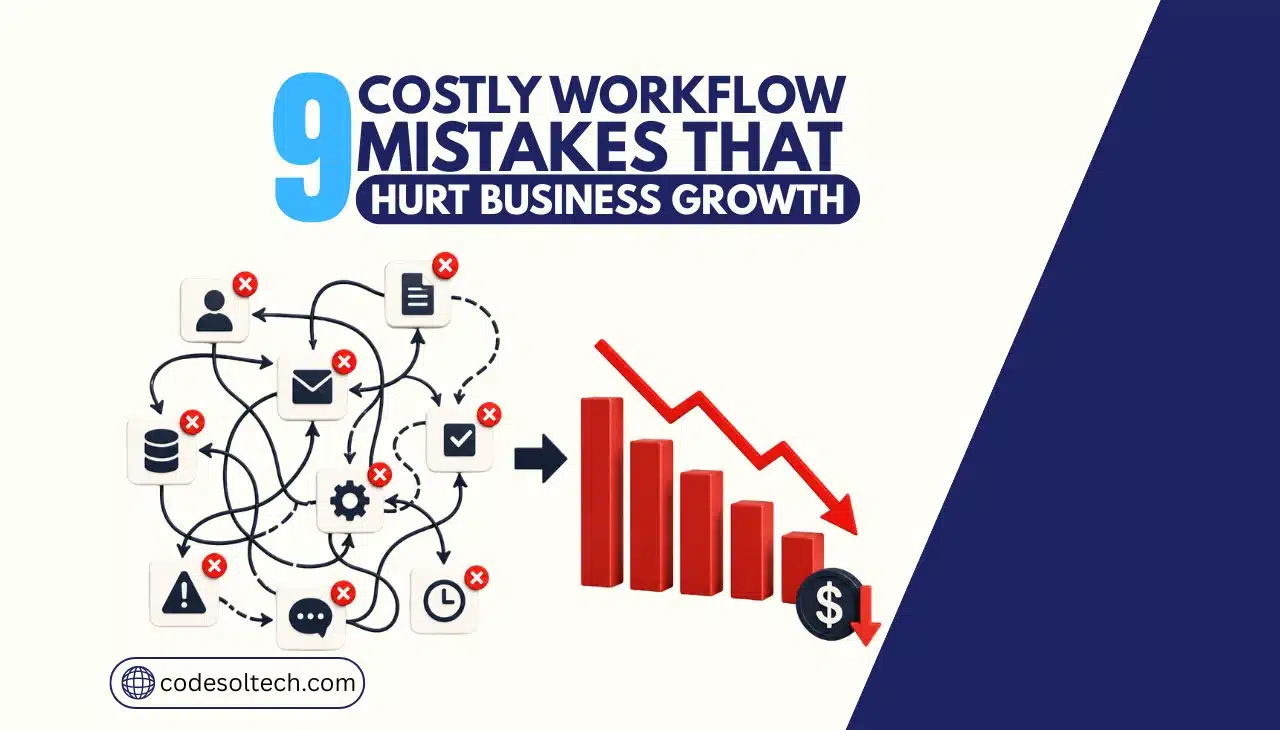
The 9 workflow mistakes that hurt business growth are: automating the wrong process first, running workflows on disconnected systems, tolerating manual data entry at scale, allowing silent workflow failures, ignoring checkout and post-purchase friction, depending on one person to maintain automation, ignoring API and integration changes, choosing per-task pricing that doesn’t scale, and rolling out automation without team buy-in.
Each mistake carries a measurable cost in lost revenue, wasted labor hours, or stalled deals. This article breaks down the data behind each one and the fix that removes it.
Why do workflow mistakes hurt business growth?
Workflow mistakes hurt business growth because they convert operational time into non-billable, non-revenue-generating labor.
A business that loses 20% of its workweek to manual searching, re-entry, or error correction operates at a structural disadvantage against a competitor whose systems move data automatically.
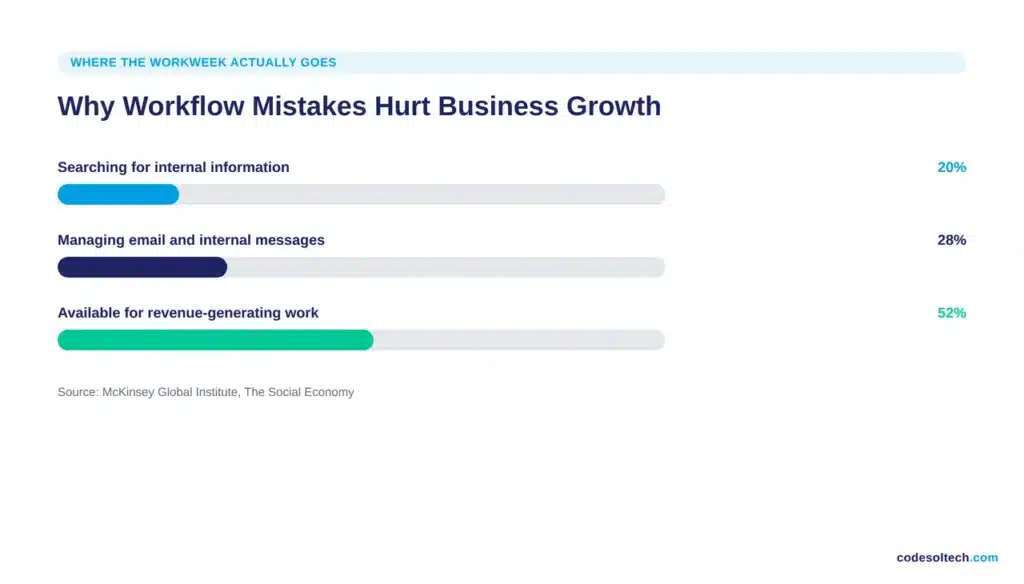
McKinsey Global Institute research found that interaction workers spend nearly 20% of the workweek locating internal information and roughly 28% managing email, time that produces zero new revenue.
At scale, this gap compounds every quarter and shows up directly in customer acquisition cost, fulfillment speed, and conversion rate.
Broken workflows don’t fail loudly. They fail as a slow tax on growth: a lead that sits in an unmonitored queue, a checkout field that costs a sale, an integration that silently drops 3% of orders.
The sections below quantify each failure mode and map it to a specific engineering or process fix.
What are the 9 costliest workflow mistakes in business?
1. Automating the wrong process first
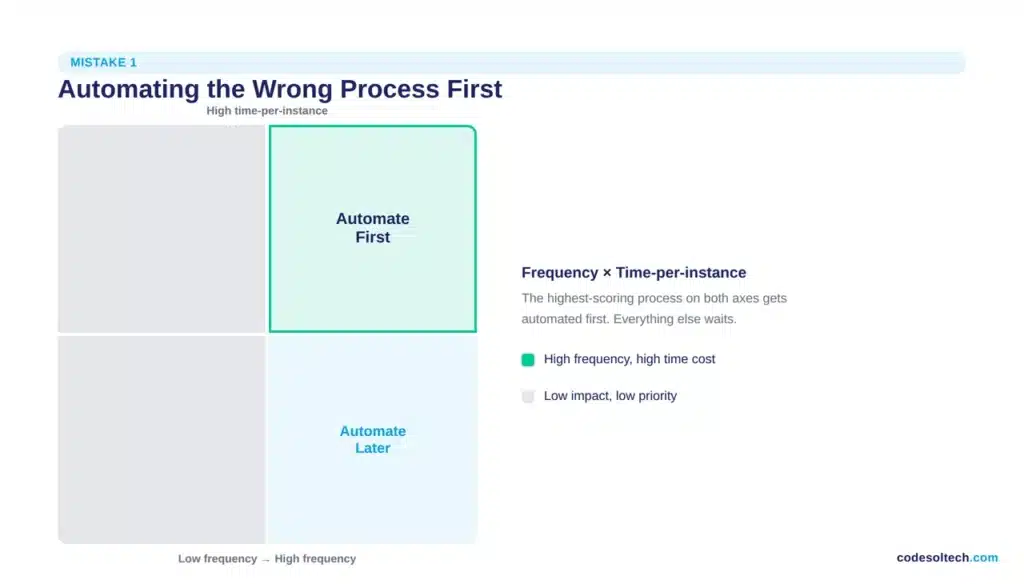
Teams automate the process that looks impressive in a demo, not the process that consumes the most hours. This produces a workflow that saves 20 minutes a week while a 15-hour weekly bottleneck sits untouched. The fix requires data, not intuition.
- Log every repetitive task for 5 business days across the team, not from memory
- Score each process by frequency multiplied by time-per-instance
- Automate the single highest-scoring process first and let it stabilize before starting the next one
- Reject any automation candidate that saves under 2 hours per week per person
Processes with the highest scoring potential are usually invoice approval, lead routing, order confirmation, and inventory sync, all high-frequency and rule-based, which makes them ideal candidates for custom workflow automation.
2. Running workflows on disconnected systems instead of one data source
A business running its storefront on one platform, its customer records in a separate CRM, and its support tickets in a third tool forces every workflow to bridge gaps manually. Each bridge is a place where a lead, an order, or a support ticket can silently disappear.
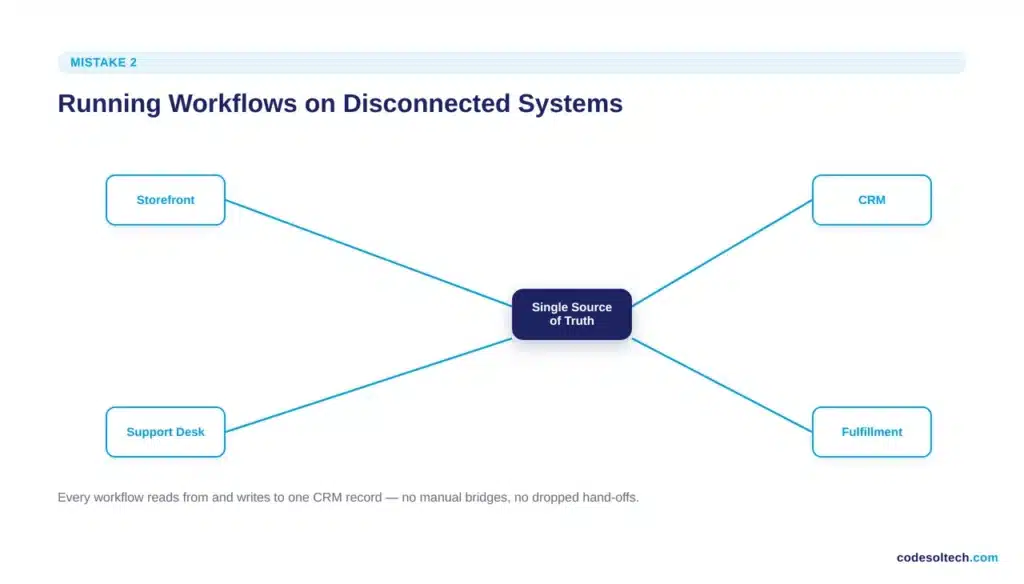
Integrating these systems around a single source of truth removes the manual hand-off entirely.
- Customer data lives in one CRM that every other tool reads from and writes to
- Order status updates propagate automatically from the store to fulfillment, support, and finance
- Support agents see order history without switching tabs or asking the customer to repeat information
CRM integration is the highest-leverage fix here because it removes the re-typing step that introduces the errors described in mistake 3.
3. Tolerating manual data entry at scale
Manual data entry carries a documented error rate. As transaction volume grows, that fixed error rate produces a growing absolute number of mistakes, and every mistake costs far more to fix downstream than it would have cost to prevent.
Gartner research puts the average cost of poor data quality at $12.9 million per year across organizations, driven by wasted labor, compliance risk, and decisions made on inaccurate numbers.
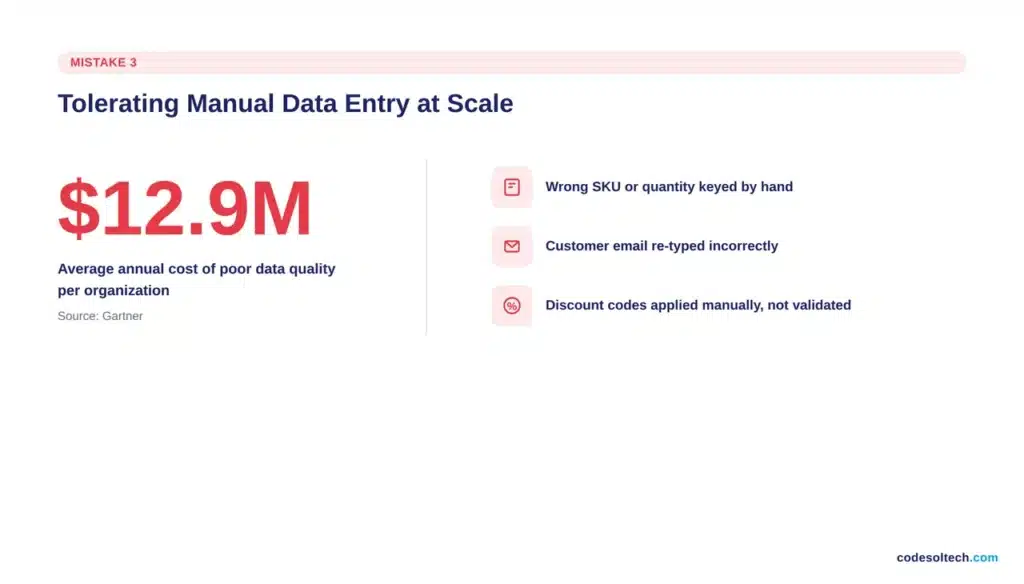
- Wrong SKU or quantity entered manually into an order system
- Customer email or address re-typed incorrectly between the CRM and the shipping platform
- Pricing or discount codes applied by hand instead of pulled from a validated source
What works: validate data once at the point of entry and let every downstream system read from that single validated record. This is the core function of a properly built custom ecommerce workflow and removes re-keying as a source of error entirely.
How do you stop workflows from failing without anyone noticing?
You stop silent workflow failures by attaching a monitor and an alert to every automated step, not just the workflow as a whole.
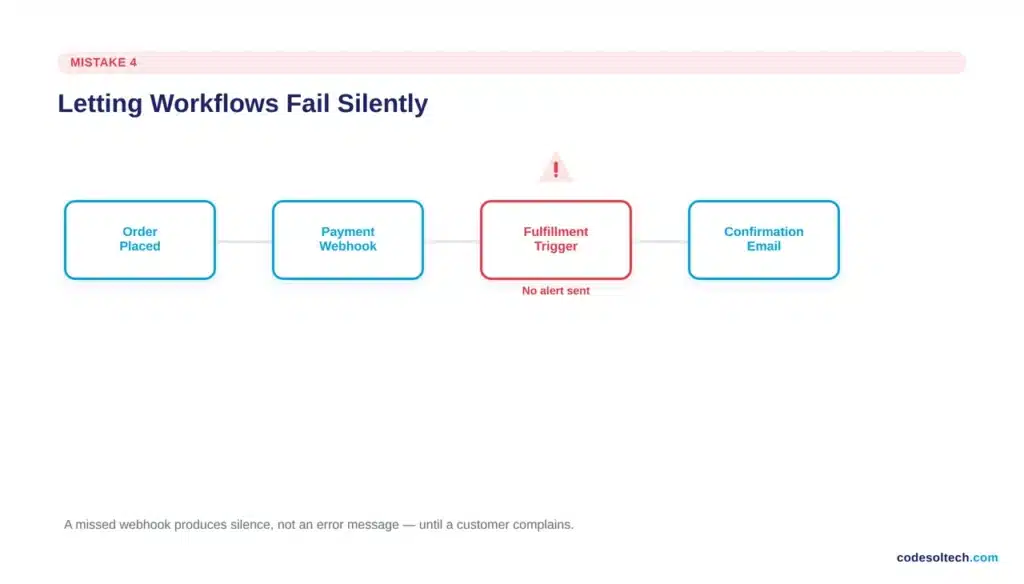
A workflow that stops running produces no error message on its own. It produces silence, and silence looks identical to success until a customer complains.
- A heartbeat check that confirms the workflow ran on schedule
- An alert routed to a channel someone actively monitors, not a shared inbox nobody opens
- An automatic retry for transient failures like a timeout or a rate limit, before escalating to a human
- A logged failure count reviewed weekly, not discovered by accident
The businesses that get burned worst by this are the ones running order confirmations, payment webhooks, or fulfillment triggers through a chain of third-party tools with no monitoring layer between them. One missed webhook can mean an entire batch of orders never gets marked as paid.
5. Ignoring checkout and post-purchase workflow friction
For ecommerce businesses specifically, the checkout workflow is the single highest-leverage process in the entire operation, and it is the one most competitors in this space overlook when they write about “workflow mistakes” in generic terms.
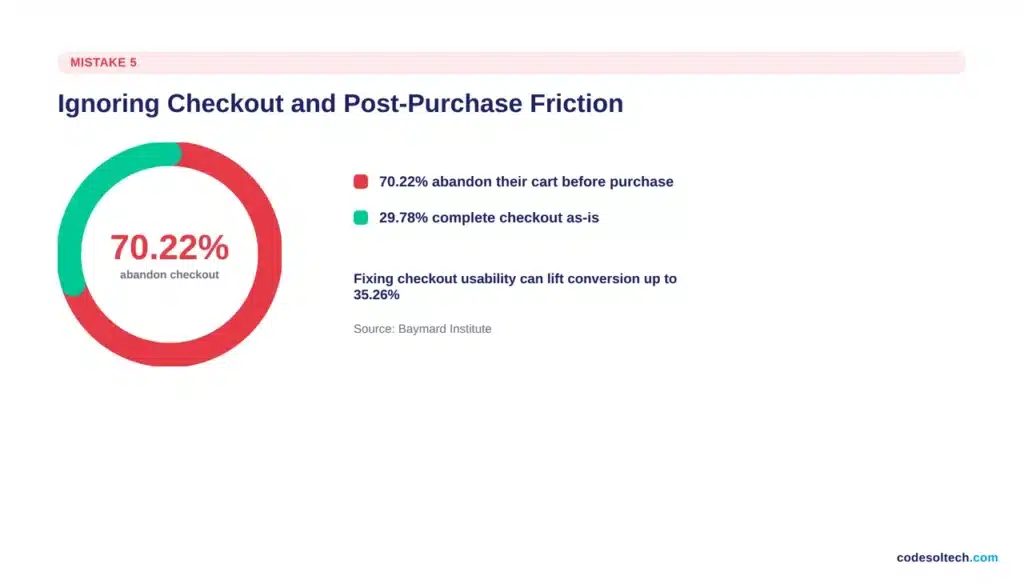
Baymard Institute’s meta-analysis of 50 independent studies puts the average cart abandonment rate at 70.22%, and its checkout usability research shows that fixing solvable friction points can lift conversion by up to 35.26% on large ecommerce sites.
- Checkout forms with more fields than necessary to complete the transaction
- Payment gateways that fail silently on declined cards instead of explaining what went wrong
- No automated order confirmation or shipping update, forcing the customer to email support to check status
- Unexpected shipping costs revealed only at the final checkout step
A checkout and payment gateway workflow built around fewer form fields, transparent pricing, and clear failure messaging directly recovers revenue that a generic internal-process fix never touches.
6. Depending on one person to maintain the entire workflow stack
Software engineers call this the bus factor: the number of people who would need to become unavailable before a project stalls.
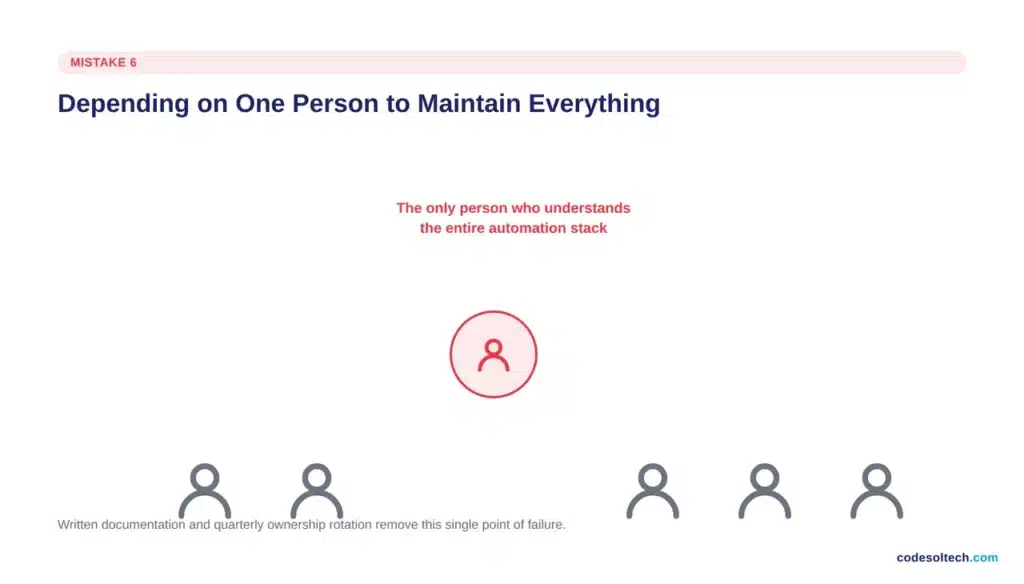
For most small and mid-size businesses running automation, that number is one. When that person leaves or goes on leave, nobody else can explain why a workflow step exists, let alone fix it when it breaks.
- Every workflow gets a one-paragraph written description: what it does, why it exists, what breaks if it’s turned off
- Ownership rotates on a quarterly basis so more than one person understands the logic
- Documentation lives in a shared, findable location, not inside one person’s head or inbox
7. Ignoring API and integration changes as the business scales
Every third-party API a business depends on changes over time: fields get renamed, authentication methods get swapped, rate limits get enforced.
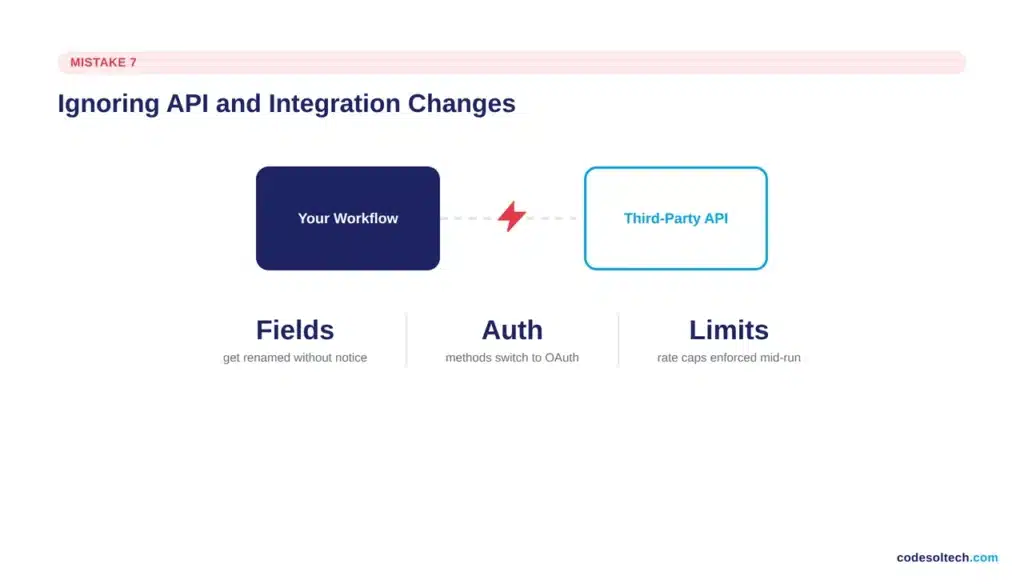
A workflow that worked perfectly at launch can break months later with no code change on the business’s own side. Businesses that build on raw, unmanaged API connections absorb every one of these changes directly.
- Build workflows on platforms that maintain their own integrations, so the vendor absorbs API changes instead of the business
- Add explicit error handling on every external API call; never assume a request succeeded
- Batch and throttle requests to stay under documented rate limits instead of discovering them mid-failure
8. Choosing per-task pricing that doesn’t scale with order volume
Automation platforms priced per task or per operation look inexpensive at low volume and become a direct tax on growth once volume increases.
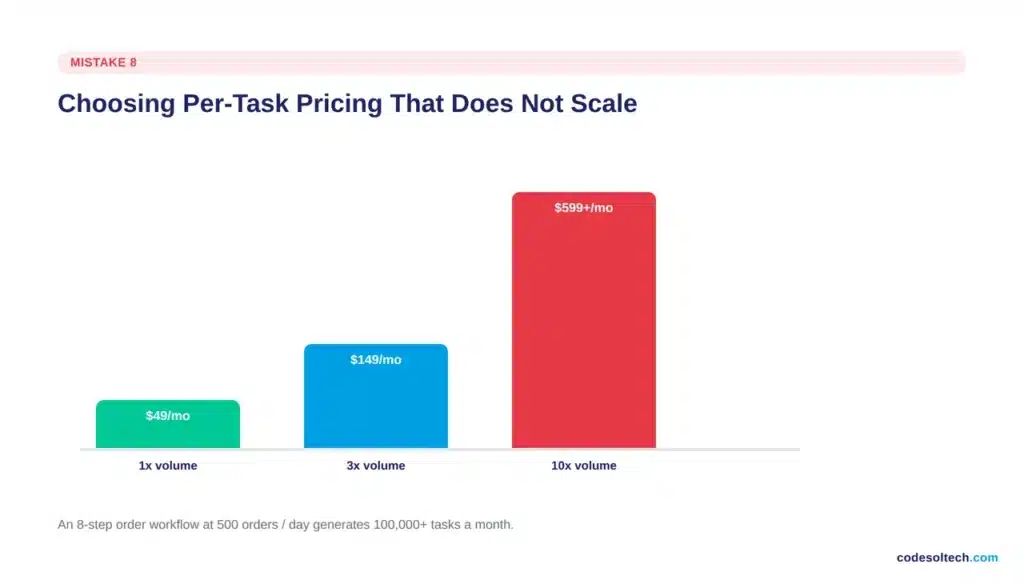
An 8-step order workflow processing 500 orders a day generates 4,000 tasks daily, well over 100,000 tasks a month, which is enough to push many per-task platforms into their highest, most expensive pricing tier.
- Model automation cost at 3x and 10x current order or lead volume before committing to a platform
- Favor flat-rate platforms or custom-built workflows over metered, per-task pricing once volume is predictable
- Treat the automation bill as a cost-per-order metric, not a flat subscription line item, so it’s visible when it starts scaling faster than revenue
9. Rolling out automation without team buy-in
A technically correct workflow that the team doesn’t trust gets bypassed. Employees quietly revert to manual spreadsheets, and the business pays for automation software it isn’t using.
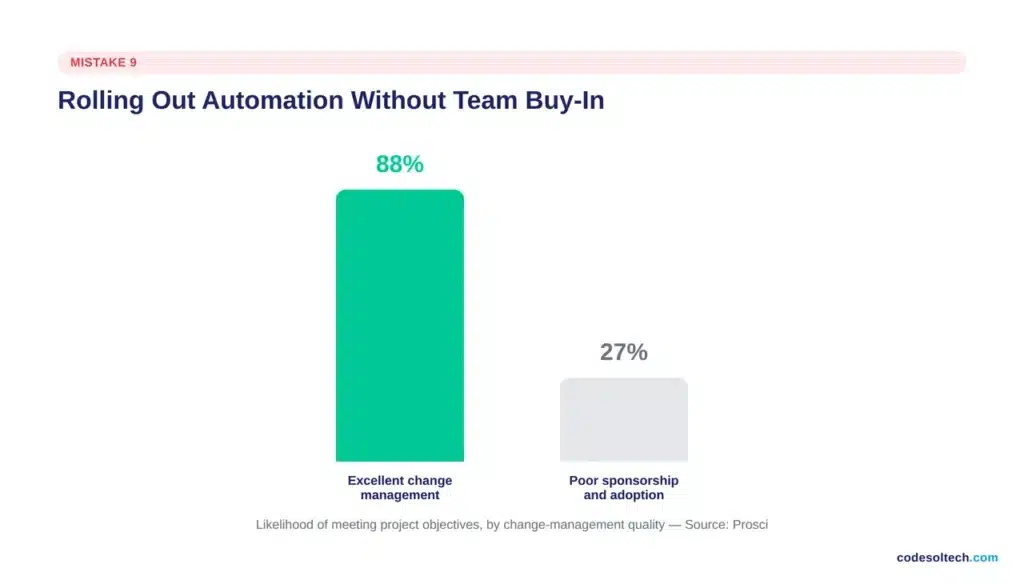
Prosci’s research on change management found that 88% of projects with excellent change management practices met or exceeded their objectives, compared to a sharp drop-off for projects with poor change management.
- Show the team the workflow logic instead of presenting automation as a black box
- Run the automated and manual processes in parallel for a defined period so the team can compare results directly
- Give the team a manual override so they are never trapped by a system they can’t step around when it matters
Final Words
Each of these 9 mistakes has one thing in common: they’re cheap to prevent and expensive to fix after the fact. A missed data validation step or an unmonitored webhook costs almost nothing to build correctly on day one and thousands of dollars to untangle after it has already dropped orders or corrupted records for months.
Growth exposes weak workflows faster than it exposes a weak strategy. The businesses that scale cleanly are the ones that fix these 9 issues before volume forces the issue.
Ready to find out which of these mistakes is costing your business the most right now?
Talk to Codesoltech about a workflow and integration audit built specifically for growing ecommerce and software businesses.



