
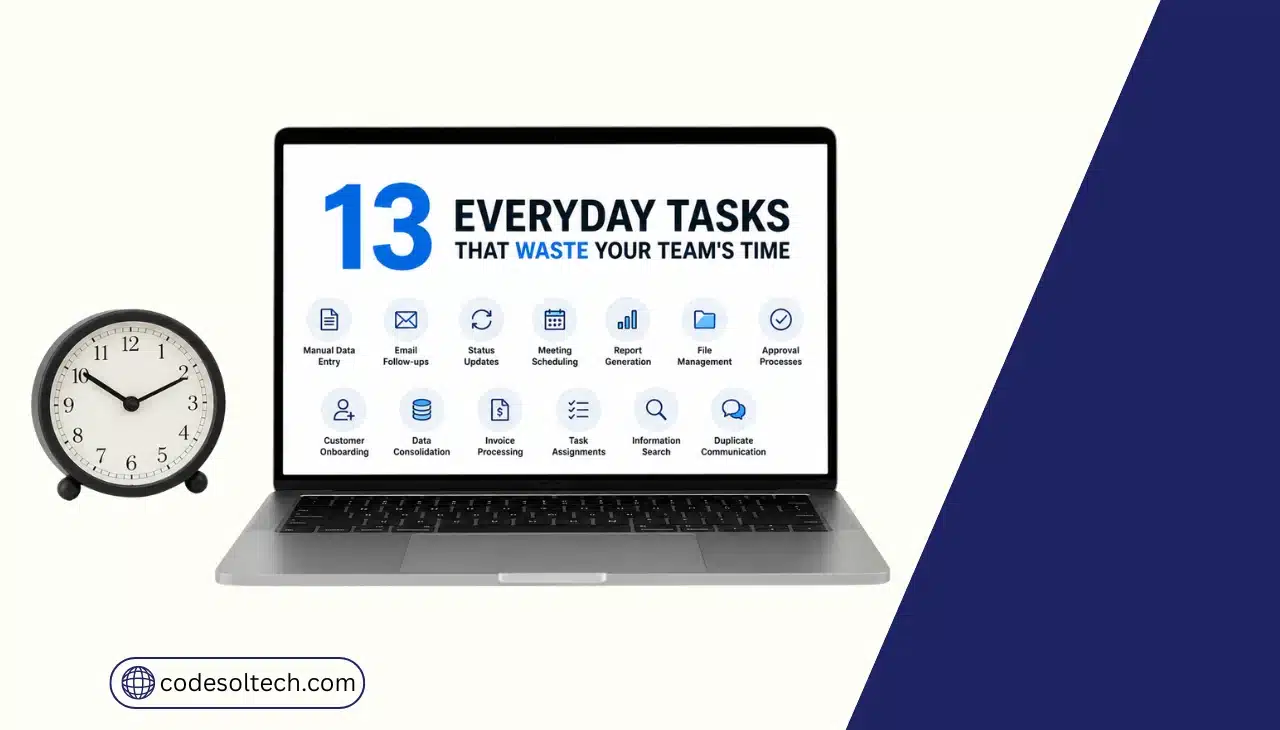
Knowledge workers lose 60% of their workweek to “work about work” instead of skilled tasks, according to Asana’s Anatomy of Work Index.
The biggest drains are manual data entry, status-chasing, unnecessary meetings, and switching between disconnected tools. Automating these 13 tasks recovers 15–20 hours per employee every week.
What Is “Work About Work” and Why Is It Costing Your Team Hours Every Week?
“Work about work” is the coordination overhead that surrounds actual skilled work, chasing updates, searching for files, and re-entering data across tools.
It is not the coding, designing, or selling your team was hired to do. Asana’s Anatomy of Work Index defines it this way after surveying more than 10,000 knowledge workers globally.
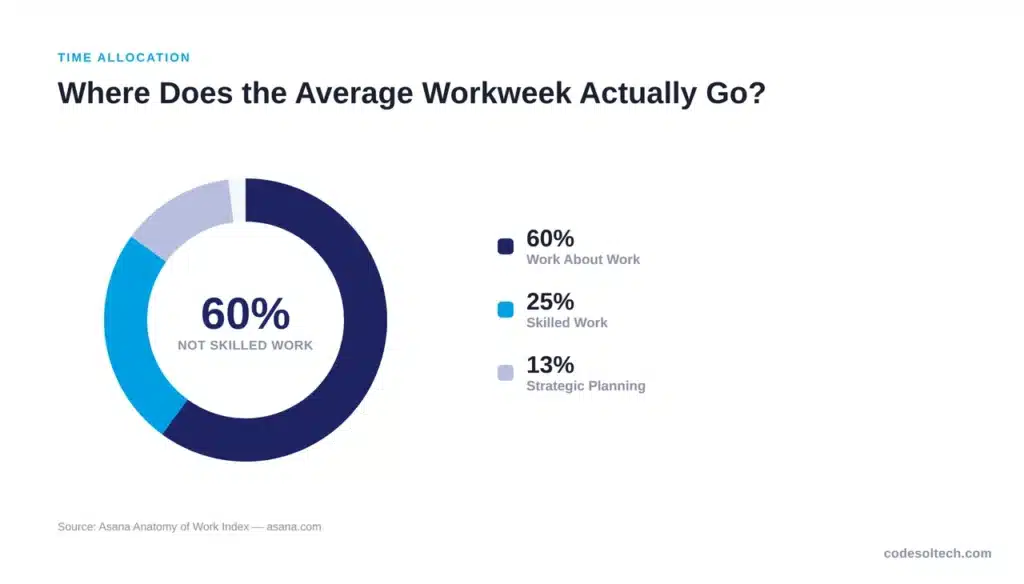
The data confirms the scale of the problem. Knowledge workers spend only 25% of their time on skilled work and 13% on strategic planning, according to Asana’s research.
Asana’s Anatomy of Work Index attributes the remaining 60% to communicating about tasks, hunting for documents, and managing shifting priorities.
McKinsey’s Global Institute research quantifies one specific piece of this problem: the interaction worker. The average interaction worker spends 28% of the workweek managing email and 20% searching for internal information or locating colleagues who can help, according to McKinsey’s research on workplace productivity. That is nearly half the week gone before a single deliverable is produced.
The cost of this overhead scales directly with headcount. A 50-person team losing 60% of its week to work about work is paying full salary for roughly 30 people to do coordination tasks instead of skilled output.
At an average knowledge-worker salary, that gap represents hundreds of thousands of dollars annually in lost productive capacity, before factoring in missed deadlines or delayed revenue.
Asana’s research also found that 88% of knowledge workers agree time-sensitive projects and large initiatives fall behind schedule because of this coordination volume. This is not an isolated inconvenience; it is a structural drag on delivery timelines across the entire organization.
The 13 tasks below are the specific, repeatable behaviors that create this drag, and each one follows a rule-based pattern that software can execute without human input.
What Are the 13 Everyday Tasks Wasting Your Team’s Time?
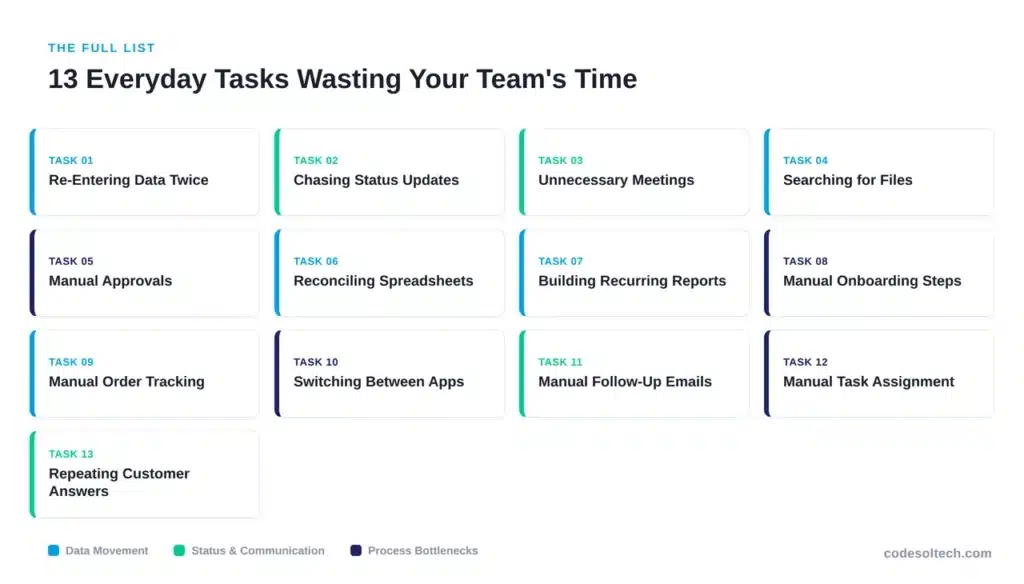
The 13 tasks below fall into three categories: manual data movement, status-chasing, and process bottlenecks. Each one is a candidate for workflow automation because each follows a predictable, rule-based pattern.
1. Re-Entering the Same Data in Multiple Systems
Sales teams enter a customer’s details in the CRM, then re-type the same details into the invoicing tool, the shipping platform, and the support desk. Each re-entry introduces a chance for typos, mismatched records, and reconciliation work later.
Manual data entry also delays order processing, since a record is not usable in the second system until an employee finds time to retype it. A single API integration between these systems eliminates the duplication entirely and keeps every platform synchronized in real time.
2. Chasing Status Updates by Email or Chat
Managers send “any update on this?” messages because project status lives in someone’s head, not in a shared system. This single behavior is a major driver of the 60% “work about work” figure cited above. Centralized dashboards replace the status-chasing message with a live, always-current view.
3. Attending Meetings That Could Be a Status Report
Recurring status meetings consume calendar time that a two-line automated report could replace. A 30-minute weekly status call with eight attendees costs 4 hours of combined labor per week, or roughly 200 hours per year, regardless of whether any decision requiring live discussion actually occurs.
Teams that automate status reporting through shared dashboards redirect that time to execution instead of narration, and reserve live meetings only for decisions that genuinely require discussion.
4. Searching for Files, Documents, or Approvals
Employees search across email, shared drives, and chat threads to find one document version. Centralized document management with version control removes the multi-tool search entirely.
5. Manually Routing Approvals (Expenses, POs, Leave Requests)
A paper- or email-based approval chain forces requests to sit in an inbox until someone remembers to act. This delay compounds when an approver is traveling, in meetings, or simply behind on email, since the request has no visibility outside that single inbox.
Automated approval workflows route each request to the correct approver instantly, notify them across multiple channels, and escalate automatically after a set time limit.
6. Reconciling Spreadsheets Across Departments
Finance, sales, and operations each keep separate spreadsheets that must be manually cross-checked at month-end to catch discrepancies before numbers go into a board report.
This reconciliation work is pure error-correction, not analysis, and it typically falls on the most senior member of the team, wasting the highest-paid hours in the department.
A shared, automated reporting layer pulls data directly from source systems and removes the need for manual cross-checking entirely.
7. Manually Generating Recurring Reports
Weekly and monthly reports built by copying numbers from five different tools into one slide deck consume hours that scale with headcount, not with output. Scheduled, automated report generation produces the same deliverable in seconds.
While automated generation solves the time drain, the effectiveness of these reports still hinges on their ability to convey insights clearly and concisely to decision-makers. Translating raw data into a compelling narrative is essential for boards to grasp the strategic implications and act decisively.
This is where effective board storytelling becomes invaluable, moving beyond mere metrics to present a coherent picture of performance and future direction. It involves structuring information to highlight key trends, challenges and opportunities, ensuring that complex data points contribute to a clear overall message.
8. Onboarding New Employees With Manual Checklists
New-hire onboarding that depends on HR manually emailing forms, provisioning accounts, and scheduling training sessions delays productivity for every new employee. Workflow automation triggers each onboarding step from a single hire event.
9. Tracking Order and Inventory Status Manually
Ecommerce teams manually check multiple systems to answer “where is this order?” When inventory data lives in a separate system from the storefront, staff must cross-reference both before responding to a single customer inquiry, and stock counts drift out of sync between channels in the meantime.
Real-time inventory and fulfillment automation synchronizes stock levels and order status across every sales channel automatically, so the answer is available without a manual lookup.
10. Switching Between Disconnected Applications
The average employee switches between apps and tabs hundreds of times per day to complete a single task, moving between email, chat, a CRM, and a spreadsheet just to answer one customer question.
Each switch carries a cognitive cost measured in seconds that compounds into hours by the end of the week, since the employee must reorient after every switch before resuming focused work.
Integrated platforms that combine these functions into one interface reduce the number of tools a single task requires, cutting both the switching time and the reorientation cost.
11. Sending Manual Follow-Up Emails and Reminders
Sales and support teams write the same follow-up email dozens of times per week with minor variations. Automated, triggered email sequences send the same message at the correct time without manual drafting.
12. Manually Assigning and Reassigning Tasks
Task assignment done through direct messages or verbal handoffs creates no record and no accountability trail, which forces managers to manually track who owns each item and follow up individually when deadlines slip.
Rule-based task routing assigns work automatically based on workload, skill, or availability, and logs the assignment in a shared system that every stakeholder can see without asking.
13. Answering the Same Customer Questions Repeatedly
Support agents answer identical questions about order status, return policy, and pricing multiple times per day, often copying the same response text into each new conversation. This repetition consumes agent capacity that could go toward complex cases that actually require human judgment.
A trained chatbot integration resolves these repetitive queries instantly, 24 hours a day, and routes only complex cases to a human agent.
How Do You Stop These Tasks From Draining Productivity?
Workflow automation removes manual, repetitive tasks from human workload by connecting the systems that currently require manual data transfer. The correct starting point is an audit: list every recurring task, measure the hours it consumes weekly, and rank tasks by hour-cost before selecting automation tools.
An effective audit answers three questions for each task: how often it repeats, how many employees perform it, and whether it follows a fixed, rule-based pattern.
Tasks that repeat daily or weekly, affect multiple employees, and follow the same steps each time are the strongest candidates for automation. Tasks requiring judgment calls, negotiation, or creative decisions should stay with human employees.
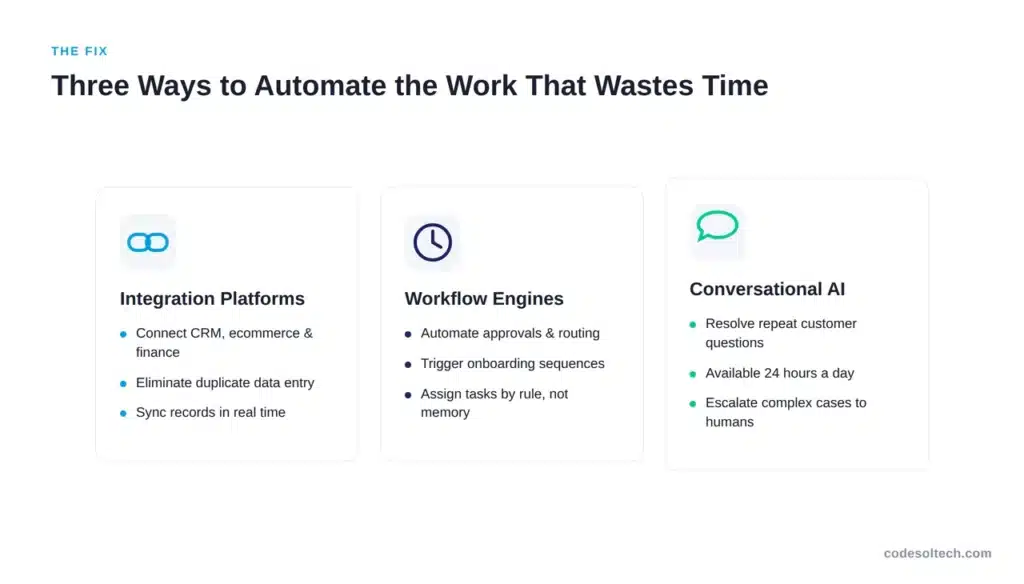
Three categories of tools address the 13 tasks above:
- Integration platforms connect CRM, ecommerce, and finance systems to eliminate duplicate data entry
- Workflow engines automate approvals, task routing, and onboarding sequences
- Conversational AI handles repetitive customer and internal support questions
Organizations that address “work about work” directly see measurable results. Asana’s research found that 83% of teams report they would be more efficient if the right processes were in place, confirming that the bottleneck is process design, not employee effort, according to Asana’s Anatomy of Work Index.
Businesses evaluating where to start should review our guide on workflow automation for business, which breaks down the audit and implementation process in detail.
Teams running ecommerce operations specifically should also review CRM integration for ecommerce and fulfillment automation for the highest-impact starting points.
Final Words
Thirteen everyday tasks quietly consume 60% of your team’s week. None of them require more effort from your employees; they require fewer manual processes. Automating data entry, approvals, and repetitive communication converts lost hours into billable, productive output.
Ready to find out which tasks are costing your team the most hours?
Contact Codesoltech for a free workflow automation audit and get a prioritized action plan within 48 hours.



