
CRM for HVAC companies is customer relationship management software that centralizes scheduling, dispatch, equipment service history, and customer communication into one system. HVAC contractors use it to book jobs, assign technicians by location and skill, log every service visit against a specific unit’s history, and trigger automatic reminders for maintenance renewals.
The result is fewer double-bookings, faster diagnosis on repeat calls, and higher contract renewal rates.
The U.S. HVAC services sector is not shrinking. The Bureau of Labor Statistics projects 11% growth in HVAC technician employment from 2025 to 2035, with about 40,600 job openings projected annually.
Demand is climbing while the labor pool tightens. That combination makes technician scheduling efficiency, not technician headcount, the primary lever for revenue growth.
What Is CRM Software for HVAC Companies
CRM software for HVAC companies is a system of record that connects three data types: customer accounts, physical equipment, and service events.
Every work order links back to a specific furnace, condenser, or rooftop unit by serial number. Every technician note, part replaced, and refrigerant charge attaches permanently to that equipment’s timeline.
Standard HVAC CRM modules include:
- Job scheduling and technician dispatch by zip code, skill set, and availability
- Equipment-level service history with serial numbers and warranty status
- Maintenance agreement tracking and automatic renewal reminders
- Quote and invoice generation tied to the job record
- Customer communication logs across call, text, and email
- Technician mobile access for on-site updates and photo documentation
The North America HVAC services market is on track to reach $50.36 billion by 2030, growing at a 4.3% CAGR, according to Grand View Research.
Global HVAC maintenance services alone were valued at $87.2 billion in 2025. Recurring maintenance revenue, not one-time installs, drives the largest share of that growth, and recurring revenue depends entirely on a system that remembers when a customer’s filter, coil, or compressor is due for service.
Core Scheduling and Dispatch Features HVAC Companies Need
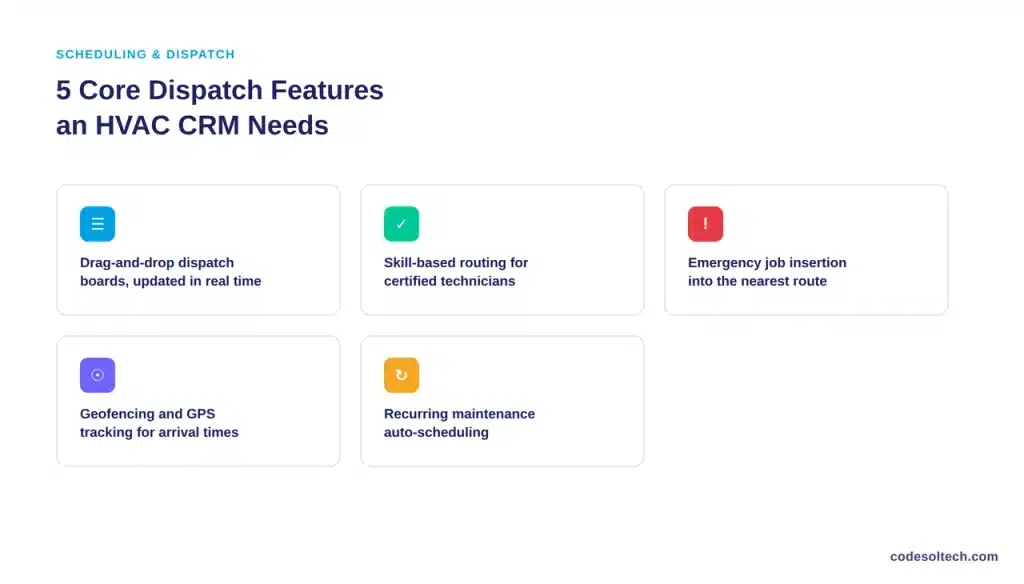
Scheduling determines technician utilization, and technician utilization determines profit per truck roll. An HVAC CRM schedules jobs against three variables simultaneously: technician location, technician certification, and job priority.
- Drag-and-drop dispatch boards that show every technician’s route in real time
- Skill-based routing that assigns EPA 608-certified technicians to refrigerant jobs automatically
- Emergency job insertion that reslots a no-heat or no-cool call into the nearest technician’s route without manual reshuffling
- Geofencing and GPS tracking that confirms arrival and departure times for accurate labor billing
- Recurring maintenance auto-scheduling that books spring and fall tune-ups without a phone call
CRM administration itself consumes time that could go toward customer-facing work. Salesforce’s State of Sales report found that reps across industries spend 60% of their time on non-selling tasks such as manual data entry and internal coordination.
HVAC dispatchers face the same drag: every minute spent manually reassigning a job is a minute not spent booking the next one. Automated dispatch logic removes that manual layer.
How Does CRM Scheduling Reduce Windshield Time for HVAC Technicians
CRM scheduling reduces windshield time by clustering jobs geographically and sequencing routes before the technician leaves the shop. Windshield time the hours a technician spends driving instead of working is unbilled time.
A CRM with route optimization sorts the day’s jobs by proximity and traffic conditions, then locks the sequence into the technician’s mobile app.

Three mechanisms drive the reduction:
- Zone-based dispatch assigns technicians to fixed service areas instead of citywide rotation
- Real-time GPS re-routing adjusts the queue when a job runs long or a customer cancels
- Historical job-duration data from past service records improves time estimates for future bookings
Each completed job feeds data back into the system. A CRM that logs actual job duration against estimated duration builds a more accurate scheduling model with every ticket closed, compounding efficiency gains over a full service season.
Service History Tracking: Why Equipment-Level Records Matter
Service history in an HVAC CRM is not a customer note it is a permanent, equipment-specific log. Each unit carries its own record: install date, model and serial number, every repair performed, every part replaced, and every technician who touched it.
This structure changes diagnosis speed on repeat calls. A technician arriving at a no-cool call pulls up the unit’s full repair history before touching a wrench: prior refrigerant leaks, prior capacitor replacements, and warranty status.
Diagnosis time drops because the system already knows what has failed before.
Equipment-level history also supports three downstream functions:
- Warranty claims processing, since parts and install dates are already documented
- Manufacturer recall response, since affected serial numbers are searchable instantly
- Maintenance agreement renewal quotes, since the system calculates a unit’s age and repair frequency automatically
Customer Management: Retention, Communication and Maintenance Agreements
Customer management in an HVAC CRM centers on the maintenance agreement, not the one-time invoice. A maintenance agreement converts a single repair customer into a recurring revenue account with two scheduled visits per year, priority emergency service, and a documented equipment history that increases switching costs for the customer.

CRM-driven retention tools include:
- Automated appointment reminders sent by text and email before scheduled visits
- Post-service follow-up requests for reviews and referrals
- Agreement renewal alerts triggered a set number of days before expiration
- Segmented communication lists for residential, light commercial, and multi-unit accounts
- Technician-logged customer notes visible to the office team on every future call
Communication consistency matters because HVAC purchases are infrequent and high-trust. A homeowner replaces a furnace once every 15 to 20 years. The CRM record not the individual technician’s memory is what preserves that relationship between major purchases.
HVAC CRM vs. Generic CRM vs. Field Service Management Software
HVAC companies typically evaluate three categories of software. Each solves a different part of the operation, and the differences determine which one fits a given company’s stage of growth.
| Capability | Generic CRM (Sales-Focused) | HVAC-Specific CRM | Standalone Field Service Software |
|---|---|---|---|
| Equipment-level service history | Not included | Built in by default | Often included |
| Technician dispatch and routing | Requires third-party integration | Built in by default | Built in by default |
| Sales pipeline and quoting | Built in by default | Built in by default | Limited or absent |
| Maintenance agreement automation | Requires custom setup | Built in by default | Sometimes included |
| Marketing and customer segmentation | Built in by default | Built in by default | Not included |
| Best fit | Companies with a separate sales team and no field operations | Full-service HVAC contractors handling install, repair, and maintenance | Multi-trade companies needing dispatch across several service lines |
Which CRM Is Best for HVAC Companies
The best CRM for an HVAC company is the one that natively links scheduling, service history, and maintenance agreements without requiring separate add-on tools for each function.
A company running install, repair, and maintenance under one roof needs equipment-level history and dispatch in the same system a generic sales CRM does not provide.
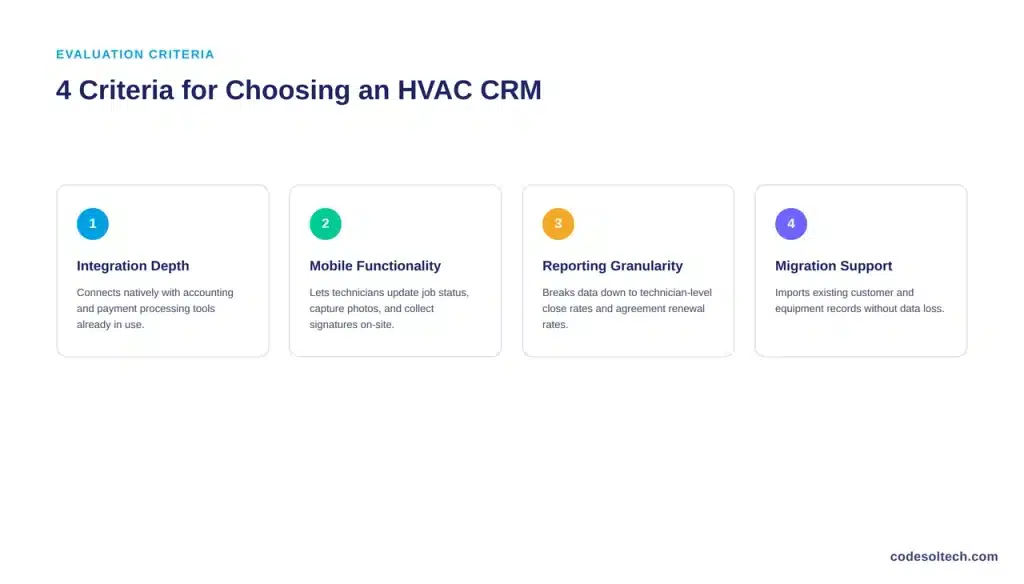
Evaluate a candidate system against four criteria:
- Integration depth with accounting software, payment processing, and existing dispatch tools
- Mobile functionality for technicians to update job status, capture photos, and collect signatures on-site
- Reporting granularity down to technician-level close rates, average job duration, and agreement renewal rates
- Migration support for importing existing customer and equipment records without data loss
Off-the-shelf HVAC CRMs fit companies that accept a fixed feature set. Companies with non-standard workflows, multi-location dispatch, custom maintenance agreement tiers, or integration with proprietary inventory systems typically outgrow off-the-shelf tools and move to a custom CRM development approach built around their specific dispatch and service logic.
Implementing a CRM Without Disrupting Active Service Calls
HVAC companies cannot pause operations to implement new software. Emergency calls continue during any transition. A phased rollout limits disruption:
- Migrate customer and equipment records first, before technicians touch the new interface
- Run scheduling in parallel with the existing system for one full billing cycle
- Train dispatchers before technicians, since dispatch errors compound across every job in a day
- Connect CRM integration with existing accounting and payment tools before go-live, not after
- Automate maintenance agreement renewal workflows last, once historical data is fully migrated
Companies scaling past a single dispatch office often pair CRM rollout with broader workflow automation across quoting, invoicing, and inventory reordering.
The same dispatch and equipment-history logic applies across other field-service trades see how it plays out for a comparable vertical in the CRM for roofing companies guide.
FAQs
Does an HVAC CRM replace QuickBooks or other accounting software?
No. An HVAC CRM manages scheduling, service history, and customer communication. It connects to accounting software through integration rather than replacing it, so invoices and payments sync automatically without duplicate data entry.
Can a small HVAC company with 3 to 5 technicians justify CRM software?
Yes. Maintenance agreement tracking and automated renewal reminders generate recurring revenue at any company size. A 3-technician company loses the same repeat-call diagnosis time to missing service history as a 30-technician company.
How long does HVAC CRM implementation take?
Implementation timelines range from 2 to 8 weeks depending on the volume of historical customer and equipment records requiring migration and the number of existing tools requiring integration.
Does CRM software work for both residential and commercial HVAC accounts?
Yes. HVAC CRMs segment residential and commercial accounts separately, since commercial accounts typically involve multi-unit equipment lists, different maintenance agreement terms, and multiple site contacts.
Final Words
CRM software turns HVAC service history from technician memory into a searchable, permanent record. Scheduling and dispatch logic removes windshield time and manual reassignment. Maintenance agreements built on that data convert one-time repairs into recurring revenue.
Companies outgrowing off-the-shelf tools need a system built around their actual dispatch logic, not a generic template.
Ready to see what a CRM built around your dispatch and service workflow looks like?
Contact CodeSoltech to scope a custom CRM development plan for your HVAC operation.



