
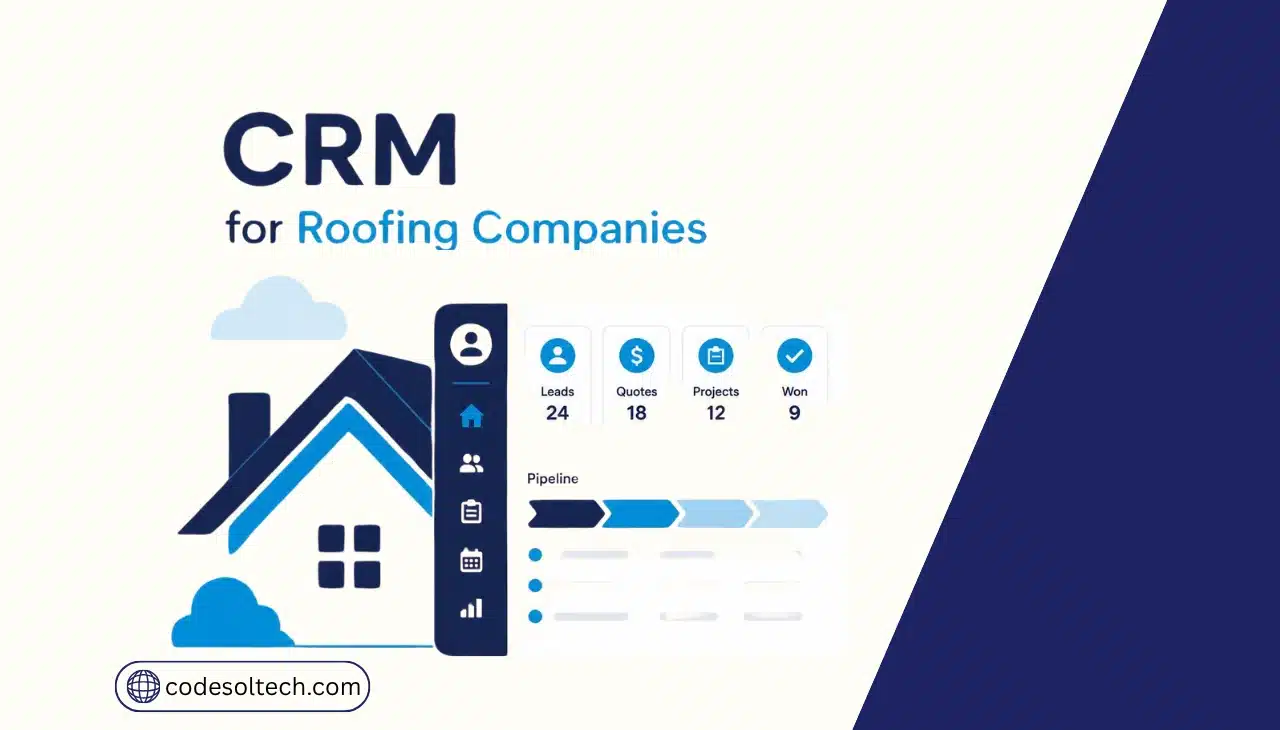
A CRM for roofing companies connects three functions in one database: estimating, job tracking, and customer records. The system pulls a lead’s information into an estimate, converts the accepted estimate into a scheduled job, and logs every customer interaction against that same job record.
This removes the manual re-entry that happens when sales, field crews, and office staff each keep separate spreadsheets or paper files.
Roofing CRM Automation Across the Estimate-to-Job Workflow
A roofing CRM automates four stages: lead capture, estimate generation, job scheduling, and payment collection. Each stage writes to the same customer record, so a sales rep, a project manager, and an office admin see identical, current data.
This structure replaces the disconnected tools most small roofing companies start with: measurement apps, quoting spreadsheets, and text-message scheduling.
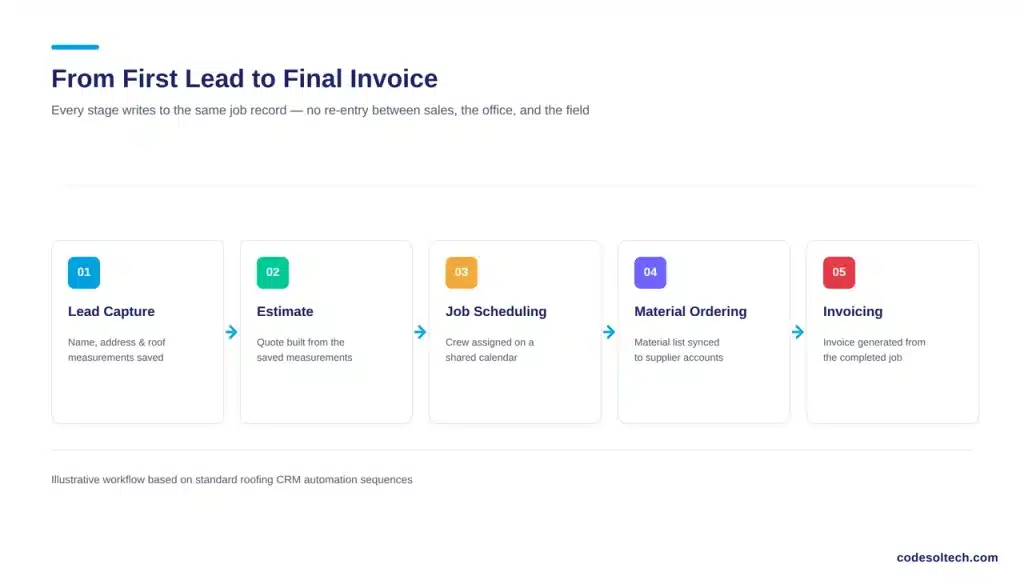
The core automations a roofing CRM handles include:
- Lead-to-estimate conversion: the system pulls the customer’s name, address, and roof measurements directly into a quote template, removing manual data entry.
- Estimate-to-job conversion: an accepted estimate automatically creates a job record with the agreed scope, materials list, and price, so the field crew works from the same numbers the customer approved.
- Crew scheduling: the CRM assigns crews to jobs on a calendar view and flags scheduling conflicts before a crew is double-booked.
- Material ordering: job records trigger material lists that sync with supplier accounts, reducing under-ordering and job-site delays.
- Payment and invoicing: completed jobs generate invoices automatically and track partial payments, deposits, and insurance claim status.
Companies that run custom workflow automation on top of a CRM extend these triggers further for example, automatically notifying a customer by text when a crew is dispatched, or flagging a job for a quality-control photo review before invoicing.
How Does a CRM Track a Roofing Job From Estimate to Completion?
A CRM tracks a roofing job through a fixed set of stages: estimate sent, estimate approved, job scheduled, materials ordered, job in progress, job completed, invoice sent, payment collected. Each job record moves through these stages as a status field, and every user with access sees the current stage in real time.
This stage-based tracking solves a specific operational problem in roofing: the handoff between sales and production. Roofing companies lose margin when a signed estimate takes days to reach the scheduling team, or when a crew arrives at a job site without the exact materials and pricing the homeowner approved.
A shared job record removes that gap because the field team, the office, and accounting read from one source of data instead of relaying information through calls and texts.
Job-level tracking also supports insurance-based roofing work. Storm-damage and insurance-claim jobs require documentation at every stage adjuster meetings, supplement requests, photo evidence, and claim correspondence.
A CRM stores this documentation against the job record, so the paperwork required to close an insurance claim is available without searching through email threads.
For companies that run a high volume of storm work, this record-keeping function often determines how fast a claim clears, since adjusters and supplement reviewers repeatedly request the same documentation throughout a claim’s lifecycle.
Roofing CRM vs. Manual Job Tracking: A Direct Comparison
| Function | Manual Tracking (Spreadsheets, Paper, Texts) | Roofing CRM |
|---|---|---|
| Estimate creation | Manual measurement entry, separate quoting tool | Measurements and pricing pull into a quote template automatically |
| Estimate-to-job handoff | Re-entered by hand into a scheduling calendar or job board | Job record generates automatically from the approved estimate |
| Crew scheduling | Phone calls, group texts, whiteboard calendars | Centralized calendar with conflict alerts |
| Customer history | Scattered across email, texts, and individual reps’ notes | Single record showing every call, estimate, job, and payment |
| Invoicing | Manually generated after job completion | Auto-generated from the job record, tied to payment tracking |
| Reporting | Manually compiled from multiple sources, often outdated | Real-time dashboards on close rate, job margin, and crew output |
Why Do Roofing Companies Lose Money Without a Connected Estimate-to-Job System?
Roofing companies lose money to two specific failure points: sales productivity and rework caused by miscommunication. Both are measurable at the industry level, and both apply directly to the estimate-job-customer handoff.
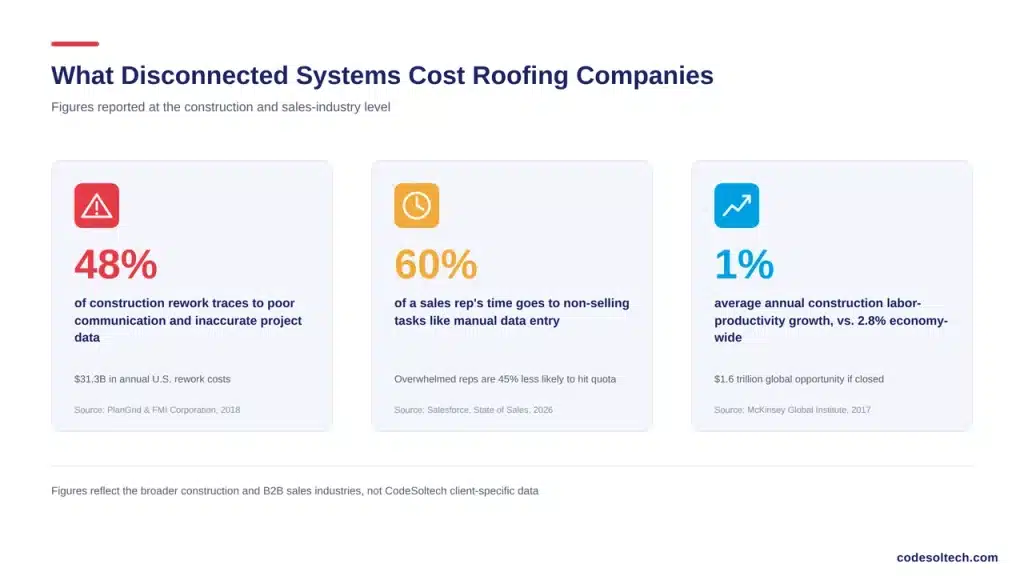
On the sales side, Salesforce’s 2026 State of Sales report found that sales reps spend 60% of their time on non-selling tasks such as manual data entry and searching for customer information, and that reps juggling too many disconnected tools are 45% less likely to hit their targets.
A roofing sales rep who re-types the same measurement data into a separate estimating tool, a texting app, and a paper job board is losing selling time to exactly this problem.
On the operations side, a joint study by PlanGrid and FMI Corporation, surveying nearly 600 construction professionals, found that 48% of all rework in the U.S. construction industry traces back to poor communication and inaccurate or inaccessible project data, costing the industry more than $31 billion a year.
In roofing, this shows up as crews working from outdated material lists, missed change orders, or pricing disputes between what a homeowner signed and what a crew was told to install.
Industry-wide labor productivity backs up the pattern. The McKinsey Global Institute found that construction labor productivity grew only 1% a year over two decades, compared to 2.8% for the broader economy, and estimated a $1.6 trillion global opportunity if the sector closed that gap.
Centralizing estimates, jobs, and customer data is one of the direct, controllable ways an individual roofing company captures part of that gap.
Job and Sales Metrics a Roofing CRM Should Report
A roofing CRM’s reporting function turns individual job records into company-level performance data. Owners use these reports to identify which crews, lead sources, and job types generate the highest margin, rather than reviewing performance from memory or scattered spreadsheets at month-end.
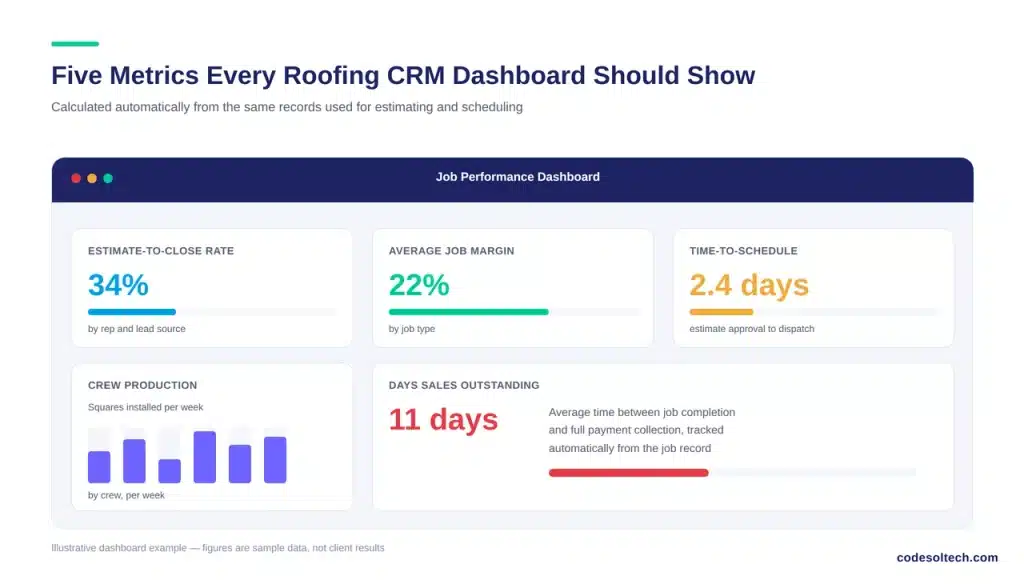
The core metrics a roofing CRM should surface on a dashboard include:
- Estimate-to-close rate: the percentage of sent estimates that convert into signed jobs, tracked by sales rep and lead source.
- Average job value and margin: revenue and profit per job, broken out by job type (retail replacement, insurance claim, repair).
- Time-to-schedule: the number of days between estimate approval and crew dispatch, a direct measure of the sales-to-production handoff.
- Crew production rate: completed jobs and squares installed per crew per week, used to plan capacity during storm season.
- Days sales outstanding: the average time between job completion and full payment collection.
Without a shared system, these numbers exist in separate places a spreadsheet for sales, a whiteboard for scheduling, a bookkeeping tool for payments, and reconciling them takes hours of manual work each month. A CRM calculates them automatically from the same job records that estimating and scheduling already use.
Choosing a CRM for Roofing Estimate and Job Management
Selecting a roofing CRM requires matching the software to three operational requirements: measurement accuracy, job-stage visibility, and payment tracking. Not every CRM built for general contractors covers all three at the level a roofing company needs.
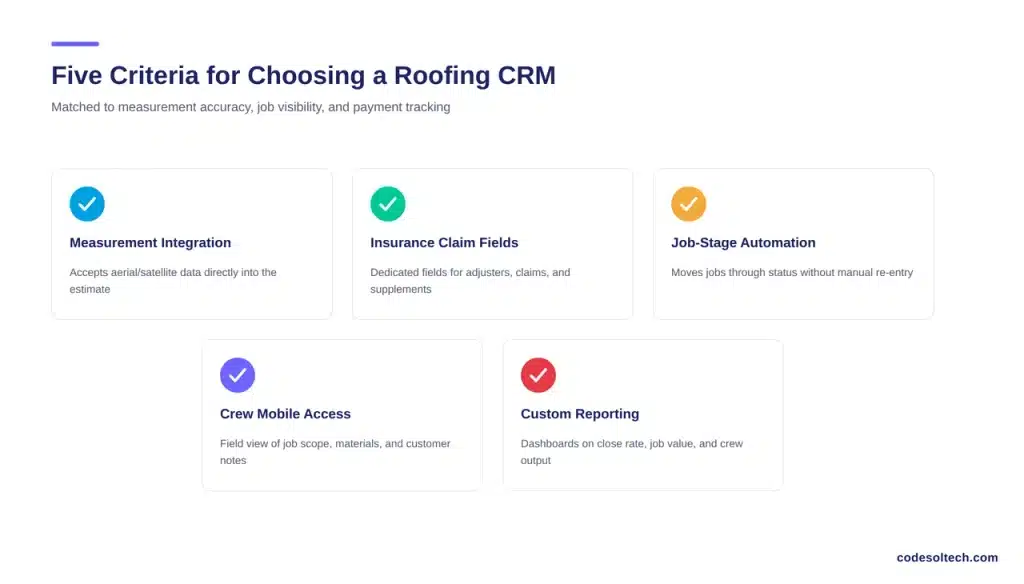
Evaluate a roofing CRM against these criteria:
- Measurement integration: the CRM should accept aerial or satellite measurement data directly into the estimate, rather than requiring manual re-entry.
- Insurance claim fields: if the company handles storm or insurance work, the CRM needs dedicated fields for adjuster contacts, claim numbers, and supplement documentation.
- Job-stage automation: the system should move a job from “estimate approved” to “scheduled” to “invoiced” without manual re-entry at each stage.
- Crew-facing mobile access: field crews need a mobile view of job scope, materials, and customer notes without calling the office.
- Custom reporting: owners need dashboards on close rate, average job value, and crew productivity, not just a customer contact list.
Off-the-shelf roofing CRMs cover most companies running standard residential and storm work.
Companies running multiple business lines roofing plus siding, gutters, or commercial contracts often outgrow template CRMs and move to custom CRM development, where estimate templates, job stages, and reporting fields are built around the company’s actual workflow instead of a generic template.
FAQs
Does a roofing CRM replace measurement and estimating software?
A roofing CRM does not replace satellite measurement tools. It connects to them. Most roofing companies use a dedicated measurement tool to generate roof dimensions, then feed that data into the CRM to build the estimate and track the resulting job.
Can a roofing CRM manage insurance claims directly?
A CRM manages the documentation and status tracking for an insurance claim adjuster’s contacts, claim numbers, supplement requests, and photo evidence attached to the job record. It does not submit claims to insurance carriers; that step still runs through the carrier’s own claims system or a dedicated estimating platform such as Xactimate.
How long does it take a roofing company to implement a CRM?
Implementation time depends on company size and data migration needs. A single-crew company migrating from spreadsheets typically configures core estimate and job workflows within 2 to 4 weeks. Multi-crew companies with custom reporting or insurance-claim workflows require a longer, staged rollout.
What is the difference between a roofing CRM and a general contractor CRM?
A roofing CRM includes fields and workflows specific to roofing: measurement data, material types (shingle, metal, tile), storm-damage tracking, and insurance-claim documentation. A general contractor CRM covers broader project types but usually lacks these roofing-specific fields without customization.
Final Words
Estimates, jobs, and customer records function as one system, not three separate tools. Roofing companies that connect them cut the rework, double data entry, and scheduling conflicts documented across the construction industry’s productivity data.
The result is faster estimate-to-job turnaround and cleaner records for every job in the pipeline.
Ready to connect your estimates, jobs, and customer records into one system?
CodeSoltech builds custom roofing CRM systems around your actual workflow, not a generic template.



