

Businesses eliminate up to 90% of repetitive business tasks by automating rule-based processes with robotic process automation (RPA), workflow platforms, and AI agents, then reserving human effort for judgment-based work. The 90% figure applies to individual task categories data entry, invoice matching, email routing not total workload.
McKinsey confirms that current technology can already automate activities accounting for 57% of US work hours.
What Counts as a Repetitive Business Task?
A repetitive business task is any process that follows the same fixed steps every time it runs, regardless of who performs it.
Data entry, invoice approval, appointment scheduling, and status reporting fit this definition. These tasks require pattern-matching, not judgment, which makes them structurally different from strategic work like negotiation or product design.
Knowledge workers spend the majority of their day on this category of work. Asana’s Anatomy of Work Index found that knowledge workers devote 60% of their time to “work about work” chasing updates, re-entering data, and switching between tools rather than the skilled work they were hired to do.
That leaves roughly four out of every ten working hours for tasks that actually require a human decision.
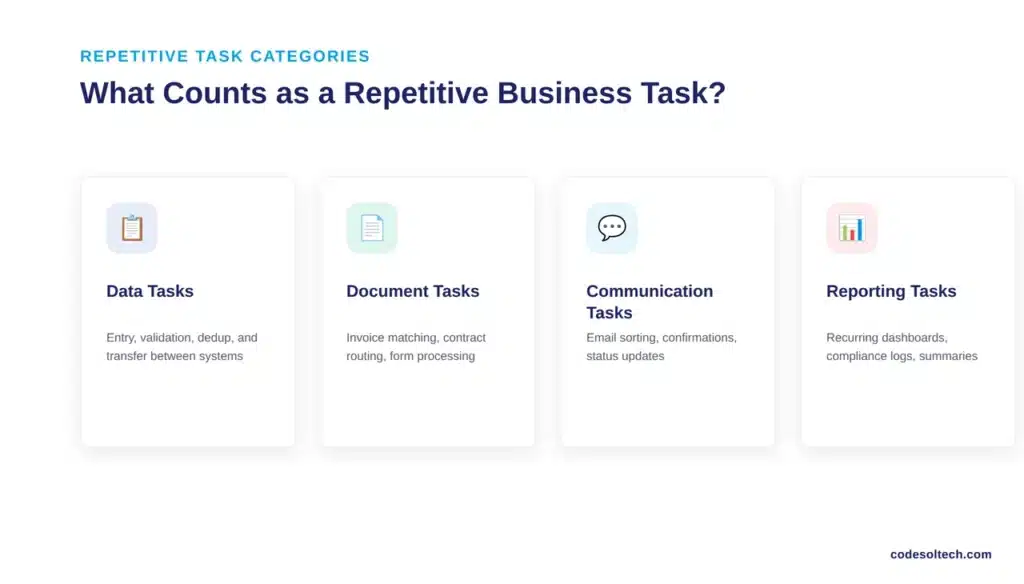
Repetitive tasks generally fall into four categories:
- Data tasks — entry, validation, deduplication, and transfer between systems
- Document tasks — invoice matching, contract routing, form processing
- Communication tasks — email sorting, appointment confirmations, status updates
- Reporting tasks — recurring dashboards, compliance logs, weekly summaries
Why “Up to 90%” Is an Accurate Number, Not a Marketing Claim
The 90% ceiling applies at the task level, and three independent sources confirm the range. Grand View Research’s market analysis of the robotic process automation sector documents that RPA reduces the operating cost of a comparable offshore worker by roughly half while executing rule-based steps continuously without breaks.
Gartner’s finance-sector research goes further: robotic process automation applied to financial reporting can eliminate 25,000 hours of avoidable rework annually caused by human error in that single function.
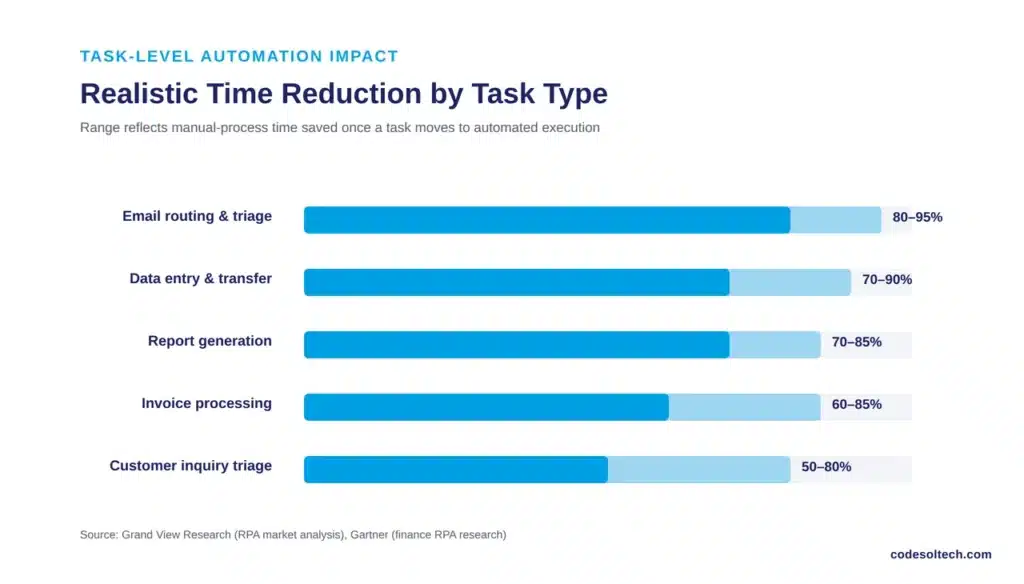
Businesses should not read “90%” as “90% of your total workload disappears.” The number describes what happens inside a specific, well-defined process once it moves from manual execution to automated execution.
A ten-step invoice approval process that took 45 minutes per invoice compresses to under five minutes when document extraction, matching, and routing run automatically a reduction near the top of that range.
A judgment-heavy process, like resolving a disputed invoice, keeps most of its human steps intact.
| Task Category | Typical Manual Time | Automation Method | Realistic Time Reduction |
|---|---|---|---|
| Data entry & transfer | 3–5 hours/week per employee | RPA + OCR | 70–90% |
| Invoice processing | 30–45 minutes/invoice | RPA + intelligent document processing | 60–85% |
| Email routing & triage | 1–2 hours/day | Workflow automation + rules engine | 80–95% |
| Report generation | 2–6 hours/report | Automated data pipelines + templates | 70–85% |
| Customer inquiry triage | 5–10 minutes/ticket | Chatbot + CRM integration | 50–80% |
Which Repetitive Tasks Should You Automate First?
Automate the task with the highest frequency, the lowest decision complexity, and the clearest paper trail first. That combination delivers the fastest, most measurable return and builds the internal case for expanding automation into harder processes.
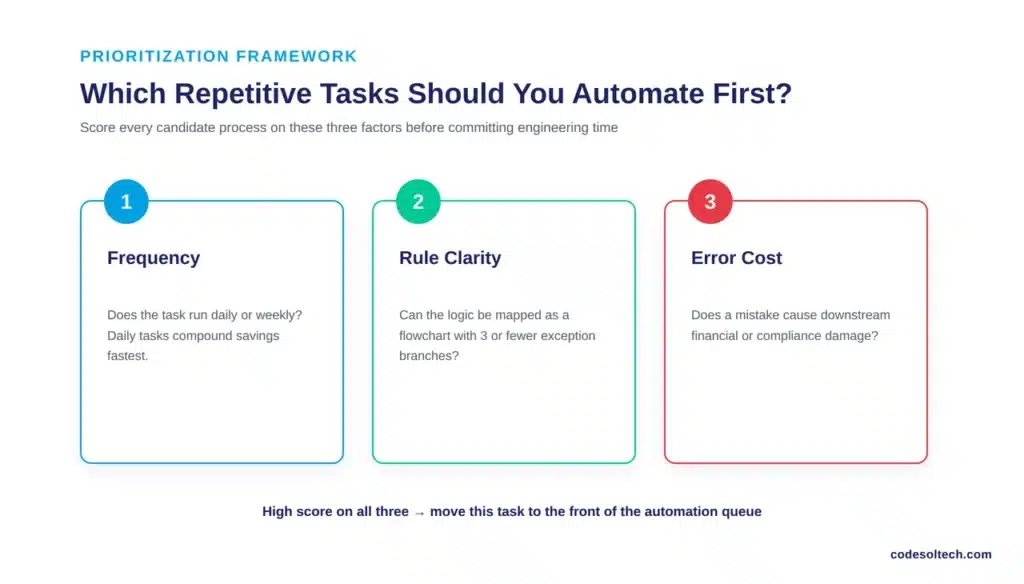
Score each candidate process on three factors before committing engineering time:
- Frequency — Does this task run daily or weekly? Daily tasks compound savings fastest.
- Rule clarity — Can you write the decision logic as a flowchart with no more than three exception branches? If yes, it qualifies for RPA or workflow automation. If the logic depends on unwritten context, it needs an AI agent or a human.
- Error cost — Does a mistake in this task cause downstream financial or compliance damage, such as a duplicated payment or a missed deadline?
Tasks that score high on all three invoice matching, order confirmation emails, CRM data updates return the fastest payback and should move to the front of the automation queue.
The 5-Step Framework to Eliminate Repetitive Tasks
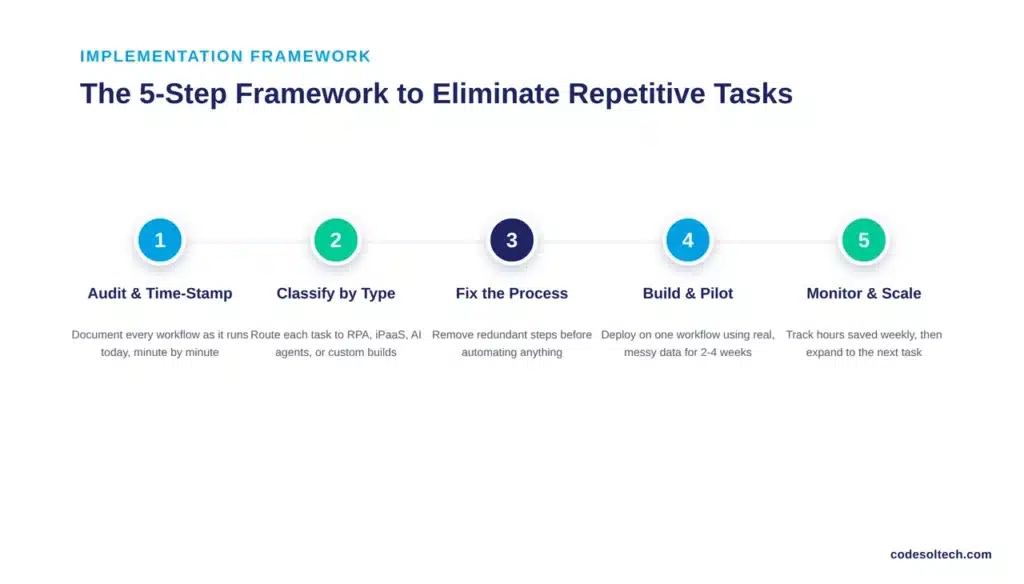
Step 1: Audit and Time-Stamp Every Workflow
Document each process exactly as it runs today, not as it should run. Record who touches the task, how many minutes each step consumes, and where handoffs occur between people or systems. This audit exposes the specific processes draining the most hours before any automation tool gets selected.
Step 2: Classify Tasks by Automation Type
Route each task to the correct technology instead of forcing every process through a single tool.
- Robotic process automation (RPA) executes fixed, rule-based steps inside existing software interfaces — ideal for data entry and legacy-system tasks with no available API.
- iPaaS / workflow automation connects modern SaaS tools through APIs and triggers — ideal for routing, notifications, and cross-platform data sync.
- AI agents handle tasks that need context and language understanding, such as triaging support tickets or drafting first-pass responses.
- Custom integration becomes necessary when a workflow spans a proprietary system with no native connector, which is where custom software development replaces off-the-shelf tools.
Step 3: Fix the Process Before Automating It
Automating a broken workflow produces faster errors, not fewer errors. Remove redundant approval steps, consolidate duplicate data fields, and confirm the process owner agrees on the corrected version before any code gets written.
Step 4: Build, Connect, and Pilot on One Workflow
Deploy the automation on a single process first, using systems such as CRM integration, ERP integration, or payment gateway integration depending on where the task lives. Run the pilot against real, messy data for two to four weeks rather than clean test records, since production data exposes edge cases that test data hides.
Step 5: Monitor, Measure, and Scale
Track hours saved, error rate, and exception volume weekly during month one, then monthly once the workflow stabilizes. Expand to the next-highest-scoring task from Step 1 only after the current automation runs without manual correction for at least two consecutive weeks.
What Tools Actually Automate These Tasks?
No single tool covers every repetitive task category, which is why most businesses combine two or three automation types rather than standardizing on one platform.
| Automation Type | Best For | Requires Coding | Typical Deployment Time |
|---|---|---|---|
| RPA (screen-based bots) | Legacy systems, data entry, invoice matching | No | 2–6 weeks |
| iPaaS / workflow automation | Connecting SaaS tools, notifications, approvals | Minimal (low-code) | Days to 2 weeks |
| AI agents / chatbots | Customer inquiries, ticket triage, first-response drafting | Minimal to moderate | 2–8 weeks |
| Custom-built automation | Proprietary systems, complex multi-step workflows | Yes | 4–16 weeks |
Why Off-the-Shelf Tools Stall on Complex Workflows
Pre-built automation tools handle single-system, single-trigger tasks well. They struggle once a workflow spans three or more systems with conditional logic for example, an order that must check inventory, apply fraud rules, and update both a CRM and an ERP before confirmation.
These multi-system workflows are where workflow automation built around your specific stack outperforms generic connectors, and where a chatbot integration layered on top handles the customer-facing side without adding headcount.
Common Mistakes That Cut Into the 90% Ceiling
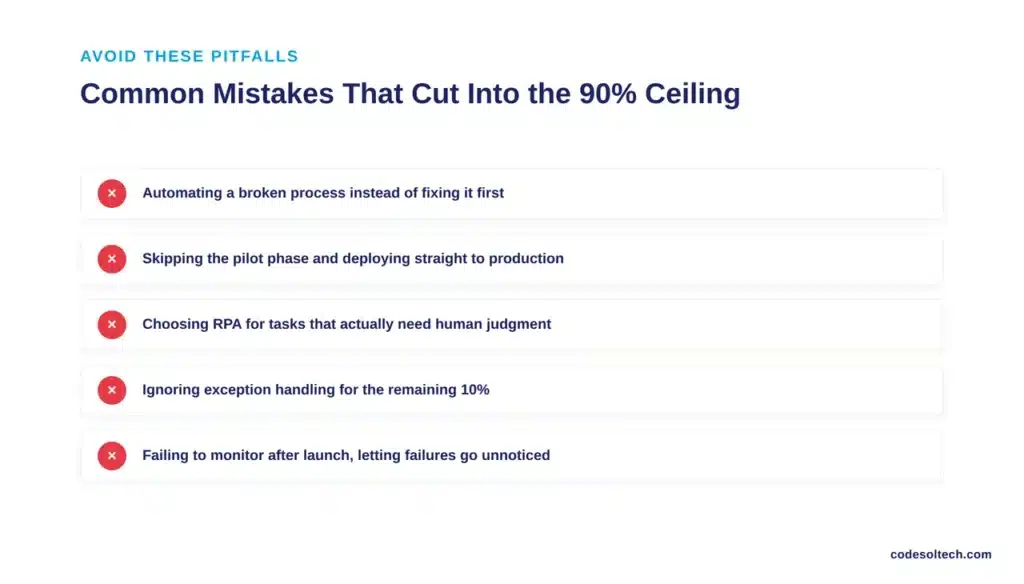
- Automating a broken process instead of fixing it first, which locks inefficiency into the new system.
- Skipping the pilot phase and deploying directly to production, which surfaces exceptions after they’ve already caused damage.
- Choosing RPA for tasks that need judgment, which produces brittle bots that break on every minor input variation.
- Ignoring exception handling, since even a 90%-automated task needs a defined path for the remaining 10% that requires a human.
- Failing to monitor after launch, which lets silent failures accumulate for weeks before anyone notices the automation stopped working correctly.
Final Words
Ninety percent automation is real, but it applies to specific tasks, not entire job functions. Audit your workflows, match each task to the right automation type, fix broken processes first, and pilot before scaling.
Businesses that follow this sequence reclaim measurable hours within weeks instead of chasing automation for its own sake.
Ready to Automate the Repetitive Work Draining Your Team?
Codesoltech builds custom workflow automation, CRM integration, and ERP integration systems tailored to how your business actually operates. Talk to our team and get a workflow audit before you commit to a single line of code.



