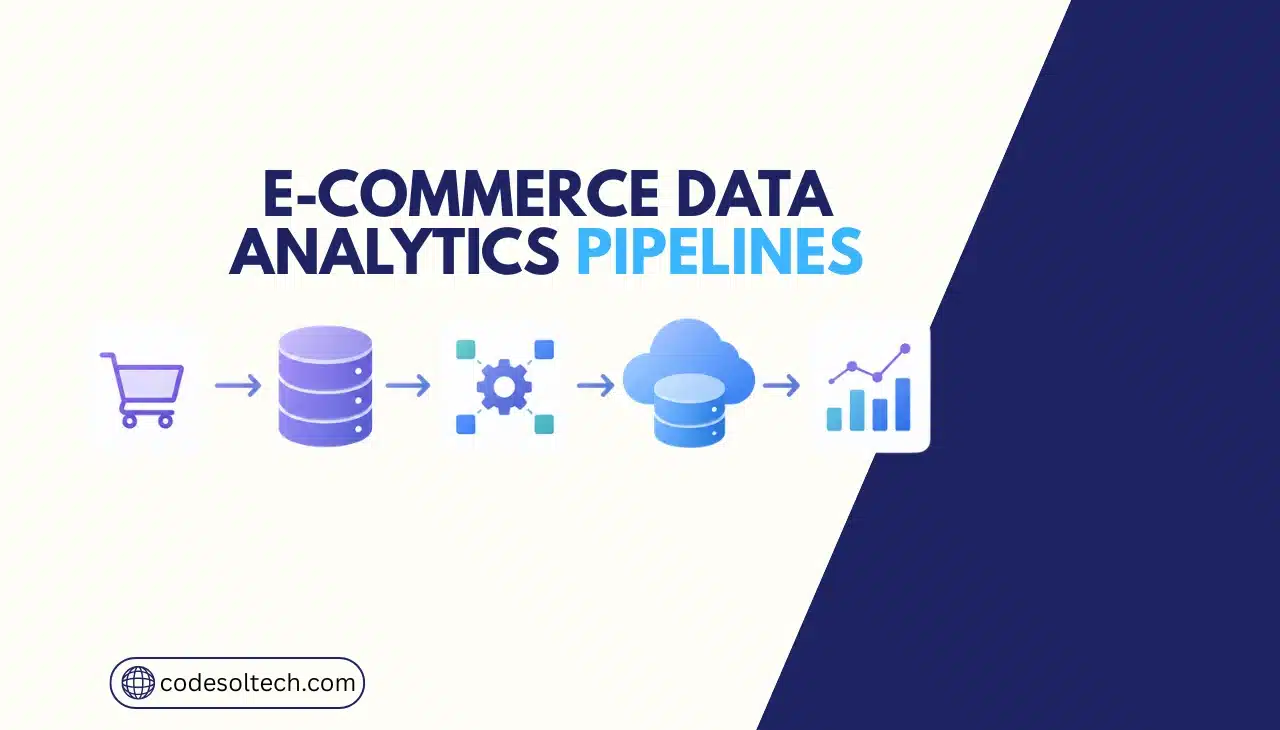
An ecommerce data analytics pipeline is an automated system that extracts transaction, inventory, and customer data from multiple sources, transforms it into a unified format, and loads it into a data warehouse for reporting and forecasting. The pipeline runs on a schedule or in real time.
It replaces manual spreadsheet exports with structured, repeatable data flow. Codesoltech builds custom pipelines for merchants who outgrow native platform analytics.
What Does an Ecommerce Data Analytics Pipeline Do?
A data analytics pipeline moves data through four stages: extraction, transformation, loading, and visualization. This sequence is known as ETL (Extract, Transform, Load) or, in modern stacks, ELT (Extract, Load, Transform).
The pipeline connects to source systems such as Shopify, WooCommerce, payment gateways, and warehouse management systems.
Each source generates structured or semi-structured data. Order records, inventory counts, customer profiles, and ad spend logs are common examples. The pipeline normalizes these formats into consistent schemas before storage.
- Order data: transaction ID, SKU, quantity, price, timestamp
- Customer data: lifetime value, acquisition channel, location
- Inventory data: stock levels, reorder points, supplier lead time
- Marketing data: ad spend, click-through rate, conversion rate
What Are the 5 Core Components of an Ecommerce Data Pipeline?
Every production-grade ecommerce data pipeline contains five components. Removing any one component breaks data reliability or reporting accuracy.
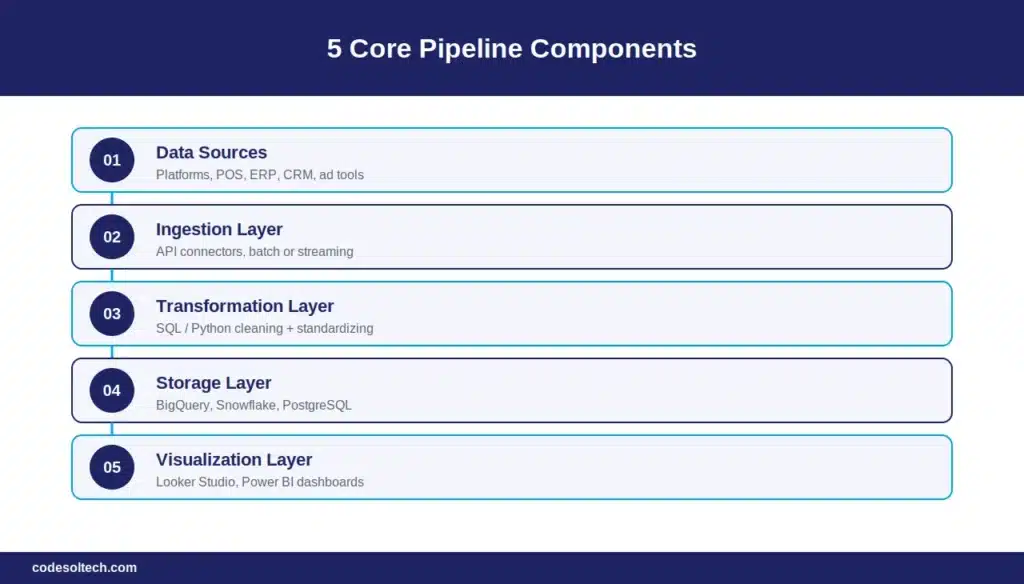
- Data Sources — ecommerce platforms, POS systems, ERP systems, CRM systems, and ad platforms that generate raw data.
- Ingestion Layer — connectors and APIs that pull data on a fixed schedule (batch) or continuously (streaming).
- Transformation Layer — scripts or tools that clean, deduplicate, and standardize data using SQL or Python.
- Storage Layer — a data warehouse such as BigQuery, Snowflake, or PostgreSQL that holds processed data.
- Visualization Layer — BI tools such as Looker Studio, Power BI, or custom dashboards that present metrics to stakeholders.
Batch vs. Streaming Pipelines
Batch pipelines process data at fixed intervals, typically every 1 to 24 hours. Streaming pipelines process data continuously, with latency under 1 minute.
Batch processing suits financial reporting and inventory reconciliation. Streaming processing suits fraud detection and real-time stock alerts.
| Factor | Batch Pipeline | Streaming Pipeline |
|---|---|---|
| Latency | 1–24 hours | Under 60 seconds |
| Infrastructure Cost | Lower | Higher |
| Best Use Case | Daily sales reports, inventory sync | Fraud detection, live stock alerts |
| Common Tools | Airflow, dbt, cron jobs | Kafka, Kinesis, Flink |
| Build Complexity | Moderate | High |
How Do You Build an Ecommerce Data Analytics Pipeline?
Building an ecommerce data analytics pipeline requires 7 steps: define metrics, map data sources, select an ingestion method, choose a warehouse, build transformation logic, connect a BI tool, and schedule automated refreshes.
Skipping the metric definition step is the most common cause of pipeline failure, since teams end up storing data nobody queries.
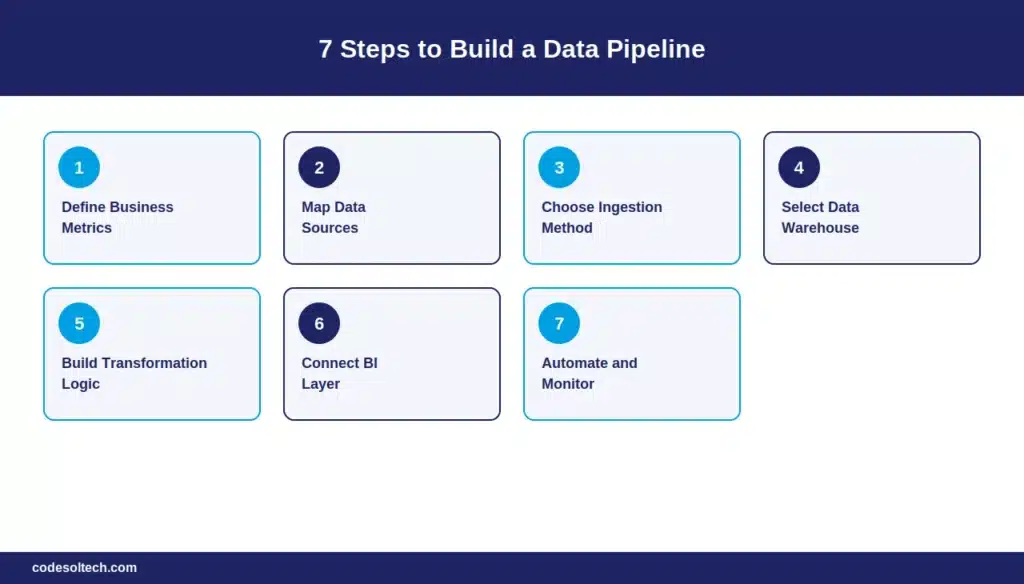
Step 1: Define Business Metrics First
List the exact metrics the business needs before selecting tools. Common ecommerce metrics include customer acquisition cost, average order value, inventory turnover rate, and cart abandonment rate. Each metric determines which data sources the pipeline must connect.
Step 2: Map and Audit Data Sources
Identify every system that generates relevant data: the storefront platform, payment processor, email marketing tool, and fulfillment provider. Document each system’s API availability, rate limits, and data format.
Step 3: Choose Ingestion Method
Select API-based extraction for platforms like Shopify and WooCommerce. Select webhook-based extraction for real-time events such as order creation or refund issuance. Select database replication for systems with direct database access.
Step 4: Select a Data Warehouse
Match warehouse choice to data volume and query complexity. Google BigQuery and Snowflake handle datasets above 10 million rows efficiently. PostgreSQL handles datasets under 10 million rows at a lower cost.
Step 5: Build Transformation Logic
Write SQL models that deduplicate records, standardize currency formats, and join customer data across systems. Tools like dbt (data build tool) version-control these transformation scripts.
Step 6: Connect a BI Layer
Link the warehouse to a visualization tool. Looker Studio, Power BI, and Metabase each connect directly to BigQuery, Snowflake, and PostgreSQL through native connectors.
Step 7: Automate and Monitor
Schedule pipeline runs using an orchestration tool such as Apache Airflow. Configure alerts for failed jobs, schema changes, and data freshness violations.
What Mistakes Break Ecommerce Data Pipelines?
Three mistakes account for most pipeline failures in ecommerce deployments.
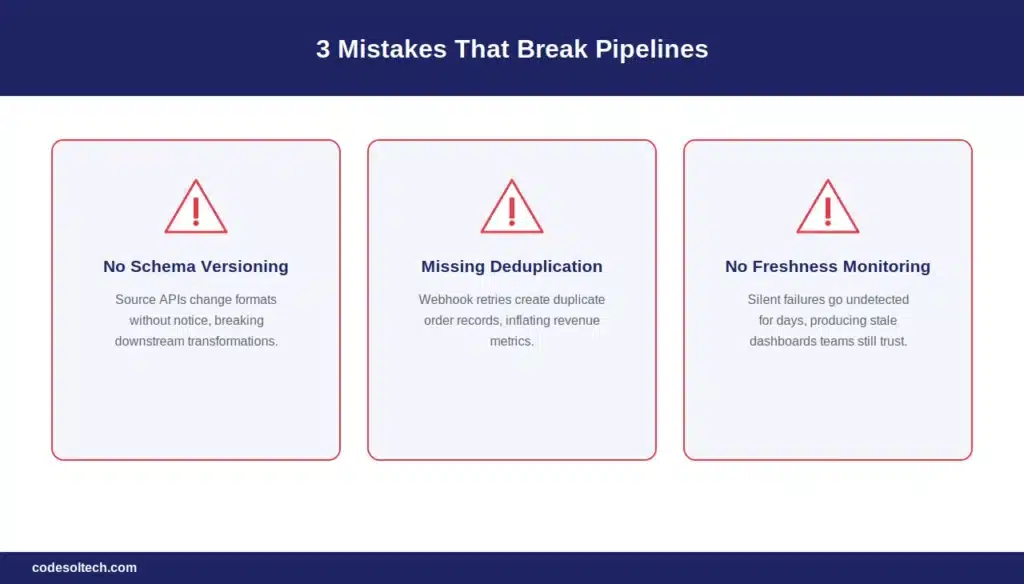
- No schema versioning — source platforms change API response formats without notice, breaking downstream transformations.
- Missing deduplication logic — webhook retries create duplicate order records, inflating revenue metrics.
- No data freshness monitoring — silent pipeline failures go undetected for days, producing stale dashboards that teams still trust.
Final Words
An ecommerce data analytics pipeline is infrastructure, not a dashboard plugin. It requires deliberate architecture across ingestion, transformation, storage, and visualization. Off-the-shelf analytics tools fail when order volume or the number of data sources exceeds their design limits.
Custom pipelines scale with the business instead of constraining it.
Build a Custom Ecommerce Data Pipeline With Codesoltech
Codesoltech designs and deploys custom data analytics pipelines for ecommerce businesses running on Shopify, WooCommerce, and custom platforms. Our team handles ingestion, warehouse architecture, and BI integration end-to-end.
Contact Codesoltech to scope your data pipeline project, or explore our custom web development, Shopify development, and WooCommerce development services.