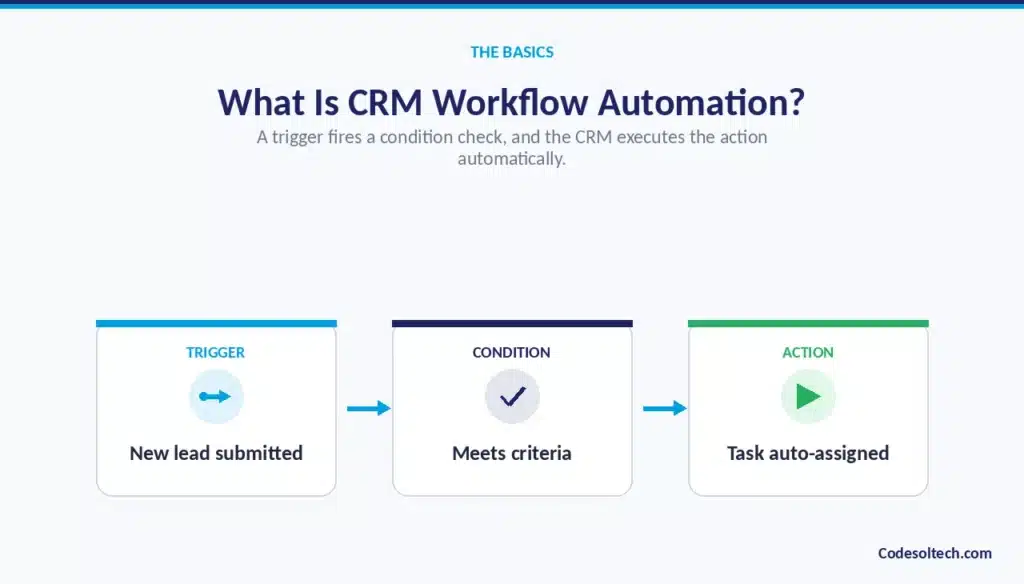
CRM workflow automation is the use of trigger-based rules inside a CRM system to execute sales tasks lead assignment, follow-ups, data updates, and notifications without manual input. A trigger (a new lead, a stage change, a missed deadline) fires a condition check, and the CRM executes a defined action automatically.
This removes repetitive administrative work from the sales process and standardizes how every lead and deal moves through the pipeline.
What Is CRM Workflow Automation?
CRM workflow automation configures a CRM system to execute predefined actions when specific conditions are met. The system replaces manual steps like entering data, assigning leads, and sending reminders with rules that run automatically inside the CRM.
Sales teams use it to standardize repetitive processes across every lead, contact, and deal record.
CRM workflow automation in simple terms
A workflow is a sequence of three components: a trigger, a condition, and an action. The CRM detects the trigger, checks it against the condition, and executes the action without a sales representative touching the record.
For example, a new form submission (trigger) that comes from a target industry (condition) is routed to a specific sales rep (action).
This same three-part logic applies whether the workflow handles a single field update or a multi-step handoff across departments.
Once configured, the rule runs the same way for every record that matches, removing variation between how different reps handle the same situation.
How CRM workflow automation differs from basic CRM usage
Basic CRM usage stores data that a person enters and updates manually. A rep logs a call, updates a deal stage, and creates a follow-up task by hand, and the system only reflects what that rep chooses to record.
CRM workflow automation removes the person from that data-entry step: the CRM logs the call, updates the stage, and creates the task on its own, based on a rule rather than memory.
The practical difference shows up in consistency a manual system produces records that vary by rep discipline, while an automated system produces records that follow the same rule every time.
This shift moves the CRM from a passive filing system to an active part of the sales process.
Manual CRM processes vs. automated workflows
Manual CRM processes depend on a sales representative remembering to complete a task, which means execution quality varies with workload, attention, and time of day. Automated workflows depend on a rule that executes the task on schedule, every time, independent of how busy the rep is.
According to Salesforce’s State of Sales report (6th Edition, 2024), sales representatives spend only 28–30% of their week on active selling, with the remainder consumed by data entry, internal coordination, and deal administration.
Workflow automation directly targets that non-selling time by reassigning it from the rep to the system.
The gap between manual and automated execution widens as lead volume grows, since a manual process scales linearly with headcount while an automated one does not.
Why Manual Sales Processes Slow Down Your Sales Team
Manual sales processes create seven recurring bottlenecks that reduce sales output. Each bottleneck compounds the others, because a delay in one step, like lead assignment, creates a delay in the next step, like first response.
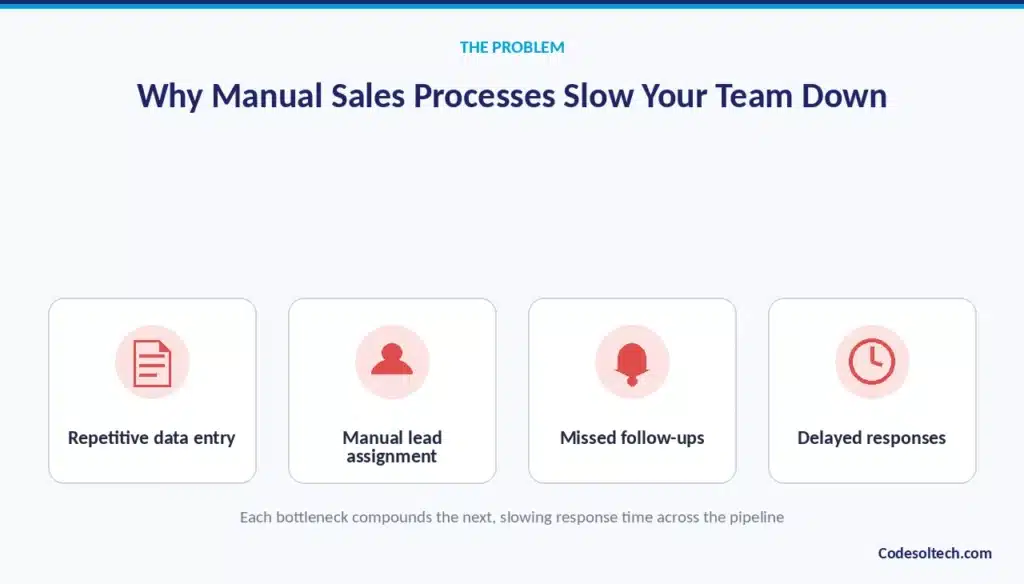
Repetitive data entry
Sales representatives manually type contact details, call notes, and deal updates into CRM fields after every interaction.
This task consumes hours per week and produces no direct revenue, since it does not move a deal forward or engage a prospect. The time spent typing is also time not spent prospecting, negotiating, or closing.
Over a full sales team, repetitive data entry becomes a fixed weekly cost that scales with headcount rather than shrinking with better tools, unless the entry itself is automated.
Manual lead assignment
A sales manager or operations coordinator reviews incoming leads and assigns them to reps one at a time. This step delays first contact by hours or days, particularly outside business hours or during periods when the assigning manager is unavailable.
The delay compounds when lead volume spikes, since a single person can only review and route so many records per hour. Every hour a lead sits unassigned is an hour a competitor’s faster response can win the deal instead.
Missed follow-ups
Reps rely on memory or personal task lists to schedule follow-up calls and emails. Leads that fall outside a rep’s active attention window go untouched, especially when that rep is managing dozens of open opportunities at once.
A missed follow-up does not usually end a deal outright, but it signals disorganization to the prospect and gives a faster-moving competitor room to step in.
The more manual the follow-up process, the higher the rate of leads that quietly go cold without anyone noticing.
Outdated CRM records
Deal stages, contact details, and activity logs fall out of date when reps skip manual updates during busy periods.
Outdated records produce inaccurate pipeline reports, which means a manager’s forecast reflects what reps forgot to update rather than what is actually happening in the pipeline.
Decisions built on stale data staffing, quota-setting, resource allocation inherit that inaccuracy. The problem grows worse the longer a CRM goes without automated data hygiene, since small gaps accumulate into a pipeline that no longer resembles reality.
Delayed sales responses
A lead that waits for manual routing and manual outreach receives a slower first response than a lead entering an automated workflow.
Response speed directly affects conversion likelihood, since a prospect who submits a form is comparing multiple vendors and often engages first with whoever replies first.
Manual processes add avoidable minutes or hours to that response window at every single step: routing, review, and outreach. Each added minute increases the odds the lead has already engaged a competitor by the time contact happens.
Inconsistent sales processes
Each rep follows a personal version of the sales process without a shared, enforced workflow. This inconsistency makes forecasting and coaching unreliable across the team, since a manager cannot compare performance between reps who are not actually following the same steps.
New reps ramp more slowly without a standardized process to learn from, and top performers’ best habits stay siloed rather than becoming the team standard. A workflow-driven process removes this variability by enforcing the same sequence for everyone.
Poor pipeline visibility
Sales managers cannot trust pipeline data that depends on manual, delayed updates. Poor visibility leads to inaccurate forecasts and misallocated resources, since leadership plans hiring, budget, and quota targets around numbers that may not reflect the real state of the pipeline.
This lack of trust also forces managers into manual pipeline reviews and status meetings to compensate, adding yet another layer of non-selling work. Real-time, automatically updated data removes the need for that manual verification step entirely.
How Does CRM Workflow Automation Work?
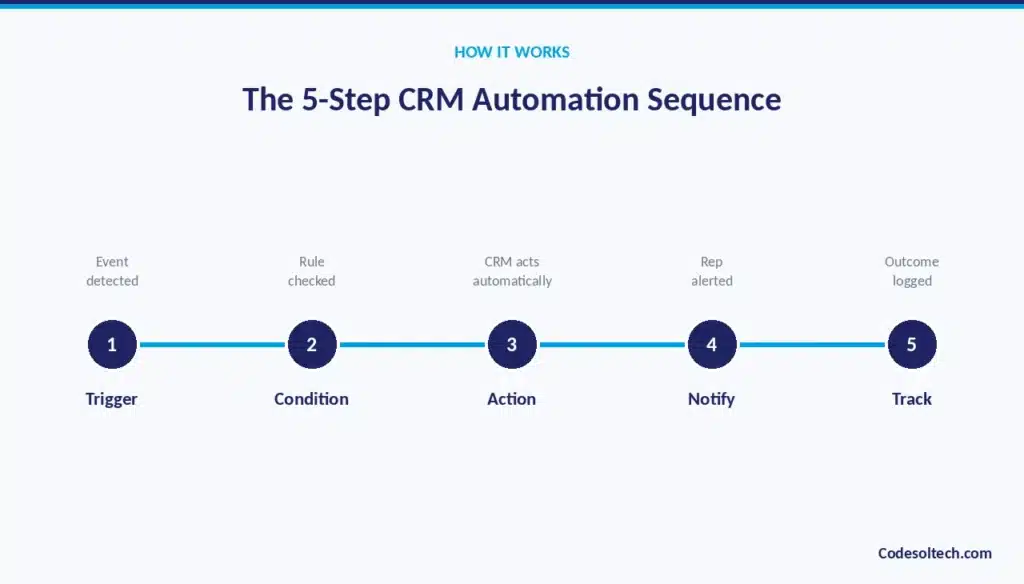
CRM workflow automation works through a five-step sequence: trigger, condition, action, notification, and outcome tracking.
The CRM monitors data for a defined trigger event, evaluates that event against business rules, executes an action, alerts the relevant person, and logs the result for reporting.
Step 1: Define the trigger
A trigger is a specific event the CRM watches for: a new form submission, a deal stage change, an email open, or a missed deadline. Every workflow starts with exactly one defined trigger, and the CRM continuously monitors incoming data for that exact event.
If the trigger is defined too broadly, the workflow fires too often and creates noise; if it’s too narrow, qualifying events slip through unautomated. Getting the trigger definition precise is the foundation the rest of the workflow depends on.
Step 2: Set conditions and business rules
Conditions filter which trigger events qualify for action. A condition might specify lead source, company size, deal value, or geographic region, and a workflow can stack multiple conditions together for more precise targeting.
Conditions are what separate a blunt, one-size-fits-all automation from one that reflects the business’s actual sales logic. Well-defined conditions ensure the automated action only fires for the records it was actually designed to handle.
Step 3: Execute automated actions
The CRM performs the defined action once the trigger and condition both match: assigning a record, sending an email, updating a field, or creating a task.
This step is where the manual work actually disappears, since the system executes the action instantly rather than waiting for a person to notice and act.
Actions can also chain together, so one action (a stage update) can itself become the trigger for a second workflow (a notification). This chaining is what allows a single event to cascade into a full, multi-step automated sequence.
Step 4: Notify the right person
The system alerts the responsible sales representative, manager, or team through an in-app notification, email, or Slack message.
Notification closes the gap between automated action and human follow-through, since most workflows still end with a person taking the next step, like making a call or sending a personalized message.
Without a notification step, an automated action can execute correctly but go unnoticed, defeating the purpose of the automation. Routing the notification to the right channel where the rep is already working increases the odds it gets acted on quickly.
Step 5: Track the outcome
The CRM logs whether the action produced the intended result a reply, a booked meeting, a stage advance for reporting and workflow refinement. This tracking step turns automation from a one-time setup into a system that can be measured and improved.
Without outcome tracking, a business has no way to know whether a workflow is actually working or simply running. Outcome data collected over time is what allows a sales operations team to identify which workflows need adjustment and which are performing as intended.
A single workflow example illustrates the sequence directly:
Trigger: New lead submits a demo request form → Condition: Company size exceeds 50 employees → Action: CRM assigns the lead to the enterprise sales rep and sends a welcome email → Notification: Rep receives a Slack alert with lead details → Outcome: CRM logs response time and meeting-booked status.
Which Manual Sales Processes Can CRM Automation Eliminate?
CRM workflow automation eliminates ten categories of manual sales work. Each category represents a task that previously required a sales representative or operations coordinator to complete by hand.
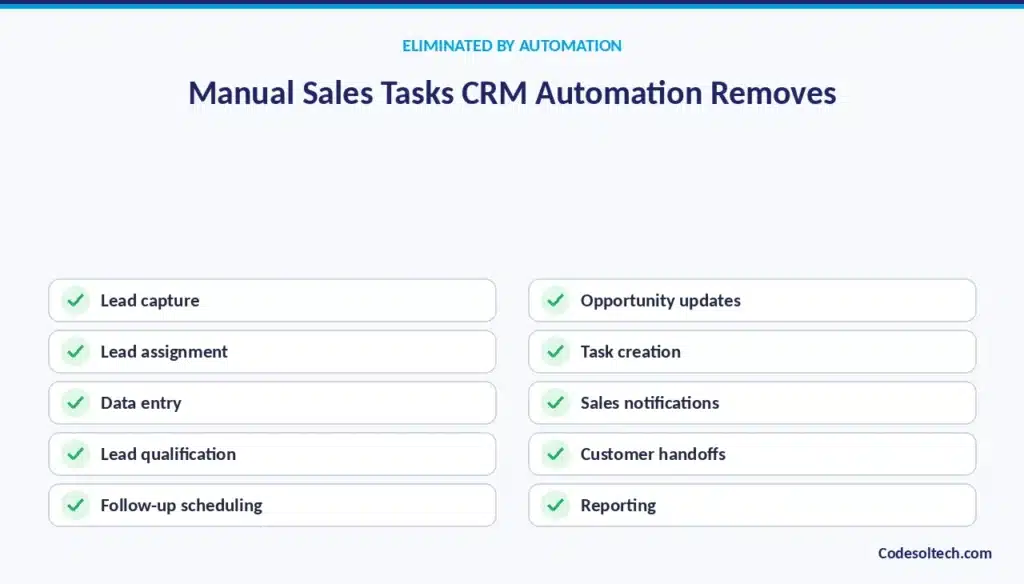
Manual lead capture
Web forms, chat, and email leads enter the CRM automatically instead of through manual export and import. A rep or admin previously had to copy contact details from a spreadsheet, inbox, or third-party tool into the CRM by hand, introducing both delay and transcription error.
With automated capture, the same data flows directly into the CRM the moment a prospect submits it. This removes the lag between a lead expressing interest and that lead appearing as a workable record.
Manual lead assignment
Routing rules replace manager-driven lead distribution, matching each lead to a rep the moment it arrives. Instead of a manager reviewing a queue and deciding who gets which lead, the CRM applies a consistent rule: territory, industry, round robin, or account ownership automatically.
This removes both the delay and the inconsistency that come from manual judgment calls made under time pressure. Reps also receive leads faster, which directly shortens the time to first contact.
Manual data entry
Integrations and forms populate CRM fields directly, removing the need for reps to type contact and deal details. Call logs, email activity, and meeting notes sync automatically from connected tools instead of requiring a rep to summarize and re-enter them.
This eliminates a task that consumes hours per week and contributes no revenue on its own. It also produces cleaner, more complete records, since automated capture does not skip fields the way a rushed manual entry often does.
Manual lead qualification
Scoring rules or AI models replace subjective manual review of whether a lead is worth pursuing. Instead of a rep or SDR manually assessing each lead against a mental checklist, the CRM applies a consistent scoring formula based on firmographic and behavioral signals.
This produces qualification decisions that are repeatable and auditable rather than dependent on individual judgment. It also frees reps to spend their time on leads the system has already confirmed meet the qualification bar.
Manual follow-up scheduling
Workflows create follow-up tasks on a fixed schedule instead of relying on a rep to set a reminder. The CRM tracks the last touchpoint on a record and automatically generates the next task when a defined interval passes.
This closes the gap created by reps managing dozens of open leads without a reliable way to track who needs contact and when. No follow-up depends on a rep remembering to check their own notes.
Manual opportunity updates
Deal stage changes trigger automatically based on defined activity, such as a signed contract or a sent proposal. Instead of a rep manually dragging a deal card to a new stage, the CRM detects the qualifying activity and updates the record itself.
This keeps the pipeline stage accurate even during weeks when a rep is too busy to update records by hand. It also removes a common source of pipeline distortion, where deals sit in an outdated stage long after their real status has changed.
Manual task creation
The CRM generates tasks after calls, meetings, or stage changes, removing a manual step from the rep’s workflow. A rep no longer has to remember to create a task after every call; the system creates it automatically based on the activity that just occurred.
This ensures that no next step falls through simply because a rep moved on to their next call without pausing to log one. Task creation also becomes standardized across the team, since every rep’s system behaves the same way.
Manual sales notifications
Automated alerts replace manager check-ins and status requests, keeping the team informed without extra meetings. Instead of a manager asking each rep for a status update, the CRM sends alerts the moment a relevant event happens: a big deal moving stages, a lead going cold, a deadline approaching.
This reduces the number of status meetings needed to keep the team aligned. It also means information reaches the manager in real time rather than at the next scheduled check-in.
Manual customer handoffs
Closed-won deals route to onboarding or customer success automatically, with no manual email introduction required. The CRM detects the closed-won trigger and immediately assigns the account to the appropriate team member, carrying over the deal history and notes.
This prevents the common failure point where a new customer waits days for anyone from onboarding to reach out. It also ensures the receiving team has full context without asking the sales rep to summarize it manually.
Manual reporting
Dashboards update in real time instead of requiring a manual data compilation before every pipeline review. A sales operations team previously spent hours exporting data and building reports ahead of forecast calls; automated dashboards pull the same numbers continuously.
This removes both the time cost and the risk that a manually compiled report is already outdated by the time it’s presented. Managers can check pipeline status at any moment instead of waiting for the next scheduled report.
15 CRM Workflow Automation Examples for Sales Teams
The following 15 workflows represent the automations sales teams deploy most frequently, ordered by where they occur in the sales process.
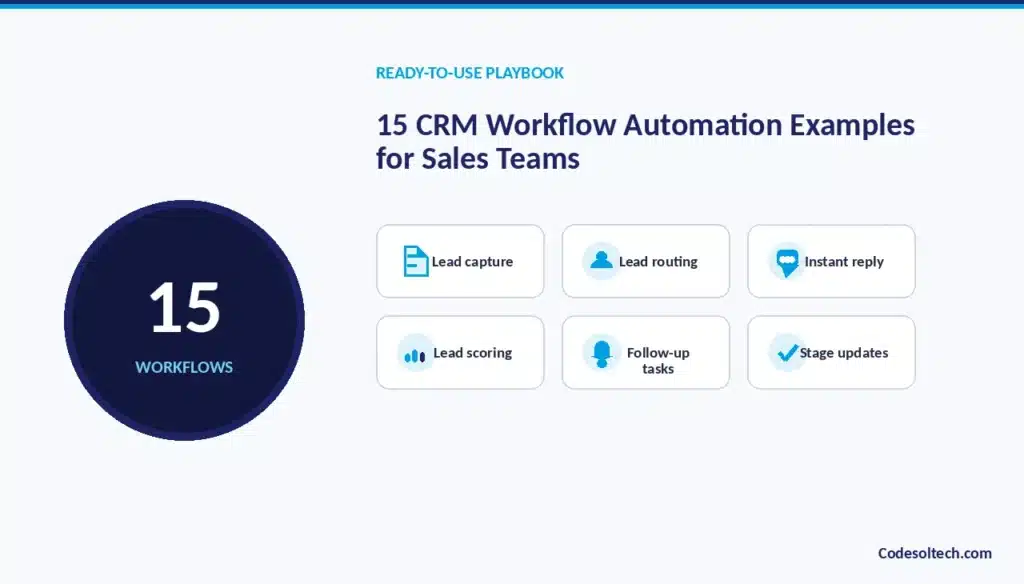
Automatically capture new leads
Web forms, chatbots, and landing pages feed new leads directly into the CRM without a manual export step. The integration maps form fields to CRM fields automatically, so a name, email, and company entered on a website appears as a structured CRM record within seconds.
This removes the delay that previously existed between a form submission and that lead becoming visible to a sales rep. It also eliminates transcription errors that occur when someone manually re-keys form data.
Route leads to the right sales representative
The CRM assigns each lead based on territory, industry, or deal size the moment it enters the system. Routing logic can combine several criteria at once, so a lead from a specific region and company size lands with the rep best positioned to handle it.
This replaces a manager’s manual review-and-assign process with an instant, rule-based decision. Faster assignment directly shortens the time between a lead’s first interest and a rep’s first outreach.
Trigger instant lead responses
An automated acknowledgment email reaches the lead within minutes of form submission, before a rep is even involved.
This response confirms receipt, sets expectations for next steps, and keeps the prospect engaged while the routing and assignment steps happen in the background.
Because it fires instantly regardless of business hours, it removes the dead time a lead would otherwise experience overnight or over a weekend. It gives the business a fast first touch even before a human replies.
Score and qualify leads
Point-based rules tied to firmographic and behavioral data rank leads by fit and readiness to buy. Firmographic data (company size, industry, revenue) and behavioral data (page visits, email opens, content downloads) combine into a single score that reflects how closely a lead matches the ideal customer profile.
Reps can then prioritize outreach toward the highest-scoring leads first instead of working the list in the order it arrived. This turns qualification from a subjective judgment call into a consistent, repeatable process.
Create follow-up tasks automatically
The CRM generates a task for the rep after a set number of days pass without contact. The system tracks the date of the last logged activity on a record and creates a task the moment that interval is exceeded.
This guarantees that every open lead or deal gets a scheduled next step, regardless of how full a rep’s manual to-do list already is. It removes the risk that a promising lead simply falls off a rep’s radar.
Send follow-up sequences
A series of timed emails goes out automatically when a lead does not respond to initial outreach. Each email in the sequence is scheduled at a defined interval, and the sequence stops automatically once the lead replies or books a meeting.
This keeps consistent pressure on unresponsive leads without requiring a rep to manually track and send each follow-up. It also standardizes the follow-up cadence across the whole team instead of leaving timing to individual habit.
Update opportunity stages
The deal stage advances automatically when a specific activity occurs, such as a proposal sent or contract signed. The CRM detects the qualifying event an email attachment sent, a signature received through an e-signature tool and updates the stage field without a rep opening the record.
This keeps the pipeline stage synchronized with what’s actually happening in the deal. It also removes a step reps frequently forget when they’re focused on the deal itself rather than the CRM.
Flag inactive deals
The CRM flags any deal that has not moved stages within a defined time window, prompting rep or manager review. This surfaces stalled deals automatically instead of requiring a manager to manually scan the pipeline looking for ones that have gone quiet.
A flagged deal can trigger a task for the rep, an alert to the manager, or both, depending on how the workflow is configured. This prevents deals from silently dying in the pipeline without anyone noticing until a forecast review.
Notify managers about high-value opportunities
A manager receives an alert automatically once a deal exceeds a set revenue threshold. This ensures leadership visibility into the deals that matter most to the quarter’s numbers, without the manager needing to manually filter the pipeline for large opportunities.
Early visibility also gives a manager time to offer coaching or resources before a high-value deal reaches a critical stage. The threshold can be adjusted per team or territory to match what counts as high-value in that context.
Sync emails and meetings
The rep’s calendar and inbox activity sync directly to the CRM record without manual logging. Every email sent, received, or meeting scheduled with a contact automatically attaches to that contact’s CRM timeline.
This gives a complete activity history without requiring the rep to manually forward emails or log calls after the fact. It also means a manager or teammate can review a full interaction history without asking the rep to reconstruct it.
Generate post-meeting tasks
The CRM creates a task to send a recap or schedule the next call immediately after a meeting ends. The trigger is typically the calendar event closing or a meeting-notes integration marking the call as complete.
This ensures the momentum from a good meeting doesn’t stall because the rep moves straight into their next call without pausing to plan follow-up. It standardizes post-meeting discipline across the whole team rather than leaving it to individual habit.
Automate proposal follow-ups
A reminder fires a fixed number of days after a proposal is sent if the lead has not responded. This keeps proposals from sitting unanswered simply because the rep got busy with other deals.
The reminder can prompt the rep to follow up personally or trigger an automated check-in email, depending on how the workflow is configured.
Either way, it closes a common gap where deals stall after the proposal stage due to lack of follow-through.
Trigger renewal reminders
The CRM alerts the account owner a set number of days before a contract’s end date. This gives the account team enough lead time to start renewal conversations before the contract lapses, rather than discovering the expiration date after it has already passed.
The reminder can escalate first to the account owner, then to a manager if no renewal activity is logged as the date approaches. This structured escalation reduces the number of accounts that churn simply due to a missed renewal window.
Automate sales-to-customer-success handoffs
The moment a deal closes, the CRM routes the account to the customer success team automatically. The handoff carries over deal notes, contract terms, and key stakeholder details so the receiving team has full context immediately.
This removes the manual step of a sales rep writing a handoff summary and waiting for someone to pick it up. Faster, more complete handoffs shorten the time between contract signature and the customer’s first onboarding touchpoint.
Re-engage inactive leads
A scheduled nurture sequence reaches leads automatically after a defined period of dormancy. Leads that went cold no response, no activity re-enter an automated sequence designed to re-establish contact without requiring a rep to manually review old records.
This recovers pipeline value from leads that would otherwise sit untouched indefinitely. It also means dormant leads get periodically reassessed instead of being permanently written off after one missed follow-up.
CRM Workflow Automation vs. Manual Sales Processes
The table below compares seven core sales processes under manual and automated execution.
| Process | Manual Approach | Automated Approach |
|---|---|---|
| Lead assignment | Manager assigns leads by hand | CRM routes leads automatically by rule |
| Follow-up | Rep relies on memory | Workflow triggers a task or email |
| Data entry | Rep manually updates records | CRM updates fields via integration |
| Lead qualification | Manual review of each lead | Rules or AI models score leads |
| Deal updates | Rep changes stages manually | Workflow updates stages on trigger |
| Notifications | Manual status messages | Automated alerts sent instantly |
| Reporting | Manual data cleanup required | Real-time CRM dashboards |
How CRM Workflow Automation Improves Sales Productivity
CRM workflow automation improves eight measurable areas of sales productivity by removing non-selling tasks from a rep’s week.
Asana’s 2023 Anatomy of Work Global Index found that knowledge workers spend 58% of their working day on “work about work” coordination tasks rather than skilled, revenue-generating work.
CRM workflow automation targets this category of work directly inside the sales function.
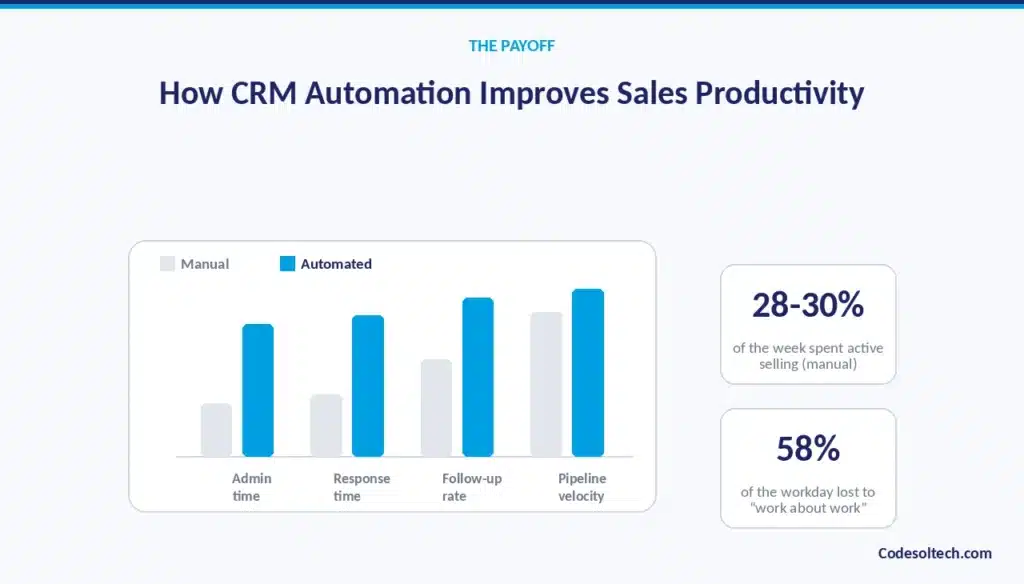
Reduce administrative work
Automated data entry and task creation cut manual admin hours directly out of a rep’s week. Tasks that once required a rep to stop selling and update the CRM now happen in the background as a byproduct of the sale itself.
This time reclaims itself as either more selling hours or reduced overtime, depending on how the business chooses to use it. Over a full sales team, the aggregate hours saved become a meaningful capacity gain.
Respond to leads faster
Instant routing and auto-acknowledgment shorten the time between lead capture and first outreach. A lead that once waited hours for manual assignment now reaches the right rep within minutes, and receives an acknowledgment email even faster than that.
Faster response time correlates directly with higher conversion likelihood, since prospects are often evaluating multiple vendors at once. Automation removes the routing and review delay that used to sit between lead capture and first contact.
Prevent missed follow-ups
Scheduled tasks replace memory-dependent follow-up, so no lead is left without a next step. Every open record gets a task the moment its follow-up window is due, regardless of how full a rep’s personal to-do list already is.
This closes a common leak in the sales process, where promising leads go cold simply because no one remembered to check back in. The consistency also makes it easier for a manager to audit whether follow-up discipline is actually happening.
Improve CRM data accuracy
System-generated updates replace inconsistent manual entry, keeping records current without rep effort. Fields populate automatically from integrated systems instead of depending on a rep’s willingness to type them in during a busy week.
This produces a CRM that reflects what’s actually happening in the pipeline, rather than what reps had time to log. Accurate data becomes the foundation for every downstream reporting and forecasting process.
Shorten sales cycles
Faster handoffs and reminders reduce the time a deal sits idle between stages. A proposal that would have waited a week for a manual follow-up now gets a reminder on day three, keeping momentum on the deal.
Automated stage updates also mean deals don’t sit mislabeled in an old stage while waiting for a rep to notice and update the record. The cumulative effect is a pipeline that moves faster from first contact to close.
Increase sales team capacity
Reps handle more leads without adding headcount, since automation absorbs the administrative load. A rep who previously spent a third of their week on data entry and routing tasks can now apply that time to active selling instead.
This raises the effective lead capacity of the existing team, delaying or reducing the need to hire additional reps purely to keep up with administrative overhead. Capacity gained this way scales without the ramp-up time a new hire requires.
Improve pipeline visibility
Real-time updates give managers accurate forecasts instead of stale, manually entered figures. A manager checking the pipeline sees data that reflects the current state of every deal, not the state it was in whenever a rep last found time to update it.
This visibility supports faster, better-informed decisions about where to focus coaching or resources. It also reduces the need for manual status meetings, since the data itself is trustworthy in real time.
Support better sales forecasting
Consistent data entry produces reliable trend analysis across the full pipeline. Forecasts built on automatically updated, standardized data reflect real patterns rather than gaps created by inconsistent manual logging.
This makes quota-setting, resource planning, and revenue projections more defensible to leadership. Over time, a more accurate historical dataset also improves the reliability of any predictive or AI-driven forecasting layered on top of it.
Rules-Based vs. AI-Powered CRM Workflow Automation
CRM workflow automation runs on two distinct engines: fixed rules or adaptive AI models. Each engine suits different levels of process complexity.
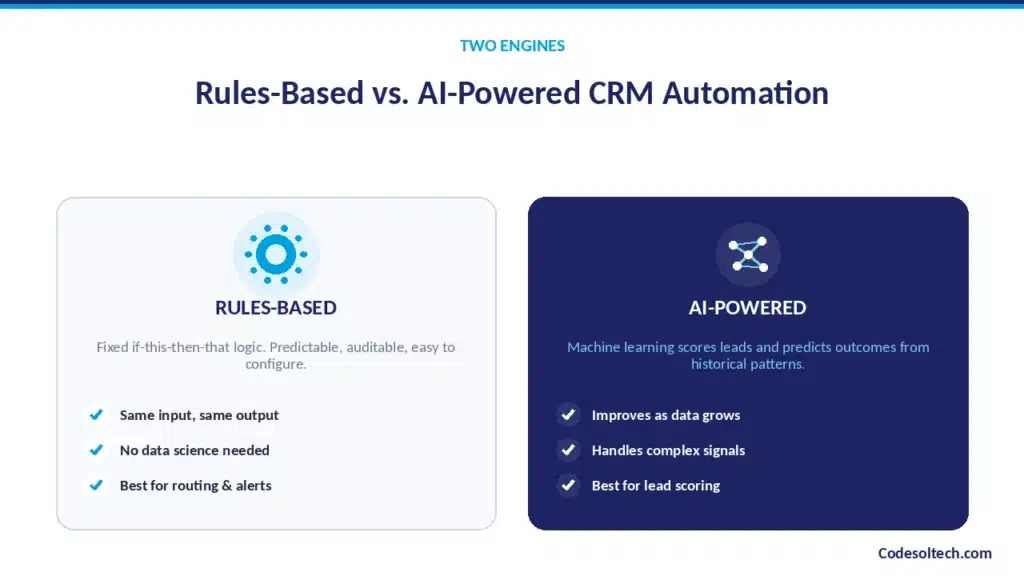
How rules-based automation works
Rules-based automation executes a fixed “if this, then that” logic defined by a sales operations team. The system follows the exact conditions programmed into it, with no learning or adjustment over time.
This makes rules-based workflows predictable and easy to audit, since the same input always produces the same output.
It also makes them easy to configure without specialized data science resources, since the logic is explicit rather than inferred from patterns in data.
How AI-powered CRM automation works
AI-powered automation uses machine learning models to score leads, predict deal outcomes, or recommend next actions based on historical data patterns. The system adjusts its output as new data accumulates, refining its scoring or predictions as it observes more closed deals and outcomes.
This makes AI-powered workflows better suited to nuanced decisions where the qualifying criteria are too complex or numerous to encode as fixed rules. The tradeoff is that AI-driven decisions are probabilistic rather than fully transparent, which requires monitoring to confirm the model’s outputs remain accurate.
When rules-based automation is enough
Rules-based automation is sufficient for processes with clear, stable criteria: routing by territory, sending renewal reminders, or flagging deals past a set age.
When the logic behind a decision can be written as a short, explicit set of conditions, a rules-based workflow delivers the same result as an AI model with less setup and maintenance overhead.
Most day-to-day CRM automations routing, notifications, task creation fall into this category. Businesses just starting with automation typically get the fastest return by beginning here before layering in AI.
When AI-powered automation makes sense
AI-powered automation adds value when qualification criteria are complex, high-volume, or change frequently, such as scoring leads across dozens of behavioral and firmographic signals.
In these cases, writing an explicit rule for every combination of factors becomes impractical, and a model trained on historical outcomes can weigh those factors more effectively than a fixed formula.
AI-powered scoring also improves as more data accumulates, something a static rule set cannot do on its own. This makes AI a better fit for high-volume lead qualification than for simple, low-volume administrative tasks.
Combining rules and AI in one sales workflow
Most CRM workflows combine both engines: rules handle deterministic steps like routing and notifications, while AI handles probabilistic steps like scoring and prioritization.
A typical hybrid workflow might use an AI model to score a lead, then apply a rules-based condition to route that lead based on the score and territory.
This gives sales operations teams predictable execution with adaptive intelligence layered on top, rather than forcing a choice between the two approaches. The combination captures the reliability of rules and the nuance of AI in a single sequence.
How to Build a CRM Workflow Automation Strategy
Building a CRM workflow automation strategy follows eight sequential steps, moving from process audit to ongoing optimization.
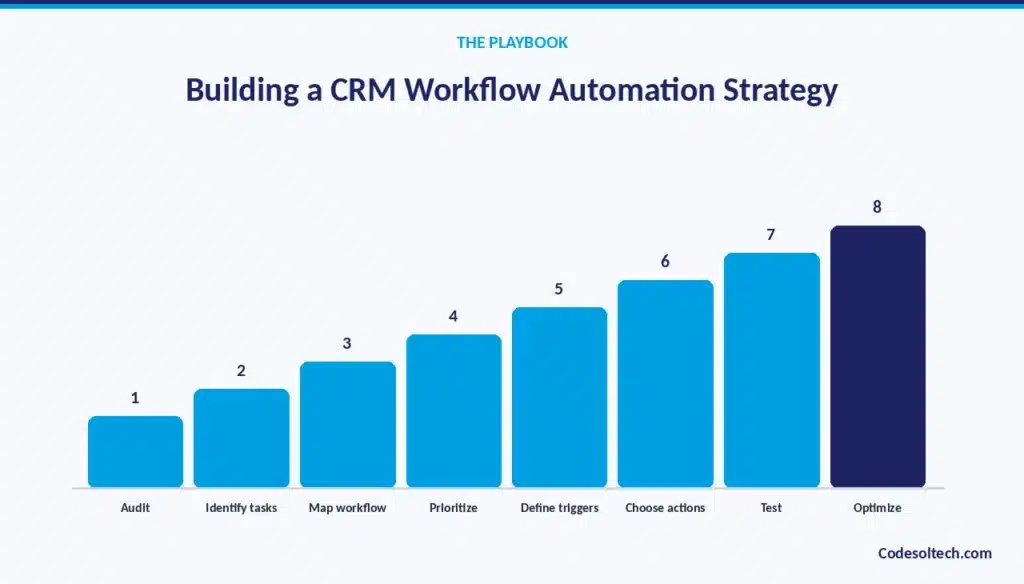
Audit your existing sales processes
Document every manual step currently in use, from first lead contact through deal close. This audit should capture not just what the process is supposed to be, but what reps actually do in practice, since the two frequently diverge.
Interviewing reps directly often surfaces workarounds and shortcuts that a process diagram alone would miss. This baseline becomes the reference point for identifying which steps are worth automating first.
Identify repetitive and error-prone tasks
Pinpoint the tasks that consume the most rep time or produce the most data errors. Tasks that are high-frequency, low-judgment, and rule-based data entry, routing, reminders are the strongest automation candidates.
Tasks that require nuanced human judgment, like a complex negotiation, are poor candidates for full automation. Ranking tasks by both time cost and error rate helps prioritize which ones to automate first.
Map the current workflow
Chart the process from lead capture through close, noting every handoff point between people and systems. Each handoff from marketing to sales, from SDR to account executive, from sales to customer success is a point where information commonly gets lost or delayed.
Mapping these transitions visually makes it easier to see where automation can smooth a handoff instead of just speeding up an isolated task. This map becomes the blueprint the automated workflows are eventually built against.
Prioritize high-impact processes
Rank candidate workflows by volume and time saved per automation, and start with the highest-impact ones. A task performed hundreds of times per month with a five-minute time savings often delivers more value than a task performed rarely with a larger savings.
This prioritization keeps the rollout focused on measurable wins early, which builds confidence and buy-in from the sales team. Lower-impact automations can follow once the highest-value ones are live and stable.
Define triggers and conditions
Set the exact trigger event and qualifying conditions for each process selected for automation. Precision matters here: a trigger defined too loosely fires for records it shouldn’t, while one defined too narrowly misses records it should catch. Conditions should reflect the actual business logic uncovered during the audit step, not a generic template.
Getting this step right up front avoids costly rework after the workflow goes live.
Choose automation actions
Decide what the CRM does once a trigger and condition match: field updates, notifications, task creation, or routing. Each action should map directly to a manual step identified during the audit, ensuring the automation replaces real work rather than adding unnecessary complexity.
Multiple actions can chain off a single trigger, so one event might update a field, create a task, and send a notification simultaneously. The goal is to replicate and then improve on what a person would have done manually.
Test workflows before deployment
Run each workflow against sample records to confirm it executes correctly before it touches live data. Testing should include edge cases, not just the typical scenario, since edge cases are where poorly configured workflows tend to fail.
A workflow that sends an incorrect email or misroutes a lead at scale can do more damage than the manual process it was meant to replace. Testing in a sandbox or with a small subset of live records limits that risk before a full rollout.
Monitor and optimize automation
Review outcome data after launch and adjust conditions or actions that underperform. A workflow’s performance should be checked against the metrics it was designed to improve, such as response time or follow-up completion rate.
Conditions that turn out to be too broad or too narrow can be refined based on real results rather than initial assumptions. Ongoing monitoring turns automation into an iterative system rather than a one-time setup that’s never revisited.
CRM Workflow Automation Across the Sales Funnel
CRM workflow automation applies to seven distinct stages of the sales funnel, each with its own trigger types and actions.
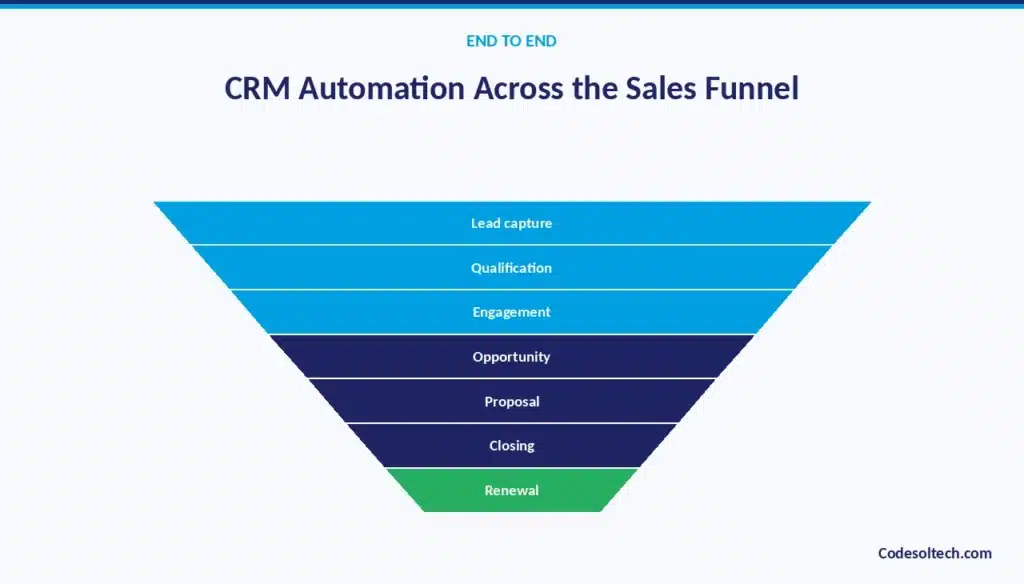
Lead generation and capture
Automated form-to-CRM sync and instant acknowledgment emails start the workflow the moment a lead arrives. At this stage, the priority is speed and completeness: capturing every lead accurately and confirming receipt before a human is even involved.
Any friction introduced here a form that doesn’t sync properly, a delayed acknowledgment costs the business leads before the sales process has even begun. This stage sets the timing baseline every later stage builds on.
Lead qualification
Automated scoring and routing sort leads by fit criteria before a rep spends time on them. Instead of a rep manually assessing every inbound lead, the system applies a consistent scoring model and routes only qualified leads for direct outreach.
This protects rep time from being spent on leads unlikely to convert, letting them focus on the highest-probability opportunities. It also ensures no lead is skipped simply because a rep didn’t get to it during a busy period.
Sales engagement
Sequenced outreach and automatic activity logging keep engagement consistent across every lead. Once a lead is assigned, automated sequences ensure a consistent cadence of outreach regardless of how many other deals a rep is juggling.
Every call, email, and meeting logs automatically, building a complete engagement history without requiring manual notes. This consistency makes it easier to compare engagement patterns across reps and identify what’s actually working.
Opportunity management
Stage-based task creation and deal-age alerts keep active opportunities moving forward. As a deal advances, the CRM automatically generates the next task appropriate to that stage, removing the need for a rep to remember what comes next.
Deals that stall past a defined age trigger an alert, surfacing risk before it becomes a lost deal in a forecast review. This keeps opportunity management proactive rather than reactive.
Proposal and negotiation
Automated proposal follow-up reminders prevent a sent proposal from going untracked. A proposal sent and then forgotten is one of the most common points where deals quietly stall, since the rep has moved on to other active conversations.
A scheduled reminder ensures someone checks in within a defined window rather than leaving the follow-up to chance. This keeps negotiation momentum alive through what is often the highest-stakes stage of the funnel.
Closing and onboarding
Automated handoff to implementation or customer success starts the moment a deal closes. Instead of a rep manually writing a handoff email and waiting for someone to respond, the CRM triggers the transfer immediately, carrying full deal context with it.
This shortens the gap between contract signature and the customer’s first onboarding interaction. A faster, smoother handoff also reduces the risk of early customer churn caused by a slow or confusing start.
Renewals and upselling
Automated renewal and expansion-opportunity reminders keep account owners ahead of contract deadlines. Instead of discovering a renewal date has passed, account owners receive alerts with enough lead time to start the conversation proactively.
The same triggers can flag expansion opportunities, such as usage crossing a threshold that signals readiness for an upsell. This keeps the post-sale relationship as structured and proactive as the pre-sale process.
How CRM Automation Connects With Other Business Systems
CRM workflow automation extends beyond the CRM itself through integration with seven categories of business systems.
Forrester Consulting’s Total Economic Impact study of MuleSoft found that workflow automation across connected business systems saves approximately half an hour per week for every affected employee.
That figure compounds significantly across a sales team once CRM workflows connect to marketing, finance, and support systems.
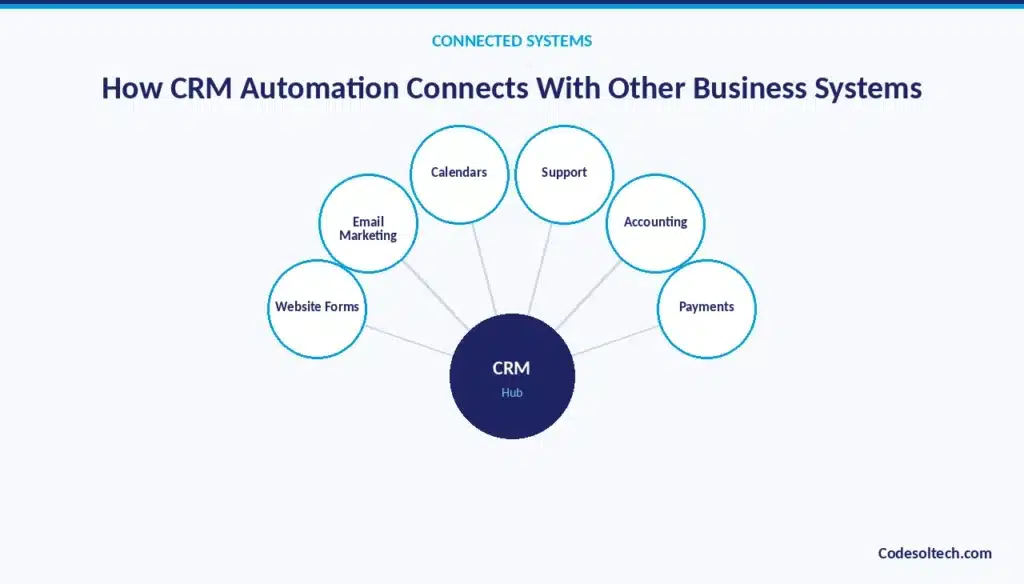
CRM and website forms
Form submissions create CRM records automatically, removing a manual data transfer step. The integration maps each form field directly to the corresponding CRM field, so a prospect’s information appears as a structured, workable record the instant they submit it.
This connection is usually the first integration a business sets up, since it directly feeds the top of the sales funnel. Without it, every website lead requires manual re-entry before a rep can act on it.
CRM and email marketing
Lead status changes trigger or stop marketing sequences, keeping sales and marketing communication aligned. When a lead becomes sales-qualified, the CRM can automatically pause marketing nurture emails to avoid sending conflicting messages during active sales conversations.
Conversely, a lead that goes cold in sales can re-enter a marketing nurture sequence automatically. This coordination prevents the common problem of a prospect receiving mismatched messaging from two different systems.
CRM and calendars
Meeting bookings sync directly to the CRM activity record without manual logging. When a prospect books a call through a scheduling link, the CRM automatically creates the associated activity and updates any relevant task.
This removes the step where a rep manually notes a meeting after it happens, and ensures the CRM’s activity history is complete even for meetings booked outside a direct email exchange. It also gives managers visibility into meeting activity in real time.
CRM and communication tools
Slack or Teams alerts fire automatically on CRM-triggered events, reaching the rep where they already work. Instead of requiring reps to check the CRM directly for updates, notifications appear in the messaging tool they’re already using throughout the day.
This increases the speed at which reps notice and act on time-sensitive events, like a high-value deal update or an urgent lead assignment. It also reduces the number of separate tools a rep has to actively monitor.
CRM and accounting systems
Closed-won deals generate invoices without manual re-entry into a separate finance system. When a deal reaches closed-won status, the CRM can automatically pass the relevant contract and pricing details to the accounting system to generate an invoice.
This removes a common source of delay and error between sales closing a deal and finance issuing the bill. It also shortens the time between contract signature and the first invoice reaching the customer.
CRM and customer support
Support tickets link directly to the CRM account record, giving sales visibility into post-sale issues. A rep managing a renewal or upsell conversation can see open support tickets without switching systems or asking a colleague.
This visibility helps sales avoid pushing an expansion conversation on an account currently dealing with an unresolved issue. It also gives support teams sales context that can inform how they prioritize and respond to tickets.
CRM and payment platforms
Payment status updates the CRM deal record automatically as transactions complete. When a payment is received, the CRM reflects that status change without requiring finance or sales to update the record manually.
This keeps revenue reporting accurate and timely, since the CRM’s data matches what has actually been collected rather than what was invoiced. It also reduces the reconciliation work required between sales and finance at the end of a reporting period.
Common CRM Workflow Automation Mistakes to Avoid
Eight mistakes account for most failed CRM automation projects. Avoiding them requires deliberate process design rather than default platform settings.
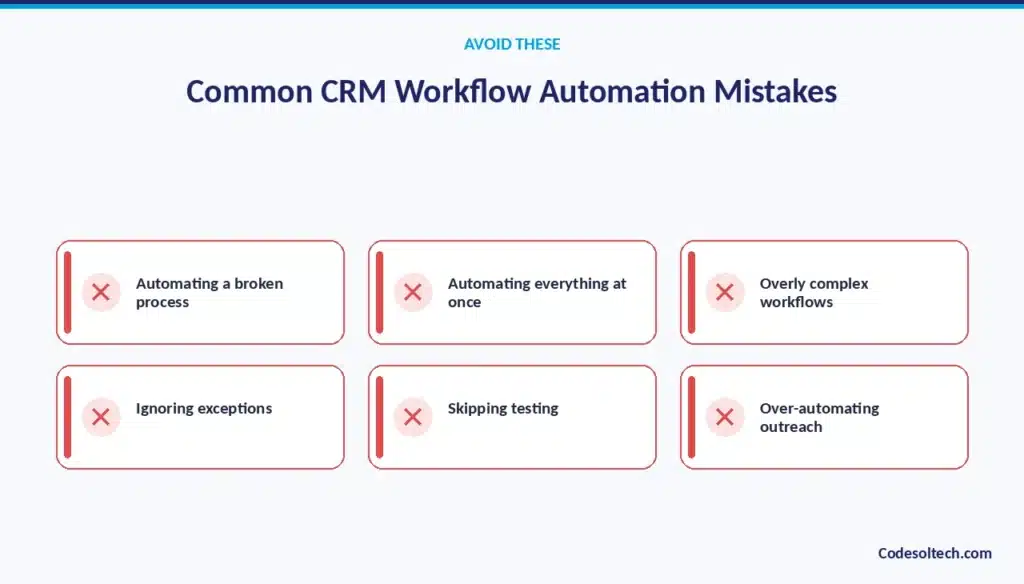
Automating a broken sales process
Automation speeds up a flawed process instead of fixing it, which only produces errors faster. If a lead routing rule is based on outdated territory definitions, automating it just means bad assignments happen instantly instead of eventually.
The audit step in a strategy build is meant to catch this, but businesses that skip straight to automation often miss it. Fixing the underlying process before automating it is a prerequisite, not an optional step.
Automating everything at once
A full-scale rollout without phased testing increases the risk that a single misconfigured workflow disrupts the whole pipeline. When dozens of workflows launch simultaneously, isolating the source of a problem becomes far harder than when workflows are introduced one at a time.
A phased rollout also gives the sales team time to adjust to new processes without being overwhelmed by simultaneous change. Starting with the highest-impact workflows and expanding gradually reduces both technical and organizational risk.
Using overly complex workflows
Workflows with excessive branching become difficult to maintain and harder to debug when something breaks. A workflow with a dozen nested conditions is harder to test thoroughly and harder for a new administrator to understand later.
Simpler, more targeted workflows are easier to troubleshoot and easier to adjust as business rules change. When a process genuinely requires significant complexity, it’s often a signal that custom automation is a better fit than a native workflow builder.
Ignoring workflow exceptions
Edge cases without a defined path create broken or incomplete records that require manual cleanup later. A workflow built only for the typical scenario will mishandle records that don’t fit that pattern, sometimes silently.
Explicitly defining what happens to records that fall outside the main condition, flagging them for manual review, for example, prevents this from becoming a hidden data quality problem.
Ignoring exceptions during design usually means discovering them later as a pile of malformed records.
Failing to test automation
Untested workflows can send incorrect emails or misroute leads at scale before anyone notices. Because automated workflows run continuously and without a human check at each step, an error in the logic multiplies across every record it touches.
Testing against sample records before full deployment catches these errors while the blast radius is still small. Skipping this step trades a small upfront time cost for a much larger cleanup cost later.
Over-automating customer communication
Excessive automated messaging reduces perceived personalization and can push prospects away. A prospect who receives five automated touchpoints in three days may perceive the business as impersonal or spammy, regardless of how relevant the content is.
Balancing automated cadence with genuine human touchpoints keeps outreach effective rather than overwhelming. The goal of automation is to support the human sales relationship, not to replace it entirely.
Not monitoring workflow failures
Silent automation errors go unnoticed without active monitoring, letting bad data accumulate. A workflow that fails to fire due to an integration outage or a data format mismatch will not raise an alarm on its own unless monitoring is explicitly built in.
Over weeks or months, silent failures can quietly undo the reliability automation was supposed to provide. Regular audits of workflow performance catch these failures before they compound into a larger data quality issue.
Forgetting human oversight
Workflows still require a person to review exceptions and edge cases that rules cannot resolve on their own. Automation handles the repeatable, rule-based parts of a process, but judgment calls a sensitive customer situation, an unusual deal structure still need a human decision.
Designing automation with a clear escalation path to a person, rather than assuming full coverage, keeps the system reliable. The most effective CRM automation supports human judgment rather than trying to eliminate it.
How to Measure CRM Workflow Automation Success
CRM workflow automation success is measured through nine quantifiable metrics tracked before and after implementation.
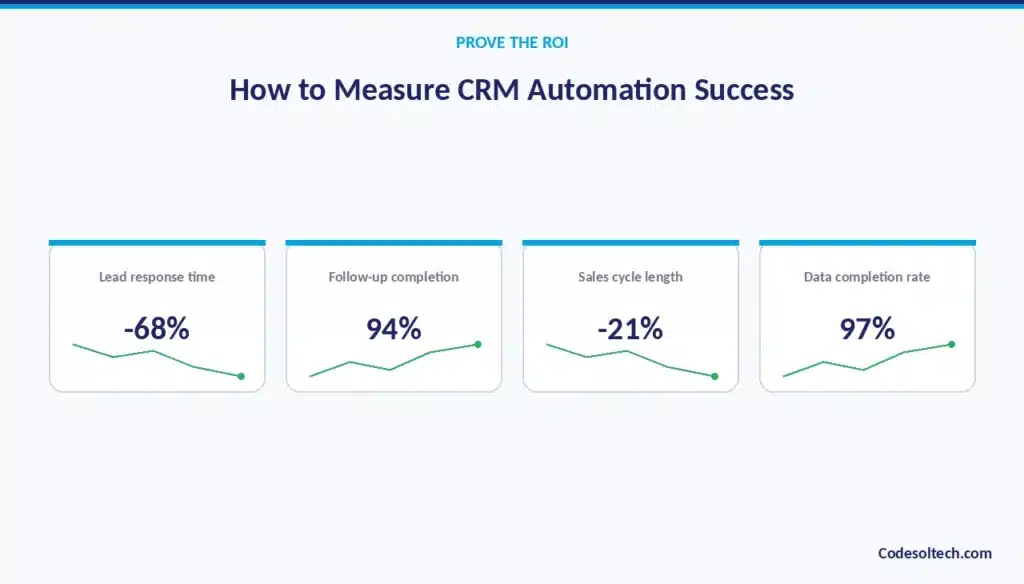
Lead response time
The time between lead capture and first outreach, tracked to confirm automation is actually speeding up contact. This metric should be measured both before and after automation goes live, since the improvement is the clearest direct evidence the workflow is working.
A drop from hours to minutes is typical when instant routing and acknowledgment replace a manual assignment process. Continued tracking also catches any regression if a workflow later breaks or gets misconfigured.
Sales administrative time
Hours per week spent on non-selling tasks, measured before and after automation to quantify time saved. This can be tracked through rep surveys, time-tracking tools, or estimated from the volume of tasks the CRM now handles automatically.
The resulting figure translates directly into either increased selling capacity or reduced overtime, depending on how the business chooses to reinvest the saved time. It’s also one of the clearest metrics for demonstrating automation ROI to leadership.
Follow-up completion rate
The percentage of scheduled follow-ups actually completed, confirming that automated tasks translate into real action. A high task-creation rate means little if reps aren’t completing the tasks the system generates for them.
Tracking completion rate separately from task creation rate reveals whether the bottleneck has shifted from remembering to do the follow-up to actually executing it. This distinction matters for diagnosing where further process improvement is needed.
Lead conversion rate
The percentage of leads that become opportunities, used to check whether faster response improves outcomes. Comparing conversion rate before and after automation isolates whether faster response time and consistent follow-up are actually producing more qualified pipeline.
A conversion rate that stays flat despite faster response times may indicate the issue lies elsewhere in the process, such as lead quality or messaging. This metric ties automation directly to a revenue-relevant outcome rather than just an efficiency gain.
Sales cycle length
The average time from opportunity creation to close, calculated with a direct formula:
Sales Cycle Length = Date Closed − Date Opportunity Created
Automation typically shortens sales cycle length by reducing the idle time deals spend waiting for a manual next step, such as a follow-up or handoff.
Tracking this metric by deal size or segment can reveal whether automation is helping more in some parts of the pipeline than others.
A shortened cycle also means capital and resources tied up in open deals get freed faster. This metric is one of the most directly tied to overall sales velocity and revenue timing.
CRM data completion rate
The percentage of required fields populated per record, used to confirm data accuracy improved after automation. Manual entry typically leaves fields blank or outdated when reps are pressed for time; automated field population closes that gap.
A high completion rate is a leading indicator that downstream reporting and forecasting will be reliable. Tracking this metric over time also flags when a new integration or workflow needs adjustment if completion rates start slipping.
Pipeline velocity
The rate at which deals move through pipeline stages, tracked to identify whether automation is shortening stall time. Pipeline velocity combines deal count, average deal size, win rate, and sales cycle length into a single measure of how fast revenue is moving through the pipeline.
An increase in velocity after automation confirms that the workflows are removing friction rather than simply adding more notifications. This metric gives leadership a single number to track automation’s aggregate impact.
Forecast accuracy
The variance between forecasted and actual closed revenue, which should shrink as CRM data becomes more reliable. Forecasts built on automatically updated, real-time data are less likely to be thrown off by stale or missing information.
Tracking forecast accuracy over several quarters shows whether improved data quality is translating into genuinely better predictive planning. This metric is often the one leadership cares about most, since it directly affects resourcing and revenue planning decisions.
Revenue generated per sales representative
Total closed revenue divided by headcount, used to measure whether automation increased individual rep output. This metric captures the end result of every other improvement faster response, better data, more selling time in a single, revenue-focused number.
Comparing this figure before and after automation shows whether the time savings actually converted into more closed business. It’s the metric most directly relevant to justifying the cost of a CRM automation initiative.
When Should a Business Use Custom CRM Workflow Automation?
A business needs custom CRM workflow automation when standard, out-of-the-box automation tools cannot support its process requirements. Six conditions signal the need for a custom-built solution.
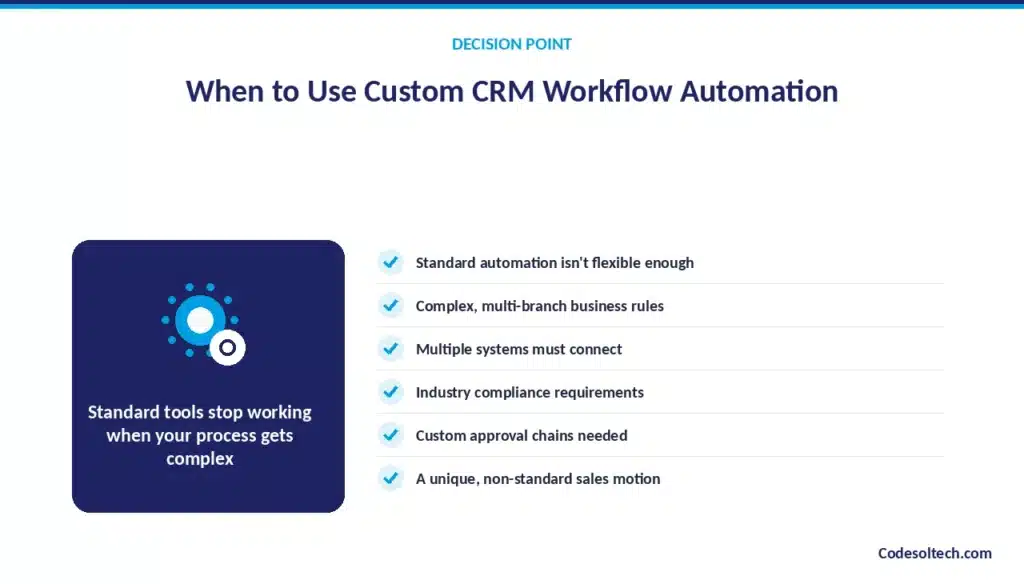
Standard CRM automation is not flexible enough
Off-the-shelf automation tools cannot model the business’s actual sales logic beyond a small set of predefined templates.
Native workflow builders are designed to handle common, general-purpose scenarios, which means a business with an unusual sales motion often has to force its process into a template that doesn’t quite fit.
When that mismatch forces manual workarounds, the automation stops delivering its intended value. A custom-built workflow removes the constraint of the platform’s predefined logic.
Workflows require complex business rules
Multiple conditional branches and exceptions exceed what a native workflow builder can handle. Some sales processes involve dozens of interacting conditions deal size, product line, region, approval chain that a standard tool’s interface simply isn’t built to express clearly.
Attempting to force this complexity into a native builder often results in a fragile, hard-to-maintain set of overlapping workflows. Custom development handles this complexity directly in code, where the logic can be structured and tested properly.
Multiple systems need to work together
The required integrations go beyond what native or off-the-shelf connectors support. A business running a mix of legacy systems, industry-specific software, and modern SaaS tools often finds that standard CRM integrations only cover the most common platforms.
Custom integration work connects the systems that actually matter to that business’s operations, rather than only the ones a vendor chose to prioritize.
This is especially common for businesses with proprietary internal tools that a generic connector was never built to support.
Industry-specific workflows are required
Regulatory steps, compliance checks, or specialized approval chains demand a purpose-built workflow. Industries like healthcare, finance, and legal services often require automated processes that enforce specific compliance steps a generic CRM workflow builder has no concept of.
A custom workflow can encode these requirements directly, ensuring every deal or record passes through the necessary checks automatically. This reduces compliance risk in a way generic automation tools cannot guarantee.
The business needs custom approval processes
Deals route through multiple stakeholders based on deal characteristics that a standard tool cannot evaluate. An approval chain that changes depending on discount level, contract length, or product mix requires logic more sophisticated than a simple one-step approval most native tools support.
Custom automation can route a deal through exactly the right sequence of approvers based on its specific attributes. This keeps approval processes accurate without forcing every deal through the same rigid chain regardless of its complexity.
Automation must follow unique sales operations
The business’s sales process doesn’t map cleanly to a generic CRM template. Some businesses sell through unusual models multi-party deals, channel partnerships, subscription tiers with complex upgrade paths that standard CRM workflow tools were never designed around.
Forcing a unique process into a generic template usually means losing the nuance that made the process work in the first place. Custom development lets the automation follow the business’s actual operations instead of the other way around.
When these conditions apply, a custom CRM development approach configures workflows around the business’s actual sales operations rather than forcing operations to conform to a template.
CRM Workflow Automation for Small and Mid-Sized Businesses
Small and mid-sized businesses apply CRM workflow automation to compensate for smaller sales teams and limited administrative headcount.
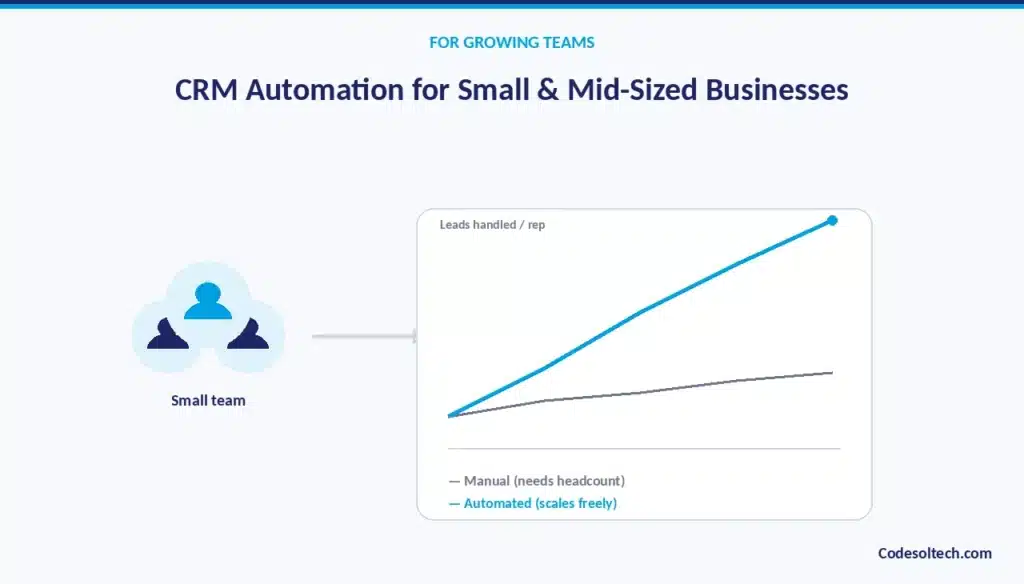
Automating sales with a small team
A small sales team covers more leads per rep when routing, follow-ups, and data entry no longer require manual attention. With only a handful of reps, every hour lost to administrative work represents a larger percentage of total selling capacity than it would on a large team.
Automation gives a small team leverage that would otherwise require hiring additional headcount just to keep pace with lead volume. This makes automation proportionally more valuable for smaller teams than for larger ones with more administrative support already in place.
Reducing administrative overhead
Automation removes the need for a dedicated administrative role to manage lead assignment and data cleanup. Smaller businesses often cannot justify a full-time sales operations hire the way a larger enterprise can, which means administrative work either falls on reps or gets neglected.
Automating routing, data entry, and reporting closes that gap without adding payroll. This lets a lean team maintain data quality and process discipline that would otherwise require a dedicated headcount investment.
Handling more leads without adding staff
Automated qualification and routing let a fixed-size team absorb higher lead volume without proportional headcount growth. As a business scales its marketing and lead generation, the sales team’s capacity to handle that volume becomes a bottleneck unless the administrative burden per lead decreases.
Automation reduces that per-lead overhead, allowing revenue growth to outpace headcount growth. This directly improves the business’s cost structure as it scales.
Connecting existing business systems
SMBs connect their CRM to existing tools email, calendar, accounting software instead of replacing their full tech stack. Rather than adopting an entirely new suite of tools, a small business typically integrates its CRM with the systems it already uses day-to-day.
This approach minimizes disruption and training time while still capturing most of the benefit of workflow automation. It also keeps the cost of automation proportional to the size of the business rather than requiring an enterprise-scale technology investment.
Scaling sales processes with automation
Workflows scale with lead volume automatically, while manual processes require proportional headcount increases to keep pace. A workflow configured to route and follow up on 50 leads a month performs the same way at 500 leads a month, with no additional setup required.
Manual processes, by contrast, require hiring or reallocating people as volume grows. This difference in scalability is often what makes automation a prerequisite for sustainable growth rather than an optional efficiency gain.
Frequently Asked Questions About CRM Workflow Automation
What is CRM workflow automation?
CRM workflow automation is the use of trigger-based rules inside a CRM to execute sales tasks routing, follow-ups, data updates, and notifications without manual input.
What sales tasks can CRM automation eliminate?
CRM automation eliminates manual lead capture, lead assignment, data entry, lead qualification, follow-up scheduling, opportunity updates, task creation, notifications, customer handoffs, and reporting.
How does CRM workflow automation work?
CRM workflow automation works through five steps: a trigger event occurs, the system checks it against defined conditions, an action executes, the relevant person is notified, and the outcome is tracked.
What are examples of CRM workflows?
Common examples include automatic lead routing, instant lead response emails, deal-stage updates, renewal reminders, and automated sales-to-customer-success handoffs.
Can CRM automation improve lead management?
CRM automation improves lead management by capturing leads instantly, scoring them by fit, and routing them to the correct sales representative without delay.
Is CRM workflow automation suitable for small businesses?
CRM workflow automation is suitable for small businesses because it lets a small sales team handle higher lead volume without adding administrative headcount.
Does CRM automation replace sales representatives?
CRM automation does not replace sales representatives. It removes administrative tasks from their workload so they can spend more time on direct selling activity.
What is the difference between CRM automation and workflow automation?
CRM automation refers specifically to automated actions inside the CRM platform. Workflow automation is the broader category, which can span the CRM plus connected systems like email, calendars, and accounting software.
How much does CRM workflow automation cost?
Cost depends on the platform, the number of workflows configured, and whether the business uses native CRM automation tools or a custom-built integration. Simple rules-based workflows cost less than AI-powered or custom multi-system automation.
When should a business use custom CRM automation?
A business should use custom CRM automation when standard tools cannot handle its business rules, when multiple systems must connect beyond native integrations, or when industry-specific compliance steps are required.
Final Words
Manual sales processes cap how much pipeline a sales team can handle. CRM workflow automation removes that cap by replacing repetitive, error-prone steps with rules that execute consistently.
The result is faster lead response, cleaner CRM data, and more selling time per representative. Businesses with complex or non-standard sales operations get the most value from a custom-built approach rather than a generic template.
Ready to eliminate manual sales work from your pipeline?
Talk to CodeSol Technologies about building a CRM workflow automation strategy suited to your sales process.