

A CRM for accounting firms centralizes client records, automates intake, and triggers deadline reminders across the engagement lifecycle. Firms deploy CRM automation to eliminate manual data entry, enforce tax-calendar deadlines, and convert prospects into recurring clients without adding headcount.
What Does a CRM Do for an Accounting Firm
It connects emails, engagement letters, deadlines, and billing data to a single client record, replacing spreadsheets and shared inboxes with a structured pipeline. Partners see exactly which stage each client occupies: prospect, onboarding, active engagement, or renewal.
The same core logic applies across regulated professional services accounting, law firms, and healthcare practices; all run this pattern with different field sets.
The system performs five core functions for an accounting practice:
- Centralizes client contact details, engagement history, and document links in one record
- Assigns tasks automatically based on service type — tax preparation, bookkeeping, payroll, or advisory
- Triggers reminder sequences tied to IRS and state filing deadlines
- Logs every email, call, and client-portal message against the client record
- Feeds partner dashboards with real-time pipeline and staff capacity data

A firm running client management manually depends on individual staff memory to track deadlines, engagement status, and outstanding documents.
A firm running client management through a CRM depends on a rule-based system instead; the same status update, reminder, or task assignment fires identically for client one and client one thousand.
This distinction determines whether a firm can scale client volume without scaling headcount at the same rate.
Accounting firms process a high volume of time-bound work. The IRS reports that taxpayers filed 159.3 million individual income tax returns in calendar year 2024, with 84.3 million of those returns filed electronically by paid preparers.
A CRM absorbs this volume by automating the repetitive coordination work: intake, reminders, and status updates that consume staff hours during filing season.
8 Ways to Automate Client Management With a CRM
An accounting firm configures a CRM to automate eight distinct areas of client management. Each automation removes a specific manual task from the workflow and replaces it with a rule-based trigger.
1. Automate Client Intake and Onboarding
The CRM captures a new client’s contact details, entity type, and service requirements directly from a web form. It creates the client record automatically and routes an engagement letter for e-signature without staff intervention.
The system tags the client by service line the moment the signed letter returns.

This removes the manual re-typing step that occurs when intake data moves from a form submission into a spreadsheet or a separate practice management tool.
2. Automate Document Collection and E-Signature Routing
The CRM generates a document checklist based on the client’s engagement type: individual return, corporate return, or bookkeeping cleanup.

It sends automated reminders for missing items and flags the record once 100% of required documents arrive. Staff review completed files instead of chasing outstanding paperwork.
Configuring the checklist once per engagement type means every new client of that type receives the identical, complete request on day one.
3. Automate Task Assignment Against the Tax Calendar
The CRM maps each client record to statutory deadlines: March 15 for S-corporations and partnerships, April 15 for individuals, and state-specific dates for sales and payroll tax. It assigns preparation and review tasks to staff automatically as each deadline approaches.
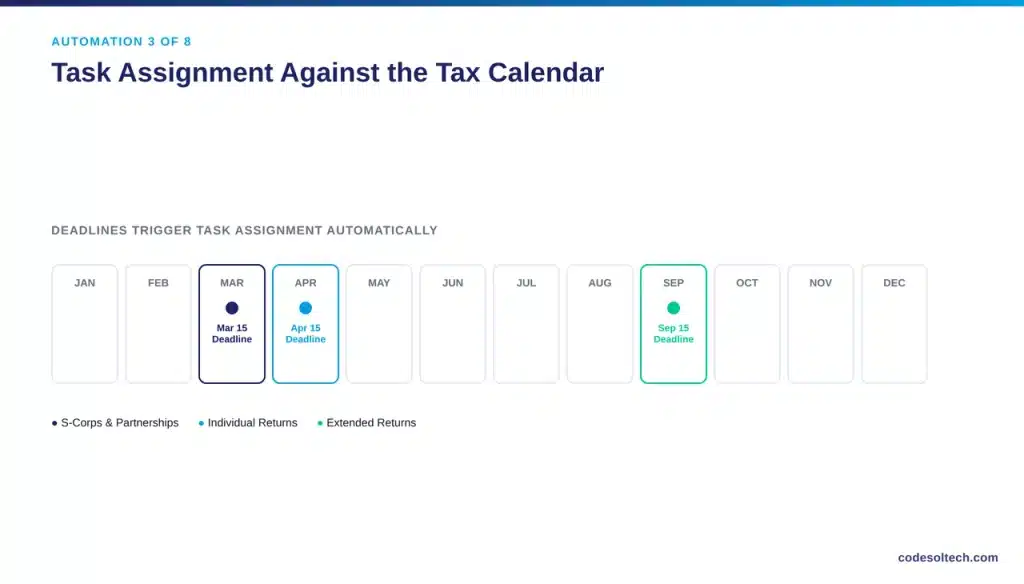
Overdue tasks escalate to a manager without a manual status meeting. This calendar logic prevents a deadline from depending on one preparer remembering to check a due-date list.
4. Automate Client Communication Triggers
The CRM sends status-update emails at defined workflow stages: document received, return in preparation, return under review, return filed.
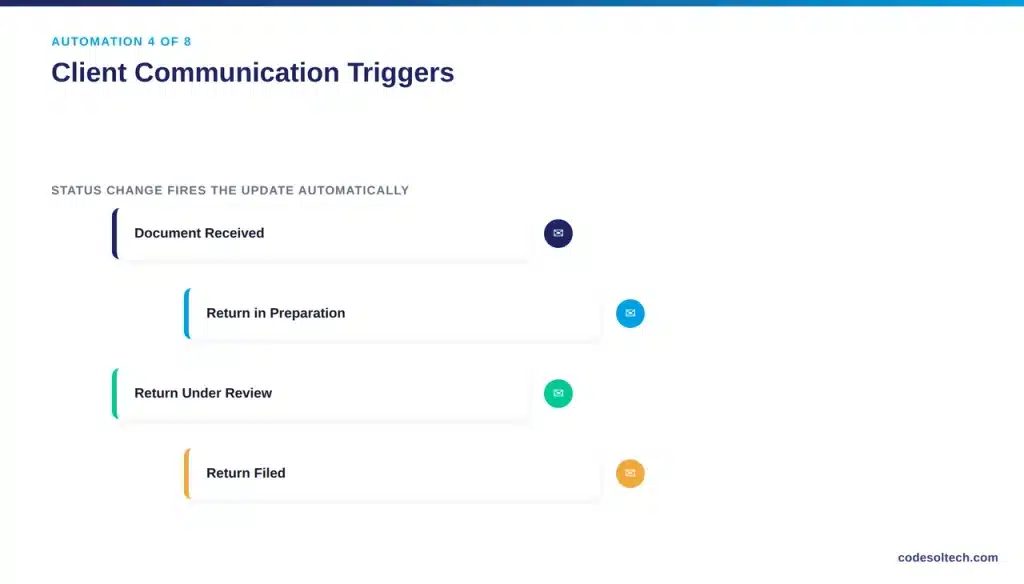
It executes these triggers through email or SMS templates configured once and reused across every client. This reduces the volume of “what’s my status” phone calls staff field during peak season.
Clients receive the update the moment the workflow stage changes, not when a staff member finds time to send it manually.
5. Automate the Prospect-to-Client Pipeline
The CRM tracks referrals and inbound leads through defined pipeline stages: inquiry, consultation scheduled, proposal sent, engagement signed. It scores each prospect by service value and firm capacity, then automatically routes high-value leads to a partner.
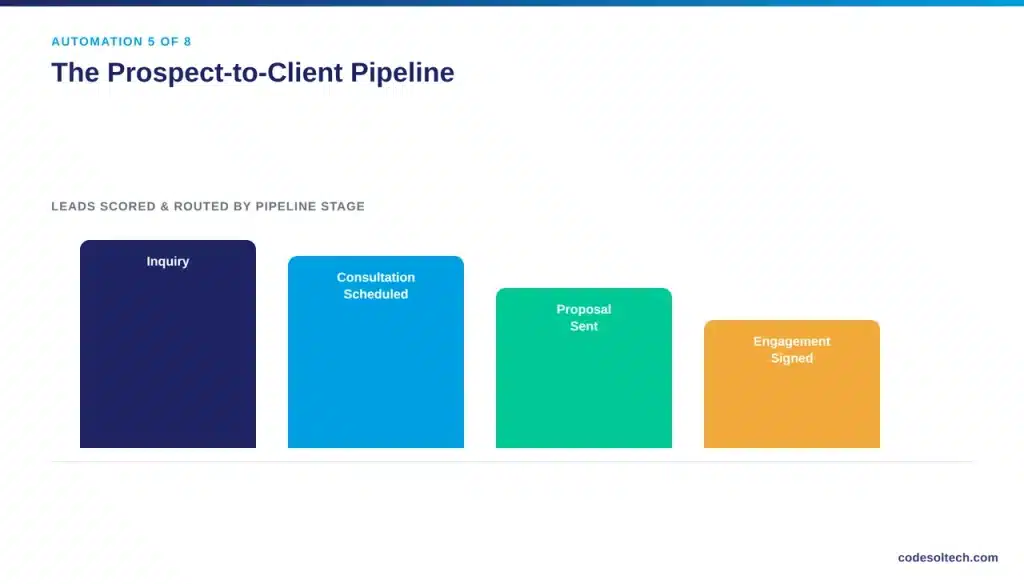
Firms configuring this pipeline logic gain a documented conversion process instead of relying on individual partner memory. The pipeline also surfaces stalled prospect leads sitting in one stage past a defined threshold for follow-up.
6. Automate Integration Between CRM and Practice Management Software
The CRM synchronizes client records with practice management and accounting platforms, QuickBooks Online, tax preparation software, and time-and-billing systems through API integration.

A change to a client’s status in one system updates the linked record in the other without duplicate data entry. Firms running this integration eliminate the reconciliation work required when client data lives in disconnected tools.
A custom-built integration layer also lets a firm connect tools that don’t offer a native connector out of the box; see CodeSoltech’s CRM integration services for how this connection layer gets built.
7. Automate Client Segmentation by Service Tier
The CRM tags each client by revenue tier, service bundle, and renewal date using rule-based logic applied to billing and engagement data. It generates automated upsell alerts when a client’s transaction volume exceeds their current service tier.
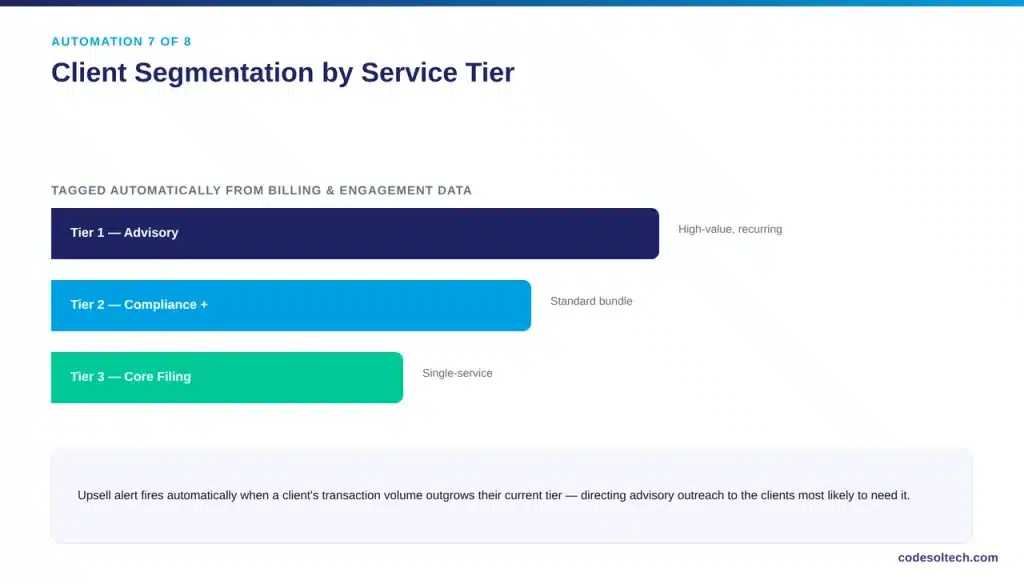
This segmentation directs advisory-service outreach to clients who show the financial profile to need it. Segmentation also identifies clients priced below their actual service cost, a common source of margin erosion in growing firms.
8. Automate Reporting on Capacity and Profitability
The CRM aggregates staff hours, client count, and realization rate into a live dashboard updated without manual data pulls. It flags staff members approaching capacity limits before a deadline crunch develops.

Partners use this reporting to make staffing and client-mix decisions with current data instead of quarter-end estimates.
Firms that automate this reporting layer catch a capacity problem in week two of a busy season, not in the post-mortem after it.
How Much Time Does CRM Automation Save an Accounting Firm
CRM automation shifts staff hours from manual coordination to billable client work. Firms that adopt integrated technology report measurable gains in both revenue and client-service capacity.
Wolters Kluwer’s 2024 US Accounting Industry Report, which surveyed 1,776 tax and accounting firms, found that 59% of firms reported a revenue increase in 2023, with cloud-based technology adoption identified as a driver of that growth.
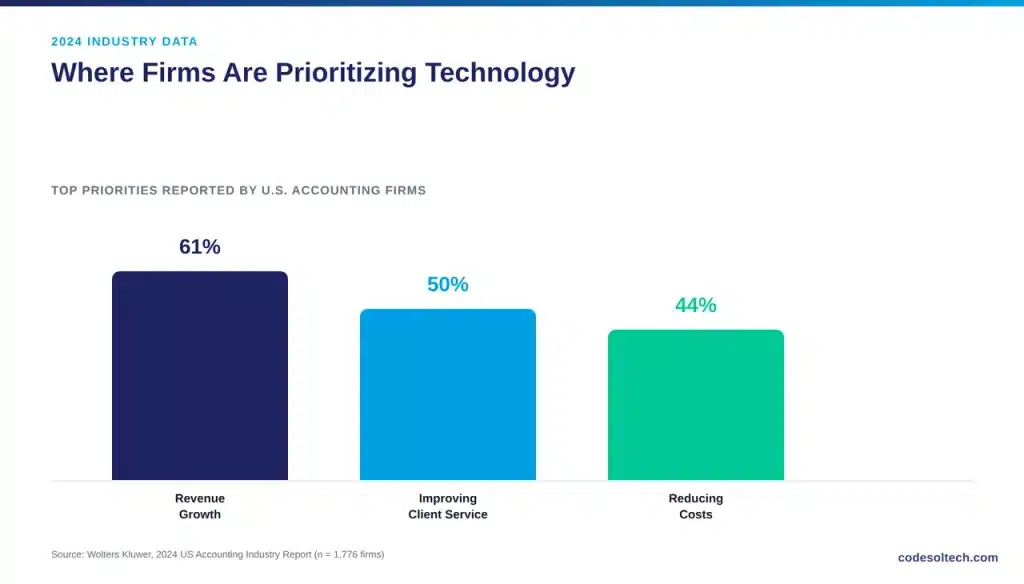
The same report ranked revenue growth (61%), improving client service (50%), and reducing costs (44%) as the industry’s top priorities for the following year, the three outcomes CRM automation targets directly.
The American Institute of CPAs‘ biennial CPA Firm Top Issues Survey identifies managing change from technology and AI adoption as the leading issue facing CPA firms of all sizes over a five-year horizon.
Firms that automate client management now build the operational foundation this shift requires, rather than retrofitting it under deadline pressure later.
The AICPA’s 2025 National Management of an Accounting Practice Survey reports that firms are actively evaluating their client base to manage capacity and improve profitability, a process the survey terms “right-sizing.”
A CRM automates the data collection this evaluation requires: realization rate, service tier, and engagement profitability per client — turning an annual manual review into a continuously updated dashboard.
FAQs
What is the difference between a CRM and practice management software?
A CRM manages client relationships, communication, and pipeline — from first inquiry through renewal. Practice management software manages the production work itself — job tracking, time entry, and billing. Firms typically integrate both systems rather than choosing one over the other.
Can a CRM replace tax preparation software?
No. A CRM does not calculate tax liability or prepare returns. It manages the client relationship and workflow surrounding the return, then integrates with dedicated tax software through an API connection.
How long does CRM implementation take at an accounting firm?
Implementation timelines depend on firm size, data volume, and integration complexity with existing practice management and accounting systems. A custom-configured CRM requires three phases before go-live: data migration from spreadsheets or a legacy system, workflow mapping against the firm’s actual service lines, and staff training on the new intake and task-assignment process.
Is client financial data secure in a cloud-based CRM?
Cloud CRM platforms built for accounting firms apply encryption, role-based access controls, and audit logging to meet client confidentiality requirements. Firms handling sensitive financial data should confirm SOC 2 compliance, data-residency terms, and backup frequency before selecting a vendor or a custom-build partner.
Can a small accounting firm justify the cost of a custom CRM?
A small firm justifies a custom CRM when off-the-shelf software cannot map to its specific service lines or existing tool stack. A custom build costs more upfront than a subscription product, but it removes the workaround processes firms build around software that doesn’t fit their workflow.
Final Words
A CRM turns client management at an accounting firm from a manual, memory-dependent process into a documented, rule-based system. The eight automations above remove repetitive coordination work from staff schedules and route it through configured triggers instead.
Firms that automate this layer free up capacity for advisory work, the highest-margin service accounting firms offer.
Ready to automate client management at your accounting firm?
CodeSoltech builds custom CRM systems and workflow automation that integrate with your existing practice management and accounting software.



