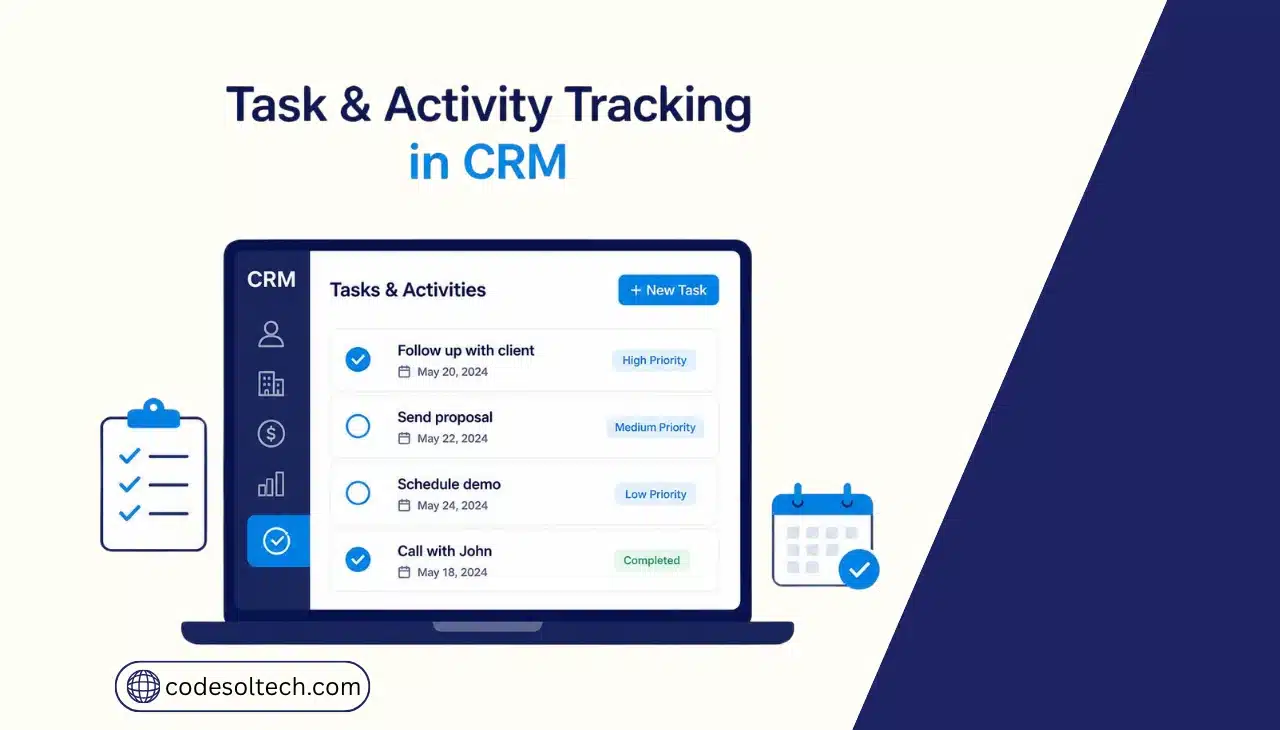
Task and activity tracking in CRM is the automated logging of every sales and service action calls, emails, meetings, and follow-ups against a contact or deal record. The CRM timestamps each activity, assigns owners, sets due dates, and triggers reminders, so no follow-up depends on memory.
Without this system, teams rely on memory, spreadsheets, or sticky notes to manage follow-ups. Deals stall.
Support tickets go unanswered. Renewal dates get missed. A CRM with structured task and activity tracking removes this dependency by making every commitment visible, assigned, and time-stamped.
This function matters differently across industries but works on the same principle everywhere. A dental practice tracks recall appointments and insurance follow-ups. An HVAC company tracks maintenance-contract renewals and quote follow-ups.
A law firm tracks filing deadlines and client check-ins. In each case, the CRM enforces the same rule: no commitment exists without an owner and a due date attached to it.
What Counts as a “Task” or “Activity” in a CRM
CRM platforms separate work into two connected categories: activities (what already happened) and tasks (what needs to happen next). Both attach to a contact, company, deal, or ticket record, building a single audit trail per customer.
CRM systems typically track 6 categories of task and activity data:
- Calls — logged automatically via VoIP integration or entered manually, with duration and outcome
- Emails — sent, received, opened, and clicked events synced from the inbox
- Meetings — scheduled through calendar sync, with attendees and notes attached
- Follow-up tasks — due-dated action items assigned to a specific rep
- Notes — free-text updates logged against a record after an interaction
- Status changes — deal stage moves, ticket priority shifts, or lifecycle updates
Each entry carries three fixed fields: owner, due date, and linked record. This structure is what makes the data reportable a manager can query “all overdue tasks for Rep X” or “all calls logged this week” without manually searching individual records.
How Does Task and Activity Tracking Work Inside a CRM
A CRM tracks tasks through four connected mechanisms: automated capture, manual logging, rule-based triggers, and centralized reporting. Each mechanism reduces a different point of failure in manual tracking.
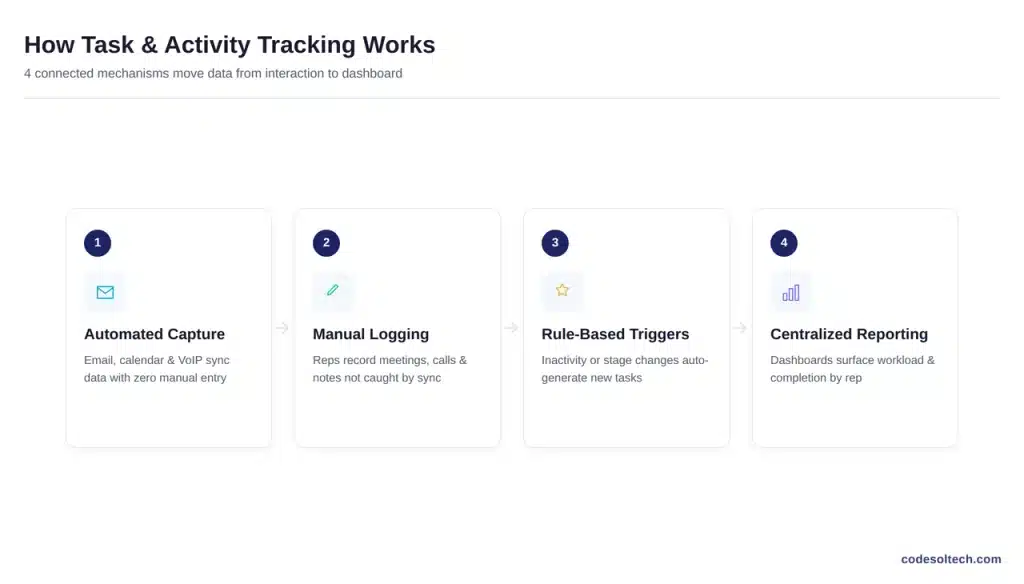
Automated capture
pulls data directly from connected channels. Email and calendar integrations sync sent messages and scheduled meetings without rep input. VoIP integrations log call duration and recordings automatically. This removes the step where reps forget to record an interaction after it happens.
Manual logging
Covers activities that can’t be captured in in-person meeting notes, verbal commitments, or internal decisions. The CRM timestamps the entry the moment it’s saved, creating a permanent record independent of the rep’s memory.
Rule-based triggers
Convert activities into tasks automatically. A common configuration: if a deal has no logged activity for 7 days, the CRM creates a follow-up task and assigns it to the deal owner. This closes the gap where a lead goes cold simply because no one noticed.
Centralized reporting
Aggregates every task and activity into dashboards. A sales manager sees open task counts by rep, average task-completion time, and activity volume by deal stage data that is functionally impossible to compile from scattered spreadsheets.
Manual Tracking vs. CRM-Automated Tracking
| Factor | Manual Tracking (Spreadsheets/Notes) | CRM-Automated Tracking |
|---|---|---|
| Activity capture | Requires manual entry after every interaction | Auto-logged from email, calendar, and VoIP integrations |
| Follow-up reminders | Depends on individual memory or calendar habits | System-generated based on due dates and inactivity rules |
| Record visibility | Siloed to one rep’s file or inbox | Centralized on the shared contact or deal record |
| Reporting | Manual compilation, prone to gaps | Real-time dashboards by rep, team, or pipeline stage |
| Handoff continuity | Lost or incomplete when a rep leaves | Full activity history stays attached to the record |
The shift from manual to automated tracking changes where errors happen. Manual systems fail silently a missed entry produces no alert, because nothing exists to flag its absence.
Automated systems fail loudly: an overdue task stays visible on a dashboard until someone resolves it. This difference is structural, not just a matter of convenience.
Core Features of CRM Task and Activity Tracking
A production-grade task and activity tracking module includes 7 functional components. Each one addresses a specific failure mode found in manual, spreadsheet-based tracking:
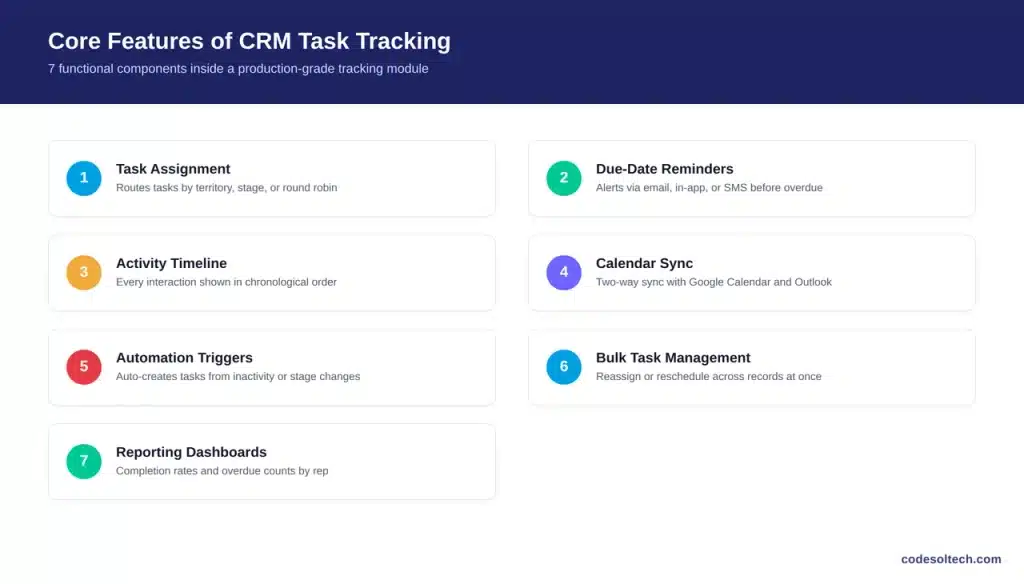
- Task assignment — routes tasks to a specific owner based on territory, deal stage, or round-robin rules
- Due-date reminders — sends notifications via email, in-app alert, or SMS before a task becomes overdue
- Activity timeline — displays every logged interaction per record in chronological order
- Calendar sync — two-way integration with Google Calendar or Outlook to reflect scheduled meetings
- Automation triggers — creates tasks automatically based on inactivity, stage changes, or form submissions
- Bulk task management — lets managers reassign or reschedule tasks across multiple records at once
- Reporting dashboards — surfaces completion rates, overdue counts, and activity volume by rep or team
Custom CRM builds allow these components to be configured around an industry’s actual workflow a roofing company’s task logic differs structurally from a law firm’s, even though both need due dates and owner assignment.
Why Does Task Tracking Improve Sales and Service Outcomes
Task tracking improves outcomes by closing the gap between “an action was needed” and “an action was taken.” That gap is where deals and service requests are lost, and the data on how much time gets consumed by untracked, uncoordinated work is well documented.
Salesforce’s 2026 State of Sales report found that the average seller spends only 40% of their working time on direct selling activity, with newer reps spending as little as 35% losing roughly two hours per week to manual data entry alone.1 Automated activity capture removes this manual re-entry step directly.
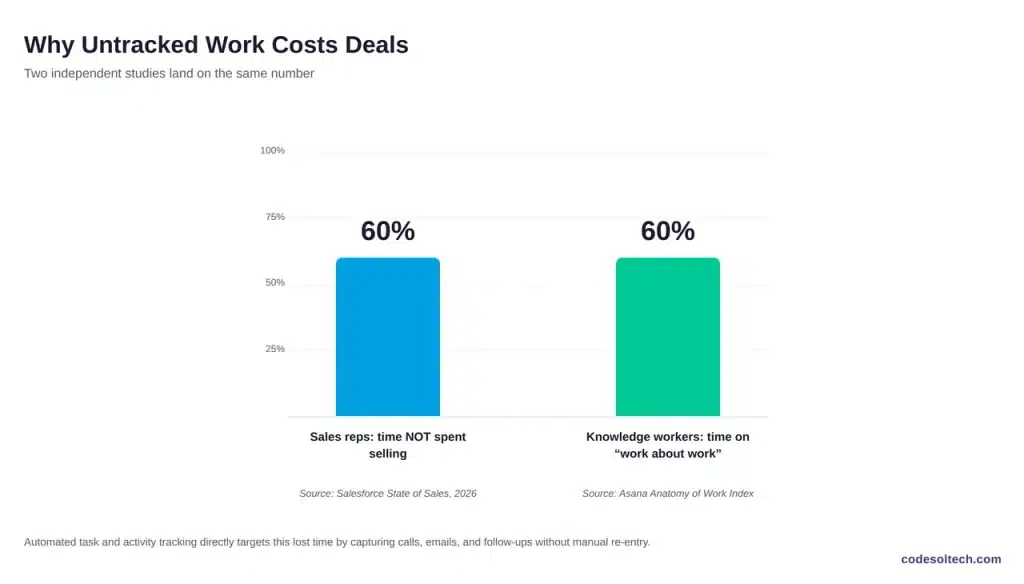
Asana’s Anatomy of Work Index reports that knowledge workers spend approximately 60% of their time on “work about work” chasing status updates, switching between disconnected tools, and re-confirming what has or hasn’t been done rather than on the task itself.2
Centralized activity tracking directly targets this category of lost time by putting status, ownership, and history in one record instead of scattered across tools.
Task tracking also produces 3 measurable downstream effects:
- Fewer missed follow-ups, since overdue tasks surface on a dashboard instead of depending on memory
- Faster onboarding, since a new rep or agent inherits full activity history on handoff
- Accurate forecasting, since deal stage and activity volume are logged in real time rather than reconstructed at month-end
How to Implement Task and Activity Tracking in a Custom CRM
Implementing task and activity tracking inside a custom-built CRM follows 5 development stages:
- Map the workflow — document every task type, owner role, and trigger condition specific to the business before writing schema
- Design the data model — define task and activity objects with owner, due date, status, and linked-record fields as required attributes
- Build integration points — connect email, calendar, and telephony systems so activity capture happens without manual entry
- Configure automation rules — set the conditions that auto-generate tasks, such as stage changes or inactivity thresholds
- Deploy reporting dashboards — expose completion rates and overdue tasks to managers by rep, team, and pipeline stage
This structure integrates directly with adjacent CRM functions. A tracked follow-up task can trigger an automated email sequence, escalate into a support ticket, or attach to a quote in progress, all inside the same record.
Frequently Asked Questions
What is the difference between a task and an activity in a CRM?
An activity is a completed interaction a call made, an email sent. A task is a scheduled future action with a due date and an owner. A completed task becomes a logged activity.
Can task tracking be automated fully, or does it require manual entry?
Email, calendar, and call data can be captured automatically through integrations. In-person meetings, verbal agreements, and internal notes still require manual entry, since no automated channel exists to capture them.
Does task and activity tracking work the same way across CRM verticals?
The underlying structure owner, due date, and linked record stays constant. The trigger rules differ by vertical: a roofing company tracks site-visit follow-ups, while a law firm tracks filing deadlines and client check-ins.
How does task tracking affect CRM reporting accuracy?
Reporting accuracy depends on activity data being logged at the time it happens. Automated capture reduces delays and omissions from end-of-day or end-of-week manual entry, producing more accurate pipeline and workload reports.
Final Words
Task and activity tracking turns scattered follow-ups into a structured, owned, and time-stamped system. It removes the memory dependency that causes missed calls, cold leads, and delayed tickets. For businesses running on spreadsheets or disconnected tools, this is one of the highest-leverage features a custom CRM can add.
Build task and activity tracking into a CRM designed around your actual workflow.
CodeSolTech develops custom CRM systems with automated task tracking, activity logging, and workflow automation built in from day one.