Proposal and quote management in CRM is the process of generating, pricing, approving, and delivering sales quotes and proposals directly from customer relationship management software. The system pulls product data, pricing rules, and customer records from the CRM database and converts them into a formatted, sendable document.
Sales teams use it to replace manual document creation with an automated, auditable workflow.
The core engine behind this function is CPQ Configure, Price, Quote software. CPQ configures product combinations, prices them against approved rules, and outputs a quote without manual calculation.
Most modern CRMs, including Salesforce, HubSpot, and Zoho, embed CPQ as a native module or a connected add-on.
Proposal management and quote management are related but distinct. Quote management focuses on pricing accuracy: it calculates what a customer pays.
Proposal management focuses on presentation and delivery: it wraps that quote in branded content, scope descriptions, and terms, then routes it for signature.
A CRM that handles only one function forces a rep to manually bridge the gap between the two, reintroducing the delays the system was built to remove.
How Does Quote Management Work Inside a CRM
CRM quote management moves a deal through six connected steps: configuration, pricing, approval, document generation, e-signature, and CRM sync. Each step executes automatically once a rep selects products for an opportunity record.
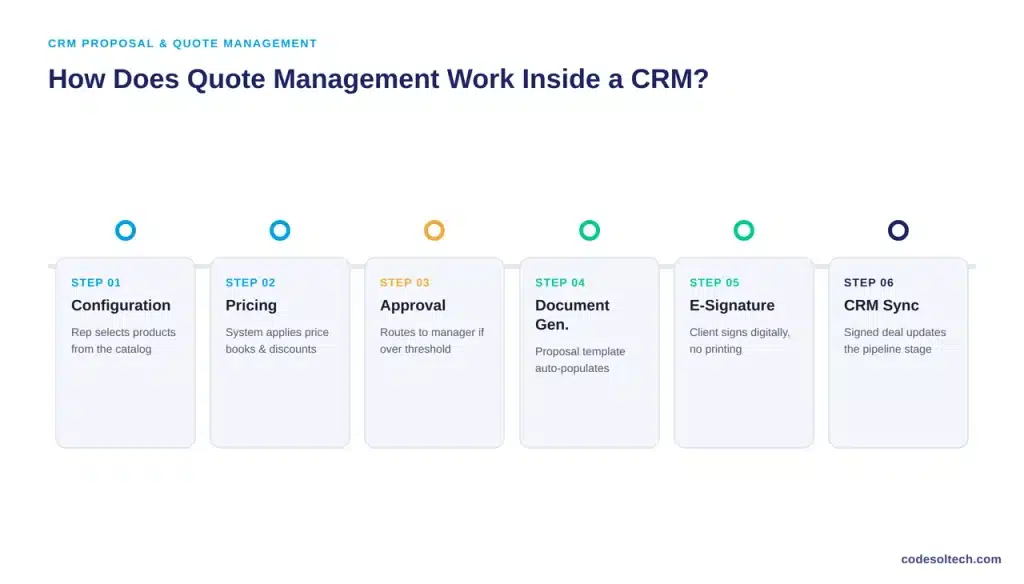
- Configuration: The rep selects products or services from a catalog linked to the CRM opportunity.
- Pricing: The system applies price books, volume discounts, and margin rules without manual entry.
- Approval routing: Quotes above a set discount or deal-value threshold route automatically to a manager or deal desk.
- Document generation: Approved quotes populate a proposal template with client data, line items, and terms.
- E-signature: The proposal sends for digital signature, eliminating print-sign-scan cycles.
- CRM sync: The signed document updates the opportunity stage and logs the activity on the deal timeline automatically.
Each step depends on clean underlying data. If the product catalog is outdated or price books conflict across regions, the CPQ engine outputs an inaccurate quote regardless of how automated the workflow is.
Data hygiene inside the CRM is a prerequisite for quote accuracy, not an optional add-on.
Core Features of CRM Proposal & Quote Management Software
Seven features define a functional CRM proposal and quote management system:
- CPQ engine: Configures product bundles and calculates pricing against defined rule sets.
- Template library: Stores reusable, branded proposal and quote templates by product line or industry.
- Dynamic pricing rules: Applies tiered discounts, bundle pricing, and margin floors automatically.
- Approval workflows: Routes non-standard quotes to the correct approver based on discount depth or contract value.
- E-signature integration: Executes legally binding signatures inside the same document workflow.
- Quote analytics: Tracks document opens, time-to-signature, and win rate by template or rep.
- CRM-native data sync: Writes quote status and signed documents back to the opportunity record without manual re-entry.
A deal desk function often sits behind the approval layer in mid-size and enterprise sales teams. The deal desk reviews non-standard terms deep discounts, custom payment schedules, or bundled services outside the standard catalog before a quote reaches the customer.
In a CRM-native setup, the deal desk reviews the request inside the same record the rep is working from, instead of a separate email thread or spreadsheet.
CPQ vs. Standalone Quoting Tools: Which One Fits
A CPQ module configured inside the CRM and a standalone quoting tool solve different problems. CPQ works best when pricing logic is complex, with multiple product lines, tiered discounts, or bundled services that require rule-based calculation.
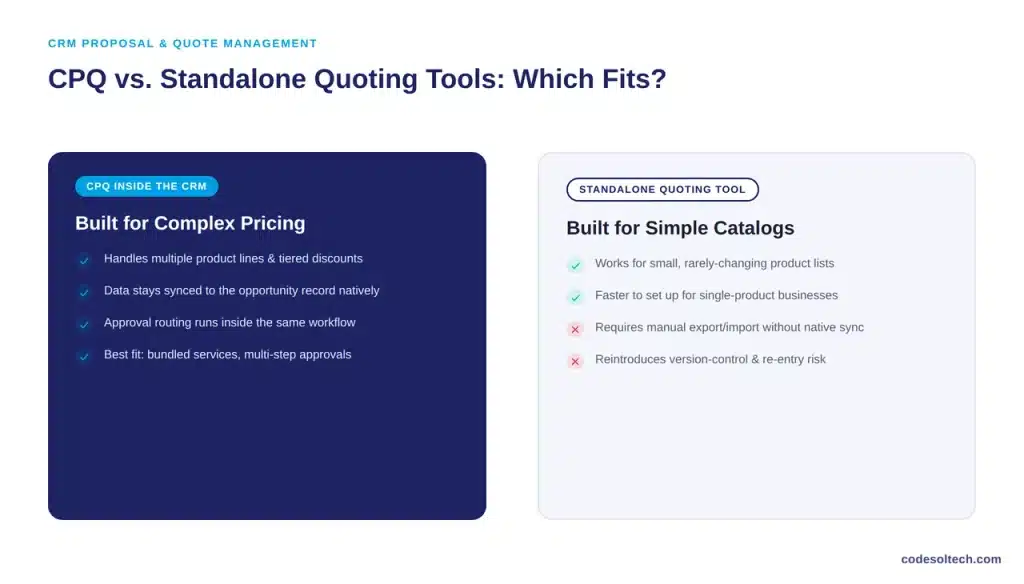
A standalone quoting tool works for simpler catalogs where pricing rarely changes, and approval chains are short.
The deciding factor is data sync. A standalone tool that is not natively connected to the CRM requires manual export and import of deal data, which reintroduces the version-control and re-entry problems CRM-based quoting is designed to remove.
Custom CRM development solves this by building the quoting logic directly into the CRM’s data model instead of bolting on a disconnected third-party tool.
Why Does Quote Turnaround Speed Affect Win Rates
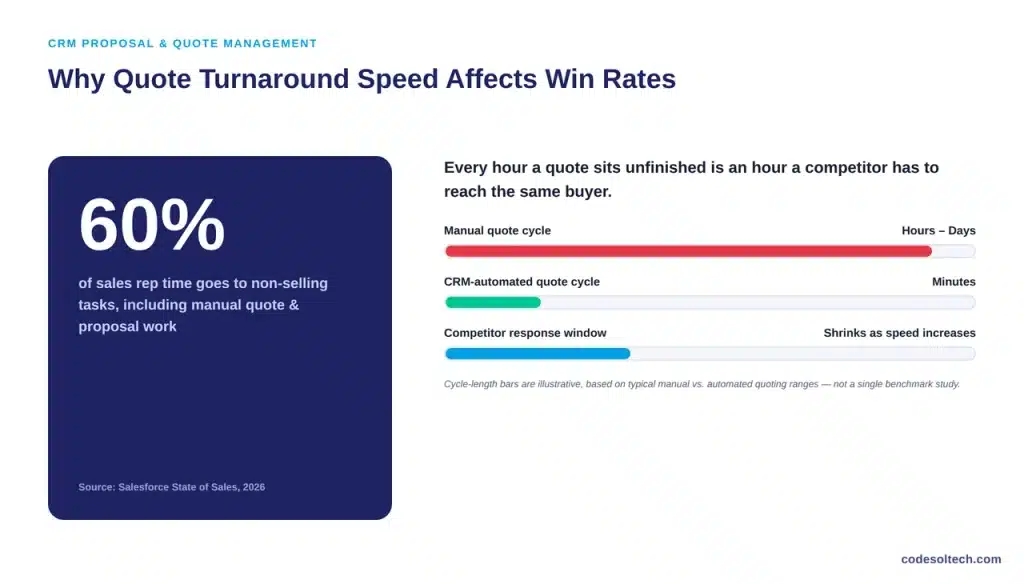
Quote turnaround speed affects win rates because delayed quotes extend the sales cycle and give competitors more time to engage the same buyer.
Salesforce’s 2026 State of Sales report found that sales reps spend 60% of their time on non-selling tasks, including manual quote and proposal work, instead of engaging prospects directly.
The same report identified creating sales quotes as one of the top three use cases sales teams assign to AI agents, alongside order fulfillment and product-usage tracking, confirming that quoting sits at the center of sales automation priorities across industries.
Automated quote management removes the administrative lag between a buying signal and a delivered proposal, which shortens the window a competitor has to intervene.
Manual Quoting vs CRM-Based Quote Management
| Factor | Manual Quoting | CRM-Based Quote Management |
|---|---|---|
| Pricing accuracy | Depends on rep calculation; error-prone | Rule-based; calculated automatically |
| Approval process | Email or verbal, untracked | Routed and logged automatically |
| Document creation time | Hours per quote | Minutes per quote |
| Version control | Multiple file copies, manual tracking | Single source of truth in the CRM |
| Signature process | Print, sign, scan, or email PDF | Native e-signature, logged instantly |
| Data sync to CRM | Manual re-entry required | Automatic, real-time |
What a Quote Looks Like Before and After Automation
Consider a B2B services company quoting a mid-size client on a bundled contract: setup fee, monthly service tier, and two optional add-ons. Under a manual process, the rep builds the quote in a spreadsheet, checks pricing with a manager over email, formats it in a separate document tool, and emails a PDF for signature.
Each handoff adds a delay measured in hours or days, and each manual entry is a point where pricing can be typed incorrectly.
Under CRM-based quote management, the rep selects the base tier and add-ons from the product catalog inside the opportunity record.
The CPQ engine applies the correct price book and bundle discount instantly. If the bundle discount exceeds the rep’s approval limit, the system routes it to a manager inside the CRM, not over email.
Once approved, the proposal template auto-populates with the client’s name, line items, and terms, and sends for e-signature in the same workflow.
The entire sequence, from product selection to a client-ready proposal, executes in minutes instead of days.
Common Quote Management Challenges CRM Solves
- Pricing inconsistency: Reps apply different discounts to the same product without a central rule set.
- Version confusion: Multiple quote drafts circulate by email with no single accurate version.
- Approval bottlenecks: Discount approvals stall in inboxes instead of routing to the correct manager.
- Disconnected records: Signed quotes never sync back to the CRM, breaking the deal history.
- No audit trail: Manual processes leave no record of who approved what, or when.
- Slow renewal cycles: Renewal quotes get rebuilt from scratch instead of pulling from the original contract terms.
- Lost visibility: Sales managers cannot see which quotes are stalled, which need follow-up, or which are close to expiring.
Each of these problems compounds as deal volume increases. A five-person sales team can absorb pricing inconsistency through informal oversight. A fifty-person team cannot, because no single manager reviews every quote before it reaches a customer.
This is the point at which CRM-based quote management shifts from a convenience to a structural requirement.
How to Implement Proposal & Quote Management in Your CRM
- Map the product and pricing catalog: Load every SKU, service, and price tier into the CRM’s product object.
- Define approval thresholds: Set discount and deal-value limits that trigger manager or deal-desk review.
- Build proposal templates: Create branded templates for each product line, industry, or deal type.
- Integrate e-signature: Connect a signature provider directly into the quote-to-document workflow.
- Connect quote status to pipeline stages: Configure the CRM to move opportunities forward automatically on quote acceptance.
- Train reps and monitor analytics: Track turnaround time and win rate by template to identify what converts.
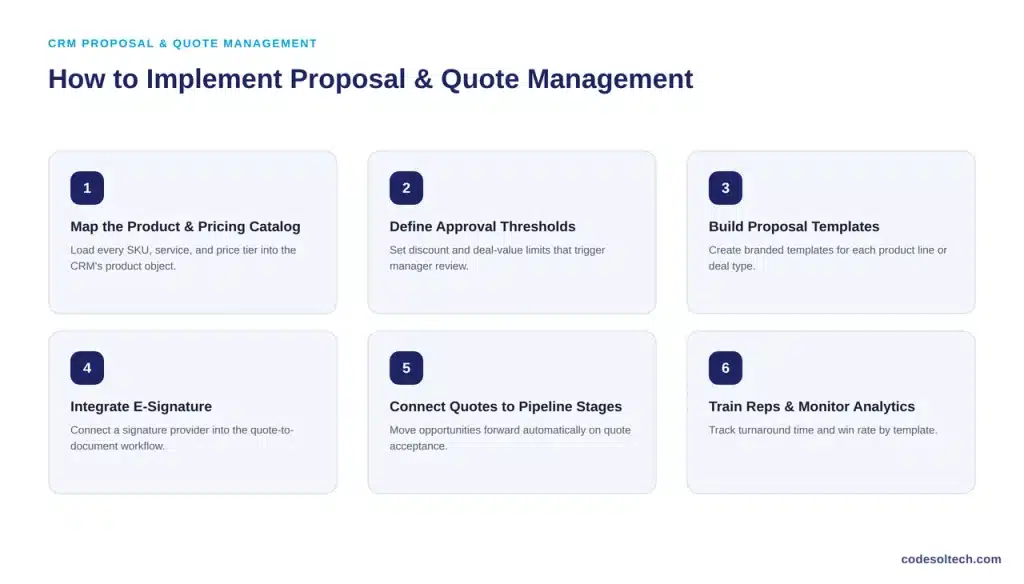
Implementation order matters. Teams that skip step one and build templates before mapping the pricing catalog end up rebuilding those templates once pricing conflicts surface.
The catalog and pricing rules are the foundation; the template, approval logic, and e-signature layer are built on top of that structure, not alongside it.
Timeline expectations depend on catalog complexity. A business with a single product line and flat pricing configures a working quote system in a matter of days.
A business with multiple product lines, tiered discounts, and multi-step approval chains requires a longer build, since each pricing rule and approval path must be tested against real deal scenarios before going live. Rushing this stage produces the same pricing errors the system was meant to eliminate.
Custom CRM development lets a company configure these rules around its own product catalog and approval structure rather than adapting to a rigid, pre-built template.
This matters most for businesses with complex pricing, bundled services, or multi-step internal approval chains. For teams evaluating this path, see our guide on CRM workflow automation and how it connects to ticketing and support workflows inside the same system.
Final Words
CRM proposal and quote management replaces manual pricing, approvals, and document handling with an automated workflow. It cuts turnaround time, removes pricing errors, and keeps every quote synced to the CRM record.
Businesses running complex pricing or approval chains get the most value from a custom-configured setup rather than a generic template.
Ready to build a quote and proposal system your sales team won’t fight against?
Talk to CodeSolTech about custom CRM development built around your actual pricing and approval process.
You May Like
CRM Document Management Systems: Features, Benefits & Use
SMS Integration for CRM Systems: Automate Sales & Follow-Ups
CRM Email Automation Explained: Stop Losing Leads to Slow Replies