A CRM for healthcare practices manages patient relationships, communication, referrals, and front-office workflows, while an EHR manages clinical records. It centralizes patient contact history, automates appointment reminders and follow-ups, tracks referral sources, and integrates with EHR and practice-management systems without duplicating clinical data.
Practices adopt a healthcare CRM to solve three recurring problems: scattered patient data across spreadsheets and inboxes, inconsistent follow-up on leads and referrals, and no visibility into how patients move from first inquiry to long-term retention.
A healthcare CRM consolidates that activity into one system that front-desk staff, referral coordinators, and marketing teams can act on.
The category is growing fast. The global healthcare CRM market was valued at $21.5 billion in 2025 and is projected to reach $35.7 billion by 2033, a 6.2% compound annual growth rate, according to Grand View Research.
Sales-focused CRM functionality lead capture, referral tracking, and patient acquisition held the largest revenue share of any CRM function in 2025, which reflects how much of this software’s value comes from managing the patient acquisition funnel, not just storing contacts.
Who uses a healthcare CRM inside a practice
Four roles interact with a healthcare CRM daily:
- Front-desk staff logging inquiries and scheduling appointments
- Referral coordinators tracking incoming and outgoing referrals
- Marketing staff running patient acquisition and re-engagement campaigns
- Practice managers monitoring response times, conversion rates, and staff workload
CRM vs. EHR vs. Practice Management Software
These three systems get confused constantly, and the confusion causes practices to buy the wrong tool or duplicate data across all three. Each system has one job.
| System | Primary Purpose | Typical Data Stored |
|---|---|---|
| CRM | Patient relationships and engagement | Leads, communications, referral sources |
| EHR/EMR | Clinical care documentation | Diagnoses, treatment plans, clinical notes |
| Practice Management | Practice operations | Scheduling, billing, insurance claims |
| Accounting | Financial management | Payments, expenses, financial records |
A healthcare CRM should never duplicate the clinical record. It references appointment and communication history and connects to the EHR through integration, keeping the EHR as the single source of truth for clinical data.
Key Features of a Healthcare CRM
A practice-ready healthcare CRM covers these functions:
- Patient and contact management with unified profiles
- Lead and inquiry tracking from web forms, calls, and walk-ins
- Referral management with source attribution and status tracking
- Appointment and scheduling workflow automation
- Automated reminders, confirmations, and no-show follow-ups
- Patient segmentation for targeted communication
- Marketing automation for recall and re-engagement campaigns
- Reporting on response time, conversion rate, and referral yield
- EHR, practice-management, and telehealth integrations
How Does a Healthcare CRM Improve Referral Management and Patient Communication?
A healthcare CRM improves referral management by capturing every referral at intake, assigning it to a staff member, and tracking its status until the patient books and completes a visit.
Without this tracking, referrals get lost in inboxes and phone messages, and practices lose visibility into which referral sources actually convert.
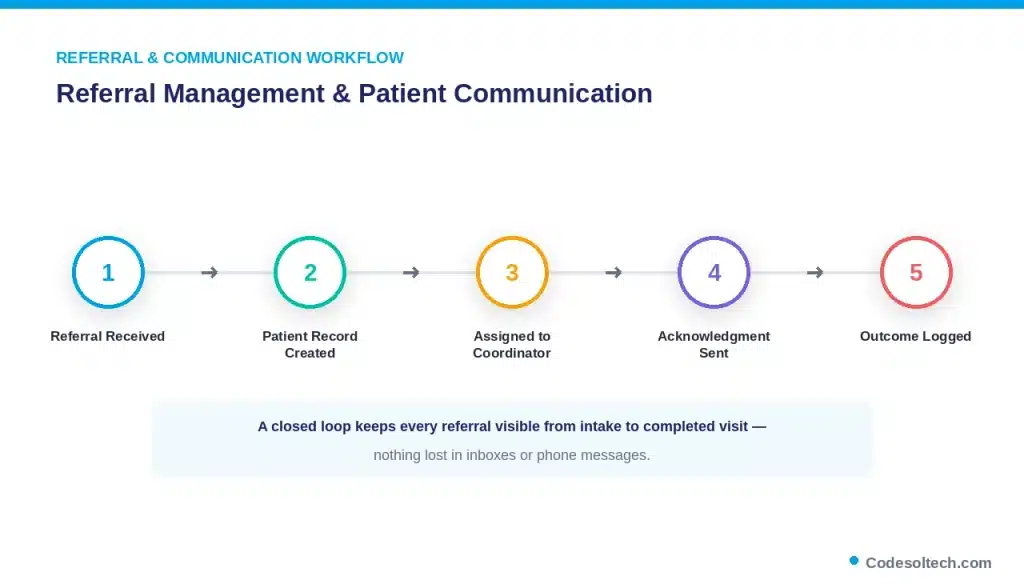
A typical referral workflow runs like this: a referral arrives by fax, phone, or portal → the CRM creates a patient record → the system assigns the referral to a coordinator → the coordinator sends a permitted acknowledgment → the CRM creates a follow-up task → the outcome is logged and reported back to the referring provider.
This closed loop is the difference between a referral network that compounds and one that leaks patients.
Patient communication follows the same logic. The CRM manages email, SMS, and appointment reminders on defined schedules, while keeping communication preferences and consent recorded against each patient profile.
Operational messages, reminders, confirmations, and post-visit check-ins run through the CRM. Clinical advice and diagnosis-related communication stay with the provider and the EHR.
HIPAA Compliance and Security for Healthcare CRM
A healthcare CRM handling protected health information (PHI) is not HIPAA-compliant simply because a vendor claims it is.
HHS requires a written Business Associate Agreement (BAA) between the practice and any vendor that creates, receives, maintains, or transmits PHI on the practice’s behalf, including CRM providers.
Compliance depends on how the vendor, the contract, and the practice’s own configuration work together, not on marketing language.
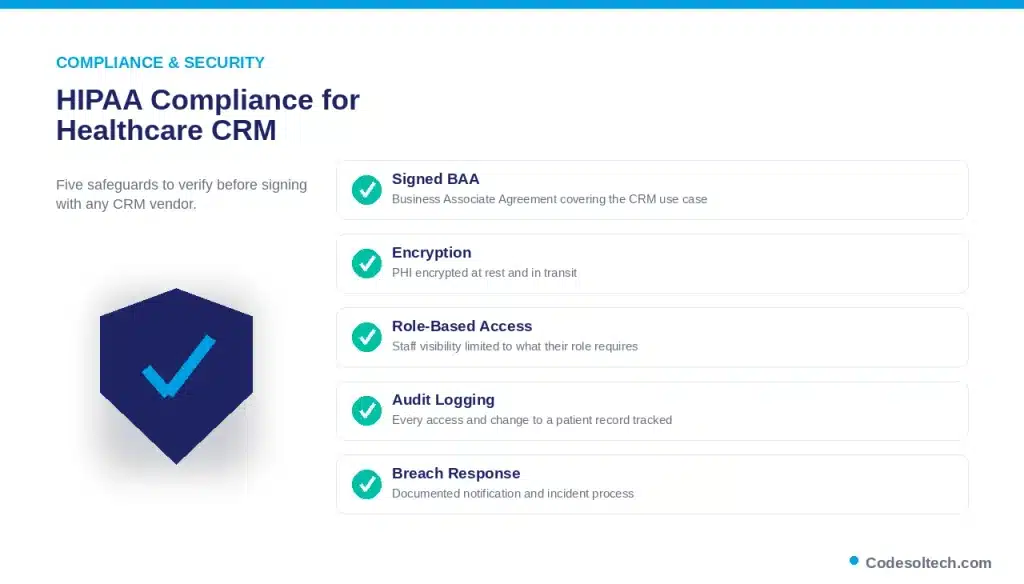
Evaluate five areas before signing with a healthcare CRM vendor:
- A signed BAA covering the specific CRM use case
- Encryption of PHI at rest and in transit
- Role-based access controls limiting staff visibility to what their role requires
- Audit logging of every access and change to a patient record
- A documented breach-notification and incident-response process
The financial stakes justify this scrutiny. Healthcare has recorded the highest average data breach cost of any industry for 14 consecutive years, reaching $7.42 million per incident in IBM’s 2025 Cost of a Data Breach Report, with breaches taking an average of 279 days to identify and contain.
A CRM that stores patient contact and referral data without proper access controls extends this exposure into the front office.
Benefits of CRM for Healthcare Practices
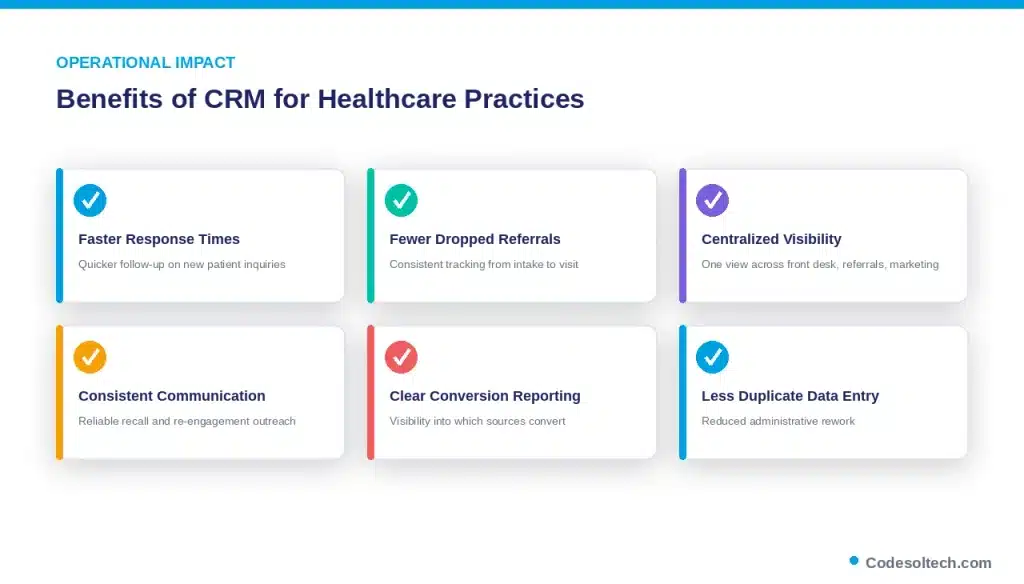
- Faster response times on new patient inquiries
- Fewer missed follow-ups and dropped referrals
- Centralized visibility across front-desk, referral, and marketing teams
- More consistent patient communication and recall outreach
- Reporting that shows which referral sources and campaigns convert
- Reduced administrative rework from duplicate data entry
These are operational and administrative gains. Claims that a CRM directly improves clinical outcomes require practice-specific evidence and are not a default assumption.
How to Implement a CRM in a Healthcare Practice
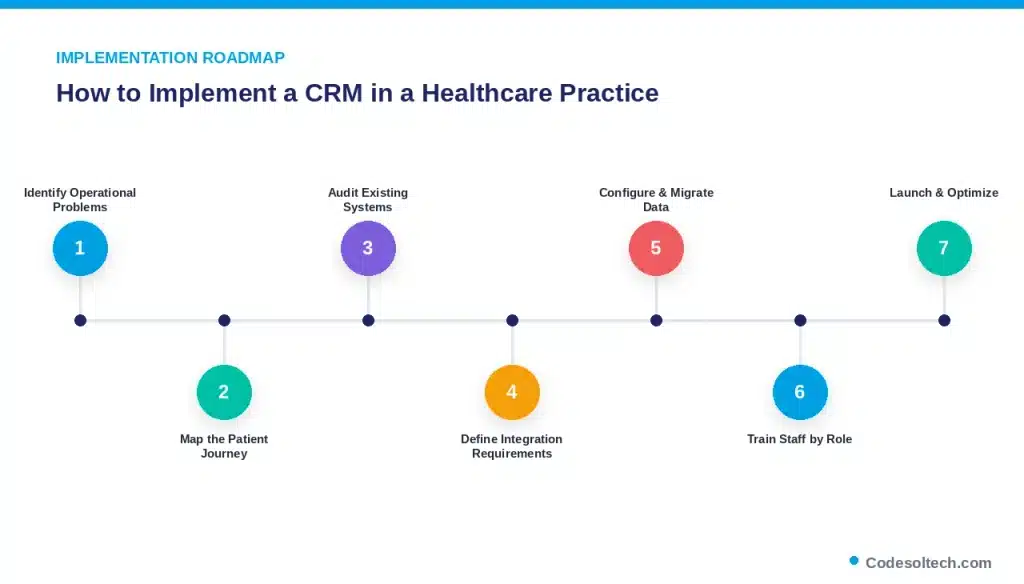
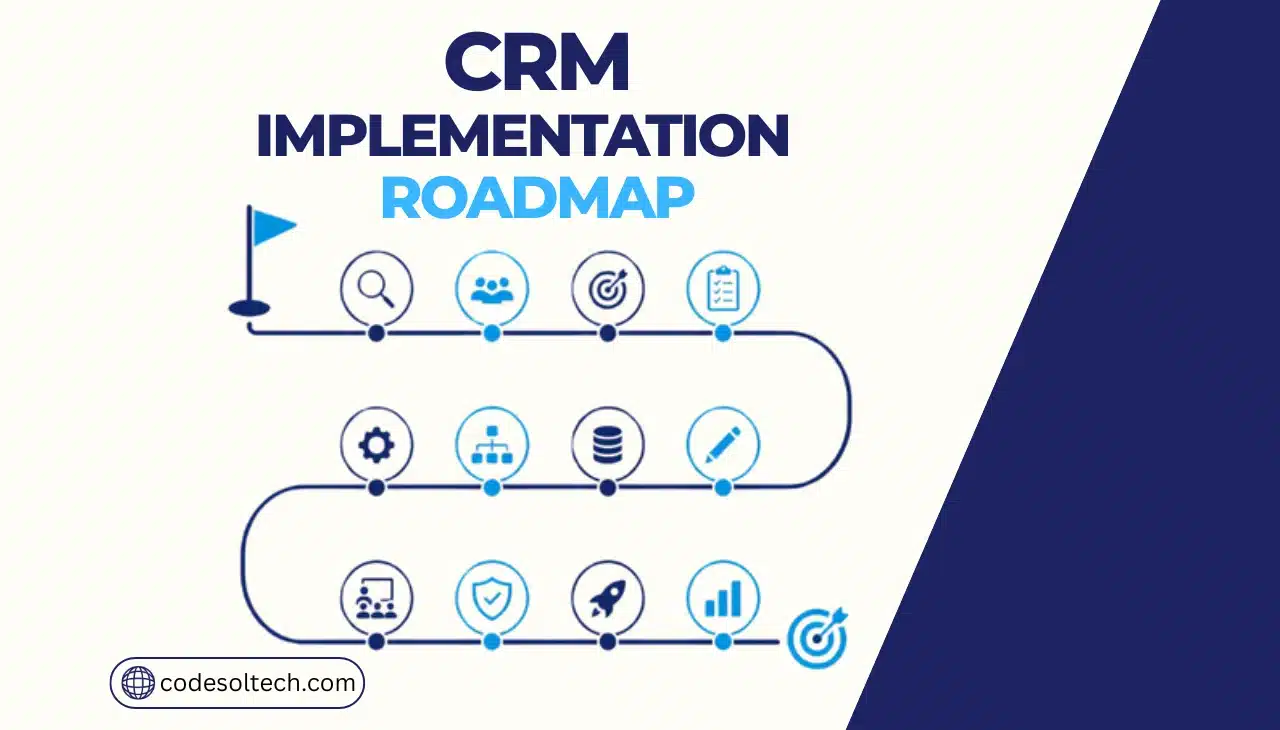
- Identify operational problems — slow response times, lost referrals, or scattered patient data.
- Map the patient journey — from first inquiry through referral, visit, and follow-up.
- Audit existing systems — document what the EHR, practice-management, and billing tools already handle.
- Define integration requirements — specify exactly what data moves between the CRM and the EHR.
- Configure workflows and migrate data — build automation rules and clean patient records before import.
- Train staff by role — front desk, referral coordinators, and marketing need different training paths.
- Launch, monitor adoption, and optimize — track usage and refine workflows after go-live.
Custom CRM development gives practices control over exactly which of these steps are automated and how the system integrates with existing EHR and practice-management tools, rather than forcing operations to fit a generic template.
Healthcare CRM Solutions by Practice Type
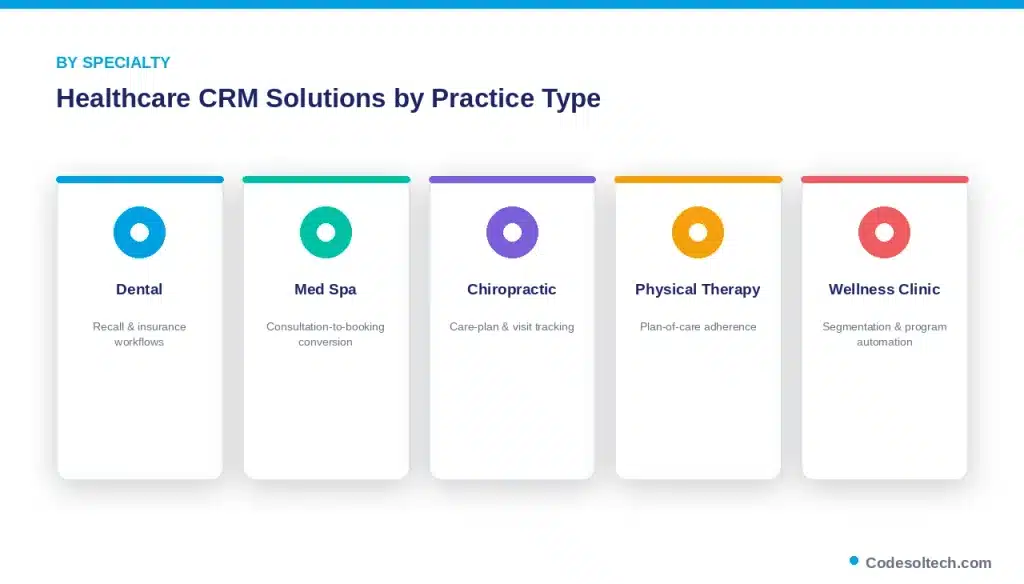
Referral patterns, communication cadence, and compliance requirements differ by specialty. A dental practice manages recall reminders and insurance verification; a med spa manages consultation-to-booking conversion and membership retention; a physical therapy clinic manages plan-of-care adherence and visit-count tracking.
CodeSol Technologies builds custom CRM systems configured for these specific workflows:
- Dental clinic CRM development — patient recall, insurance workflows, and appointment automation
- Med spa CRM development — consultation booking, membership, and retention automation
- Chiropractic clinic CRM development — care-plan tracking and visit-frequency reminders
- Physical therapy CRM development — plan-of-care adherence and referral-to-discharge tracking
- Wellness clinic CRM development — patient segmentation and recurring-program automation
How Much Does a Healthcare CRM Cost?
Total cost of ownership equals software plus implementation, integrations, data migration, training, and ongoing maintenance. Because practice size, integration complexity, and compliance requirements vary, costs fall into three general tiers:
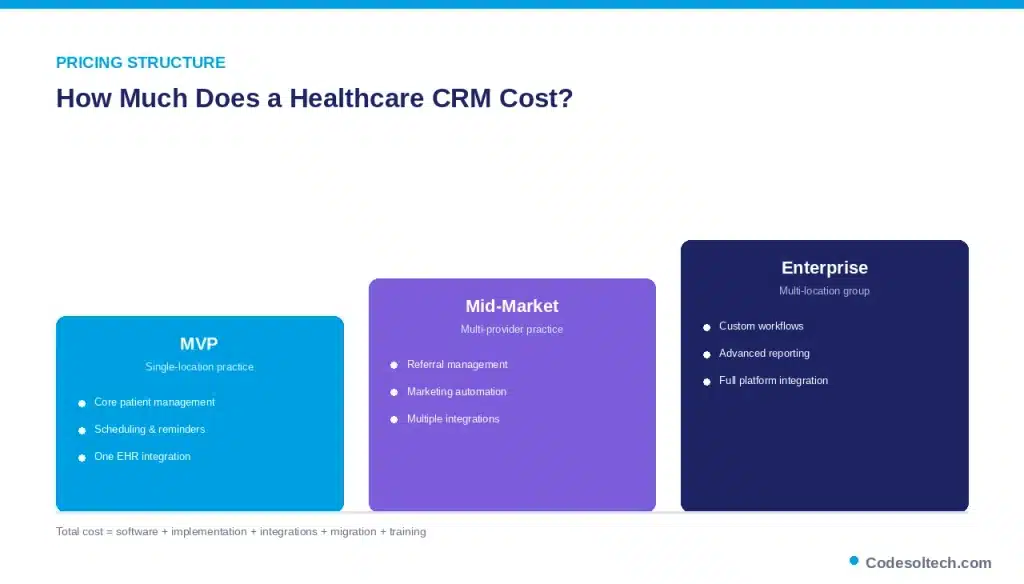
- MVP / single-location practice: core patient management, scheduling, and reminder automation with one EHR integration
- Mid-market / multi-provider practice: referral management, marketing automation, and multiple system integrations
- Enterprise / multi-location group: custom workflows, advanced reporting, and integration across EHR, billing, and telehealth platforms
A single universal price does not exist because customization, integration count, and compliance scope change the build substantially. A scoped consultation is the reliable way to price a specific practice’s requirements.
FAQs
What is a healthcare CRM?
A healthcare CRM is software that manages patient relationships, communication, referrals, and front-office workflows separately from clinical documentation.
What is the difference between a healthcare CRM and an EHR?
A CRM manages patient relationships and communication. An EHR manages clinical records, diagnoses, and treatment history.
Does a healthcare CRM need to be HIPAA compliant?
Yes. Any CRM that creates, receives, maintains, or transmits PHI requires a signed Business Associate Agreement and appropriate technical safeguards.
Can a CRM integrate with an EHR?
Yes. Integration typically uses an API or middleware layer that syncs appointment and communication data without duplicating clinical records.
Can a healthcare CRM automate patient follow-ups?
Yes, for operational communication such as reminders and recall outreach. Clinical follow-up decisions remain with the provider.
How much does healthcare CRM implementation cost?
Cost depends on practice size, integration count, and customization scope, and typically falls into MVP, mid-market, or enterprise tiers.
Is a healthcare CRM suitable for small practices?
Yes. Single-location practices commonly start with core patient management and reminder automation before adding integrations.
Final Words
A healthcare CRM works when it stays in its lane: patient relationships, referrals, and communication, not clinical documentation. The practices that get the most value map their patient journey first, then configure the CRM and its EHR integration around that map, with HIPAA safeguards built in from day one rather than added later.
Ready to build a CRM around your practice’s actual workflow?
CodeSol Technologies designs and integrates custom healthcare CRM systems connected to your EHR, scheduling, and billing platforms.