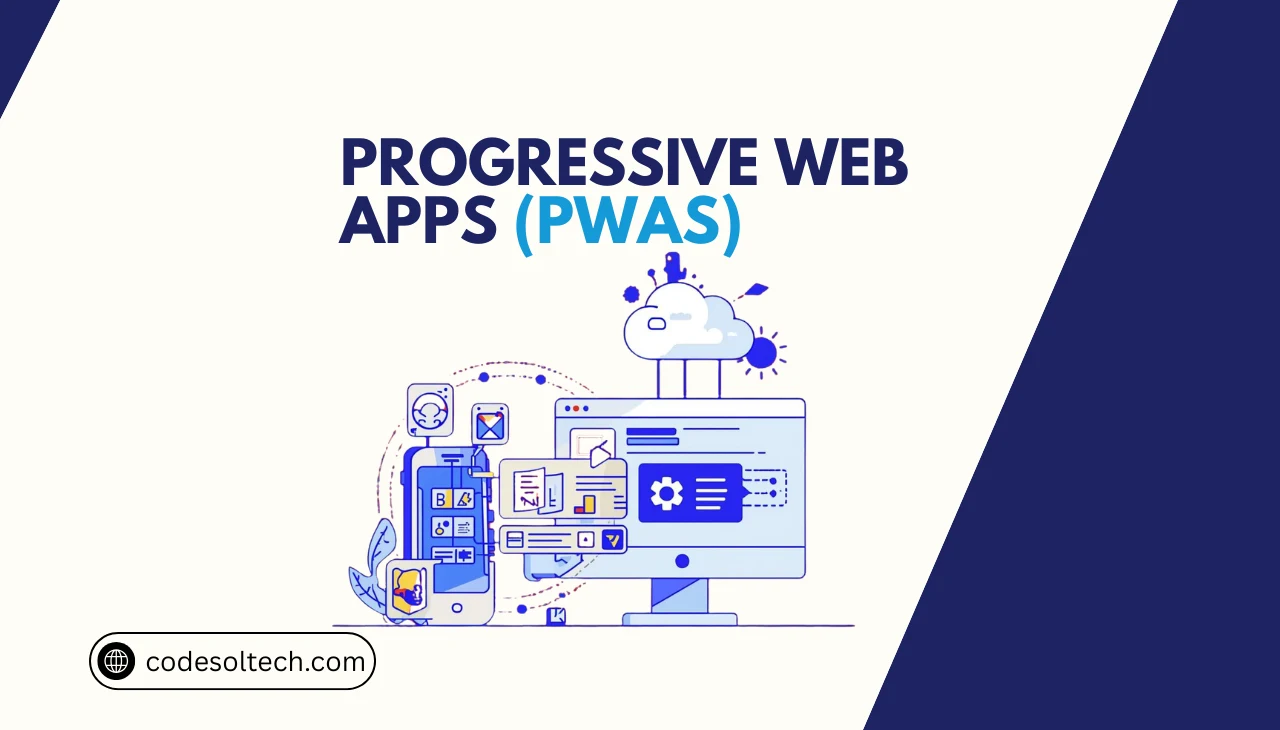
The Progressive Web Apps (PWAs) are web applications built with standard web technologies, HTML, CSS, and JavaScript that deliver native-app capabilities such as offline functionality, push notifications, and home-screen installation. PWAs operate across all modern browsers and devices without requiring distribution through the Apple App Store or Google Play Store.
Google formalized the PWA standard in 2015, and the underlying specifications are maintained by the World Wide Web Consortium (W3C) and the Web Hypertext Application Technology Working Group (WHATWG).
PWAs differ from traditional web apps in 3 measurable ways: they load reliably on low-quality networks via Service Worker caching, they engage users through Web Push Notifications, and they install directly onto a device’s home screen using the Web App Manifest.
These 3 capabilities, reliability, engagement, and installability, constitute the foundational PWA criteria defined by Google’s original framework.
Core Technologies That Power a Progressive Web App
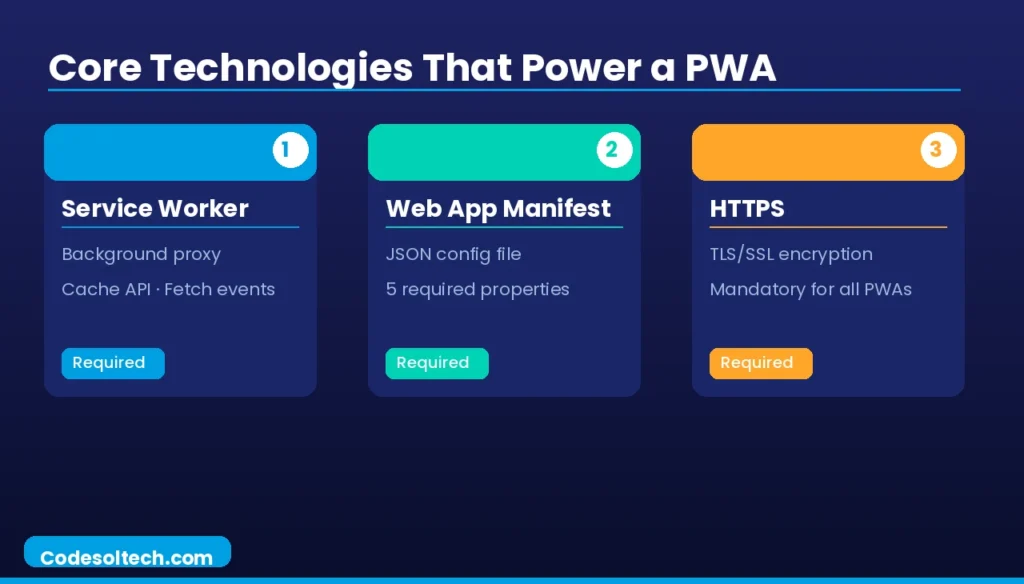
A PWA relies on 3 mandatory technical components: the Service Worker, the Web App Manifest, and a secure HTTPS connection. All 3 components are prerequisites for a browser to classify and install an application as a PWA. Removing any single component disqualifies the app from PWA status.
Service Worker
A Service Worker is a JavaScript file that runs in the browser’s background thread, separate from the main execution thread, acting as a programmable network proxy. It intercepts all HTTP requests made by the web app and determines whether to serve a cached response, fetch from the network, or apply a hybrid strategy.
Service Workers require HTTPS; they do not operate on HTTP connections, with the sole exception of localhost for development purposes.
The Service Worker lifecycle executes in 4 sequential phases:
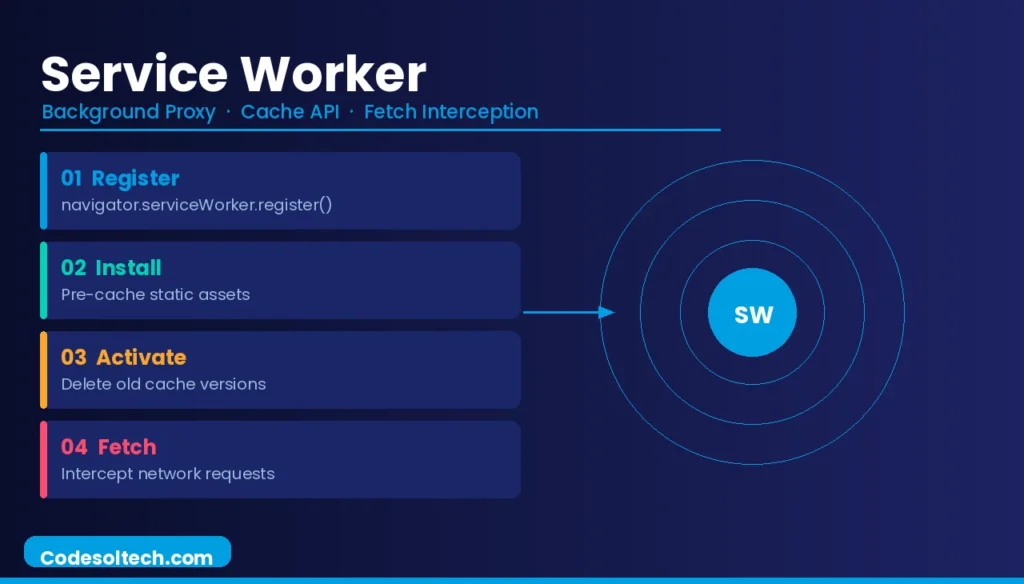
- Registration — The browser registers the Service Worker file via
navigator.serviceWorker.register(). - Installation — The
installevent fires; the worker pre-caches defined static assets using the Cache API. - Activation — The
activateevent fires; the worker deletes outdated cache versions and takes control of all open clients. - Fetch Interception — The worker intercepts every
fetchevent and applies the configured caching strategy.
The Cache API is a persistent key-value storage mechanism accessible exclusively within Service Workers and the main browser thread. It stores Request/Response pairs and operates independently of the browser’s built-in HTTP cache. Developers manage the Cache API directly, giving full programmatic control over asset versioning and invalidation.
Web App Manifest
The Web App Manifest is a JSON file linked in the HTML <head> via <link rel="manifest"> that provides the browser with metadata required to install and display the PWA. The W3C Web App Manifest specification defines this file format. A valid manifest for installability requires 5 properties: name, short_name, icons (minimum 192×192 px and 512×512 px PNG), start_url, and display.
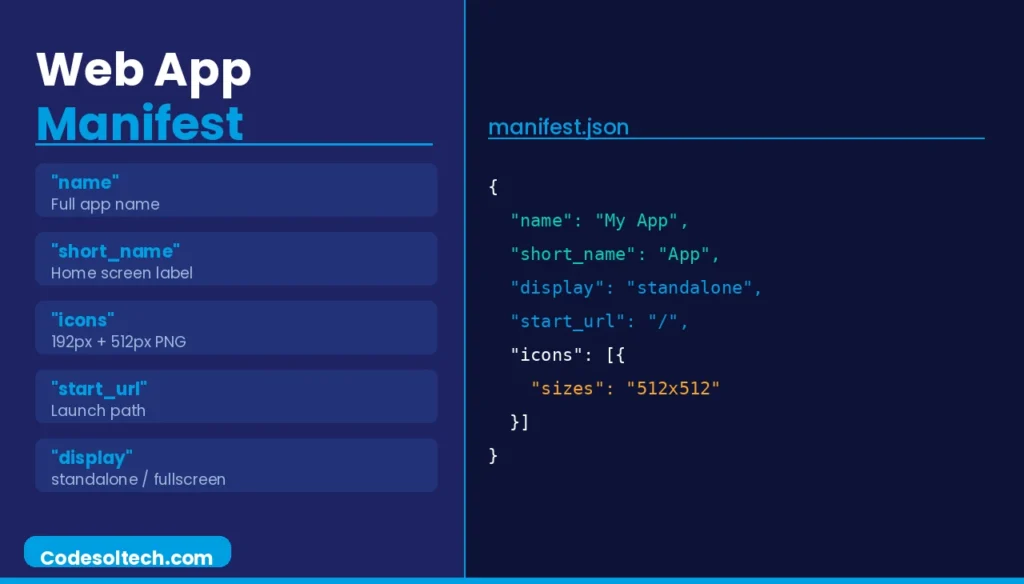
The display property accepts 4 values that control the app’s launch appearance:
- fullscreen — Occupies the entire display; no browser UI is visible.
- standalone — Displays like a native app with no browser address bar.
- minimal-ui — Retains minimal browser navigation controls.
- browser — Opens in a standard browser tab (default behavior; no PWA feel).
HTTPS Requirement
HTTPS is a non-negotiable prerequisite for PWA functionality. Browsers block Service Worker registration on any non-secure origin (HTTP). HTTPS guarantees that the Service Worker script and cached assets are not tampered with during transmission, protecting the integrity of the offline experience.
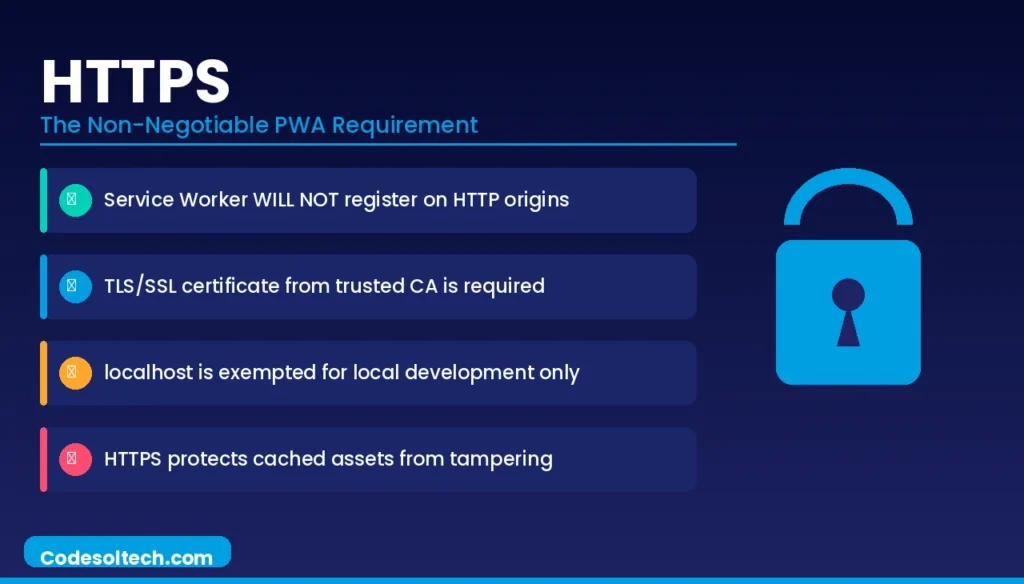
A valid TLS/SSL certificate issued by a trusted Certificate Authority (CA) satisfies this requirement.
PWA Caching Strategies and the Workbox Library
Service Workers implement 5 primary caching strategies, each optimized for a specific asset type and network condition. Selecting the wrong strategy degrades performance or delivers stale content.
- Cache First (Cache Falling Back to Network) — Serves assets directly from the Cache API; fetches from the network only on a cache miss. Optimal for versioned static assets (fonts, icons, CSS bundles).
- Network First (Network Falling Back to Cache) — Attempts a live network request first; falls back to cache on network failure. Optimal for frequently updated API responses and HTML pages.
- Stale-While-Revalidate — Returns the cached asset immediately and simultaneously fetches a fresh version from the network to update the cache. Optimal for non-critical assets where speed outweighs freshness.
- Cache Only — Serves exclusively from cache; never contacts the network. Optimal for pre-cached app shell assets that never change between versions.
- Network Only — Bypasses the cache entirely; always fetches from the network. Optimal for analytics pings or POST requests where caching is inappropriate.
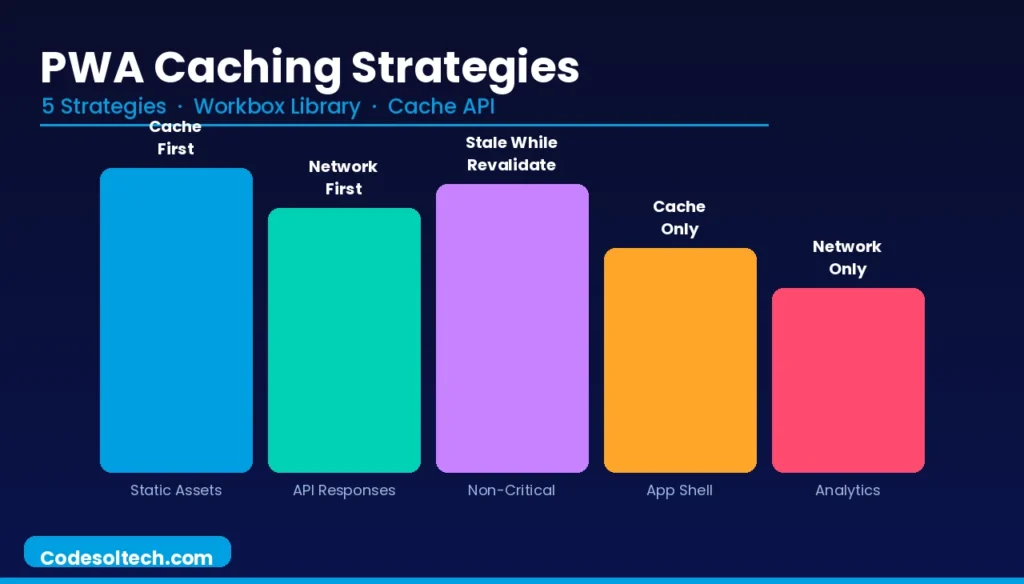
Workbox, a collection of JavaScript libraries maintained by Google Chrome, abstracts Service Worker boilerplate and provides pre-built implementations of all 5 caching strategies. Workbox generates the Service Worker file via its Webpack plugin (workbox-webpack-plugin) or its CLI (workbox-cli), reducing manual configuration errors.
The workbox-routing module registers route-specific strategies using regex or URL pattern matching.
App Shell Architecture
The App Shell Architecture separates a PWA’s static UI skeleton (the “shell”) from its dynamic data. The shell — which includes the navigation bar, header, footer, and loading indicators is pre-cached during the Service Worker’s install phase.
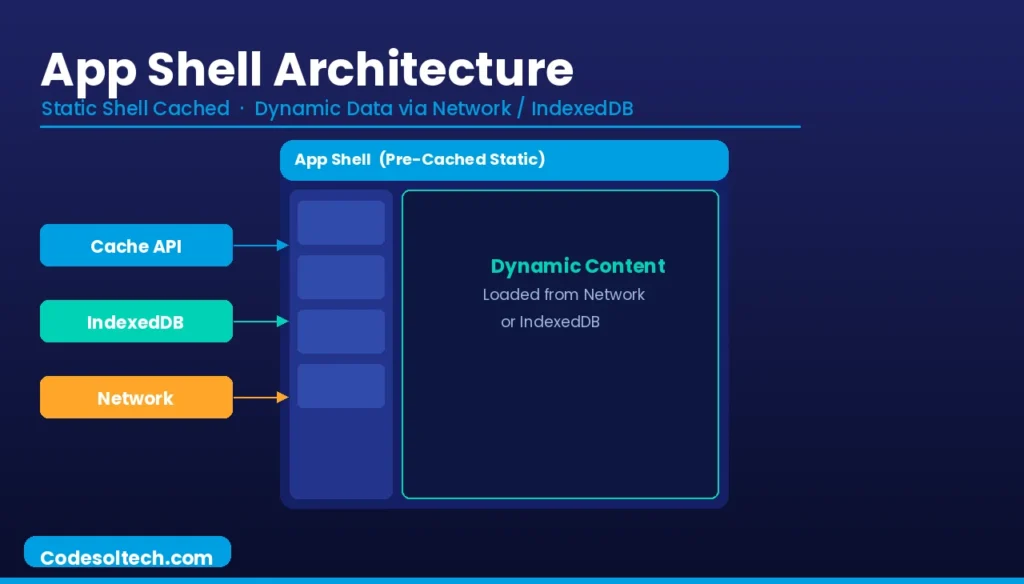
On subsequent visits, the browser renders the shell from cache in under 100 milliseconds, then fetches only the dynamic content from the network or IndexedDB.
IndexedDB is a low-level, browser-native NoSQL database that stores structured data, binary files (Blobs), and large datasets client-side. PWAs use IndexedDB for offline data persistence for example, saving a user’s draft messages or product catalog entries that remain accessible without a network connection.
IndexedDB supports transactions, indexes, and cursor-based iteration, making it suitable for complex offline data access patterns.
What Is the Difference Between a PWA and a Native App?
A PWA runs inside the browser engine and is distributed via a URL; a native app compiles to platform-specific bytecode and is distributed via an app store. The practical differences between the 2 app types in 2024 have narrowed significantly due to browser API maturity.
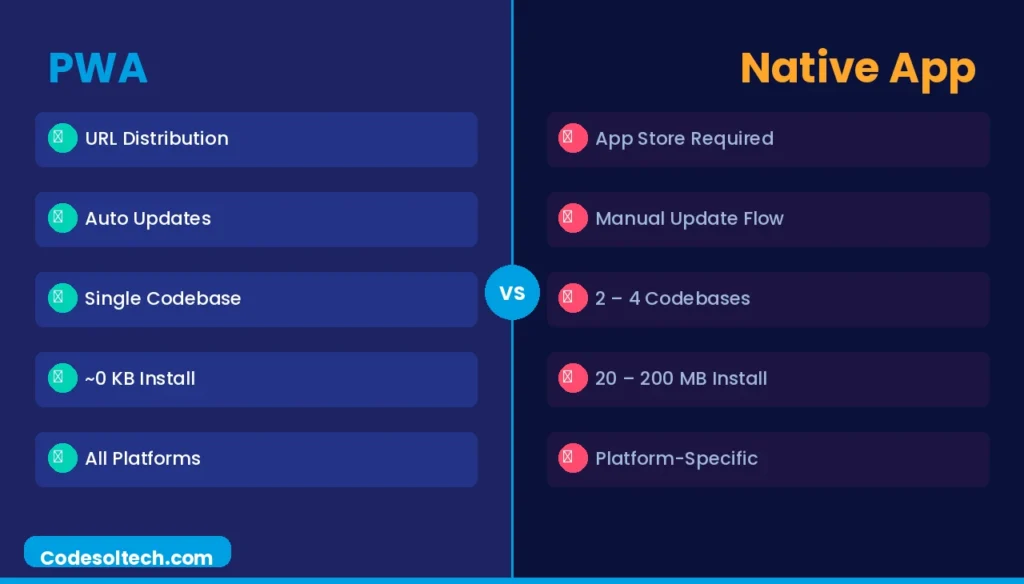
- Distribution — PWAs install via the browser’s “Add to Home Screen” prompt; native apps require App Store or Google Play submission, review, and approval.
- Update Mechanism — PWAs update automatically by deploying a new Service Worker; native apps require users to manually update via the app store or enable auto-update.
- Access to Device APIs — Native apps access the full hardware API surface; PWAs access a subset via Web APIs (Camera, Geolocation, Bluetooth via Web Bluetooth API, NFC via Web NFC API).
- Bundle Size — PWAs add zero bytes to app store inventories; native apps consume 20–200 MB of device storage on average for an equivalent application.
- Cross-Platform Cost — A single PWA codebase deploys to Android, iOS, Windows, and macOS; a comparable native experience requires 2–4 separate codebases.
PWA Performance Metrics and Lighthouse Auditing
Google’s Lighthouse tool audits PWAs across 5 categories: Performance, Accessibility, Best Practices, SEO, and the dedicated PWA category. Lighthouse assigns a PWA “Installable” badge when the Service Worker, valid Manifest, and HTTPS are all present and correctly configured.
The tool runs in Chrome DevTools, as a CLI command (lighthouse <url>), or via CI/CD integration through the lighthouse-ci npm package.
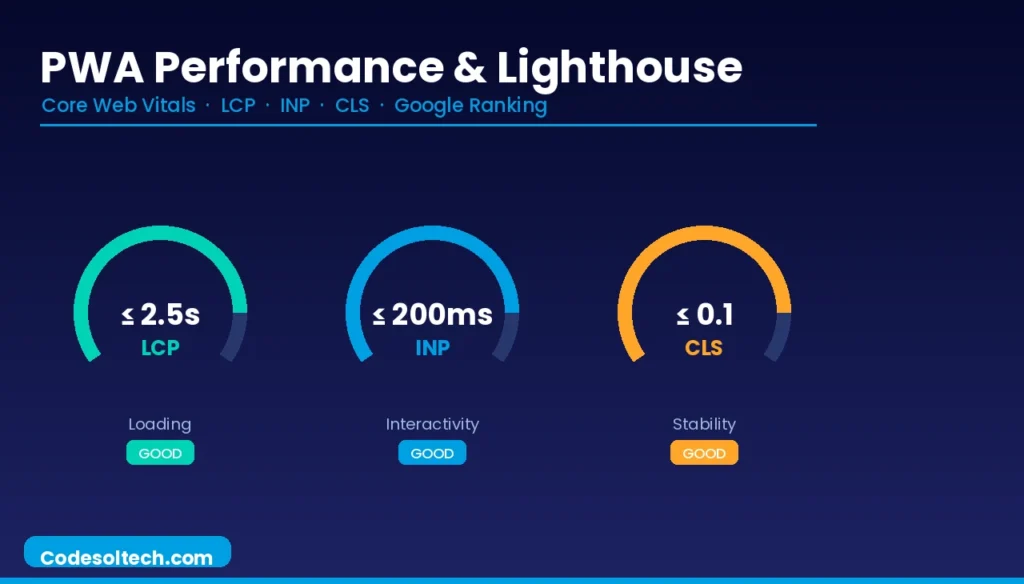
The 3 Core Web Vitals that Lighthouse measures directly impact PWA user experience:
- Largest Contentful Paint (LCP) — Measures loading performance; a PWA must score LCP ≤ 2.5 seconds to pass Google’s “Good” threshold.
- Interaction to Next Paint (INP) — Measures runtime responsiveness; a PWA must score INP ≤ 200 milliseconds.
- Cumulative Layout Shift (CLS) — Measures visual stability; a PWA must score CLS ≤ 0.1.
The App Shell Architecture directly improves LCP by serving the above-the-fold UI skeleton from cache, eliminating the network round-trip from the critical rendering path. A cached App Shell reduces Time to First Byte (TTFB) to near-zero for repeat visits, since the shell bypasses the server entirely.
Web Push Notifications in PWAs
Web Push Notifications in PWAs are delivered through 2 browser APIs: the Push API and the Notifications API. The Push API enables the server to send messages to the Service Worker even when the PWA is not open in the browser. The Notifications API renders the message as a system-level notification on the user’s device.
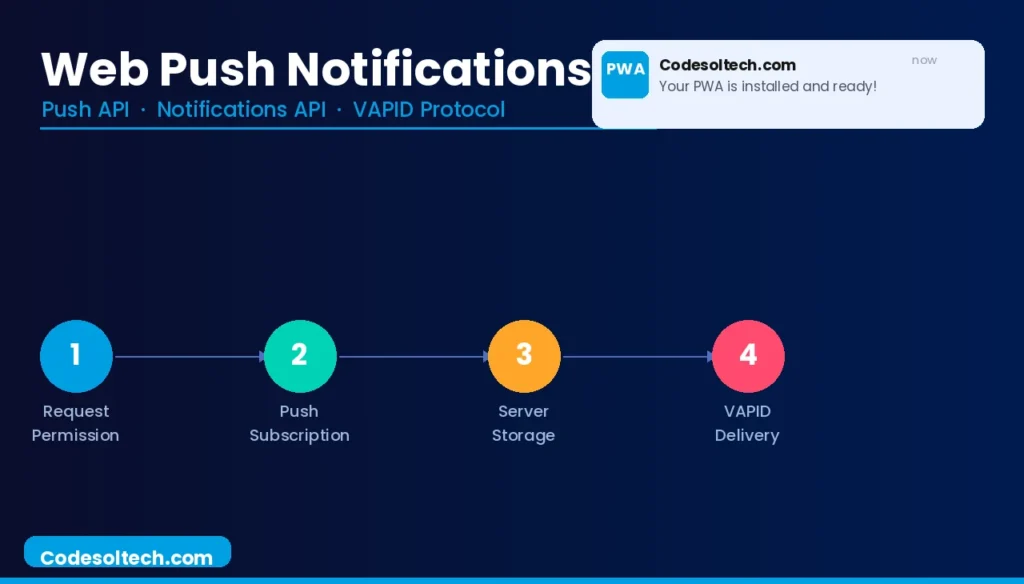
The Web Push flow executes in 4 steps:
- The PWA requests notification permission from the user via
Notification.requestPermission(). - The browser generates a unique Push Subscription object containing an endpoint URL and encryption keys.
- The PWA sends the subscription object to the application server for storage.
- The server uses the subscription endpoint and the VAPID (Voluntary Application Server Identification) protocol to send authenticated push messages via a push service (e.g., Firebase Cloud Messaging for Chrome, Mozilla Push Service for Firefox).
Do PWAs Improve SEO?
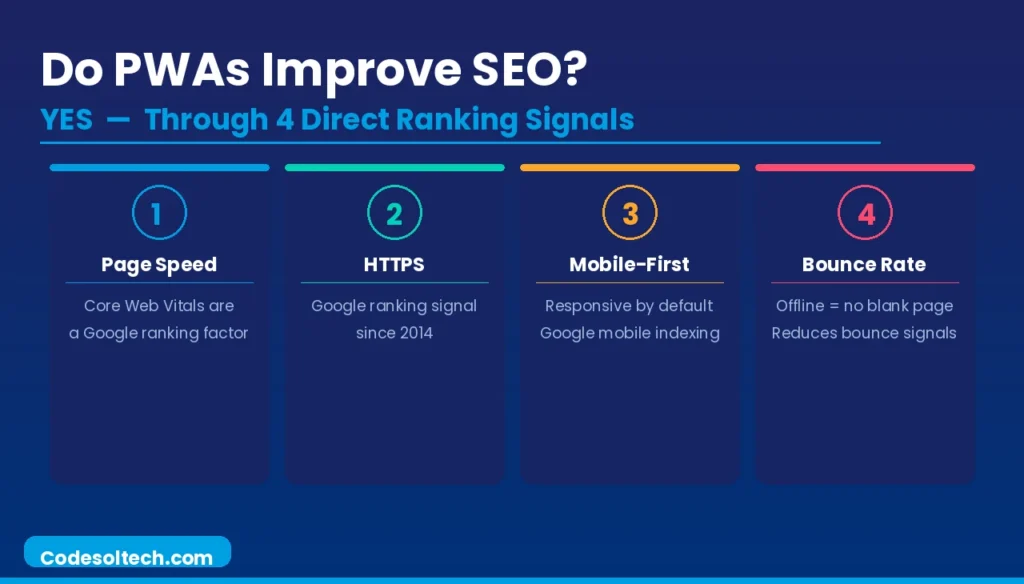
Yes. PWAs improve SEO through 4 direct mechanisms tied to Google’s ranking signals.
- Page Speed — Service Worker caching reduces TTFB and LCP for repeat visitors, improving Core Web Vitals scores that Google uses as a ranking factor since the 2021 Page Experience update.
- HTTPS — Google confirmed HTTPS as a ranking signal in 2014; PWAs mandate HTTPS as a technical prerequisite, ensuring compliance.
- Mobile-First Indexing — PWAs are built responsively by default, satisfying Google’s mobile-first indexing standard applied to all new sites since July 2019.
- Reduced Bounce Rate — Offline functionality prevents blank error pages on poor connections, keeping users engaged and reducing bounce signals that correlate with lower rankings.
PWAs do not replace a structured SEO content strategy. On-page optimization, Schema.org structured data markup, canonical URL management, and XML sitemaps remain independent requirements that PWA architecture does not automatically provide.
PWA Architecture Compared to SPA and SSR
A Single-Page Application (SPA) is an architectural pattern; a PWA is a capability layer. These 2 concepts are not mutually exclusive a SPA becomes a PWA when a Service Worker and Web App Manifest are added to it. Frameworks such as Next.js, Nuxt.js, and Angular generate SPAs that integrate PWA plugins to add Service Worker support.
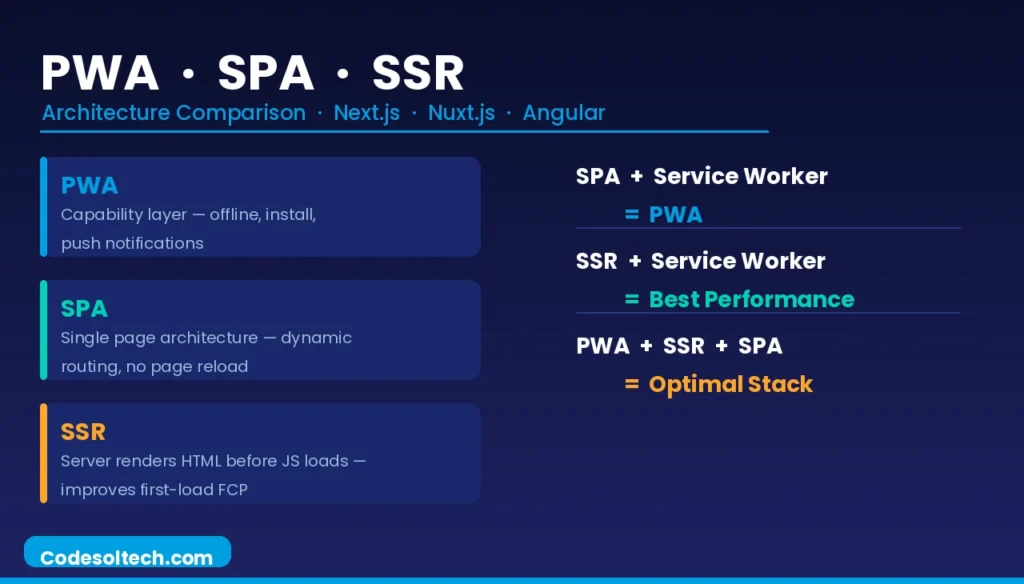
Server-Side Rendering (SSR) complements PWA architecture by rendering HTML on the server before the Service Worker activates on first load. SSR eliminates the blank-page flash that SPAs produce before JavaScript hydration, improving First Contentful Paint (FCP).
A PWA built with SSR and App Shell caching achieves optimal performance on both first visits (SSR) and repeat visits (Service Worker cache).
Measured Business Impact of PWA Adoption
Published case studies from large-scale PWA deployments record consistent improvements across 3 key business metrics: conversion rate, session duration, and data consumption. The following results come from Google’s PWA case study database:
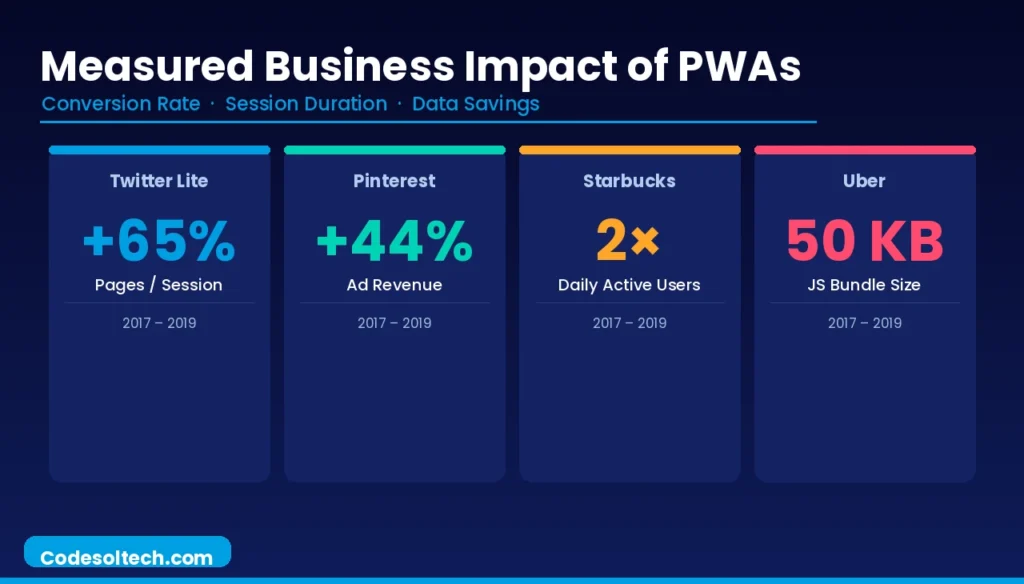
- Twitter Lite (2017) — Increased pages per session by 65%, reduced data consumption by 70%, and decreased bounce rate by 20% after converting to a PWA.
- Pinterest (2017) — Increased user-generated ad revenue by 44% and time spent on site by 40% after rebuilding their mobile web experience as a PWA.
- Starbucks (2019) — Doubled daily active users on the web app after deploying a PWA that functions fully offline for menu browsing and order customization.
- Uber (2017) — Reduced the app’s JavaScript core from 608 KB to 50 KB by shipping a PWA that loads in 3 seconds on 2G networks.
Frameworks and Tools for Building Progressive Web Apps
Developers build PWAs using 5 primary framework ecosystems, each with native or plugin-based PWA support:
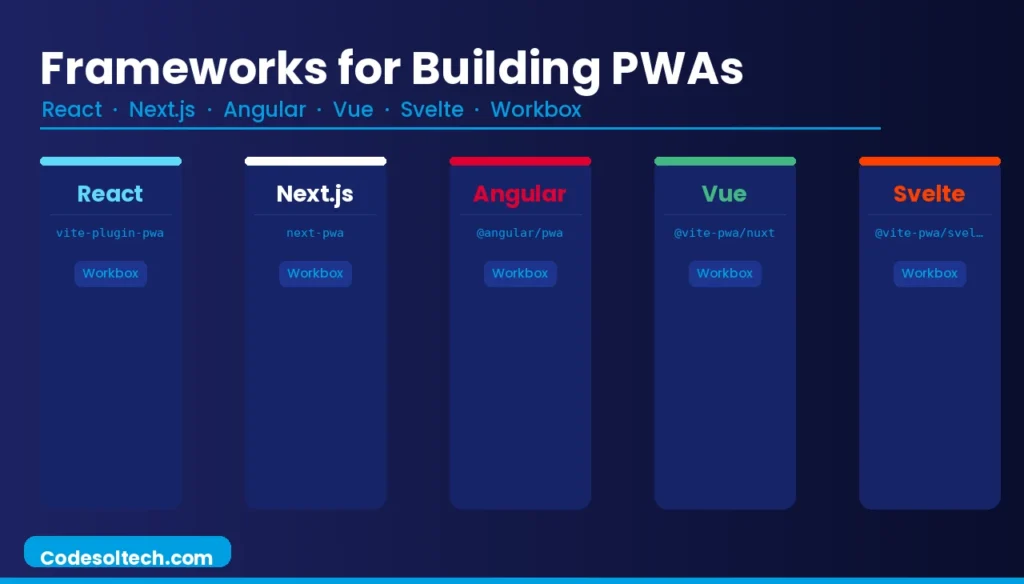
- React + Create React App / Vite — The
vite-plugin-pwapackage integrates Workbox into Vite-based React projects, auto-generating the Service Worker and Manifest. - Next.js — The
next-pwapackage wraps Workbox to add offline support; Next.js handles SSR, enabling the SSR + PWA architecture pattern. - Angular — The
@angular/pwaschematic runsng add @angular/pwato scaffold a Service Worker and Manifest automatically. - Vue.js + Nuxt.js — The
@vite-pwa/nuxtmodule integrates PWA capabilities into Nuxt 3 applications with zero-config Service Worker generation. - Svelte + SvelteKit — The
@vite-pwa/sveltekitmodule provides Workbox integration for SvelteKit-based PWAs.
Security Considerations in Progressive Web App Development
The Service Worker’s position as a network proxy introduces 3 security attack vectors that developers mitigate through specific implementation practices:
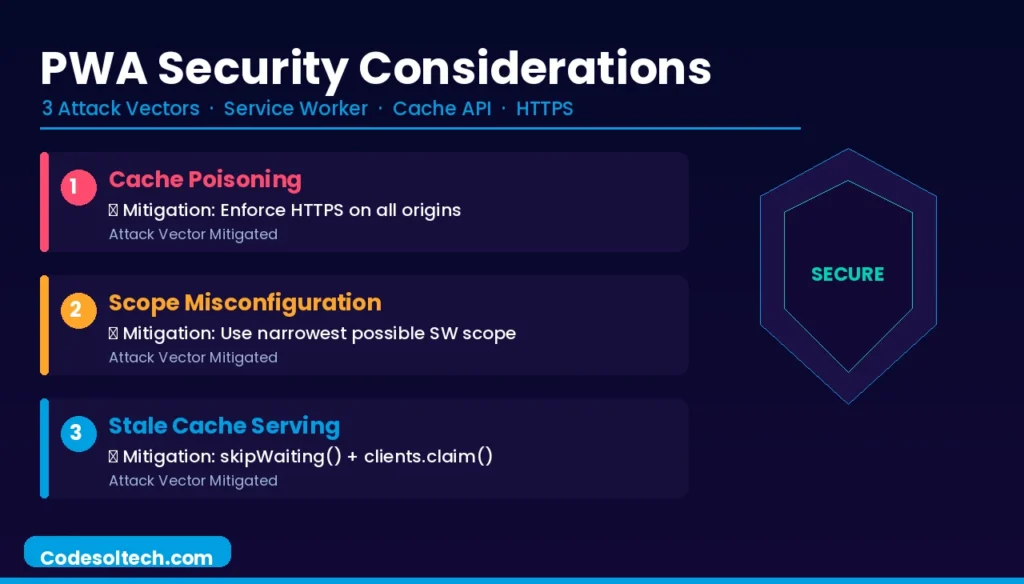
- Cache Poisoning — An attacker injects malicious content into the Cache API by compromising the network layer before HTTPS is enforced. Mitigation: enforce HTTPS on all origins; never cache responses from mixed-content resources.
- Scope Misconfiguration — A Service Worker registered at
/intercepts all requests across the domain; one registered at/app/intercepts only requests within that path. Overly broad scopes expose unintended routes to cache manipulation. Mitigation: register Service Workers with the narrowest possible scope. - Outdated Cache Serving — A stale Service Worker continues serving cached content with known security vulnerabilities until a new worker activates. Mitigation: implement versioned cache names and call
clients.claim()andskipWaiting()in the activation phase to force immediate takeover.
Progressive Web App Standards and Browser Support
All major browser engines support the core PWA APIs as of 2024. Support status across 4 browser engines:
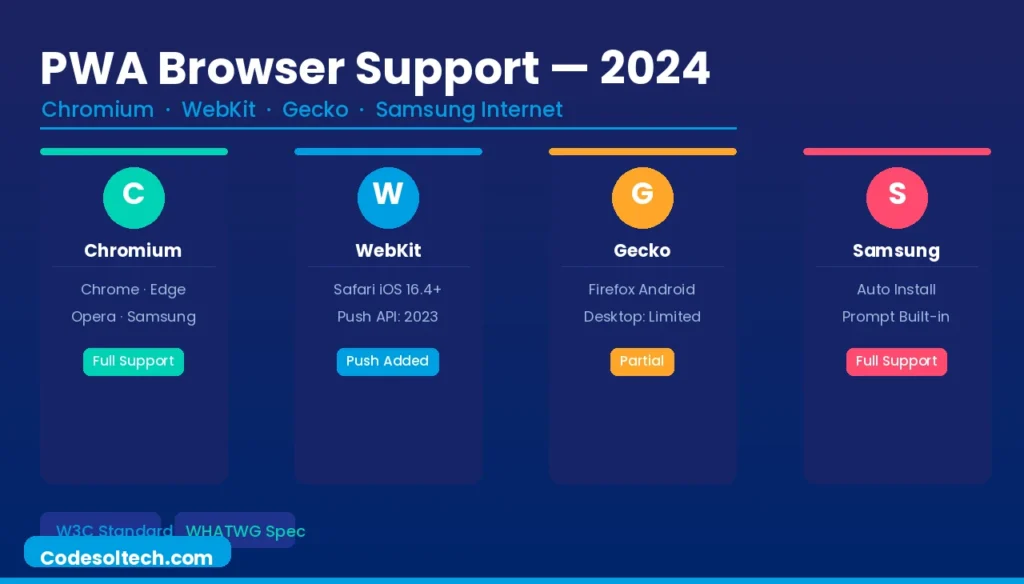
- Chromium (Chrome, Edge, Opera, Samsung Internet) Full PWA support, including Service Workers, Web App Manifest, Push API, Background Sync, and the
beforeinstallpromptevent for custom install UI. - WebKit (Safari on iOS and macOS) — Supports Service Workers and Web App Manifest since Safari 11.1 (2018); added Push API support on iOS 16.4 (2023); does not support the
beforeinstallpromptevent, requiring manual “Add to Home Screen” instruction for iOS installation. - Gecko (Firefox) — Supports Service Workers and Web App Manifest; removed PWA installation functionality on desktop in Firefox 85 (2021), citing low usage metrics; maintains full PWA support on Firefox for Android.
- Samsung Internet — Full PWA support with native “Add to Home Screen” install prompt displayed automatically when Manifest and Service Worker criteria are met.
Final Words
Progressive Web Apps eliminate the binary choice between web reach and native-app experience. Service Workers deliver offline reliability. The Web App Manifest enables installation. HTTPS secures both. These 3 components not marketing language, define a PWA.
Businesses that deploy PWAs consistently record improvements in load time, engagement, and conversion rate, with a single codebase serving every platform.
Ready to build your Progressive Web App?
Explore our detailed guides on Service Worker Caching Strategies, Web App Manifest Configuration, and Lighthouse PWA Auditing to move from concept to production-ready deployment.