A design pattern is a reusable structural solution applied to recurring UI/UX layout problems in web interfaces. Search engines, specifically Googlebot, process these structural patterns as machine-readable signals during the crawl and rendering phases.
Layout architecture directly determines how efficiently Googlebot discovers, parses, and indexes content nodes within a page.
Design patterns operate at 3 functional layers within a search-engine-readable document: structural (DOM hierarchy), visual (CSS rendering), and behavioral (JavaScript-driven interactions).
Each layer carries distinct weight during Googlebot’s two-pass rendering process. A poorly structured UI pattern increases rendering cost and delays indexing.
How Googlebot Interprets UI/UX Layout Structures
Googlebot executes a two-stage crawl process: HTTP fetch and full browser rendering via the Web Rendering Service (WRS). The WRS runs a headless Chromium instance that processes JavaScript, applies CSS, and builds the final DOM tree.
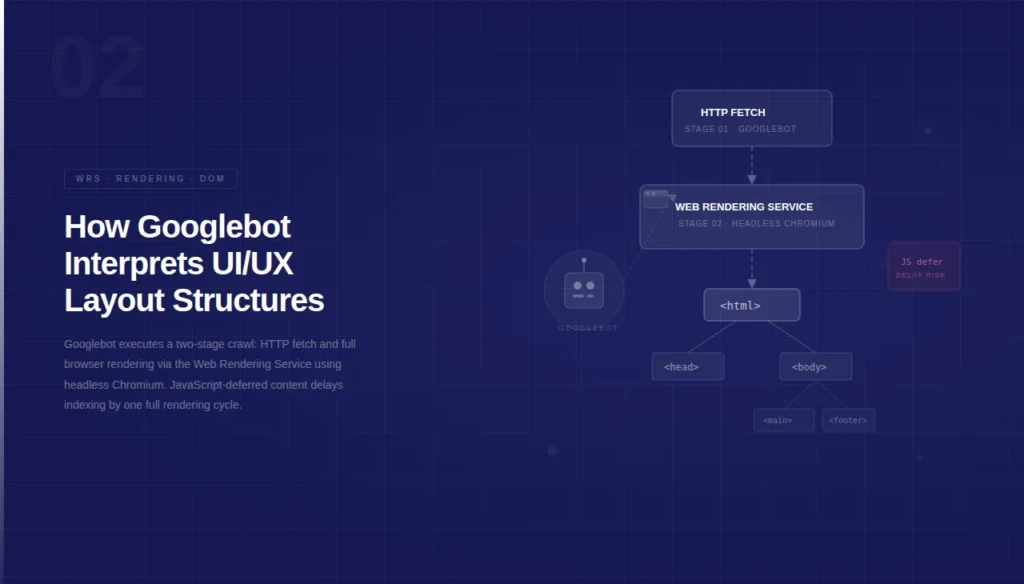
Any UI/UX layout that defers critical content behind JavaScript execution reduces the probability of that content appearing in the first indexed version.
The following layout decisions directly affect Googlebot’s content discovery efficiency:
- Above-the-fold content placement signals primary topic relevance to Googlebot’s NLP extraction engine
- Single-Page Application (SPA) routing patterns require client-side rendering, which delays full DOM availability for WRS
- CSS Grid and Flexbox layout containers are fully parsed by the WRS Chromium instance without rendering penalties
- Hidden content patterns (e.g.,
display:none, tabs, accordions) receive reduced indexing weight under Google’s content visibility heuristics - Infinite scroll pagination patterns prevent Googlebot from discovering subsequent content nodes without explicit
rel="next"or paginated URL signals
Core Design Patterns and Their SEO Impact
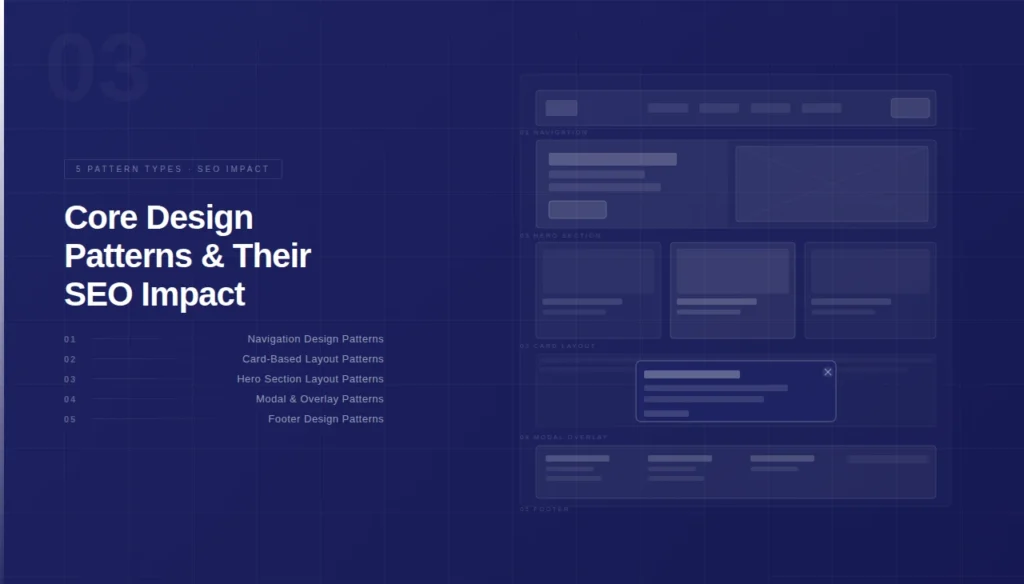
1. Navigation Design Patterns
The navigation pattern defines the internal link graph structure that Googlebot traverses during crawl. A mega-menu navigation pattern exposes 3 to 5 additional link hierarchy levels compared to a flat navigation structure.
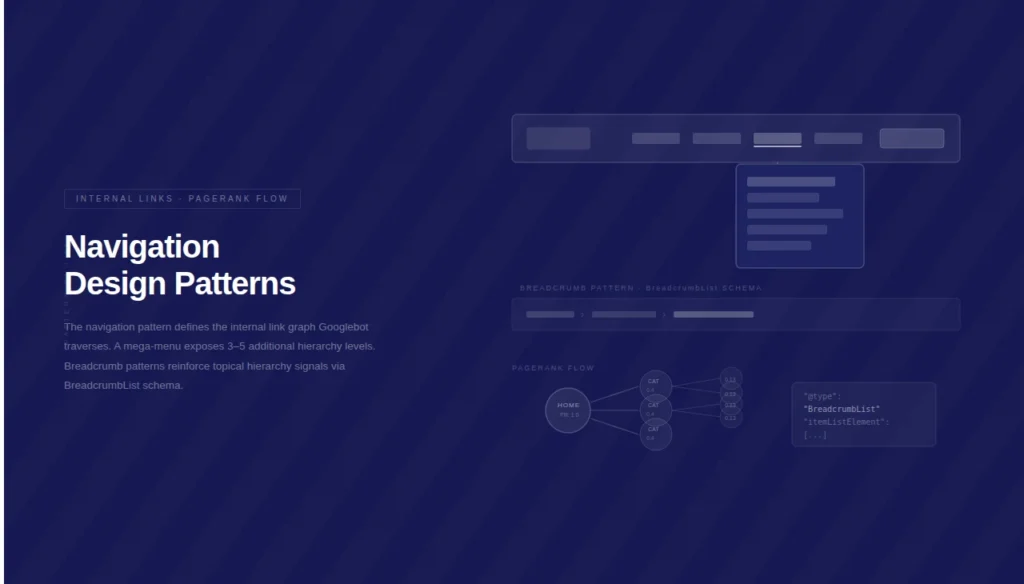
Googlebot assigns PageRank flow through each navigational anchor link, meaning deeper navigation patterns dilute link equity across more nodes.
A breadcrumb navigation pattern creates a secondary internal link chain that reinforces topical hierarchy signals. Structured data markup using BreadcrumbList schema confirms this hierarchy to Google’s Knowledge Graph extraction pipeline.
Breadcrumb patterns reduce crawl depth by creating direct path shortcuts to category and sub-category pages.
2. Card-Based Layout Patterns
A card-based UI pattern organizes discrete content entities — products, articles, or services — into uniform, repeatable grid containers. Googlebot’s NLP model extracts entity attributes from card titles, descriptions, and schema markup simultaneously.
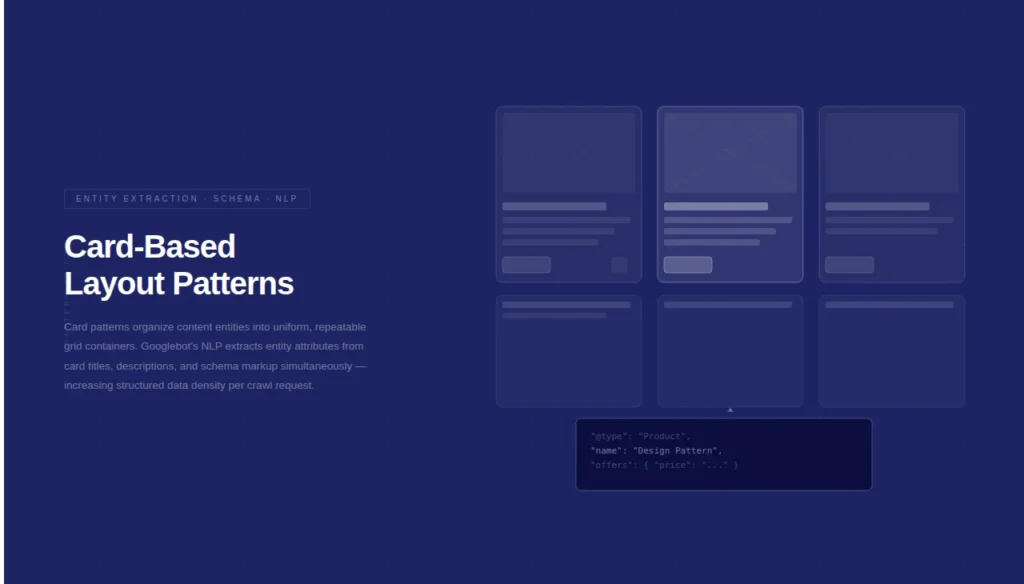
This parallel extraction increases the density of structured information per crawl request.
Card patterns that load content via lazy-loading JavaScript require the WRS to fully execute the IntersectionObserver API before content becomes DOM-accessible. Implementing loading="lazy" on images within card containers is safe for SEO because Googlebot’s WRS fully supports native lazy loading.
However, lazy-loading entire card components via JavaScript frameworks increases Time to Interactive (TTI) and delays Googlebot’s content extraction.
3. Hero Section Layout Patterns
The hero section pattern occupies the primary viewport area and contains the H1 element, the primary keyword entity, and the core visual asset. Googlebot’s NLP pipeline weights the H1 entity within the hero container as the definitive topical anchor of the entire document.
A hero section that places the H1 below a JavaScript-rendered banner delays the topical signal extraction by one full WRS rendering cycle.
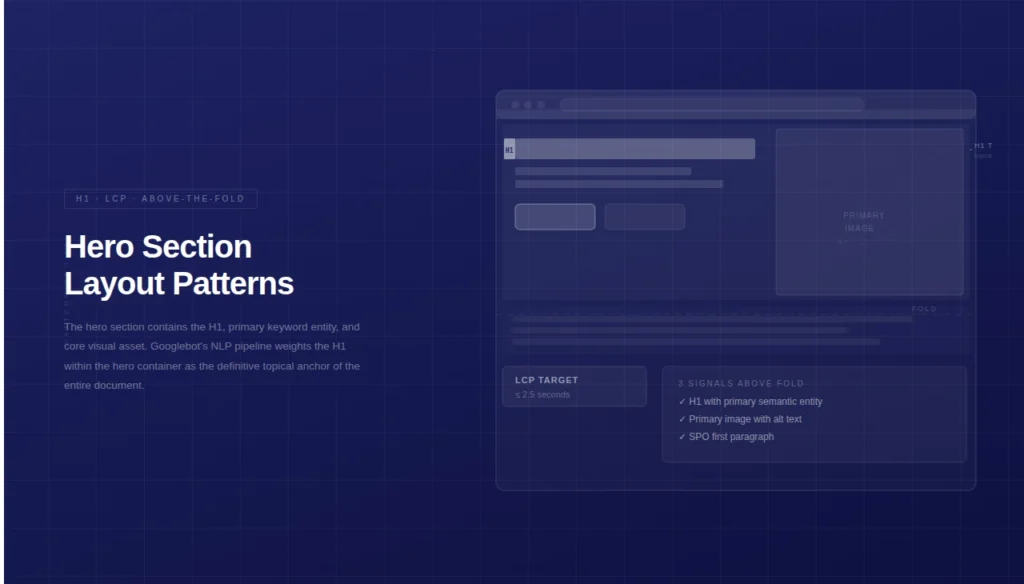
Hero sections must deliver 3 core SEO signals in a single above-the-fold render:
- H1 tag containing the primary semantic entity
- Primary image with a descriptive
altattribute matching the topical context - First paragraph containing the SPO (Subject-Predicate-Object) sentence that defines the page’s core topic
4. Modal and Overlay Design Patterns
Modal overlay patterns interrupt the primary content layer with a secondary UI element. Google’s Page Experience guidelines classify interstitial popups that block main content as a negative UX signal subject to demotion in mobile search rankings. The specific patterns penalized include:
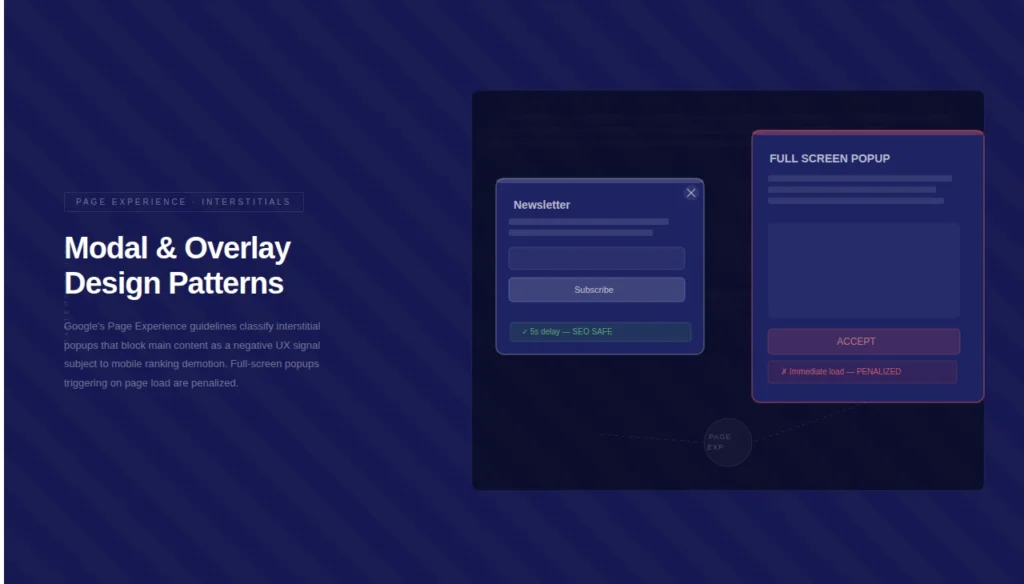
- Full-screen popups that appear immediately after page load on mobile devices
- Interstitials that require user dismissal before accessing the primary content node
- Sticky overlays that cover more than 30% of the viewport content area
Timed-delay modal patterns (triggering after 5+ seconds) avoid the immediate-load penalty but still interrupt Googlebot’s rendering timeline if they inject DOM nodes before WRS completes the initial content parse.
5. Footer Design Patterns
The footer pattern functions as a secondary internal link architecture layer. A footer containing 50+ links distributes PageRank across a large link set, reducing the individual equity passed to each destination URL. Google’s crawl budget allocation treats footer links as low-priority discovery signals compared to in-content contextual links.
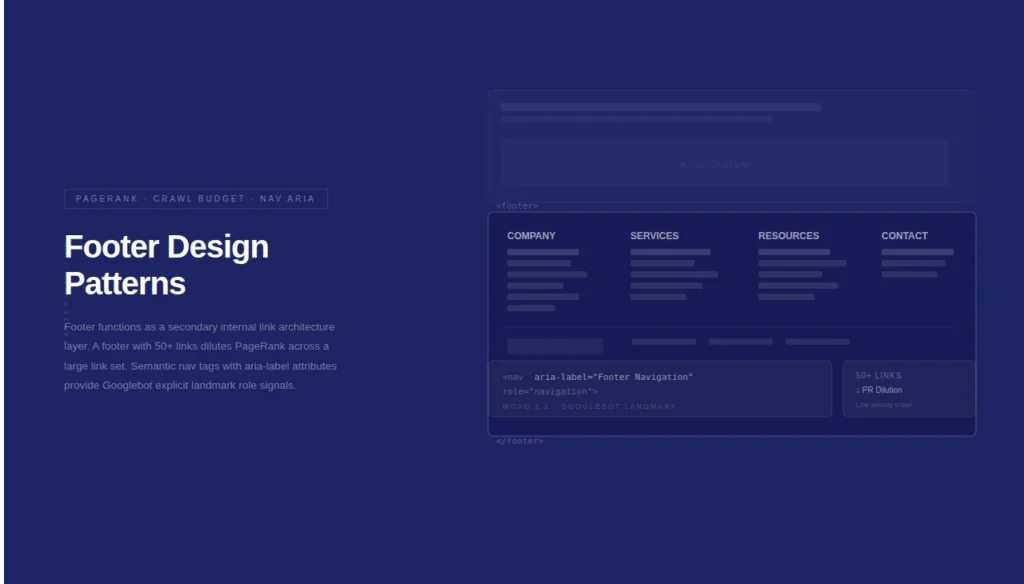
A footer pattern structured with <nav> semantic HTML tags and aria-label attributes delivers dual value: it satisfies WCAG 2.1 accessibility compliance and provides Googlebot with explicit landmark role signals for content segmentation.
Structured footers that separate site links, legal links, and contact information into discrete <ul> elements improve Googlebot’s DOM parsing accuracy.
UX Signals as Ranking Inputs: Core Web Vitals and Design Pattern Correlation
Google’s Core Web Vitals metrics — Largest Contentful Paint (LCP), Interaction to Next Paint (INP), and Cumulative Layout Shift (CLS) — are direct performance outputs of design pattern implementation decisions. Each metric maps to a specific UI/UX design choice.
| Core Web Vital | Target Threshold | Design Pattern Cause |
|---|---|---|
| LCP | ≤ 2.5 seconds | Hero image size, render-blocking CSS |
| INP | ≤ 200 milliseconds | JavaScript event handler complexity in interactive UI components |
| CLS | ≤ 0.1 | Missing width and height attributes on images, dynamically injected UI elements |
A layout shift occurs when a dynamically loaded UI element — an ad unit, a banner, or a cookie consent pattern — inserts itself into the DOM after the initial render and displaces existing content nodes.
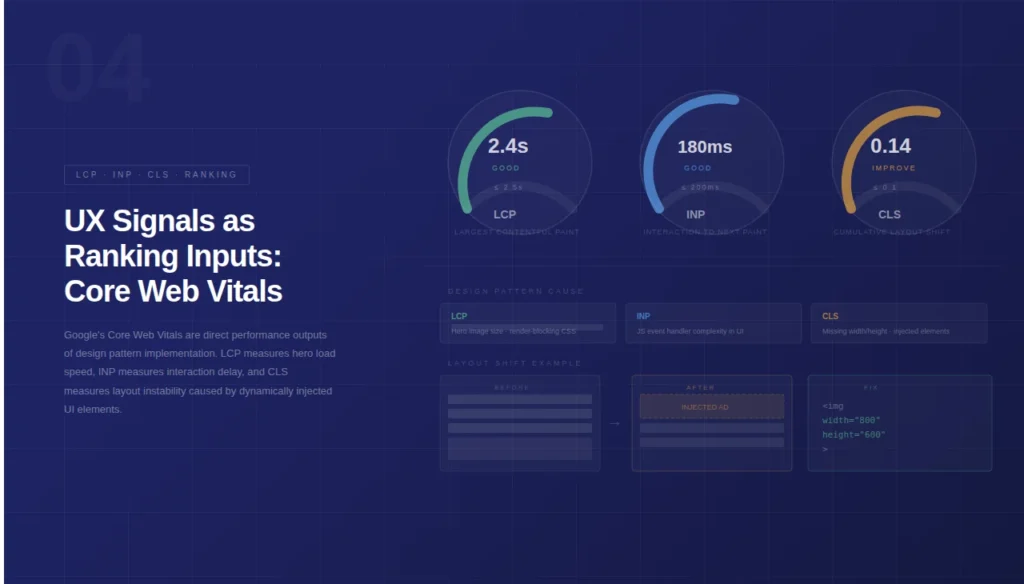
Every layout shift event above the 0.1 CLS threshold contributes to a negative Page Experience signal processed by Google’s ranking algorithm.
Semantic HTML and Design Pattern Alignment
Semantic HTML5 elements — <header>, <main>, <article>, <section>, <aside>, and <footer> — create a machine-readable document outline that Googlebot uses to segment content by contextual role.
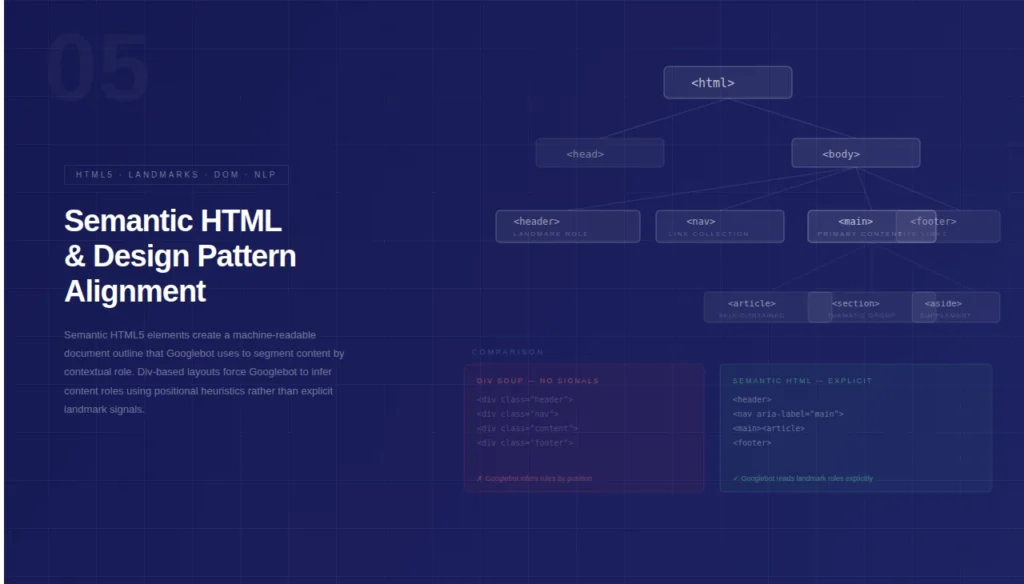
A design pattern built on <div> soup (non-semantic container nesting) forces Googlebot to infer content roles using positional heuristics rather than explicit landmark signals.
The following semantic element-to-design-pattern mappings improve Googlebot’s topical segmentation accuracy:
<article>wraps self-contained content entities: blog posts, product cards, news items<section>wraps thematic content groups within a page’s primary<main>container<aside>signals supplementary content: sidebars, related links, and contextual callout boxes<nav>explicitly labels directional link collections: primary navigation, pagination, breadcrumbs<figure>with<figcaption>associates image entities with descriptive text for NLP extraction
Schema Markup Integration with UI Design Patterns
Structured data markup, defined by Schema.org vocabulary, extends the semantic value of UI design patterns by providing explicit entity attribute declarations to Google’s Knowledge Graph. A product card UI pattern without Product schema delivers visual information only to human users.
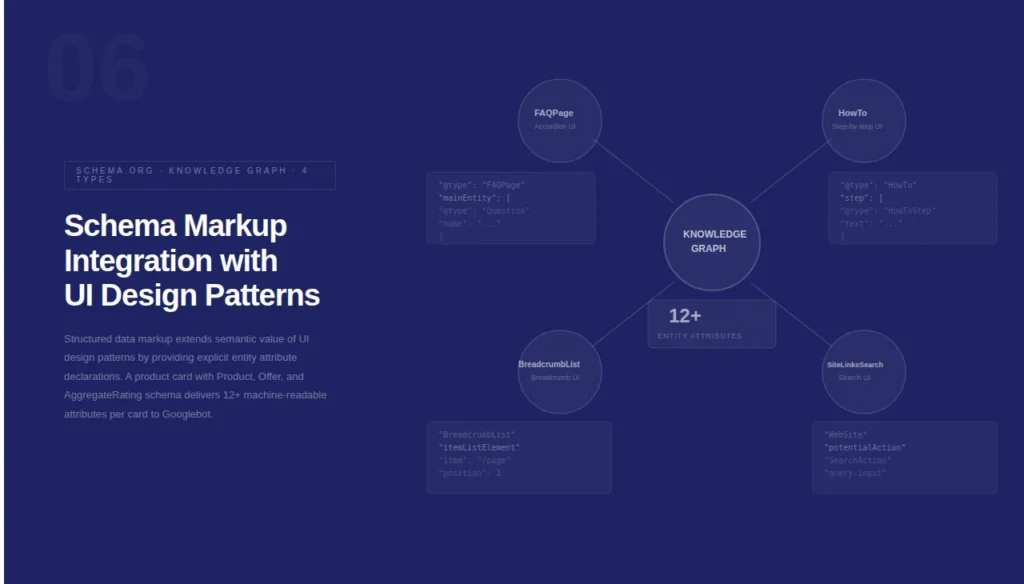
The same card with Product, Offer, and AggregateRating schema delivers 12+ machine-readable entity attributes to Googlebot per card instance.
4 schema types directly correspond to common UI/UX design patterns:
FAQPageschema maps to accordion UI patterns containing question-and-answer content blocksHowToschema maps to step-by-step procedural UI layouts with numbered list containersBreadcrumbListschema maps to breadcrumb navigation UI patternsSiteLinksSearchBoxschema maps to on-site search UI patterns in the header region
Mobile-First Design Patterns and Googlebot’s Mobile Crawler
Google indexes websites using the mobile-first indexing protocol, meaning Googlebot’s primary crawl agent is the smartphone Googlebot variant. A responsive design pattern using CSS media queries to adapt a single HTML document to multiple viewport widths is the Google-recommended implementation approach.
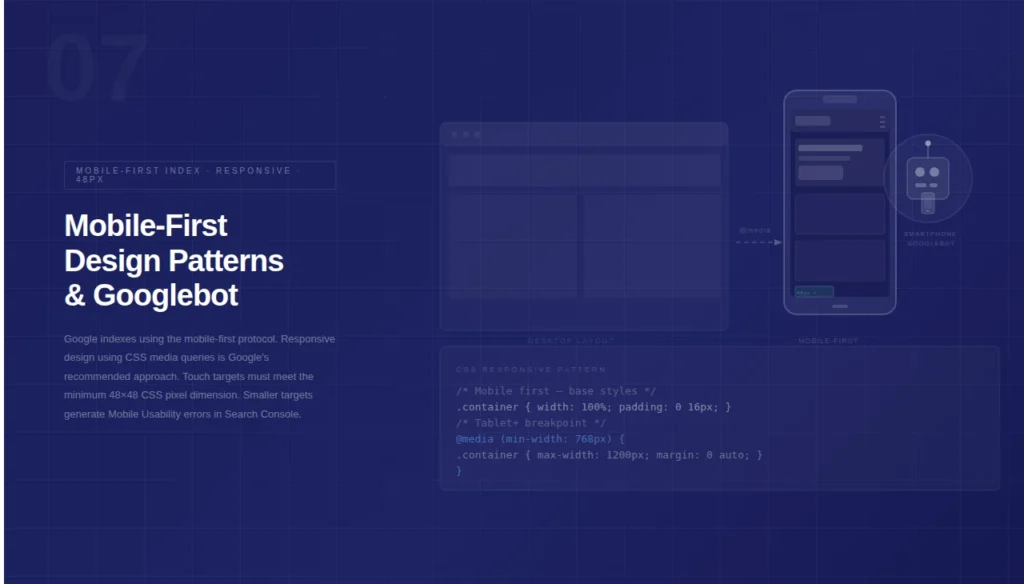
Separate mobile URL patterns (m-dot subdomains) require explicit canonical tag configuration to prevent duplicate content indexing.
Touch target design patterns on mobile layouts must meet the minimum 48×48 CSS pixel dimension specified by Google’s mobile usability guidelines. Tap targets smaller than this threshold generate Mobile Usability errors in Google Search Console.
These errors signal to Google that the UX quality of the mobile layout is insufficient, which influences the Page Experience assessment.
Internal Linking Architecture Embedded in Design Patterns
A design pattern functions as a systematic internal link deployment mechanism. The 3 highest-impact internal link patterns for SEO are:
- Contextual inline links within
<p>tags: carry the highest topical relevance signal because anchor text is surrounded by supporting semantic context - Related content widget patterns: deploy 3 to 6 topically relevant internal links per page, extending crawl graph depth and distributing PageRank to cluster content
- Table of Contents (TOC) patterns: create jump-link anchor structures that Google renders as sitelinks in search result snippets for long-form content
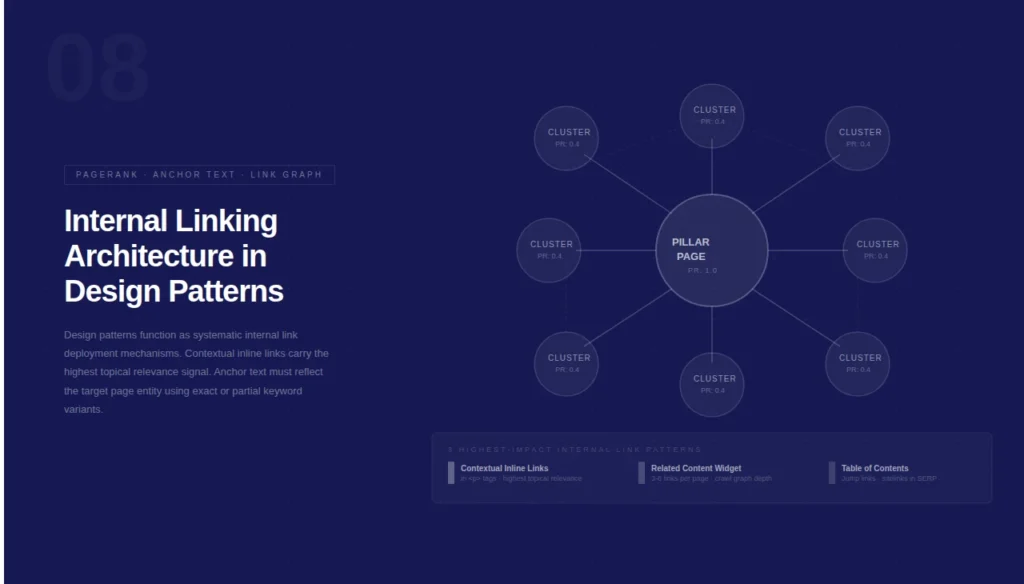
The anchor text used within these patterns must reflect the exact target page entity using either exact-match or partial-match keyword variants.
Generic anchor text patterns like “click here” or “read more” eliminate the topical relevance signal from the link and reduce its contribution to the internal PageRank flow.
The Relationship Between Design Patterns and Topical Authority
Topical Authority is the measurable depth and breadth of coverage a website holds for a defined subject area within Google’s Knowledge Graph. Design patterns accelerate Topical Authority building by enabling systematic content organization across 3 hierarchical levels:
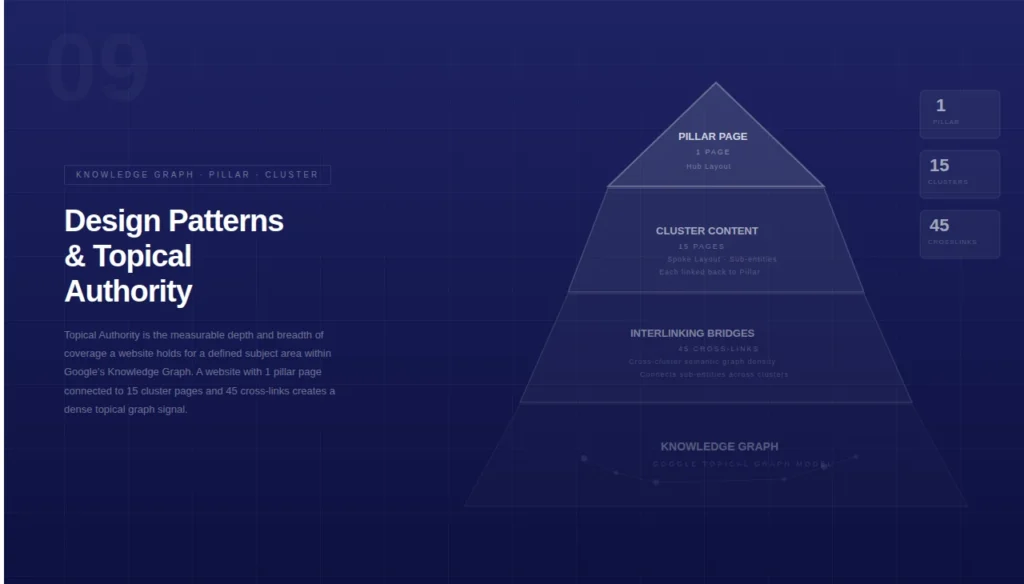
- Pillar page patterns (hub layout): a single comprehensive page covering a broad entity with internal links to all sub-topic pages
- Cluster content patterns (spoke layout): individual pages targeting specific sub-entities, each linked back to the pillar page
- Interlinking bridge patterns: cross-cluster links that connect related sub-entities across different content clusters, increasing the semantic graph density
Googlebot maps these interconnected patterns into a topical graph model. A website with 1 pillar page connected to 15 cluster pages and 45 cross-links between those cluster pages creates a graph structure that signals deep, authoritative coverage of the central entity to Google’s ranking systems.
Final Words
Design patterns are not purely visual tools they are crawl infrastructure. Every layout decision communicates a signal to Googlebot: what to index, what to prioritize, and what to ignore. Implementing semantic HTML, schema markup, and Core Web Vitals-compliant UI patterns transforms a website into a machine-readable authority document. Precision in design is precision in ranking.
Ready to audit your design patterns for SEO compliance?
Run a full technical crawl using Screaming Frog, validate your Core Web Vitals in Google Search Console, and map your current UI patterns against the semantic HTML landmark structure outlined above. Start with the pattern causing your highest CLS score fix that first.