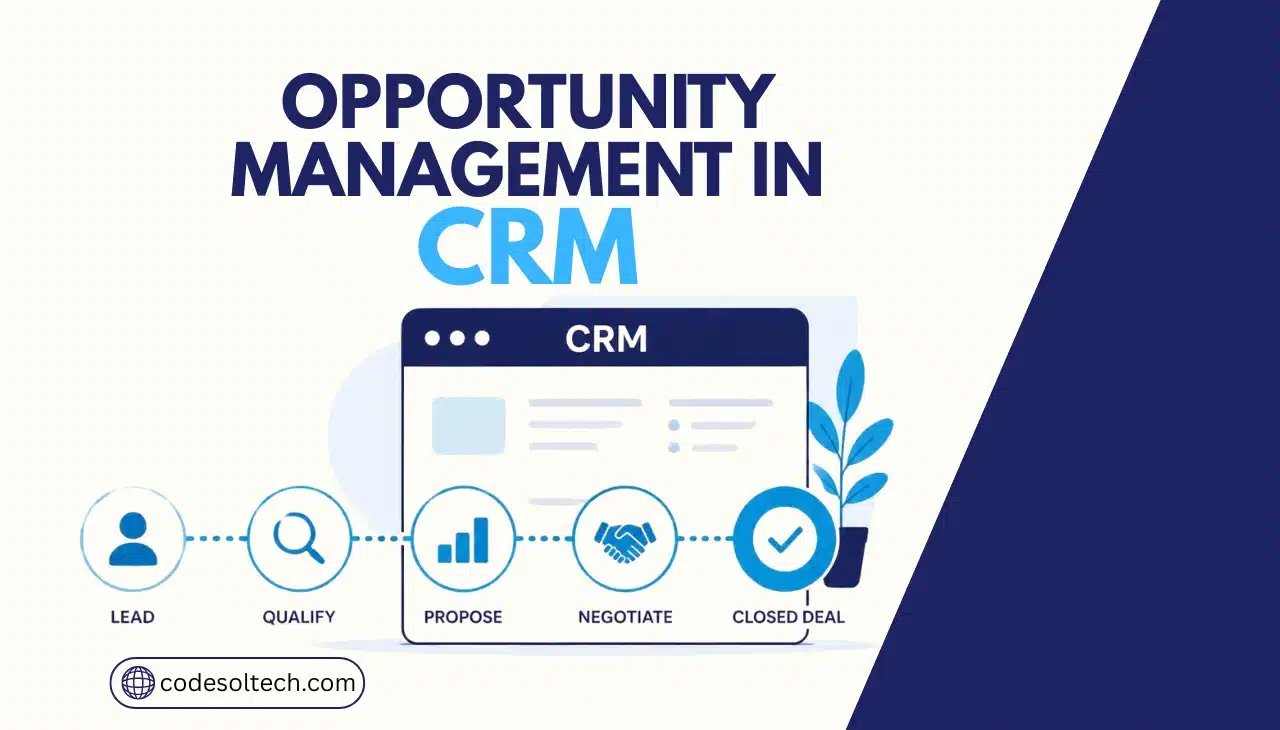
CRM opportunity management is the process of tracking a qualified sales prospect through every stage of the pipeline, from initial qualification to a won or lost outcome. A CRM converts a lead into an opportunity once the prospect shows real buying intent. The system then records deal value, stage, probability, and next action until the sale closes or the deal is disqualified.
What Is Opportunity Management in CRM?
Opportunity management in CRM is the structured tracking of a qualified prospect’s journey through the sales pipeline, from first qualification to a closed-won or closed-lost outcome.
The CRM stores the deal’s value, stage, owner, and next action in one record. Sales teams use this record to forecast revenue and prioritize follow-up.
A lead is not the same as an opportunity. A lead is an unqualified contact who has shown some interest. An opportunity is a lead that has passed qualification and demonstrates a realistic chance of buying.
CRM opportunity management matters for three reasons:
- It gives sales managers a single, real-time view of every active deal
- It converts scattered deal information into a forecastable pipeline
- It exposes stalled or neglected deals before they die silently
In simple terms: opportunity management is the difference between “we think we’ll close some deals this quarter” and “we will close $340,000 across 12 named deals, weighted by stage probability.”
How CRM Opportunity Management Works: Lead to Closed Deal
A CRM moves a prospect through a fixed sequence of stages. Each stage triggers a specific system action and requires specific data before the deal advances.
The standard sequence runs: lead, qualification, opportunity, proposal, negotiation, and closed (won or lost). The CRM logs the stage change, timestamps it, and recalculates the weighted pipeline value automatically.
| Stage | What Happens | CRM Action |
|---|---|---|
| Lead | A potential customer is identified through a form, call, or referral | Capture lead record |
| Qualification | Sales evaluates need, budget, and authority | Score and qualify lead |
| Opportunity | The prospect shows confirmed buying potential | Create opportunity record |
| Proposal | Sales presents pricing and scope | Attach and track proposal |
| Negotiation | Terms, price, or scope are discussed | Update deal value and stage |
| Closed Won | The customer signs and pays | Mark opportunity won |
| Closed Lost | The deal does not proceed | Record the loss reason |
Lead vs. Opportunity: Key Differences
A lead and an opportunity sit at different points in the buying journey. Confusing the two inflates the pipeline with deals that were never going to close.
| Lead | Opportunity |
|---|---|
| Unqualified contact | Qualified sales possibility |
| Early-stage interest | Confirmed buying intent |
| No verified budget or authority | Budget and decision-maker identified |
| Requires qualification | Requires active deal management |
| No estimated close date | Has an estimated value and close date |
A lead becomes an opportunity when it passes three tests: a verified need, a realistic budget, and an identified decision-maker. A lead that fails any of these three tests stays a lead.
8 Stages of CRM Opportunity Management
Enterprise CRM pipelines break the deal cycle into eight distinct stages. Each stage has a clear objective and exit criteria.
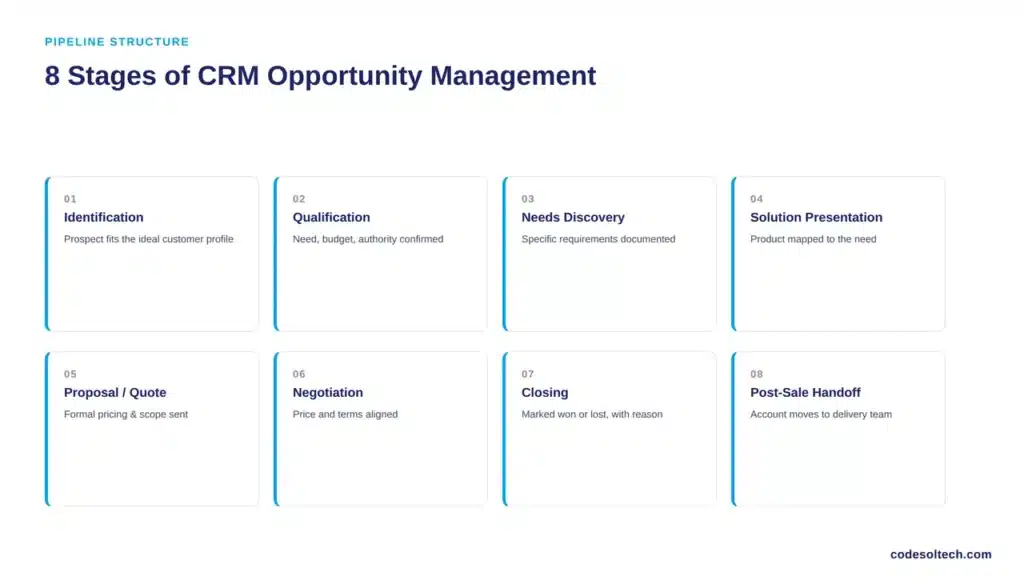
- Identification — the sales team spots a prospect that fits the ideal customer profile
- Qualification — the rep confirms need, budget, authority, and timeline
- Needs discovery — the rep documents the prospect’s specific problem and requirements
- Solution presentation — the rep demonstrates the product or service against the documented need
- Proposal or quote — the rep sends formal pricing and scope
- Negotiation — both sides align on price, terms, and timeline
- Closing — the deal is marked won or lost, with a recorded reason
- Post-sale handoff — the account moves to the delivery or customer success team
Skipping a stage — for example, sending a proposal before completing needs discovery — produces proposals that miss the prospect’s actual requirements and lowers the close rate.
What Should a CRM Opportunity Record Include?
A CRM opportunity record must contain enough data to forecast the deal accurately and hand it off cleanly if the rep changes. Missing fields are the single biggest cause of forecast error.
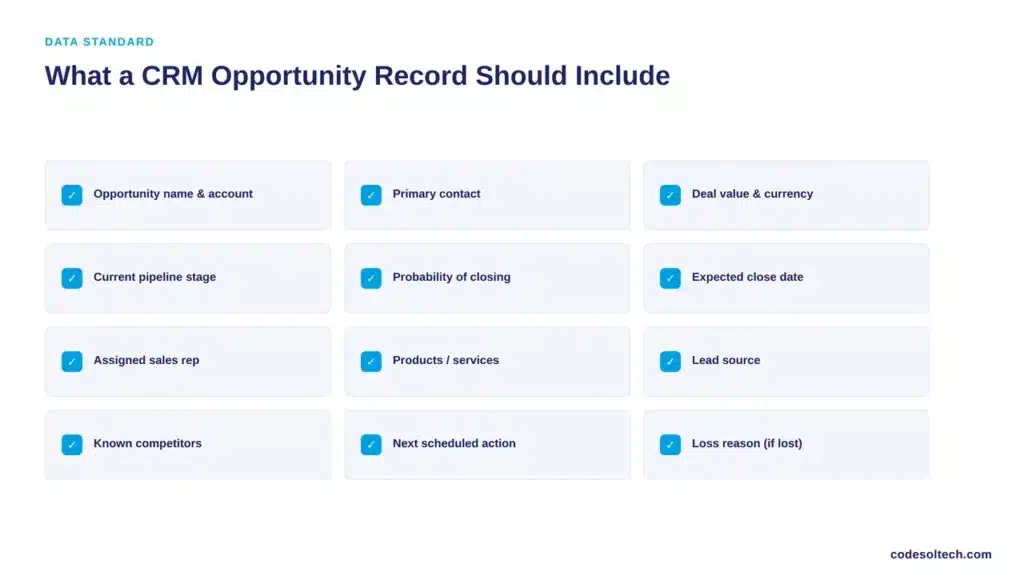
A complete opportunity record includes:
- Opportunity name and linked account
- Primary contact and decision-maker
- Deal value and currency
- Current pipeline stage
- Probability of closing
- Expected close date
- Assigned sales representative
- Products or services included
- Lead source
- Known competitors
- Next scheduled action
- Loss reason, if closed lost
Small businesses running a lean CRM can use a minimum version of this record: deal name, value, stage, close date, and next action. These five fields alone support basic forecasting.
How to Qualify a Sales Opportunity in CRM
Qualification frameworks give sales teams a repeatable test for whether a lead deserves opportunity status. Three frameworks dominate B2B sales:
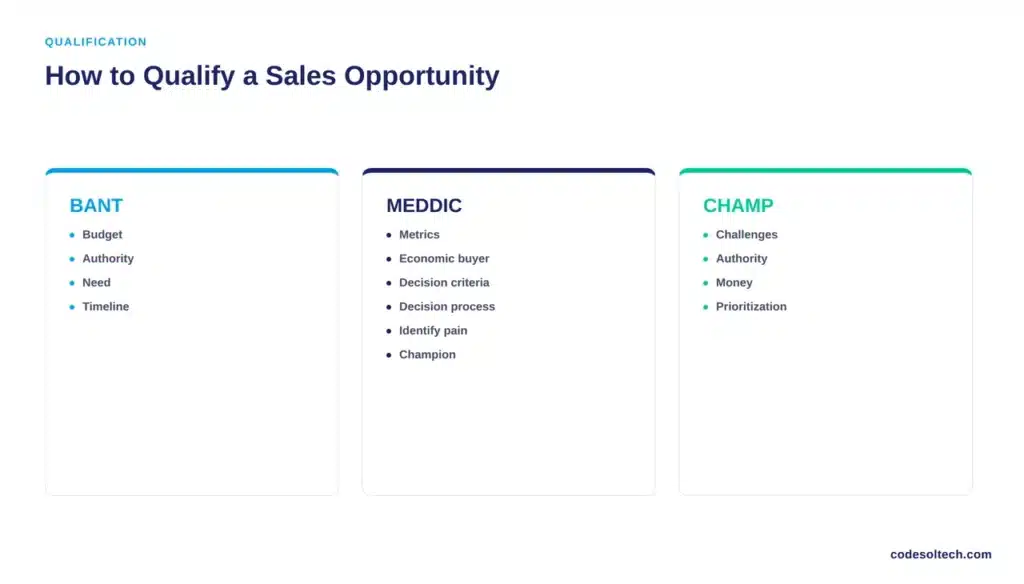
- BANT — Budget, Authority, Need, Timeline
- MEDDIC — Metrics, Economic buyer, Decision criteria, Decision process, Identify pain, Champion
- CHAMP — Challenges, Authority, Money, Prioritization
Each framework maps directly to CRM fields. BANT’s four criteria, for example, correspond to budget, decision-maker, need, and expected close date fields on the opportunity record.
Before creating an opportunity, a rep should be able to answer these questions with verified information, not assumptions:
- Does the prospect have a documented, specific need?
- Is there a realistic, confirmed budget?
- Who has final purchasing authority?
- What is the expected purchase timeline?
Opportunity Pipeline Value and Sales Forecasting
CRM opportunity data feeds directly into revenue forecasting. The core calculation is weighted pipeline value:
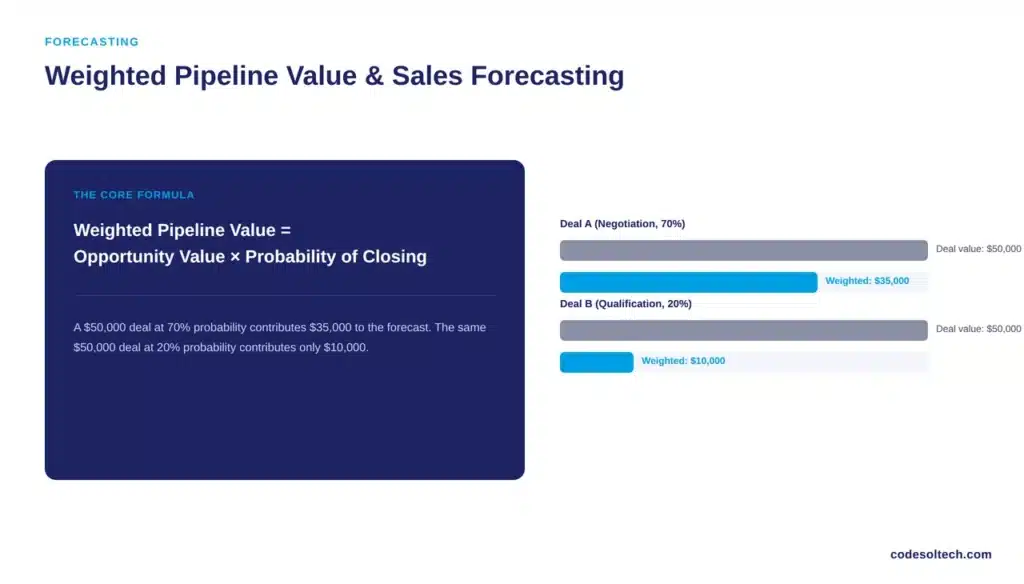
Weighted Pipeline Value = Opportunity Value × Probability of Closing
A $50,000 opportunity sitting at the negotiation stage with a 70% probability contributes $35,000 to the weighted forecast. A $50,000 opportunity still at qualification with a 20% probability contributes only $10,000.
Forecast accuracy remains a persistent problem across sales organizations. Salesforce’s sixth State of Sales report found that 67% of sales reps did not expect to hit quota, and 84% missed quota the year before, with reps spending 70% of their time on non-selling administrative work.
Consistent, complete opportunity records reduce this gap by giving forecasts a factual basis instead of a rep’s optimism.
McKinsey research confirms the upside of automating this administrative layer: companies that automate non-customer-facing sales activities can shift more than 30% of sales-related work off reps, and high-performing reps already spend 20% to 25% more time with customers than lower performers.
CRM automation makes that shift possible without sacrificing data quality.
How CRM Automation Improves Opportunity Management
Automation handles the repetitive tracking work that manual pipelines lose to human error. It also determines how much of the day a rep actually spends selling instead of updating records.
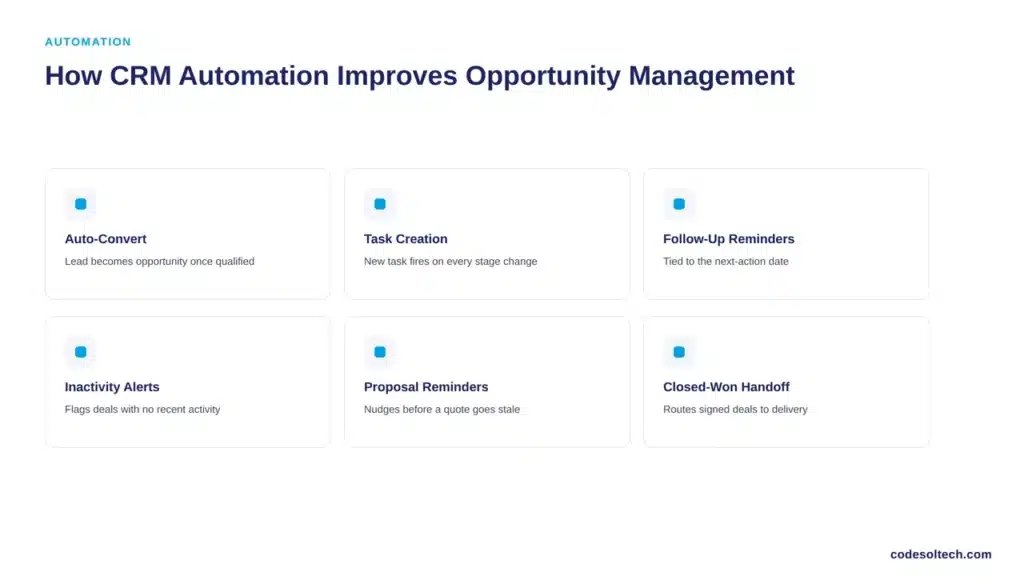
Common opportunity management automations include:
- Automatic lead-to-opportunity conversion once qualification criteria are met
- Task creation when a deal moves to a new stage
- Follow-up reminders tied to the next-action date
- Inactivity alerts when a deal has no activity for a set number of days
- Automated proposal and contract reminders
- Closed-won handoff workflows to the delivery team
- Closed-lost feedback prompts to capture the loss reason
A business should automate a step once it happens the same way on more than 70% of deals. Steps that vary from deal to deal, such as custom pricing negotiation, remain manual.
Opportunity Management Example: Lead to Closed Deal
A local HVAC company illustrates the full cycle. A website visitor submits a quote request, and the CRM creates a lead record automatically.
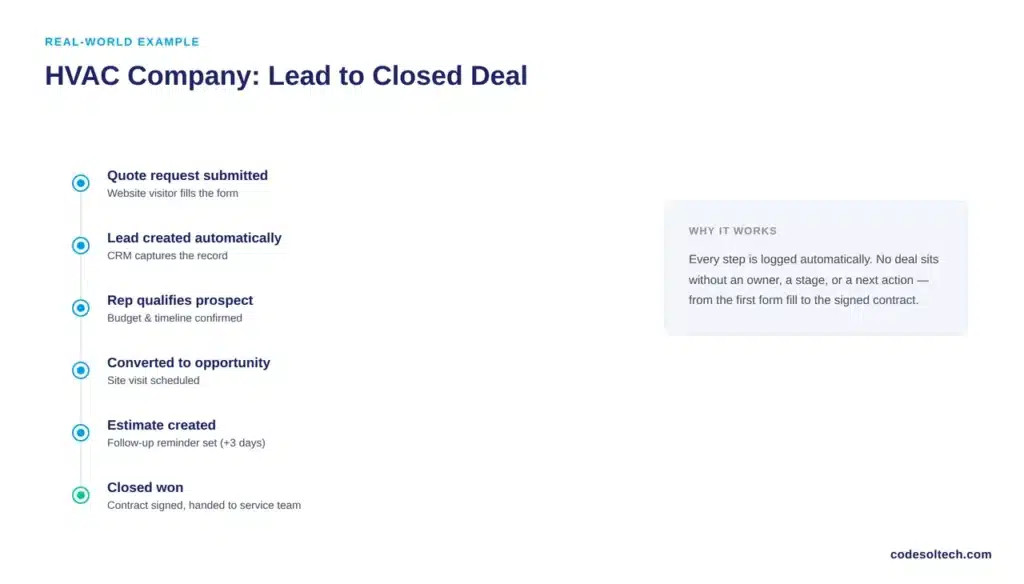
A sales representative calls within the hour, confirms budget and timeline, and converts the lead to an opportunity. The CRM schedules a site visit and logs it as the next action.
After the visit, the rep creates a formal estimate inside the CRM, which triggers an automated follow-up reminder three days later.
The customer negotiates on price, the rep updates the deal value, and the CRM marks the opportunity closed won once the contract is signed. The record then hands off automatically to the service team for installation scheduling.
7 Metrics That Measure Opportunity Management Performance
Seven metrics tell a sales team whether opportunity management is actually working:
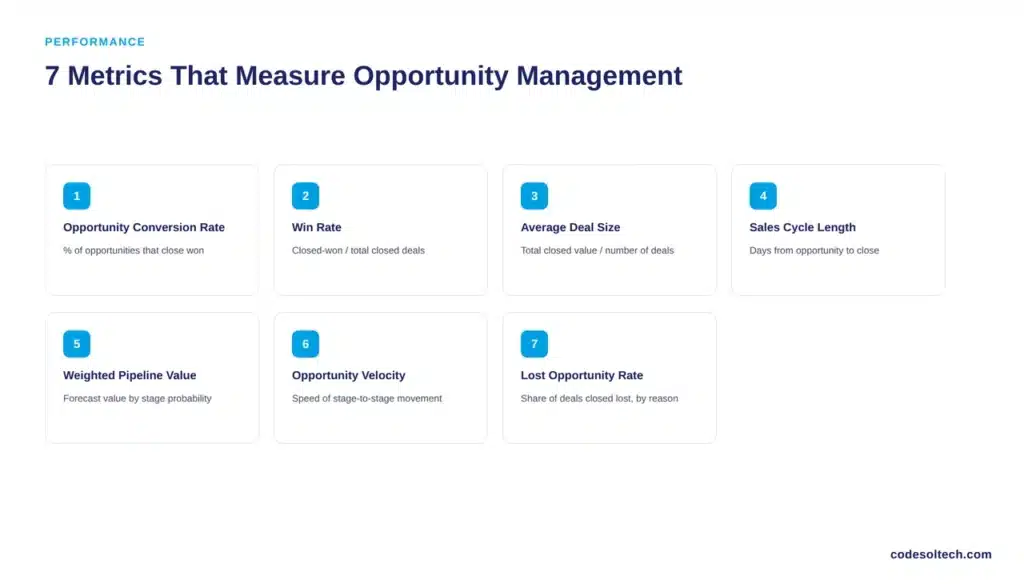
- Opportunity conversion rate — the percentage of opportunities that close won
- Win rate — closed-won deals divided by total closed deals
- Average deal size — total closed-won value divided by number of deals
- Sales cycle length — average days from opportunity creation to close
- Weighted pipeline value — total forecast value adjusted for stage probability
- Opportunity velocity — how fast deals move between stages
- Lost opportunity rate — the share of opportunities that close lost, tracked by reason
Sales cycle length deserves particular attention. Independent revenue-data analysis of thousands of B2B deals has put the median sales cycle at 120 days, a figure that stretches considerably for larger mid-market and enterprise accounts. A CRM that tracks stage-by-stage timing is the only reliable way to catch a cycle that is quietly lengthening.
5 Opportunity Management Mistakes That Kill Deals
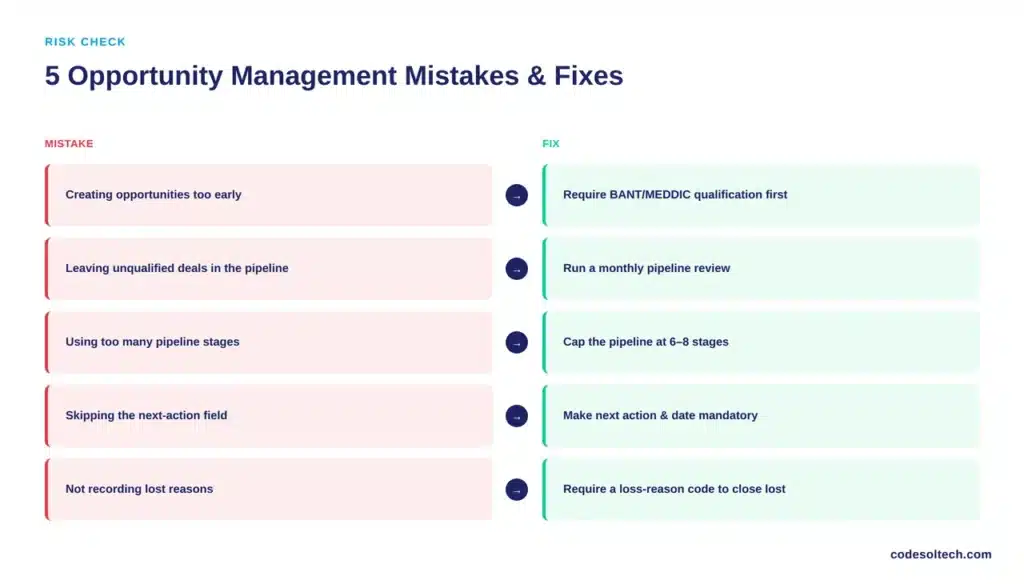
- Creating opportunities too early. Fix: require BANT or MEDDIC qualification before converting a lead.
- Leaving unqualified deals in the pipeline. Fix: run a monthly pipeline review and disqualify stale deals.
- Using too many pipeline stages. Fix: cap the pipeline at six to eight stages with clear exit criteria.
- Skipping the next-action field. Fix: make “next action” and “next action date” mandatory fields on every opportunity.
- Not recording lost reasons. Fix: require a loss-reason code before a deal can be marked closed lost.
Each of these mistakes distorts the forecast in the same direction: it makes the pipeline look healthier than it is.
CRM Opportunity Management vs. Manual Spreadsheet Tracking
| Factor | Spreadsheet Tracking | CRM Opportunity Management |
|---|---|---|
| Deal visibility | Limited to whoever owns the file | Centralized and shared |
| Follow-up reminders | Manual | Automated |
| Forecasting | Manually recalculated | Updated in real time |
| Data history | Fragmented across file versions | Logged automatically per record |
| Scalability | Breaks down past a few dozen deals | Scales to thousands of deals |
A spreadsheet works for a two-person sales team closing five deals a month. It fails the moment a second rep, a second product line, or a second office enters the picture.
When Does a Business Need Custom CRM Opportunity Management?
Off-the-shelf CRM pipelines fit standard B2B sales cycles. They stop fitting once a business has industry-specific stages, multi-location sales teams, or approval workflows that generic software cannot replicate.
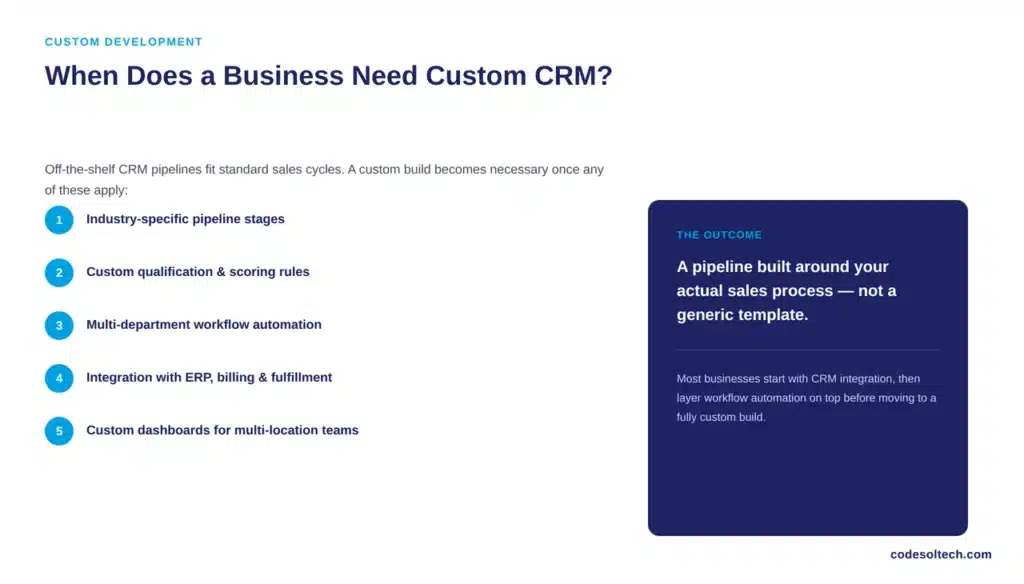
A business needs custom CRM development when it requires:
- Industry-specific pipeline stages that standard CRMs do not offer
- Custom qualification rules tied to internal scoring logic
- Advanced workflow automation across multiple departments
- Integration with existing ERP, billing, or fulfillment systems
- Custom dashboards for multi-location or multi-team reporting
A custom software development approach lets a business align its opportunity pipeline with its actual sales process instead of forcing the sales team into a rigid, generic workflow.
Businesses running disconnected sales, marketing, and support tools typically start with CRM integration before moving to a fully custom build, and layer workflow automation on top to remove manual follow-up work entirely.
Frequently Asked Questions About CRM Opportunity Management
What is opportunity management in CRM?
Opportunity management in CRM is the process of tracking a qualified sales prospect through defined pipeline stages, from initial qualification to a closed-won or closed-lost outcome, using recorded deal value, probability, and next actions.
What is the difference between a lead and an opportunity?
A lead is an unqualified contact showing early interest. An opportunity is a lead that has passed qualification and shows a confirmed need, budget, and decision-maker, giving it a realistic chance of closing.
What are the stages of opportunity management?
The eight standard stages are identification, qualification, needs discovery, solution presentation, proposal, negotiation, closing, and post-sale handoff.
How does CRM automation improve opportunity management?
CRM automation removes manual data entry, triggers follow-up reminders, flags stalled deals, and updates forecasts in real time, freeing reps to spend more time on active selling instead of administrative tracking.
When should a business consider a custom CRM?
A business should consider a custom CRM when its sales process includes industry-specific stages, multi-system integrations, or approval workflows that standard CRM software cannot support without heavy workarounds.
Final Words
Opportunity management turns a vague sales pipeline into a measurable, forecastable system. The businesses that qualify deals properly, track the right fields, and automate follow-up close more predictably than those relying on spreadsheets or memory. Getting the structure right matters more than the CRM brand chosen to run it.
Ready to Fix Your Sales Pipeline?
CodeSol Technologies builds and integrates CRM systems designed around your actual sales process, not a generic template.
Talk to our team about custom CRM opportunity management for your business.