Flutter for Web is a cross-platform UI framework developed by Google that compiles Dart code into a web application. It supports 2 distinct rendering modes, HTML Renderer and CanvasKit, and each mode produces fundamentally different output for search engine crawlers.
Flutter Web’s SEO readiness depends entirely on which renderer is active, how content is structured in the DOM, and whether server-side rendering (SSR) is implemented.
This article establishes the exact technical relationship between Flutter’s rendering pipeline and search engine indexability.
What Is Flutter for Web and How Does Its Rendering Engine Work?
Flutter for Web is the browser-based deployment target of the Flutter SDK, first released in stable form in March 2021 with Flutter 2.0. The framework compiles a single Dart codebase into a web application, executing the same UI logic used for Android, iOS, Windows, macOS, and Linux deployments.
This cross-platform architecture eliminates per-platform UI rewrites but introduces a rendering abstraction layer that sits between the application and the browser’s native DOM.
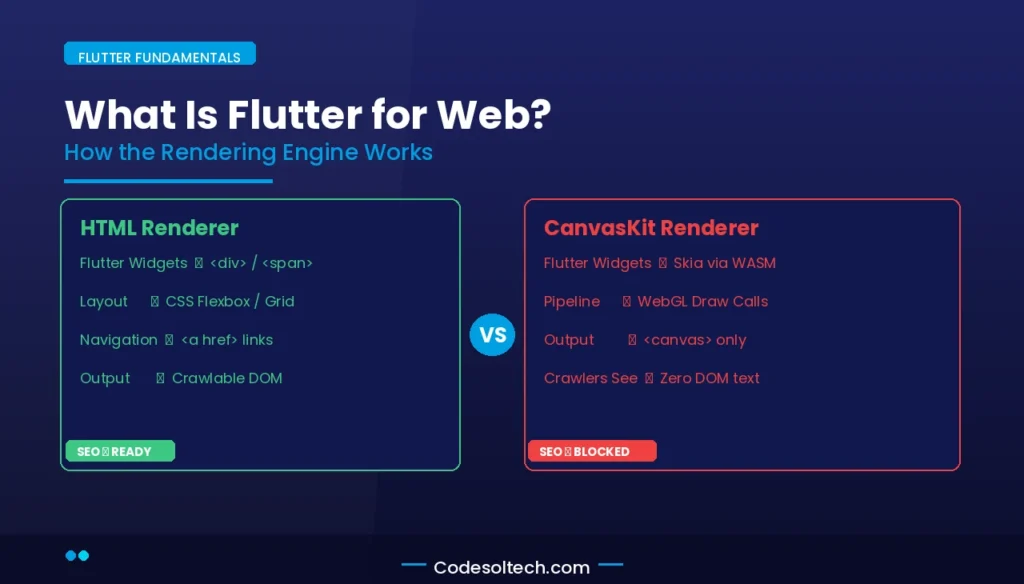
Flutter Web operates through 2 rendering backends:
- HTML Renderer — Translates Flutter widgets into standard HTML elements, CSS properties, and SVG graphics. This renderer produces DOM nodes that search engine crawlers parse directly.
- CanvasKit Renderer — Uses WebAssembly (WASM) and WebGL to paint the entire UI onto a single
<canvas>element. CanvasKit ships a 1.5 MB – 2 MB WASM binary to the browser and renders Flutter’s Skia graphics engine natively.
Google introduced CanvasKit to achieve pixel-perfect rendering parity between Flutter Web and native Flutter targets. The tradeoff is that the canvas-based output contains zero semantic HTML — no headings, no paragraphs, no anchor tags — making the page opaque to standard web crawlers.
Does Flutter for Web Support SEO?
Flutter for Web supports SEO only when using the HTML Renderer. The CanvasKit renderer produces a DOM structure that is invisible to Googlebot and all other standard web crawlers because all visual content lives inside a WebGL canvas context.
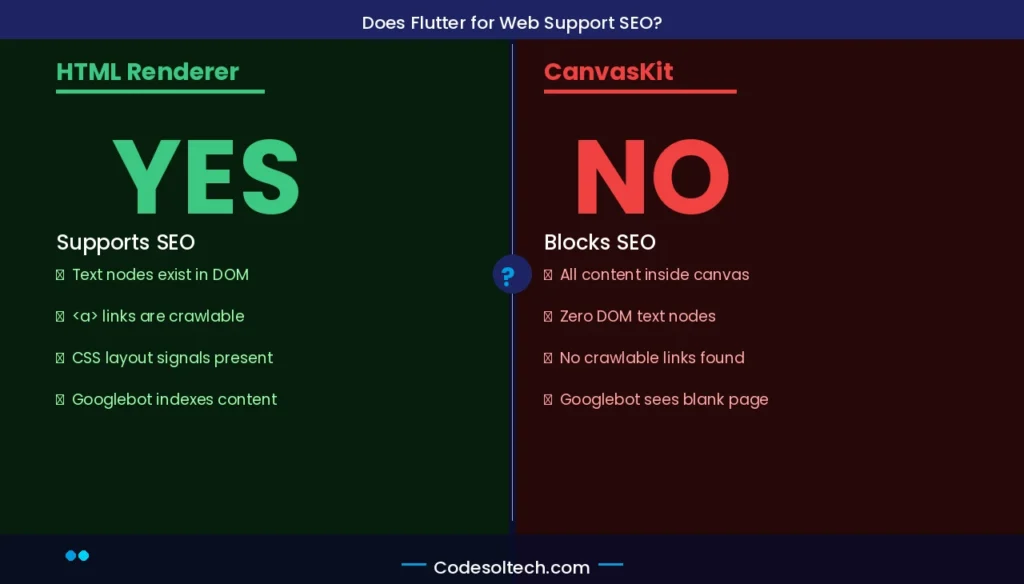
When CanvasKit is active, the entire page HTML reduces to a near-empty shell:
<body>
  <flt-glass-pane>
    <canvas></canvas>
  </flt-glass-pane>
</body>
This structure contains 0 indexable text nodes, 0 semantic landmarks, and 0 crawlable hyperlinks. Googlebot’s JavaScript rendering engine cannot extract content from a WebGL canvas context. The result is that any Flutter Web page using CanvasKit receives no keyword rankings because the crawler finds no indexable content.
3 Core Reasons CanvasKit Blocks SEO
- No DOM text nodes: All text is rasterized into pixels on a canvas surface, not stored as readable characters in the DOM.
- No crawlable anchor tags: Navigation links rendered by CanvasKit are drawn shapes, not
<a href>elements. Crawlers cannot follow them or transmit PageRank through them. - No semantic structure: H1–H6,
<article>,<main>, and<section>elements do not exist in the rendered output. Search engines extract zero structured signals for topical relevance scoring.
HTML Renderer: Flutter Web’s SEO-Compatible Rendering Mode
The HTML Renderer translates Flutter widget trees into standard DOM elements. A Flutter Text widget becomes a <p> or <span> tag. A Flutter Row widget becomes a CSS Flexbox container. This 1-to-1 widget-to-DOM mapping preserves text content in a crawler-readable format.
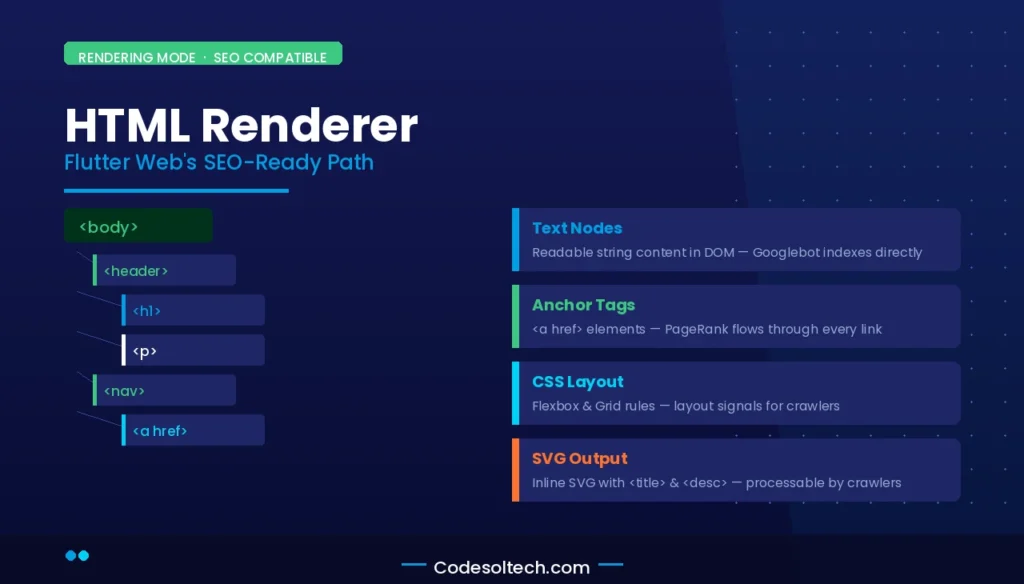
HTML Renderer produces the following SEO-relevant DOM characteristics:
- Text content exists as readable string nodes inside the DOM — Googlebot extracts and indexes these strings.
- Links render as native
<a>tags — crawlers follow these links and distribute PageRank across the site graph. - CSS rules appear inline or in style blocks — browsers and crawlers apply and interpret layout information.
- SVG graphics render as inline SVG or image elements — search engines process SVG
<title>and<desc>attributes.
The HTML Renderer has 1 significant limitation: it does not produce native heading tags (H1–H6) from Flutter’s Text widget by default. Developers must implement explicit semantic HTML wrappers using Flutter Web’s Semantics widget or through direct DOM manipulation via dart:html to add heading hierarchy.
CanvasKit Architecture: Why It Breaks Standard Web Crawling
CanvasKit is Flutter Web’s high-fidelity rendering backend, powered by Skia compiled to WebAssembly. Google developed CanvasKit to eliminate rendering inconsistencies across browsers by bypassing the browser’s layout engine entirely.
Every pixel on screen is drawn programmatically through WebGL draw calls, not through CSS layout algorithms.
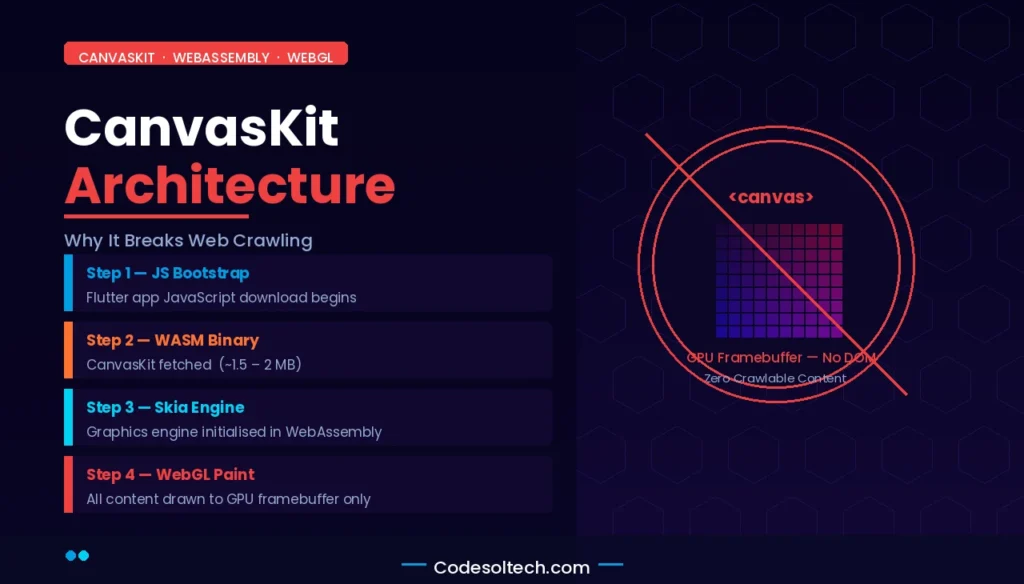
The CanvasKit initialization sequence follows 4 steps:
- The browser downloads the Flutter app’s JavaScript bootstrap file.
- The browser fetches the CanvasKit WASM binary (approximately 1.5 MB compressed).
- WASM module initializes the Skia graphics engine inside a WebAssembly runtime.
- Flutter’s Dart runtime executes, and the widget tree paints directly to the WebGL canvas.
Googlebot processes JavaScript during its second-wave rendering phase, which Google confirms occurs days after initial crawl. Even when Googlebot executes the JavaScript and initializes CanvasKit, the rendered output exists only inside the GPU’s framebuffer — not in the DOM.
Googlebot’s HTML extractor reads DOM nodes, not GPU output buffers. This architectural gap makes CanvasKit pages permanently invisible to standard text-based indexing.
Cross-Platform Architecture and SEO Tradeoffs in Flutter Web
Flutter’s cross-platform architecture compiles 1 Dart codebase into 6 platform targets. The web target is the only deployment surface where the rendering model directly conflicts with the requirements of search engine optimization.
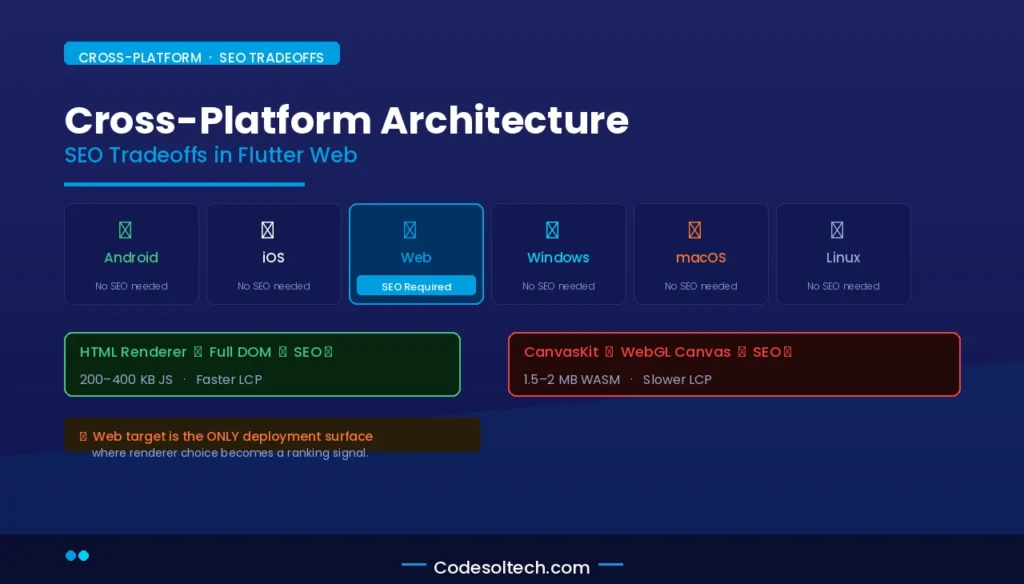
Native mobile and desktop targets do not interact with web crawlers, so CanvasKit’s invisibility creates no problem outside the browser context.
The cross-platform SEO tradeoff matrix covers 4 dimensions:
| Dimension | HTML Renderer | CanvasKit Renderer |
|---|---|---|
| DOM Crawlability | ✅ Full — text nodes exist in DOM | ❌ None — all content inside WebGL canvas |
| Semantic HTML | ⚠️ Partial — requires explicit Semantics widget | ❌ None |
| Initial Load Size | ~200–400 KB (JavaScript only) | ~1.5–2 MB (JS + WASM binary) |
| Rendering Fidelity | ⚠️ Browser-dependent CSS behavior | ✅ Pixel-perfect across all browsers |
| Core Web Vitals (LCP) | Faster — no WASM download required | Slower — WASM download delays first paint |
| Anchor Tag Generation | ✅ Native <a> tags rendered | ❌ No crawlable links |
How to Make Flutter for Web SEO-Ready: 5 Technical Implementations
Flutter Web achieves full SEO readiness through a combination of renderer selection, SSR implementation, and semantic DOM augmentation. The following 5 implementations address the 5 core SEO failure points in Flutter Web deployments.
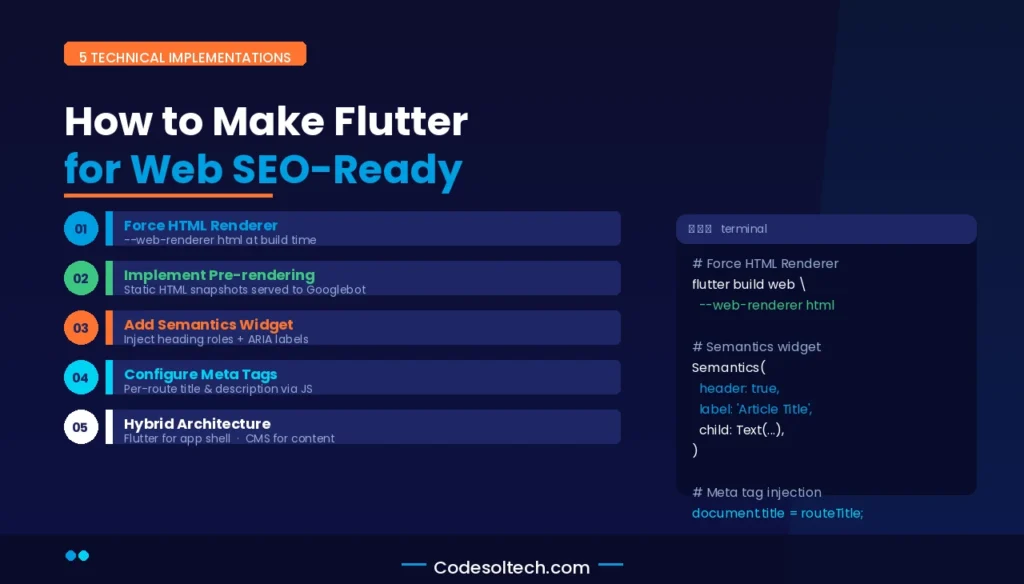
1. Force HTML Renderer at Build Time
Set the renderer to html explicitly during the build command to prevent automatic fallback to CanvasKit on desktop browsers:
flutter build web --web-renderer htmlFlutter 3.x defaults to auto mode, which activates CanvasKit on desktop browsers and HTML Renderer on mobile — a split behavior that causes inconsistent indexing across device segments.
2. Implement Server-Side Rendering via Pre-rendering
Flutter Web does not natively support dynamic SSR as of Flutter 3.22. The established SEO workaround is static pre-rendering: generate static HTML snapshots of each route at build time and serve those snapshots to crawlers.
Tools like Rendertron or a custom Node.js pre-rendering pipeline intercept bot requests and return static HTML before Flutter’s JavaScript executes.
3. Add Semantic Structure with the Semantics Widget
Flutter’s Semantics widget injects ARIA attributes and semantic metadata into the DOM. Wrapping key content blocks forces the HTML Renderer to emit accessible, structured markup:
Semantics(
  header: true,
  label: 'Main Article Heading',
  child: Text('Flutter for Web SEO Readiness'),
)
This approach adds role="heading" and aria-label attributes — signals that Googlebot’s accessibility-aware crawler reads and weights for topical relevance.
4. Configure Meta Tags via flutter_meta_seo or Custom index.html
Flutter Web generates 1 index.html file for the entire Single Page Application (SPA). All route-specific meta tags — title, description, Open Graph — must be injected dynamically through JavaScript after route changes. The flutter_meta_seo package or a custom dart:html implementation updates document.title and <meta> tags on each navigation event.
5. Use a Hybrid Rendering Architecture for Content Pages
SEO-critical pages (landing pages, blog posts, product pages) use server-rendered HTML or a traditional CMS. Flutter Web handles the authenticated application shell (dashboards, user portals).
This architectural split assigns each rendering technology to the use case it serves optimally — the web crawler reads static HTML, and the Flutter app delivers the interactive experience.
Core Web Vitals Performance in Flutter Web Applications
Google’s Core Web Vitals — Largest Contentful Paint (LCP), Cumulative Layout Shift (CLS), and Interaction to Next Paint (INP) — directly affect search rankings. Flutter Web’s two renderers produce measurably different Core Web Vitals profiles.
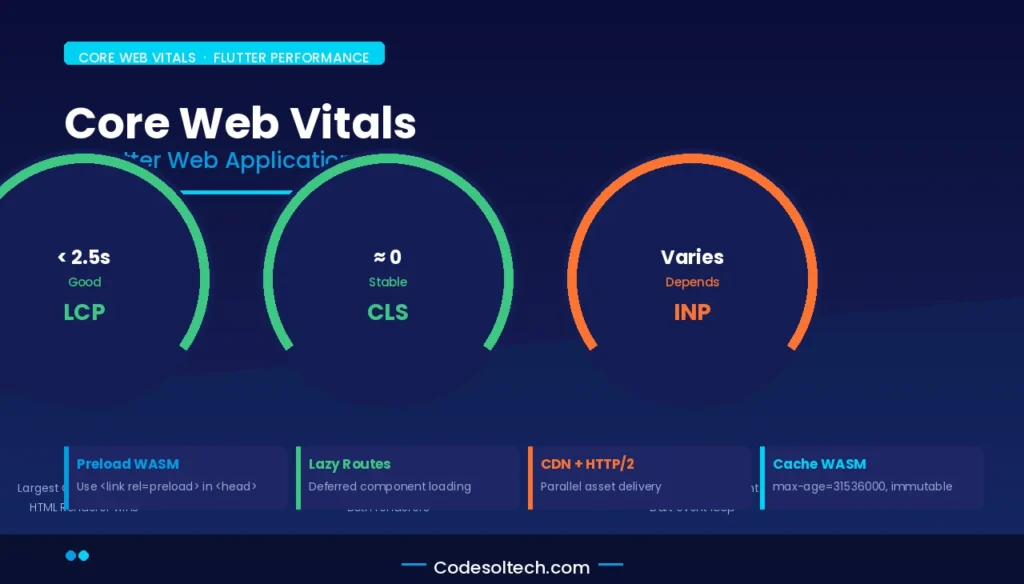
CanvasKit’s WASM binary download adds 1.5–2 seconds to Time to Interactive (TTI) on a standard 4G connection. This delay pushes LCP past Google’s 2.5-second “Good” threshold for most users. The HTML Renderer avoids the WASM download cost and consistently achieves LCP scores below 2.5 seconds when assets are properly preloaded.
CLS performance in Flutter Web is near-zero in both renderers because Flutter pre-calculates all widget dimensions before painting — layout shifts caused by late-loading fonts or images do not occur in the Flutter layout model. INP performance depends on the Dart event loop’s responsiveness, not the renderer.
4 Core Web Vitals optimization strategies for Flutter Web:
- Preload the WASM binary in the
<head>using<link rel="preload">to reduce CanvasKit’s initialization delay. - Lazy-load non-critical routes using Flutter’s deferred component loading to reduce the initial JavaScript bundle size.
- Serve the Flutter app via a CDN with HTTP/2 push to parallelize asset delivery.
- Cache the WASM binary aggressively using
Cache-Control: max-age=31536000, immutable— the WASM file changes only on app version updates.
Does Google Index Flutter Web Applications Built with CanvasKit?
Google does not index the text content of Flutter Web applications built with CanvasKit because Googlebot cannot extract content from a WebGL canvas context. Google indexes only the near-empty HTML shell — the bootstrap index.html — which contains no content signals.
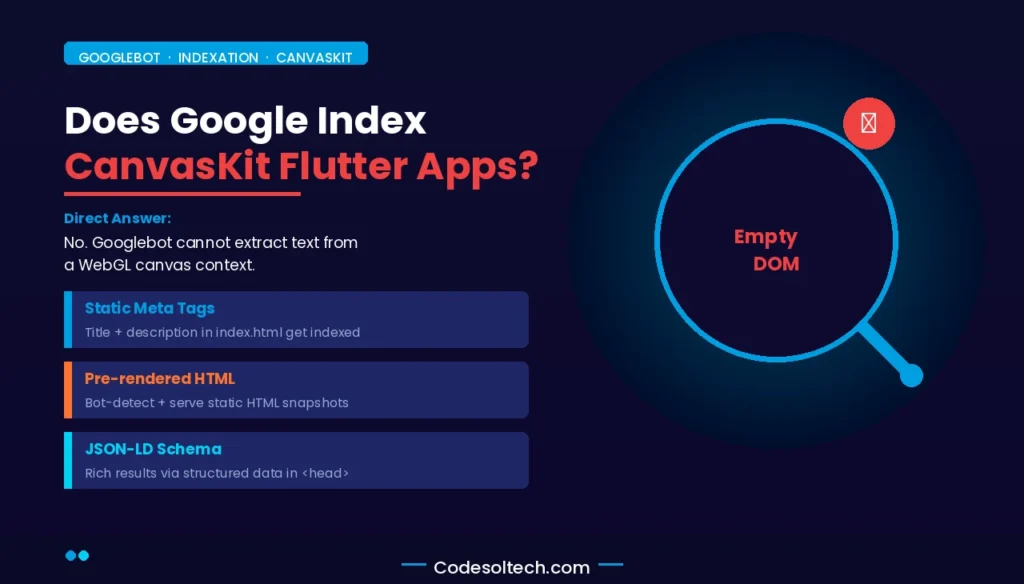
Google Search Central documentation confirms that Googlebot processes JavaScript but does not render WebGL canvas content as indexable text. A CanvasKit Flutter Web app appears to Googlebot as a blank page with a loading spinner.
The page receives no keyword rankings, no featured snippet eligibility, and no organic traffic from text-based queries.
3 scenarios where CanvasKit apps can achieve partial indexation:
- Static metadata in index.html: Title tags, meta descriptions, and Open Graph tags placed in the static
index.htmlare indexed by Google, even when body content is canvas-rendered. These signals contribute to brand keyword rankings but not long-tail content rankings. - Pre-rendered HTML injection: A server-side pre-rendering layer intercepts Googlebot’s User-Agent and returns static HTML instead of the Flutter app. The crawler indexes the pre-rendered content while human users receive the full CanvasKit experience.
- Structured Data in JSON-LD: Injecting JSON-LD schema markup into the
<head>of the staticindex.htmlenables rich result eligibility for Organization, Product, or FAQ schema — even when body content is unindexable.
Flutter Web vs. React and Next.js: SEO Capability Comparison
Next.js with Static Site Generation (SSG) or Server-Side Rendering (SSR) produces fully indexable HTML on every request. React with client-side rendering produces JavaScript-dependent content that Googlebot indexes after second-wave rendering.
Flutter Web with HTML Renderer produces partial DOM content requiring semantic augmentation. Flutter Web with CanvasKit produces zero indexable content.
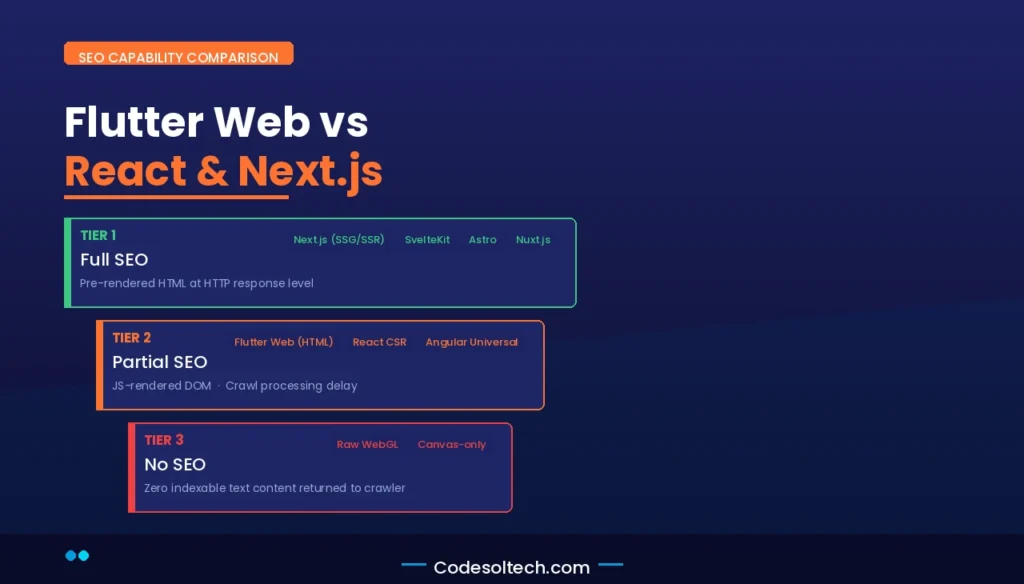
The 3-tier SEO capability ranking for web frameworks:
- Tier 1 (Full SEO): Next.js (SSG/SSR), Nuxt.js, SvelteKit, Astro — deliver pre-rendered HTML at the HTTP response level.
- Tier 2 (Partial SEO): Flutter Web (HTML Renderer), React (CSR with pre-rendering), Angular Universal — deliver JavaScript-rendered DOM that crawlers index after execution delay.
- Tier 3 (No SEO): Flutter Web (CanvasKit), raw WebGL applications, Three.js canvas-only experiences — deliver no indexable text content.
For content-driven web applications where organic search traffic is a primary acquisition channel, Next.js or Astro delivers superior SEO outcomes compared to Flutter Web in any renderer configuration.
Flutter Web’s cross-platform advantage justifies its use in web applications where an authenticated user experience and native-like performance outweigh organic discoverability requirements.
Flutter Web SEO Roadmap: What the Framework Currently Lacks
As of Flutter 3.22 (released May 2024), the Flutter Web framework lacks 4 SEO capabilities that competing frameworks provide natively:
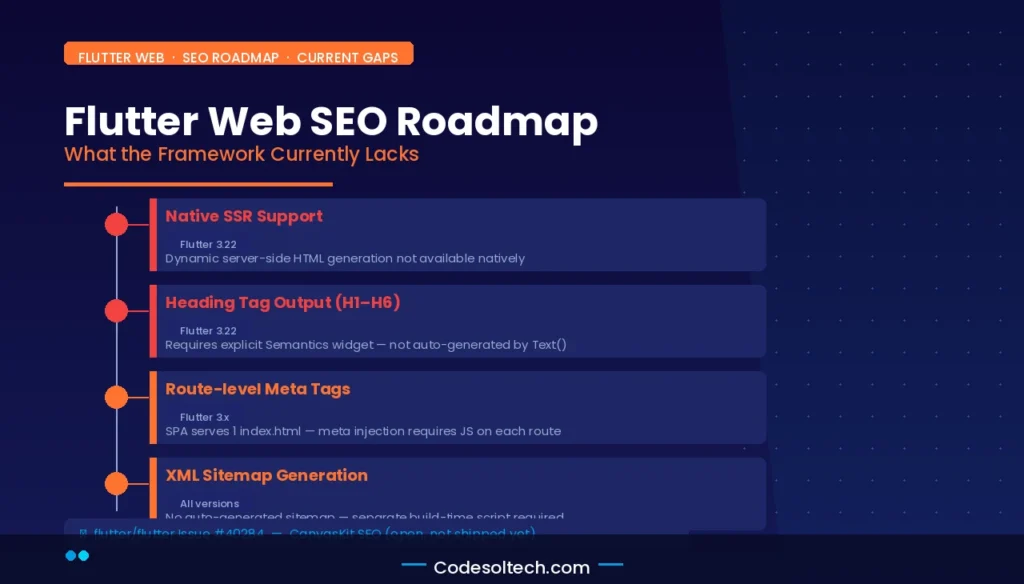
- Native SSR support: Flutter Web generates Single Page Applications only. Dynamic server-side HTML generation requires external tooling (Shelf server, Dart Frog, or Node.js proxy layers).
- Native heading tag output: Flutter’s Text widget does not emit H1–H6 tags. Semantic heading hierarchy requires explicit
Semanticswidget wrapping or direct DOM manipulation. - Route-level meta tag management: Flutter Web’s SPA architecture serves 1 index.html. Route-specific title and description tags require JavaScript injection on each navigation event.
- Crawlable sitemap generation: Flutter Web does not auto-generate XML sitemaps. Sitemap creation requires a separate build-time script or CMS integration.
The Flutter team’s public roadmap on GitHub (flutter/flutter) includes CanvasKit SEO improvement as an open issue (#40284). The proposed solution involves a DOM-layer accessibility tree that mirrors the CanvasKit-rendered content as hidden HTML readable by crawlers but invisible to users. This feature has not shipped in a stable Flutter release as of the knowledge cutoff.
Final Words
Flutter for Web delivers cross-platform UI power but ships SEO readiness as an opt-in configuration, not a default behavior. CanvasKit is incompatible with standard web crawling. HTML Renderer is SEO-compatible but requires deliberate semantic augmentation.
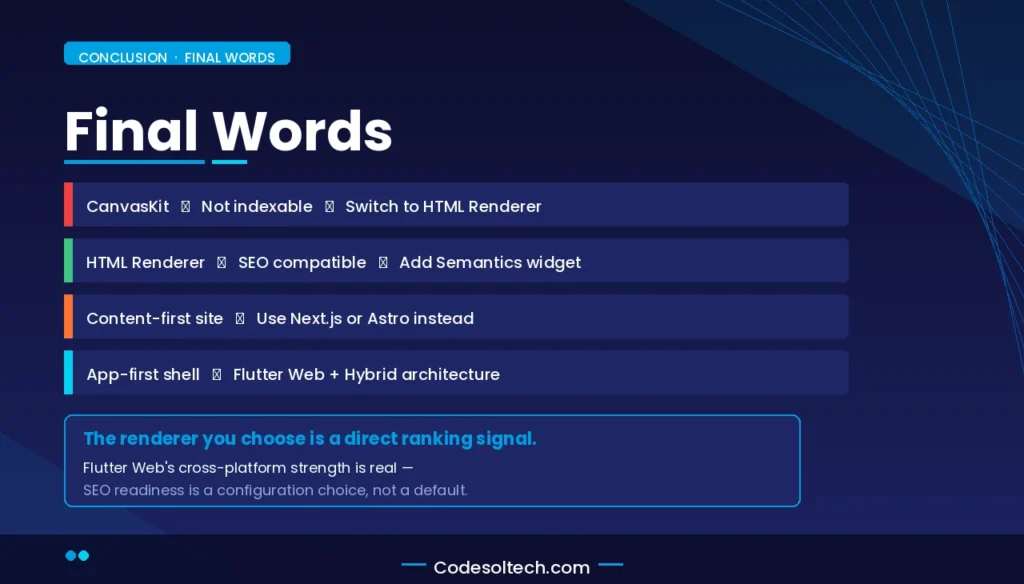
Choose Flutter Web for app-like, authenticated experiences. Choose Next.js or Astro for content-first, search-driven surfaces. The framework decision is a direct ranking signal.
Ready to Audit Your Flutter Web SEO?
Run a Googlebot crawl simulation on your Flutter Web deployment using Google Search Console’s URL Inspection tool. Verify which renderer is active, check if text content appears in the DOM snapshot, and validate that your Core Web Vitals scores fall within Google’s “Good” thresholds.
If your inspection returns an empty body, switch to HTML Renderer today.