
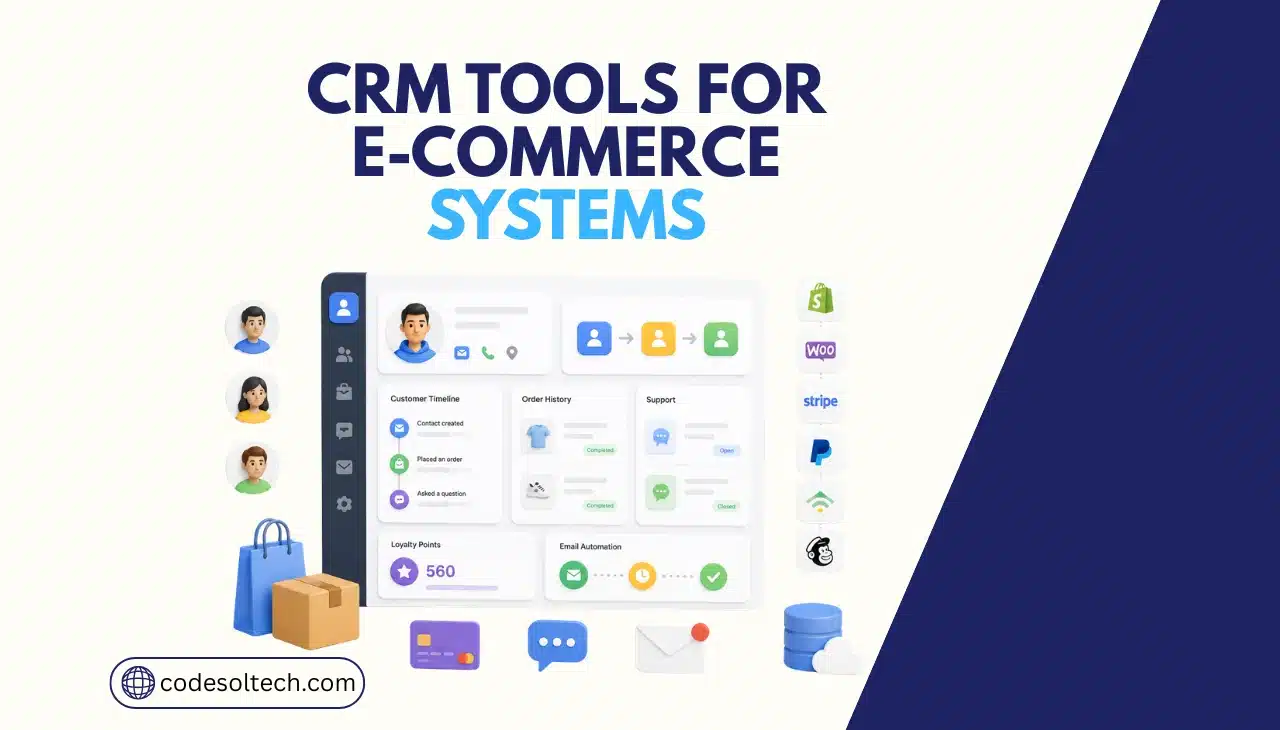
CRM tools for an ecommerce system centralize customer data from checkout, email, support, and payment platforms into one record. It replaces spreadsheets and disconnected apps with a single source of truth that drives segmentation, automation, and sales reporting for online stores.
A physical retailer sees hesitation on a customer’s face. An online store sees none of that unless a CRM captures the browsing history, cart activity, and support tickets that serve as substitutes for physical cues.
This article covers what an ecommerce CRM does, how it technically connects to your store, which platforms lead the market in 2026, and when custom CRM development outperforms an off-the-shelf subscription.
Ecommerce CRM: Definition and Core Function
An ecommerce CRM is software that stores and organizes every customer interaction generated by an online store. It differs from a general-purpose CRM because it connects natively to shop platforms, payment gateways, and product catalogs instead of only sales pipelines.
Codesoltech builds and integrates these systems as part of its custom software development services.
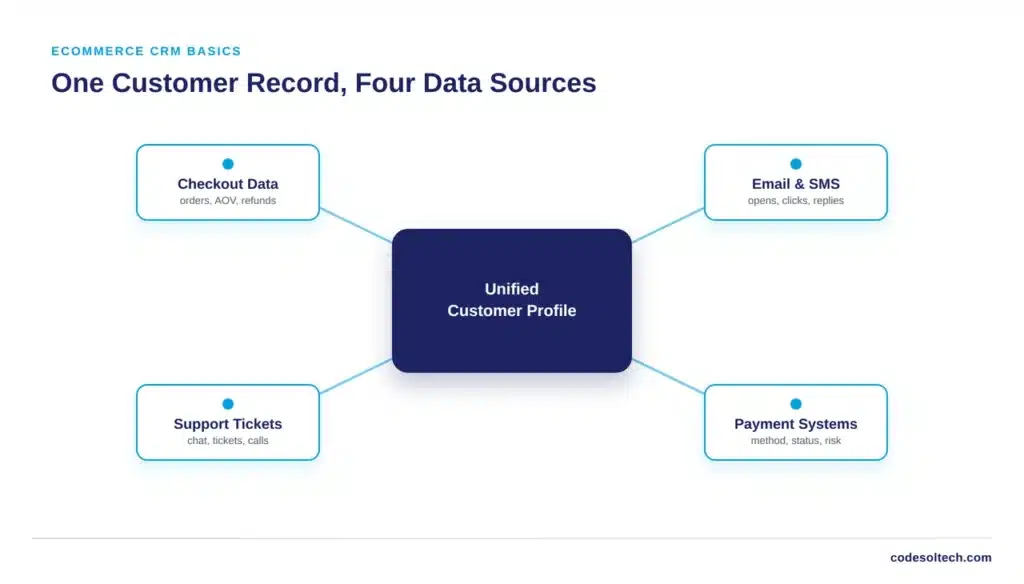
Three data types define an ecommerce CRM record:
- Transactional data: order history, average order value, payment method, and refund activity.
- Behavioral data: pages viewed, products browsed, cart additions, and cart abandonment events.
- Engagement data: email opens, SMS replies, support tickets, and live chat transcripts.
A CRM merges these three streams into one profile per customer. This merged profile is what powers segmentation, automated marketing triggers, and lifetime value calculations.
Core Features of a Modern Ecommerce CRM
Every ecommerce CRM platform must perform six core functions to justify its cost. A tool missing more than one of these functions creates data gaps that block accurate reporting.
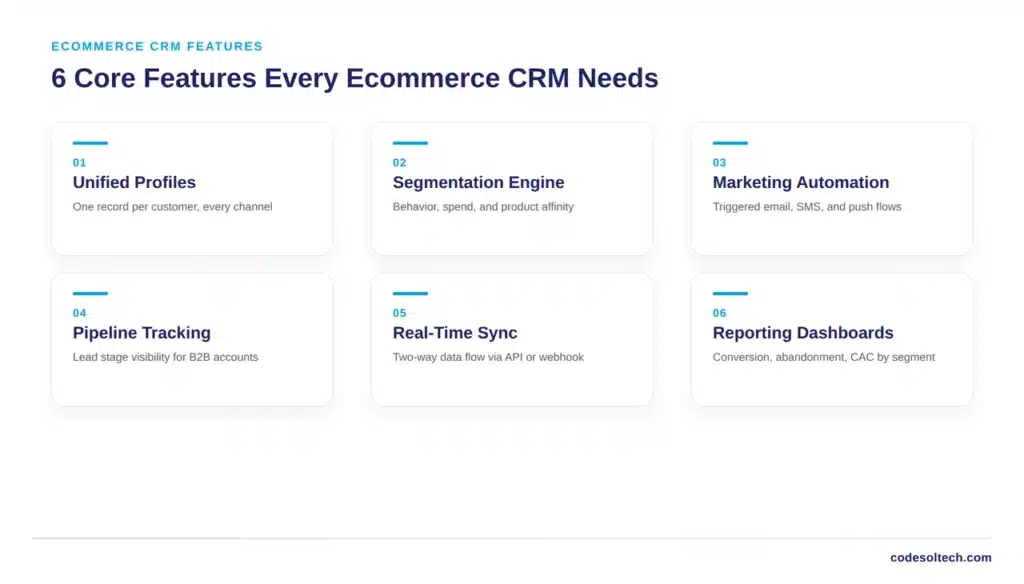
- Unified customer profiles: one record per customer across every channel and device.
- Segmentation engine: rule-based or AI-driven grouping by behavior, spend, or product affinity.
- Marketing automation: triggered email, SMS, and push sequences based on customer actions.
- Sales pipeline tracking: lead stage visibility for B2B and wholesale ecommerce accounts.
- Real-time sync: two-way data flow between the CRM and the ecommerce platform, usually via API or webhook.
- Reporting dashboards: conversion rate, cart abandonment rate, and customer acquisition cost by segment.
Platforms that add AI-based lead scoring or predictive churn models extend this core list, but the six functions above are non-negotiable for any ecommerce use case.
How Do CRM Tools Integrate With Ecommerce Platforms?
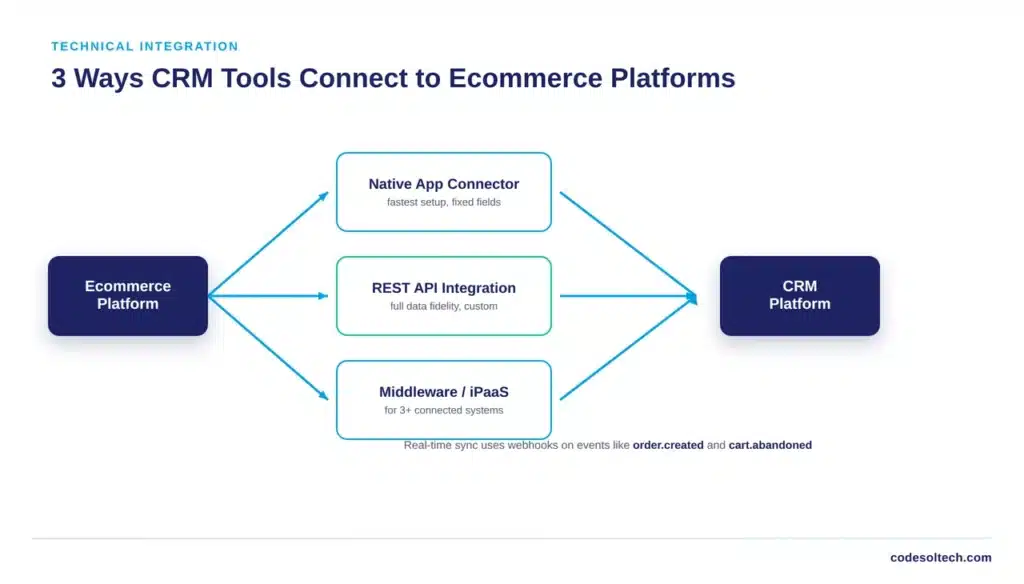
CRM tools integrate with ecommerce platforms through three methods: native app connectors, REST API integration, or middleware platforms. The method a business chooses determines sync speed, data accuracy, and long-term maintenance cost.
Native app connectors
Platforms like Shopify and BigCommerce offer pre-built CRM connectors through their app marketplaces. Installation takes minutes, but native connectors sync a fixed set of fields and rarely support custom order attributes or B2B pricing tiers.
REST API integration
Custom-built or headless storefronts require direct API integration. A developer maps ecommerce objects customer, order, product, cart to CRM fields and configures webhooks that fire on events like order.created or cart.abandoned.
This method supports full data fidelity and is the standard approach Codesoltech uses for custom ecommerce development projects involving Salesforce, HubSpot, or Zoho.
Middleware and iPaaS platforms
Tools like MuleSoft or a custom integration layer sit between the CRM and the ecommerce platform, transforming and routing data without direct point-to-point connections.
Middleware becomes necessary once a business connects a CRM to more than three systems: an ecommerce platform, OMS, ERP, and payment gateway, since point-to-point connections multiply maintenance overhead with each new system added.
Sync frequency matters as much as the method. Batch syncs running every 15 to 60 minutes suit marketing use cases.
Real-time webhook-based sync is required for fraud detection, inventory holds, and cart recovery automation, where a delay of even five minutes changes the outcome.
Which CRM Tools Are Best for Ecommerce Businesses in 2026?
The best CRM tools for ecommerce in 2026 are HubSpot, Salesforce, Klaviyo, Zoho CRM, ActiveCampaign, and Pipedrive.
No single platform fits every business; the right choice depends on order volume, sales complexity, and whether the store needs B2C marketing automation or B2B pipeline management.
| CRM Tool | Best For | Integration Method | Notable Strength |
|---|---|---|---|
| HubSpot | Growing DTC brands | Native app + API | Bundled marketing, sales, and service hub |
| Salesforce | Enterprise and high-volume retailers | REST API, middleware | AI-driven automation at scale |
| Klaviyo | B2C ecommerce marketing | Native app (Shopify, BigCommerce) | Sub-200ms real-time profile updates |
| Zoho CRM | Budget-conscious small businesses | API, native connectors | Deep workflow customization |
| ActiveCampaign | Marketing-led small teams | Native app + API | Cost-effective automation add-ons |
| Pipedrive | B2B and wholesale sales teams | API, native connectors | Visual sales pipeline management |
Order volume is the fastest filter. Stores processing under 5,000 orders per month typically operate efficiently on Klaviyo or ActiveCampaign.
Stores exceeding 50,000 orders per month need Salesforce-level infrastructure or a custom-built CRM layer to avoid record limits and API rate throttling.
Business Benefits of CRM Integration
CRM integration produces measurable gains in three areas: revenue, retention, and operational efficiency. These gains compound as more customer touchpoints connect to the CRM.
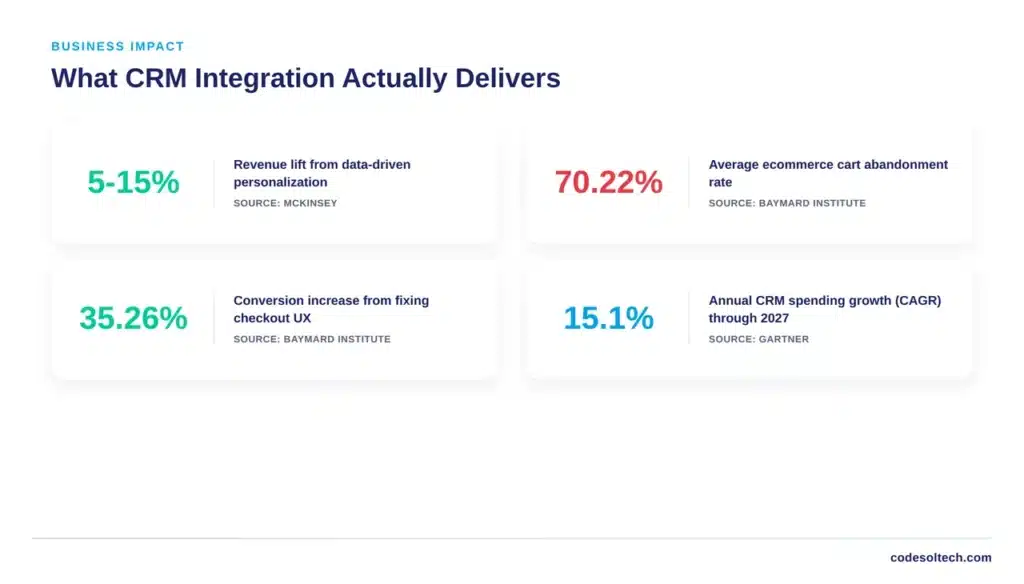
- Revenue lift from personalization: McKinsey research on retail personalization found that companies applying data-driven personalization most often see a 5 to 15 percent revenue increase, with marketing spend efficiency improving 10 to 30 percent.
- Reduced cart abandonment: Baymard Institute’s meta-analysis of 50 studies puts the average ecommerce cart abandonment rate at 70.22 percent, and identifies mandatory account creation as a factor in roughly 24 percent of abandonments — a friction point a CRM-linked guest-checkout and follow-up flow directly addresses.
- Checkout conversion recovery: Baymard’s 10-year checkout usability research shows that fixing documented UX issues can raise conversion rates by up to 35.26 percent, translating to an estimated 260 billion dollars in recoverable orders across the US and EU each year.
- Unified team visibility: marketing, sales, and support teams work from one customer record instead of exporting spreadsheets between departments.
- Inventory and demand forecasting: purchase pattern data from the CRM feeds directly into reorder and pricing decisions.
Market-level data confirms the trend is structural, not a fad. Gartner forecasts constant-currency CRM spending growth of 15.1 percent annually through 2027, and projects that 89 percent of large enterprises in North America will have adopted CRM software by 2027, up from 80 percent in 2023.
Should You Build a Custom CRM or Buy an Off-the-Shelf Platform?
Businesses should buy an off-the-shelf CRM when their workflows match standard ecommerce patterns, and build a custom CRM when order complexity, data volume, or compliance requirements exceed what SaaS platforms support.
The decision affects the total cost of ownership over a three-to-five-year horizon, not just the first invoice.
| Factor | Off-the-Shelf CRM | Custom-Built CRM |
|---|---|---|
| Time to launch | Days to weeks | Two to six months |
| Cost structure | Recurring per-seat or per-contact fee | Upfront development, lower long-term licensing |
| Data ownership | Vendor-hosted, export limitations vary | Full ownership and portability |
| Workflow fit | Configurable within vendor’s data model | Built around the business’s exact workflow |
| Scalability ceiling | API rate limits, record caps at higher tiers | Architected for the business’s actual volume |
Three-tier cost classification applies when exact figures aren’t publicly available for a given vendor or project: entry-level SaaS CRM implementations generally fall in the low-cost tier for setup, mid-market platforms with heavier customization sit in a moderate tier.
And custom-built CRM development sits in a higher upfront tier that trades short-term cost for long-term flexibility.
Businesses evaluating this decision should request a scoped estimate against their specific order volume and system count rather than relying on generic pricing pages.
Risks and Limitations of CRM Systems
CRM adoption carries three primary risks that businesses must plan for before implementation, not after.
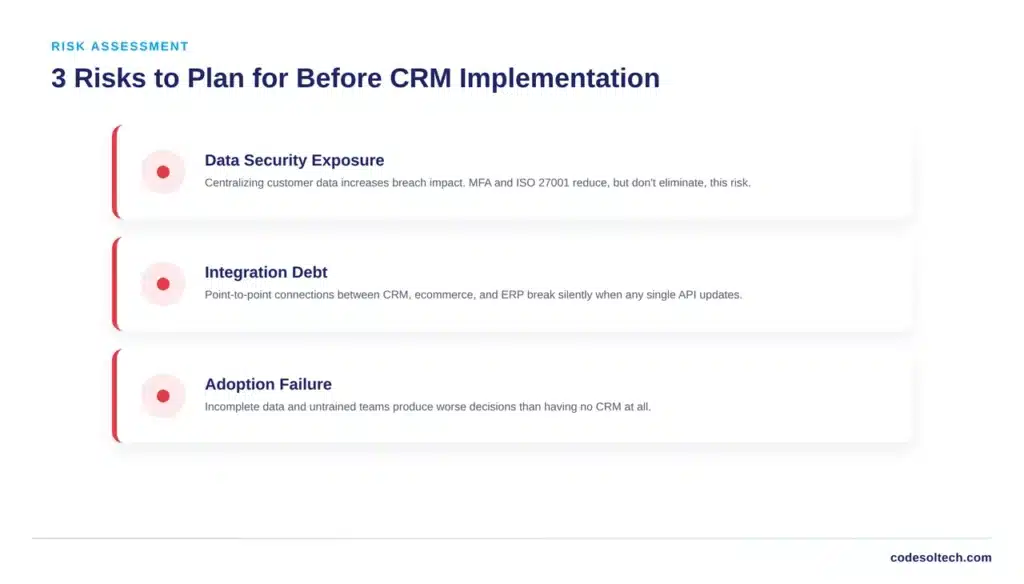
- Data security exposure: Centralizing customer data in one system increases the impact of any single breach. ISO 27001 certification and multi-factor authentication reduce but do not eliminate this risk.
- Integration debt: point-to-point connections between a CRM, an ecommerce platform, an ERP, and a payment gateway create fragile dependencies that break when any single system updates its API.
- Adoption failure: a CRM with incomplete data or an untrained team leads to worse decisions than no CRM at all, as teams begin to trust inaccurate reports.
Businesses that treat CRM integration as a one-time project instead of an ongoing system tend to accumulate the most integration debt.
API versions change, ecommerce platforms release new webhook events, and a CRM connection built in 2023 without maintenance frequently breaks silently by 2026.
Implementation Roadmap: CRM Integration in 7 Steps
A structured rollout reduces the two most common implementation failures: incomplete data migration and low team adoption.
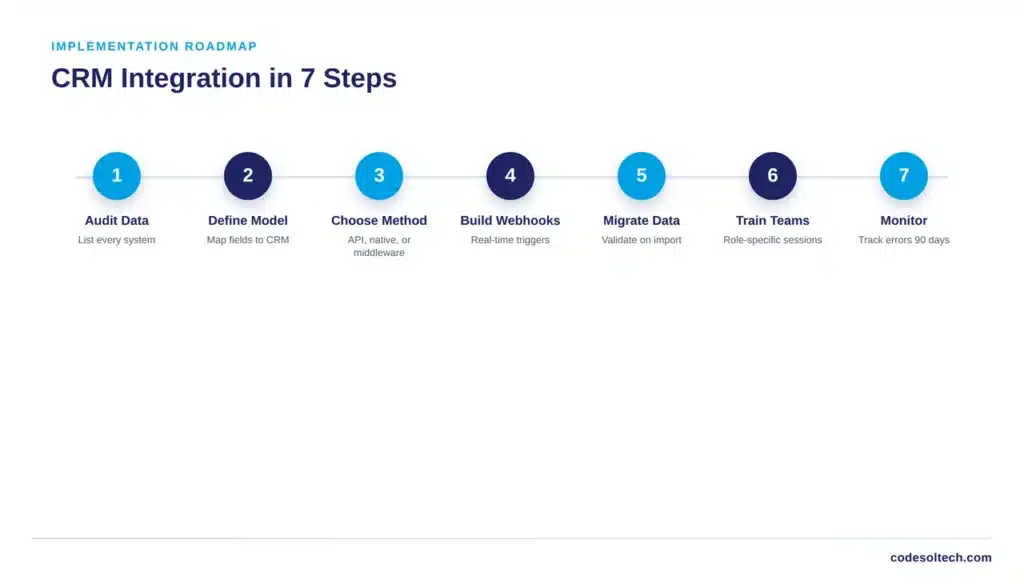
- Audit existing data sources. List every system currently holding customer data ecommerce platform, email tool, support desk, and spreadsheets.
- Define the data model. Map which fields from each source populate the unified CRM customer record.
- Choose the integration method. Select native connector, API integration, or middleware based on system count and sync speed needs.
- Build and test webhooks. Configure real-time triggers for order creation, cart abandonment, and refund events before go-live.
- Migrate historical data. Import past orders and customer records with validation checks for duplicates and formatting errors.
- Train teams by function. Marketing, sales, and support each need role-specific training rather than a single generic session.
- Monitor and iterate. Track sync error rates and data completeness weekly for the first 90 days after launch.
Businesses running complex, multi-system stacks, CRM plus ERP integration, plus order management benefit from a phased rollout that connects one system at a time rather than a single big-bang launch.
Final Words
A CRM only creates value when it connects cleanly to the systems generating customer data. Off-the-shelf tools work for standard workflows; custom integration or custom CRM development becomes necessary once order volume, compliance, or system count outgrow SaaS limits.
Match the tool to the actual workflow, not the vendor with the best demo.
Ready to connect your CRM to your ecommerce stack the right way?
Talk to Codesoltech about a custom CRM integration built around your order volume, your data model, and your existing systems.



