
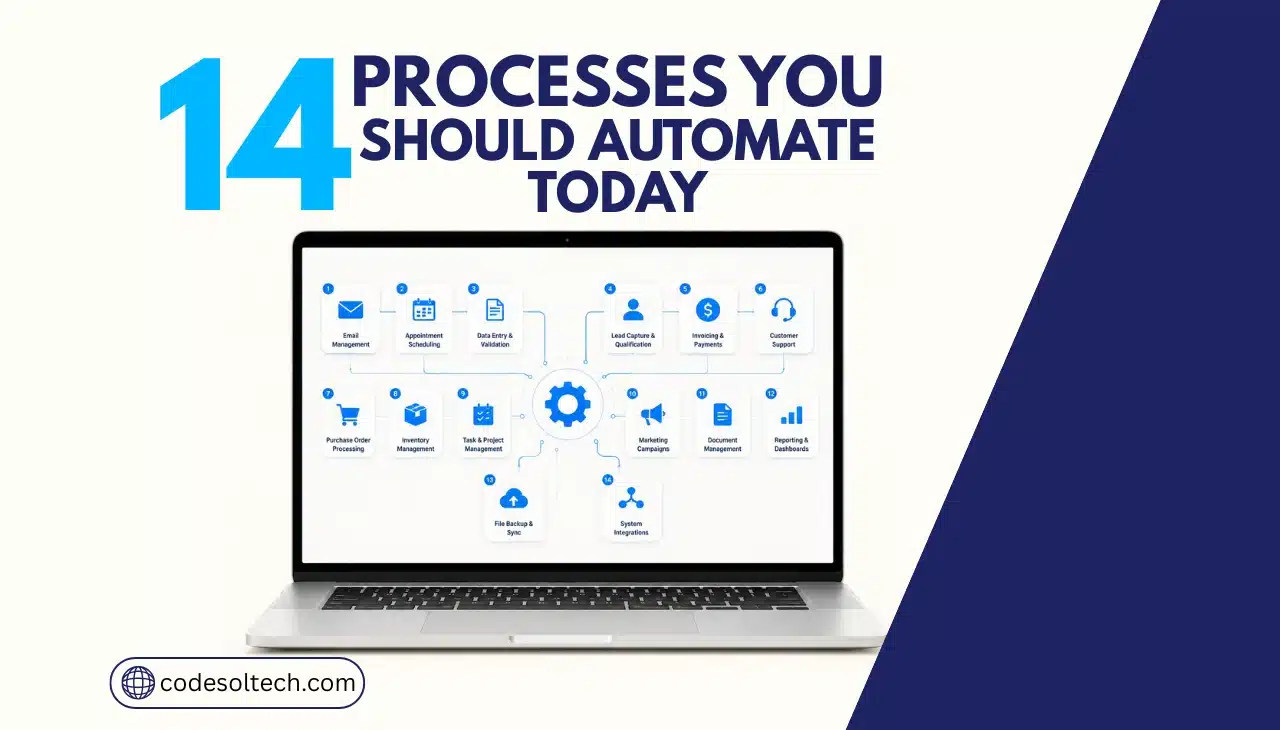
Manual, repetitive processes drain company cash through labor costs, errors, and delays. McKinsey reports that currently demonstrated technology can automate 57% of US work hours today. Asana’s Anatomy of Work Index shows the average knowledge worker loses 209 hours a year to duplicate work alone. This article ranks the 14 business processes that generate the fastest return when automated first.
Why Do Manual Processes Cost Businesses More Than Automated Ones?
Manual processes cost more because they consume paid staff hours on tasks that produce no strategic value and generate correctable errors.
A single manually processed invoice costs a business an average of $9.40, while a fully automated accounts payable workflow processes the same invoice for $2.78, a 70% reduction in cost, according to Ardent Partners’ State of ePayables 2025 report.
The gap compounds when multiplied across every invoice, payroll run, and customer inquiry a company processes each month.
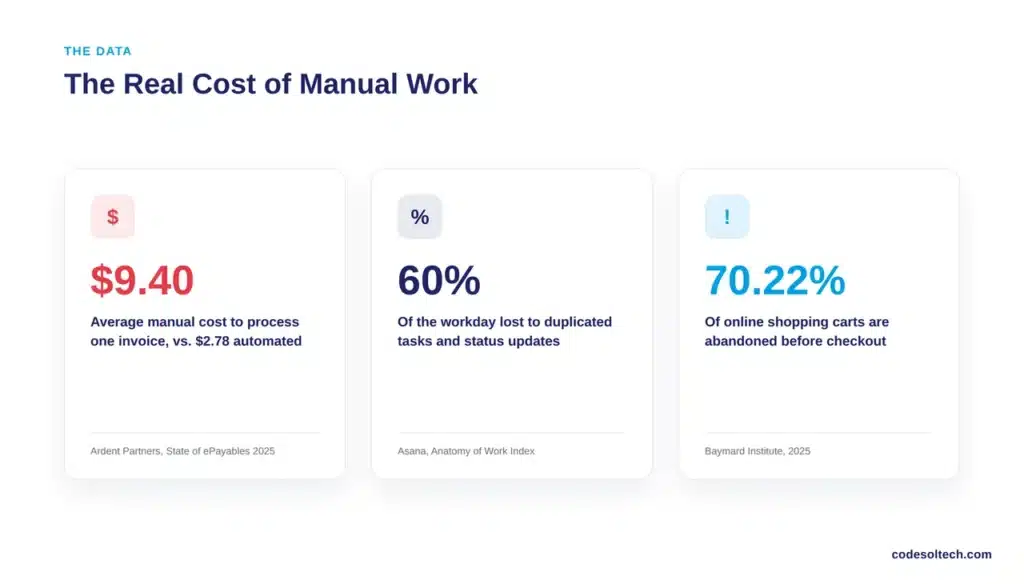
The data shows three specific categories of loss:
- Labor cost: Employees spend 60% of the workday on “work about work” — status updates, duplicated tasks, and manual coordination — instead of the skilled work they were hired to do, per Asana’s Anatomy of Work Index.
- Lost revenue: 70.22% of online shopping carts are abandoned before checkout completes, based on Baymard Institute’s meta-analysis of 50 independent studies.
- Processing delay: Manual invoice cycles take 10.9 days on average; automated cycles close in 3.1 days, a 72% reduction in cycle time, per Ardent Partners.
Which 14 Business Processes Should You Automate First?
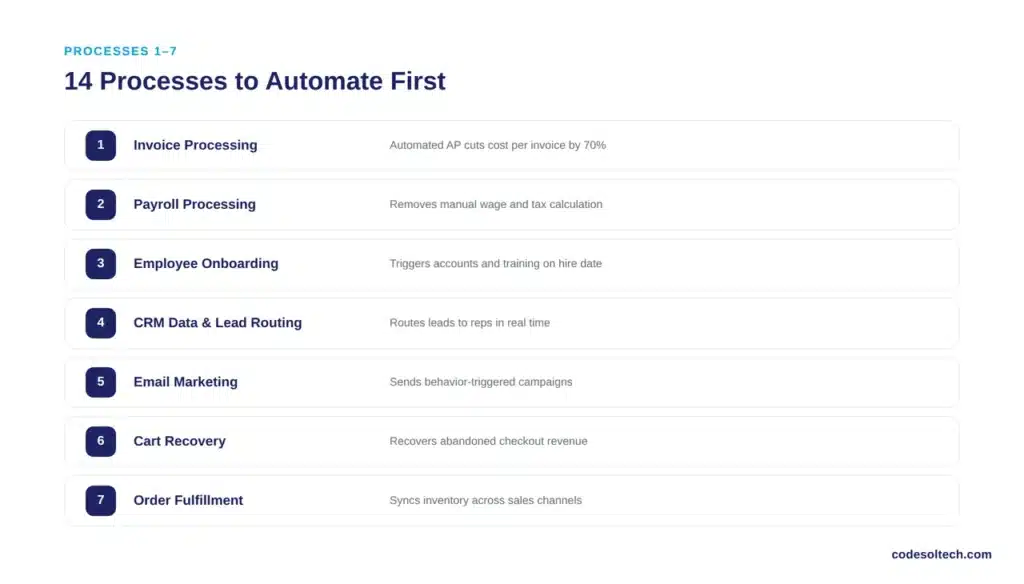
Automate the processes with the highest transaction volume and the most manual touchpoints first, because these generate the largest cost reduction per implementation hour. The following 14 processes are ranked by typical ROI impact for small and mid-sized businesses.
1. Invoice Processing and Accounts Payable
Invoice processing automation extracts vendor data, matches purchase orders, and routes approvals without manual entry. Automated accounts payable systems reduce per-invoice cost from $9.40 to $2.78 and cut processing time from 10.9 days to 3.1 days.
Businesses that integrate ERP with their AP workflow eliminate duplicate data entry between accounting software and procurement systems.
2. Payroll Processing
Payroll automation calculates wages, deductions, and tax withholdings directly from time-tracking data instead of manual spreadsheet entry. This process eliminates the two most common payroll errors: incorrect overtime calculation and missed tax filing deadlines. Automated payroll systems also generate compliance records automatically, reducing audit preparation time.
3. Employee Onboarding
Onboarding automation triggers document collection, account provisioning, and training assignments the moment a new hire accepts an offer.
Manual onboarding requires HR staff to manually configure 5 to 10 separate systems per new employee, including email, payroll, benefits, and software access. Workflow automation platforms sequence these steps into a single trigger-based process.
4. CRM Data Entry and Lead Routing
CRM automation captures lead data from web forms, email, and phone calls, then routes each lead to the correct sales representative based on predefined rules. Manual lead routing delays first contact by hours or days, and delayed contact reduces conversion probability. CRM integration connects marketing, sales, and support data into one record per customer.
5. Email Marketing Campaigns
Email automation sends triggered messages based on customer behavior, including welcome sequences, browse abandonment, and post-purchase follow-up. Behavior-triggered emails generate higher open and click rates than manually scheduled batch sends because they arrive at the moment of buyer intent.
Marketing teams that automate segmentation also reduce the manual list-building work required before every campaign.
6. Abandoned Cart Recovery
Cart recovery automation sends a sequence of emails or SMS messages to shoppers who add products to a cart but do not complete checkout. Baymard Institute reports a 70.22% average cart abandonment rate across ecommerce, representing an estimated $260 billion in recoverable revenue across the US and EU.
Automated recovery sequences convert a measurable share of these abandoned carts without requiring manual follow-up from a sales team.
7. Order Fulfillment and Inventory Sync
Fulfillment automation connects the ecommerce storefront, warehouse management system, and shipping carrier so that an order triggers picking, packing, and label generation automatically. Manual fulfillment requires staff to re-key order data across 3 or more disconnected systems, which increases shipping errors and delays.
Fulfillment automation synchronizes inventory counts in real time across every sales channel.
8. Customer Support Tickets and FAQs
Chatbot automation answers repetitive customer questions instantly and escalates complex issues to a human agent with full conversation context attached. Support teams that deploy chatbot integration resolve routine tickets, such as order status and return policy questions, without adding headcount.
This reduces average first-response time and frees support staff for issues that require judgment.
9. Appointment Scheduling
Scheduling automation lets customers book, reschedule, or cancel appointments directly against a live calendar without a phone call or email exchange. Manual scheduling requires back-and-forth communication that can take 3 or more message exchanges to confirm a single appointment. Automated confirmation and reminder messages also reduce no-show rates.
10. Recurring Billing and Payment Processing
Payment automation charges customers on a fixed schedule, retries failed payments automatically, and updates expired card details without manual intervention. Subscription businesses that rely on manual invoicing lose recurring revenue to failed payments that are never retried.
Payment gateway integration connects billing software directly to payment processors, eliminating manual reconciliation between the two systems.
11. Financial Reporting and Dashboards
Reporting automation pulls data directly from accounting, sales, and inventory systems into a live dashboard instead of a manually updated spreadsheet. Manual financial reporting requires staff to export, clean, and reformat data from multiple sources before every reporting cycle. ERP integration centralizes this data so dashboards update automatically as transactions occur.
12. Lead Scoring and Qualification
Lead scoring automation assigns a numeric value to each lead based on behavior, firmographic data, and engagement history, then flags sales-ready leads automatically. Manual lead qualification depends on a sales rep’s subjective judgment and available time, which produces inconsistent results across a team.
Automated scoring inside a CRM integration applies the same criteria to every lead without variation.
13. Expense Report Approval
Expense automation captures receipt data through mobile capture, matches it to company spending policy, and routes it for approval without a manual spreadsheet submission.
Manual expense reporting creates a multi-day delay between purchase and reimbursement, which increases employee dissatisfaction. Workflow automation applies policy rules automatically, flagging only the exceptions that require manager review.
14. Inventory Reorder and Stock Alerts
Inventory automation monitors stock levels in real time and triggers a purchase order automatically once inventory crosses a predefined reorder point. Manual inventory tracking relies on periodic physical counts, which creates blind spots between counts and increases the risk of stockouts or overstock.
Systems connected through ERP integration apply reorder logic across every warehouse location simultaneously.
Manual vs. Automated: Cost and Time Comparison
| Process | Manual Cost/Time | Automated Cost/Time | Source |
|---|---|---|---|
| Invoice processing | $9.40 per invoice / 10.9 days | $2.78 per invoice / 3.1 days | Ardent Partners, 2025 |
| General knowledge work | 60% of workday on non-skilled tasks | Up to 57% of US work hours technically automatable | Asana / McKinsey |
| Duplicate/recurring tasks | 209 hours lost per employee per year | Eliminated via triggered workflows | Asana Anatomy of Work Index |
| Ecommerce checkout | 70.22% of carts abandoned | Recoverable via automated cart sequences | Baymard Institute, 2025 |
How Should You Prioritize Which Process to Automate First?
Prioritize the process with the highest transaction volume and the lowest implementation complexity first, as this combination delivers the fastest, most measurable ROI. Rank each candidate process against three factors before committing development resources:
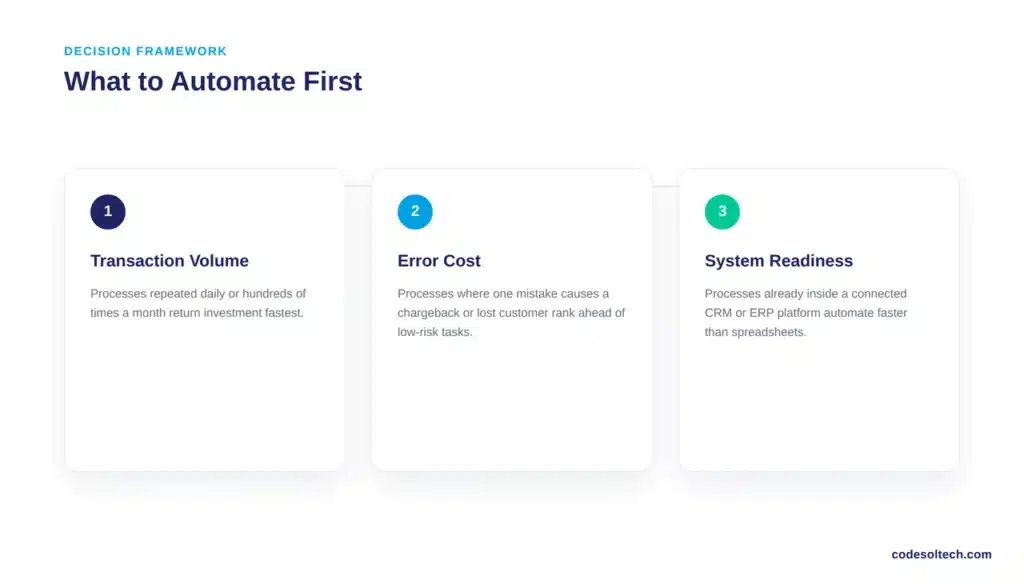
- Transaction volume: Processes repeated daily or hundreds of times per month return automation investment faster than processes run monthly or quarterly.
- Error cost: Processes where a single mistake causes a chargeback, compliance violation, or lost customer justify automation ahead of low-risk tasks.
- System readiness: Processes that already run inside connected software, such as a CRM or ERP platform, automate faster than processes spread across disconnected spreadsheets and email.
Businesses that lack the internal data infrastructure to automate immediately typically require custom software development to connect legacy systems before any workflow can run automatically.
Final Words
Manual processes are not a staffing problem; they are a cost structure problem. Every duplicated task, delayed invoice, and abandoned cart has a documented dollar value.
Automating the 14 processes above converts that lost value into recovered margin, starting with the highest-volume workflow in your business.
Ready to stop losing money to manual work? Contact Codesoltech for a free automation audit of your business processes.



