
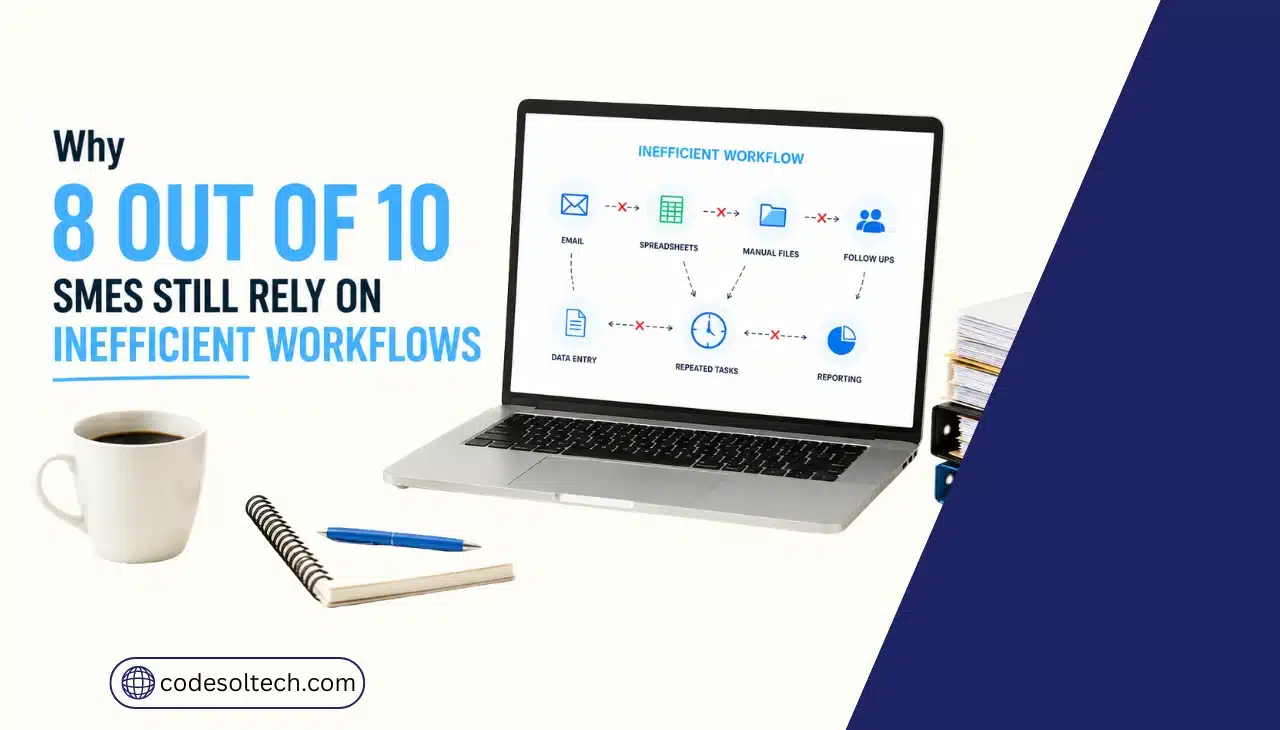
SME workflows stay inefficient because most businesses automate isolated tasks instead of full processes. McKinsey’s global automation survey found that only 61% of organizations that adopted automation met their implementation targets. The remaining businesses stall at the pilot stage, leaving manual data entry, approvals, and reporting untouched.
Workflow inefficiency is not a staffing problem or a discipline problem. It is a systems design problem. A business process becomes inefficient when it depends on manual data transfer between disconnected tools: a spreadsheet here, an email chain there, a separate invoicing system with no link back to the CRM.
Each disconnection point adds delay, error risk, and duplicated labor.
What Makes a Business Workflow Inefficient?
A workflow is inefficient when a task requires manual intervention at a step that software can execute automatically. This happens most often at handoff points between departments, where one team’s output becomes another team’s input without a direct system connection.
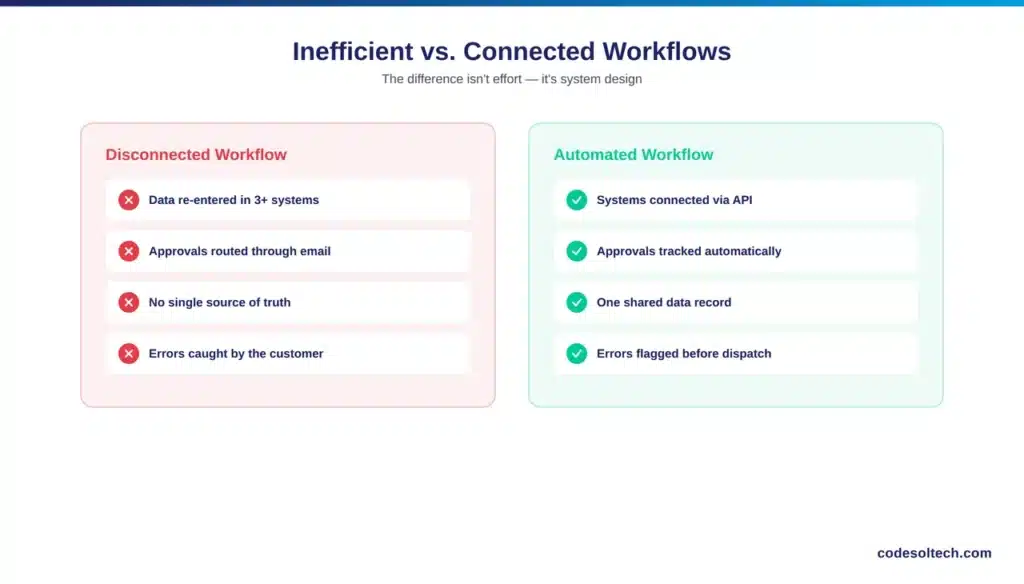
The most common inefficiency patterns in SMEs include:
- Manual data entry — re-typing the same customer or order data across multiple systems that don’t sync
- Disconnected tools — CRM, accounting software, and inventory systems that don’t share an API connection
- Email-based approvals — purchase orders, expense reports, or project sign-offs routed through inboxes instead of a tracked workflow
- Spreadsheet dependency — critical business logic (pricing, inventory thresholds, commission calculations) stored in files that one person maintains
- No process ownership — workflows that were never formally mapped, so nobody can identify where the bottleneck actually sits
Gartner’s automation research groups these into three categories: communication breakdowns, repetitive manual errors, and delays in execution. Each category compounds the other a communication gap causes a manual error, which then delays the process further.
How Much Do Inefficient Workflows Actually Cost SMEs?
Inefficient workflows cost SMEs through three channels: labor hours lost to repetitive tasks, error-driven rework, and delayed revenue recognition. None of these show up as a single line item on a P&L, which is why owners consistently underestimate the total.
The data on this is specific, not anecdotal:
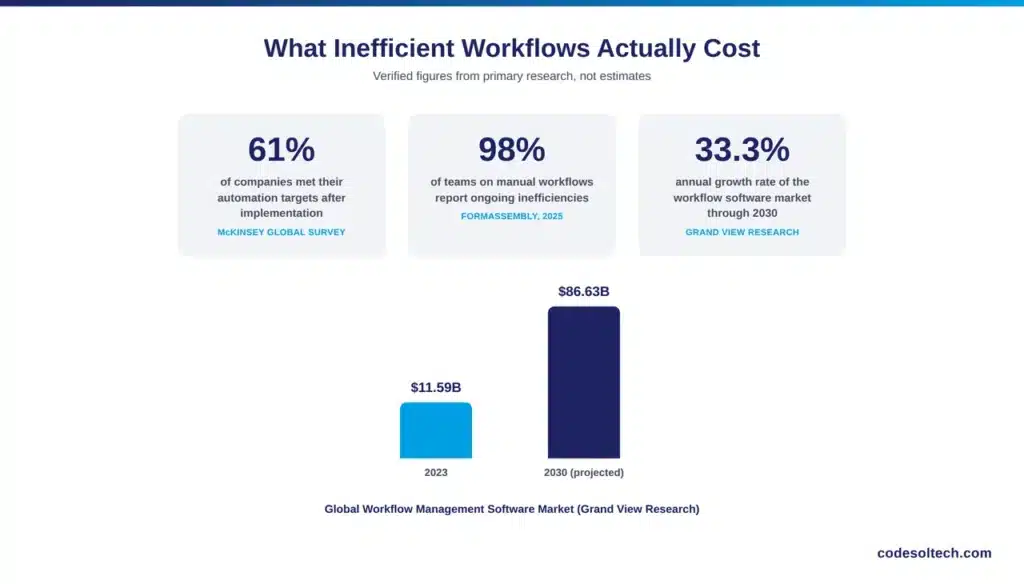
- McKinsey’s global automation survey reports that only 61% of companies that implemented automation met their original targets — meaning the rest kept paying for manual work they expected to eliminate
- The global workflow management software market grew from $11.59 billion in 2023 to a projected $86.63 billion by 2030, a 33.3% compound annual growth rate, according to Grand View Research — a direct signal of how much spend businesses are shifting toward fixing this exact problem
- FormAssembly’s 2025 data collection report found that 98% of teams still relying on manual workflows report operational inefficiencies as a direct result
Labor cost is the most visible line item, but it is rarely the largest. Rework from manual errors a wrong SKU entered, a decimal misplaced in an invoice, a customer record duplicated across systems creates downstream cost in customer service time, refunds, and lost trust.
None of this appears in the original budget for “manual processing.”
Where the Cost Actually Hides
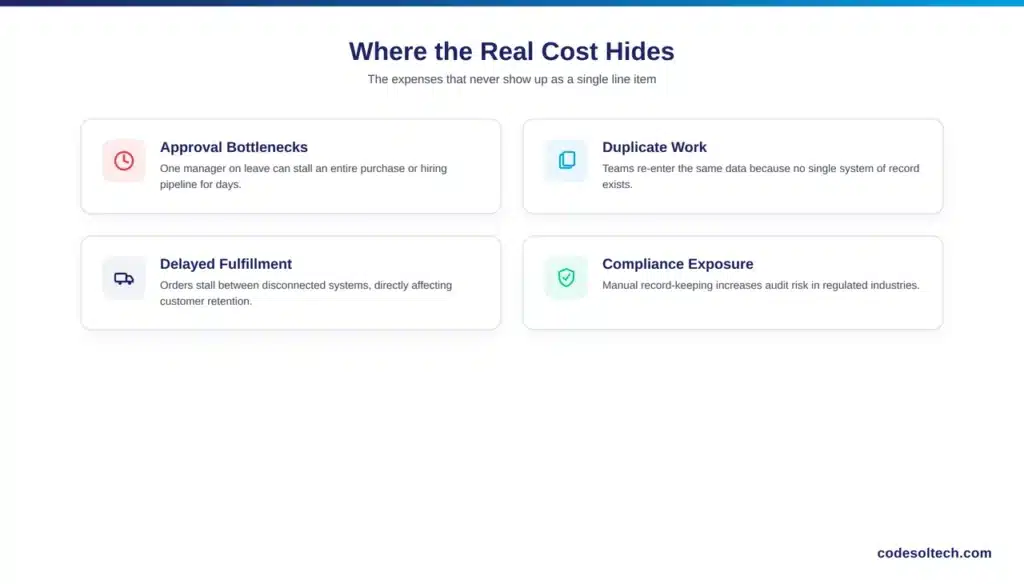
- Approval bottlenecks — a single manager on vacation can stall an entire purchase or hiring pipeline for days
- Duplicate work — teams re-entering data because no system of record exists
- Delayed fulfillment — orders stuck between systems that don’t talk to each other, directly affecting customer retention
- Compliance exposure — manual record-keeping increases audit risk in regulated industries like finance and healthcare
How Do SMEs Actually Fix Inefficient Workflows?
SMEs fix inefficient workflows by mapping the process first, then automating the highest-friction step not by buying software and hoping it adapts to the existing process. Businesses that automate without mapping the workflow first tend to digitize a broken process instead of fixing it.
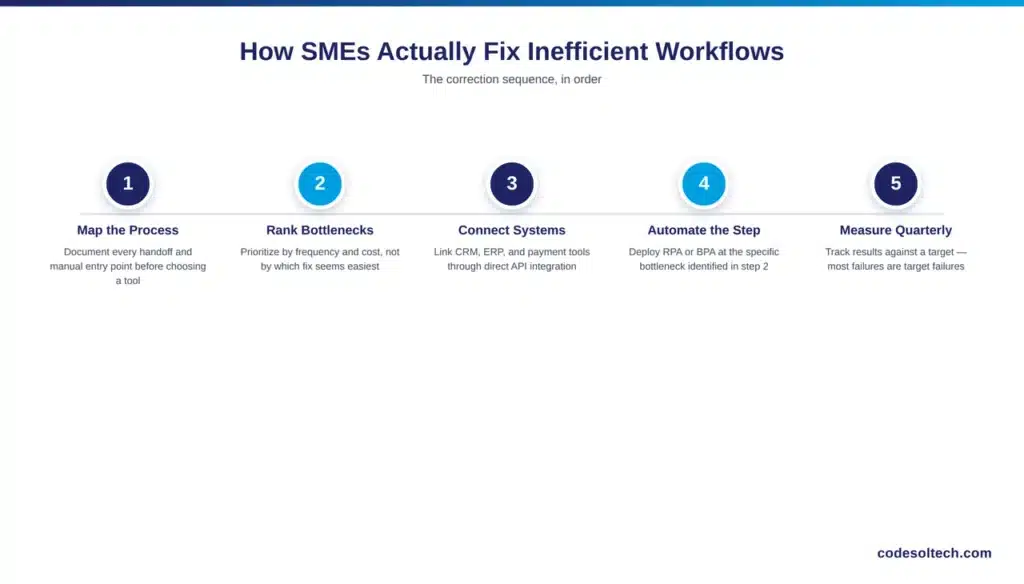
The correction sequence that produces results, in order:
- Map the current process end to end — identify every handoff, every manual entry point, and every approval gate before selecting any tool
- Rank bottlenecks by frequency and cost — the step that happens 200 times a month and takes 10 minutes each time outranks a step that happens twice a year
- Connect systems through API integration — CRM, ERP, payment gateway, and inventory systems need to share data automatically, not through manual export/import
- Deploy workflow automation or RPA at the specific bottleneck — robotic process automation handles rule-based, repetitive tasks; broader business process automation (BPA) handles multi-step approval and routing logic
- Set a measurable target and review it quarterly — McKinsey’s data shows most automation failures are targeting failures, not technology failures
Low-code and no-code platforms have lowered the barrier for SMEs specifically. A business no longer needs an in-house development team to connect its CRM to its accounting software; API-based integrations and workflow builders now handle this at a fraction of the cost of a custom build.
Custom development still matters when the workflow logic is too specific for off-the-shelf tools, which is common in ecommerce operations with non-standard fulfillment or multi-channel inventory sync requirements.
Signs a Workflow Needs Automation Now
- The same data is manually entered into more than one system
- A single employee’s absence stalls a core process
- Approval steps route through email with no tracking or audit trail
- Reporting requires manually pulling data from more than two sources
- Customers catch errors before they’re caught internally
Final Words
Inefficient workflows are not a labor problem; they’re a systems design problem. The fix is not “more automation,” it’s the right automation applied at the actual bottleneck, chosen after mapping the process, not before.
Businesses that skip the mapping step end up automating the wrong thing and rejoin the 39% still missing their targets.
Ready to map your workflow and find where automation actually pays off?
Talk to Codesoltech’s development team for a process audit and a scoped automation plan built around your actual bottlenecks not a generic tool rollout.



