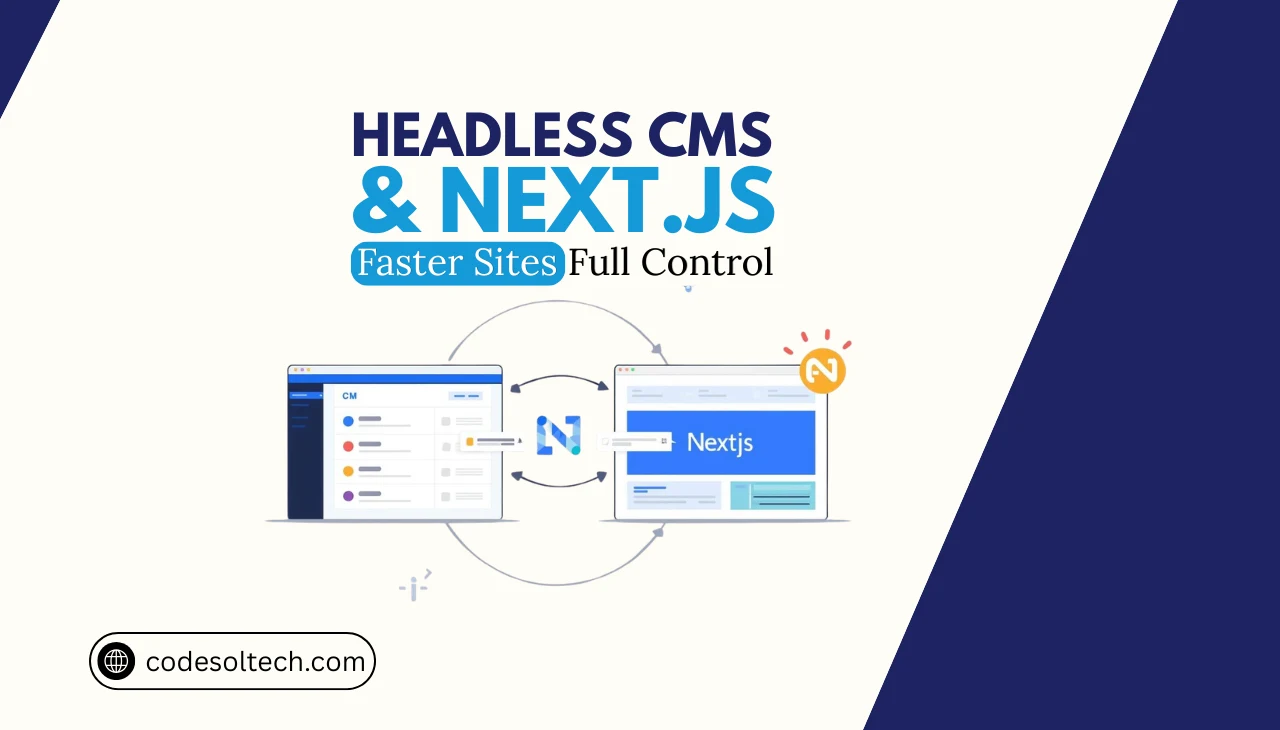
A Headless CMS is a content management system that separates the content repository (the “body”) from the presentation layer (the “head”). The CMS stores, manages, and exposes content exclusively through an API, either REST or GraphQL, without rendering any front-end output itself. This decoupled architecture grants developers complete control over how and where content is rendered.
The 4 structural components of a Headless CMS are:
- Content Repository — stores raw content as structured data models
- Content API — exposes content as JSON or XML payloads via HTTP endpoints
- Webhooks — triggers build or cache-revalidation events on content changes
- Media Asset Management — serves images, video, and files via a CDN-backed URL
Traditional monolithic CMS platforms (e.g., WordPress, Drupal in coupled mode) bind content to a specific templating engine. A Headless CMS eliminates that binding, enabling any frontend framework — including Next.js — to consume content independently.
What Is a Decoupled CMS Architecture?
A Decoupled CMS architecture physically separates the content management backend from the frontend delivery system across 2 independent infrastructure layers. Layer 1 is the CMS backend, which handles authoring, versioning, and API delivery.
Layer 2 is the frontend application, which fetches, renders, and caches that content for end users.
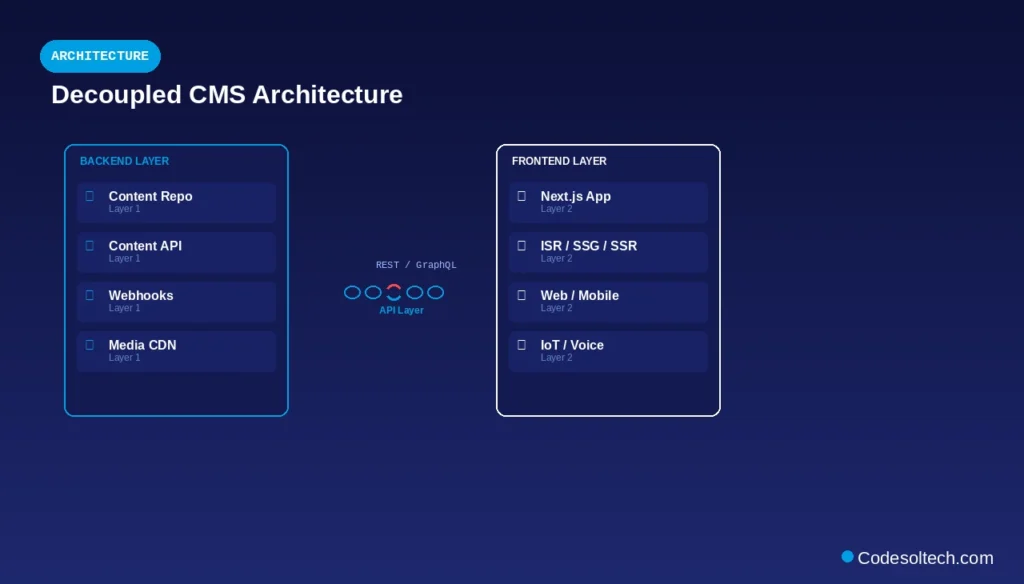
Decoupled architecture differs from a purely Headless CMS in one key way: decoupled systems can retain a default frontend (for preview purposes), whereas a headless system has no native rendering layer at all. Next.js integrates with both patterns but achieves maximum performance gains with a fully headless, API-first CMS.
The 3 primary advantages of decoupled architecture are:
- Independent deployability — frontend and backend teams deploy without cross-system dependencies
- Technology flexibility — the CMS API serves content to web, mobile, IoT, and voice interfaces simultaneously
- Security isolation — the CMS admin interface is never directly exposed to the public web
Why Next.js Is the Optimal Frontend for a Headless CMS
Next.js is a React-based framework developed by Vercel that implements 4 rendering strategies natively: Static Site Generation (SSG), Server-Side Rendering (SSR), Incremental Static Regeneration (ISR), and Client-Side Rendering (CSR).
Each strategy maps directly to a specific content delivery use case when integrating with a Headless CMS API.
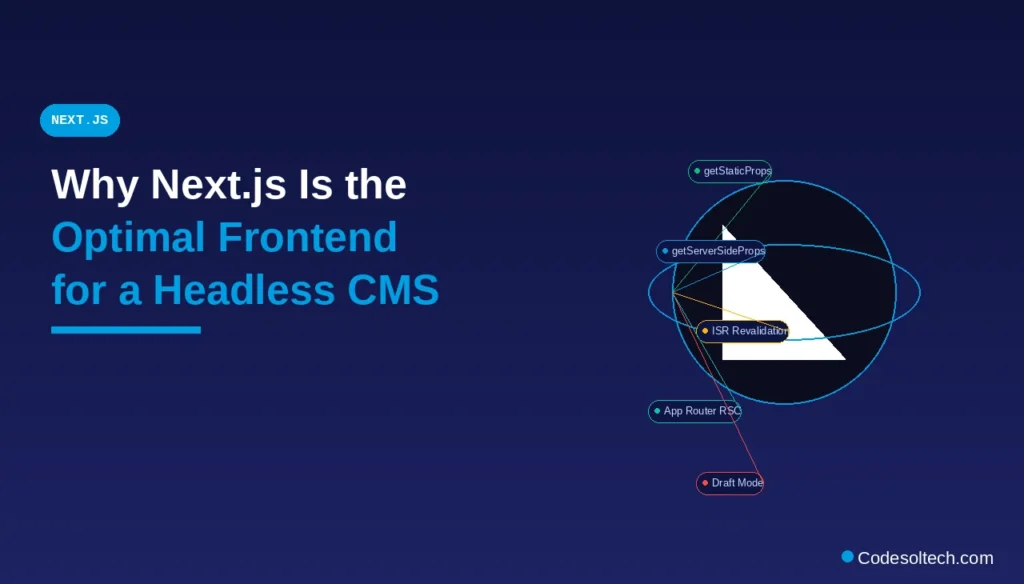
Next.js processes API responses from a Headless CMS at build time (SSG), at request time (SSR), or on a defined revalidation interval (ISR). This rendering flexibility eliminates the performance bottleneck of a coupled CMS, where every page request triggers a database query and a template render on the same server.
The 5 technical reasons Next.js is purpose-built for Headless CMS integration are:
getStaticProps— fetches CMS API data at build time to generate pre-rendered HTMLgetServerSideProps— fetches CMS API data per request for dynamic, user-specific content- Incremental Static Regeneration (ISR) — revalidates static pages on a time interval without a full rebuild
- On-demand Revalidation — triggers a cache purge via webhook when CMS content changes
- App Router with React Server Components — fetches CMS data directly inside server components in Next.js 13+
How the Headless CMS API Connects to Next.js
The Headless CMS API functions as the single data source for all Next.js pages and components. Next.js establishes the API connection through 3 mechanisms: direct fetch() calls inside server functions, a CMS-provided JavaScript SDK, and a GraphQL client such as Apollo or urql.
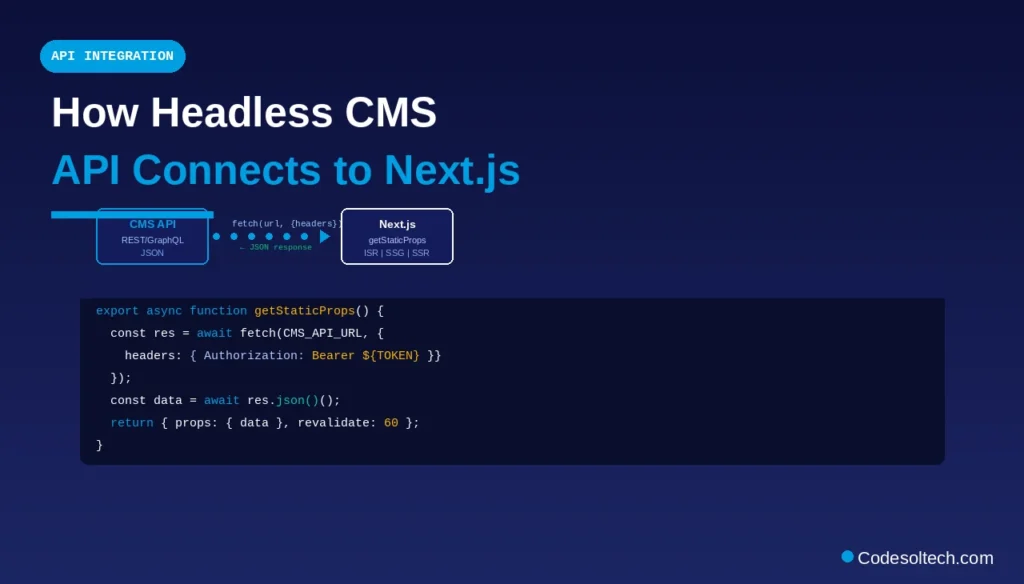
The API response lifecycle follows a 4-step sequence:
- Next.js executes a data-fetching function (
getStaticProps,getServerSideProps, or a Server Component) - The function sends an authenticated HTTP request (GET or POST) to the CMS API endpoint
- The CMS API returns a structured JSON payload containing content fields, metadata, and asset URLs
- Next.js injects the JSON data as
propsinto the React component tree for rendering
Authentication between Next.js and the CMS API uses one of 2 token types: a read-only API key stored in environment variables (.env.local), or OAuth 2.0 bearer tokens for user-specific content access. Storing API credentials in environment variables prevents client-side exposure.
REST API Integration Example (Next.js getStaticProps)
// pages/blog/[slug].js
export async function getStaticProps({ params }) {
  const res = await fetch(
    `https://api.your-cms.io/v1/posts?slug=${params.slug}`,
    { headers: { Authorization: `Bearer ${process.env.CMS_API_TOKEN}` } }
  );
  const data = await res.json();
  return { props: { post: data }, revalidate: 60 };
}
GraphQL API Integration Example (Next.js App Router)
// app/blog/[slug]/page.js
async function getPost(slug) {
  const res = await fetch('https://api.your-cms.io/graphql', {
    method: 'POST',
    headers: { 'Content-Type': 'application/json', Authorization: `Bearer ${process.env.CMS_API_TOKEN}` },
    body: JSON.stringify({ query: `{ post(slug: "${slug}") { title body publishedAt } }` }),
    next: { revalidate: 60 }
  });
  return res.json();
}
Next.js Rendering Strategies Mapped to CMS Content Types
The selection of a Next.js rendering strategy depends on the content update frequency and the personalization requirements of each content type. Applying the wrong rendering strategy increases Time to First Byte (TTFB) or serves stale content.
| Content Type | Update Frequency | Next.js Strategy | CMS API Call Location |
|---|---|---|---|
| Blog posts | Low (hours–days) | SSG + ISR | getStaticProps |
| Product pages | Medium (daily) | ISR with revalidate | getStaticProps |
| News articles | High (minutes) | SSR | getServerSideProps |
| User dashboard | Per-user | CSR | Client-side fetch() |
| Landing pages | Very low | SSG | getStaticProps |
ISR with revalidate: 60 regenerates a static page every 60 seconds without triggering a full site rebuild. This strategy is the default recommendation for editorial content published through a Headless CMS.
On-Demand Revalidation via CMS Webhooks
On-demand revalidation eliminates the latency of time-based ISR by triggering an immediate cache purge the moment a content editor publishes or updates an entry in the CMS. The Headless CMS fires a webhook (an HTTP POST request) to a dedicated Next.js API route, which calls res.revalidate('/target-path') to invalidate the cached page.
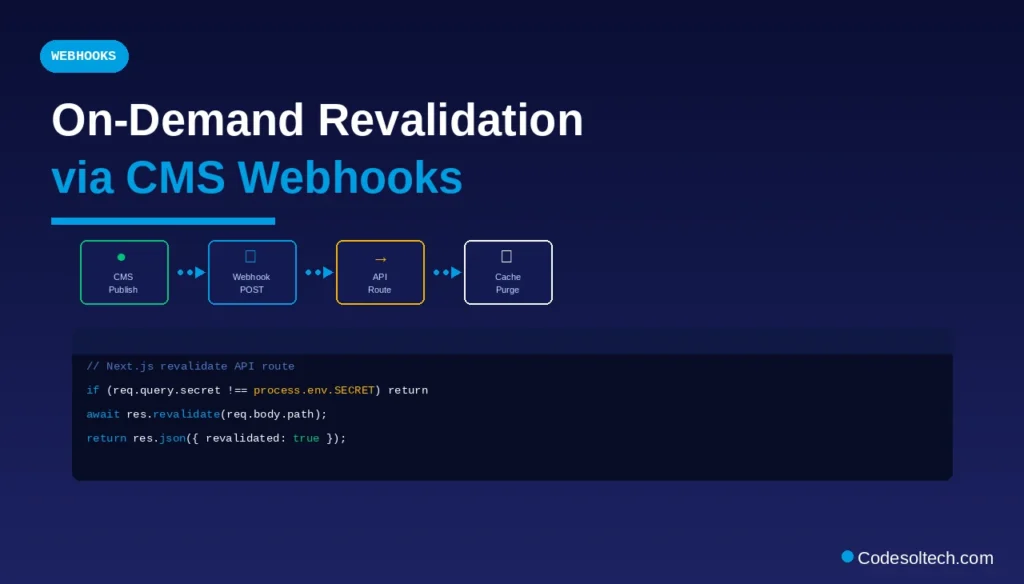
The on-demand revalidation workflow executes in 4 steps:
- A content editor publishes or updates an entry in the Headless CMS dashboard
- The CMS fires a webhook POST to
https://your-nextjs-app.com/api/revalidate - The Next.js API route validates a secret token and calls
res.revalidate('/blog/slug') - Next.js purges the cached static page and regenerates it on the next visitor request
// pages/api/revalidate.js
export default async function handler(req, res) {
  if (req.query.secret !== process.env.REVALIDATION_SECRET) {
    return res.status(401).json({ message: 'Invalid token' });
  }
  await res.revalidate(req.body.path);
  return res.json({ revalidated: true });
}
This mechanism achieves near-real-time content delivery while retaining the performance benefits of static generation.
Leading Headless CMS Platforms Compatible with Next.js
The Headless CMS ecosystem contains 3 architectural categories: SaaS-hosted, open-source self-hosted, and Git-based. Each category carries distinct tradeoffs in infrastructure control, content modeling flexibility, and API performance.
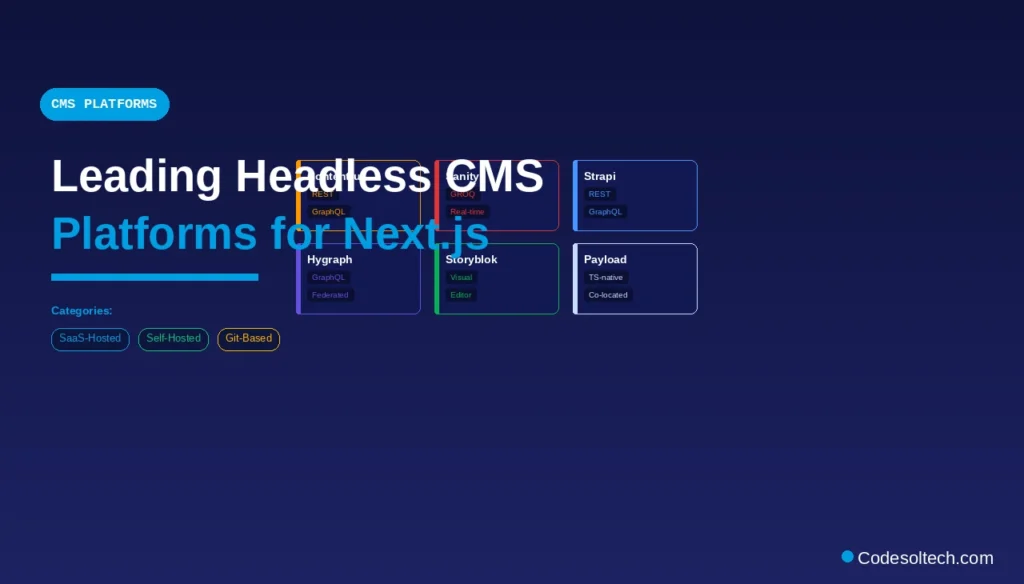
SaaS-hosted Headless CMS platforms (API-first):
- Contentful — REST and GraphQL APIs; supports Next.js App Router natively; CDN-backed image delivery
- Sanity — real-time GROQ query language; React-based Studio; supports live preview in Next.js
- Storyblok — Visual editor with component mapping; native Next.js SDK with draft mode
- Hygraph (formerly GraphCMS) — GraphQL-native; supports federated content from external APIs
- Directus — open-source; auto-generates REST and GraphQL APIs from any SQL database schema
Open-source self-hosted platforms:
- Strapi — Node.js-based; generates REST and GraphQL APIs from custom content types
- Payload CMS — TypeScript-native; integrates directly into a Next.js project as a co-located backend
Git-based CMS platforms:
- Tina CMS — stores content as MDX files in a Git repository; queries via GraphQL in Next.js
- Decap CMS (formerly Netlify CMS) — YAML/Markdown content; integrates with Static Site Generators
Content Modeling in a Headless CMS for Next.js
Content modeling defines the data structure that the CMS API delivers to Next.js. A well-designed content model maps each CMS content type to a specific Next.js component or page template. Poor content modeling produces over-fetching (excess API data) or under-fetching (missing fields requiring a second API call).
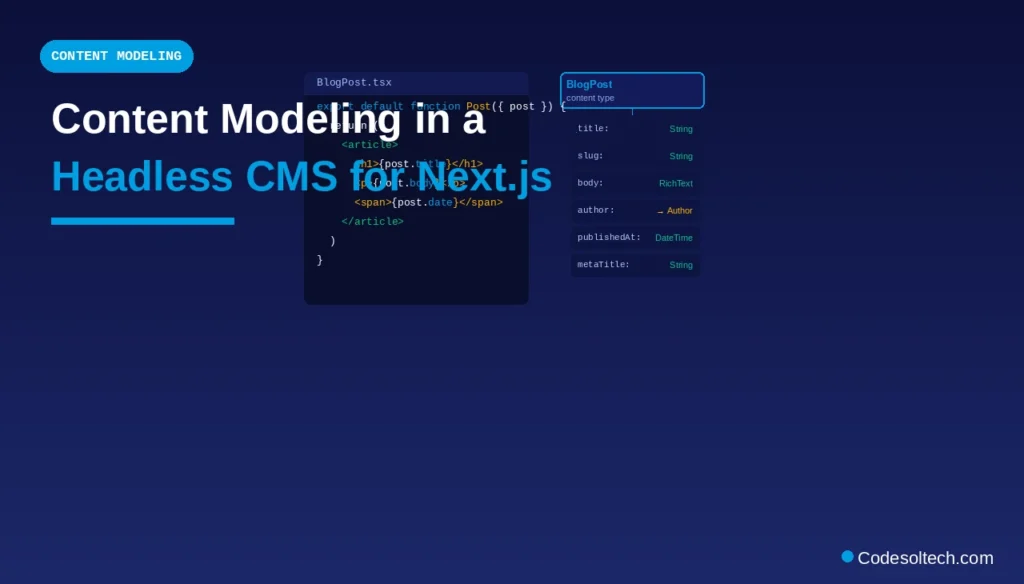
The 5 best practices for content modeling in a Headless CMS used with Next.js are:
- Define field types precisely — use single-line text, rich text, number, date, boolean, and reference fields correctly to avoid type coercion in Next.js components
- Establish reference relationships — link content types (e.g., Author → Blog Post) to enable single-API-call nested data fetching
- Normalize slug fields — create a dedicated
slugfield on every content type to construct deterministic URL paths ingetStaticPaths - Include SEO metadata fields — add
metaTitle,metaDescription, andogImagefields to every content type to populate Next.js<Head>tags - Version content types — use CMS environment branching (available in Contentful and Hygraph) to test schema changes before deploying to production
SEO Benefits of Headless CMS + Next.js Integration
Next.js SSG and ISR deliver pre-rendered HTML to search engine crawlers, which eliminates the JavaScript rendering dependency that client-side React applications require. Google’s crawler indexes pre-rendered HTML faster and more reliably than JavaScript-dependent Single Page Applications (SPAs).
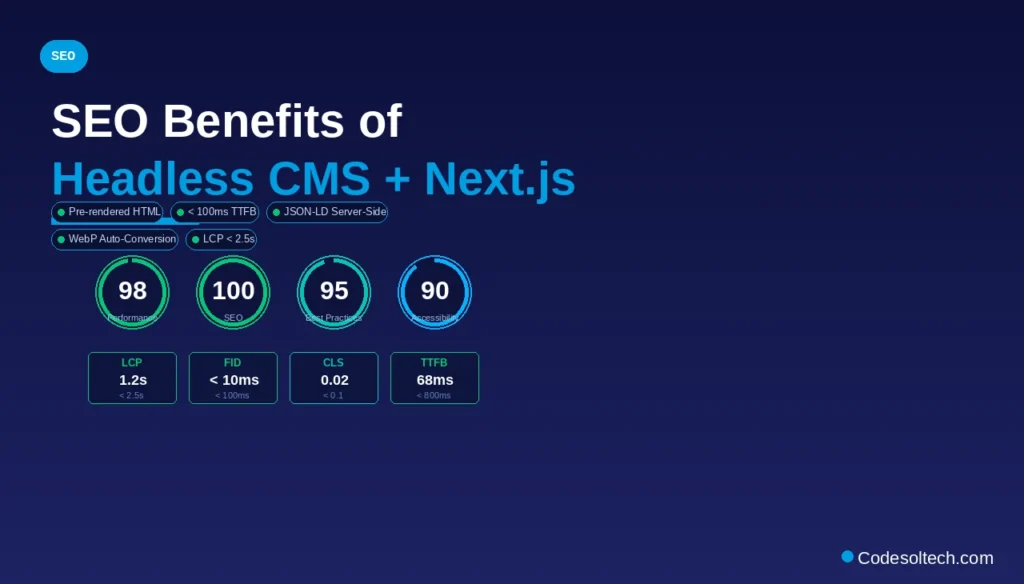
The 6 measurable SEO benefits of the Headless CMS + Next.js architecture are:
- Sub-100ms TTFB — static HTML served from a CDN edge node removes server processing time
- Guaranteed metadata rendering —
next/heador App RoutergenerateMetadatainjects title, description, and Open Graph tags into server-rendered HTML, not via JavaScript - Structured data support — JSON-LD schemas are injected server-side, ensuring Googlebot reads them on first crawl
- Image optimization — Next.js
<Image>component automatically converts CMS-delivered images to WebP and applies lazy loading - Canonical URL control — Next.js generates canonical tags programmatically from CMS slug fields
- Core Web Vitals improvement — pre-rendered static pages consistently achieve LCP under 2.5 seconds and CLS below 0.1
Draft Mode and Preview in Next.js with a Headless CMS
Next.js Draft Mode (formerly Preview Mode) enables content editors to view unpublished CMS content in the live Next.js environment before publishing. Draft Mode bypasses ISR and SSG caching, forcing the page to re-fetch directly from the CMS API’s draft/preview endpoint.
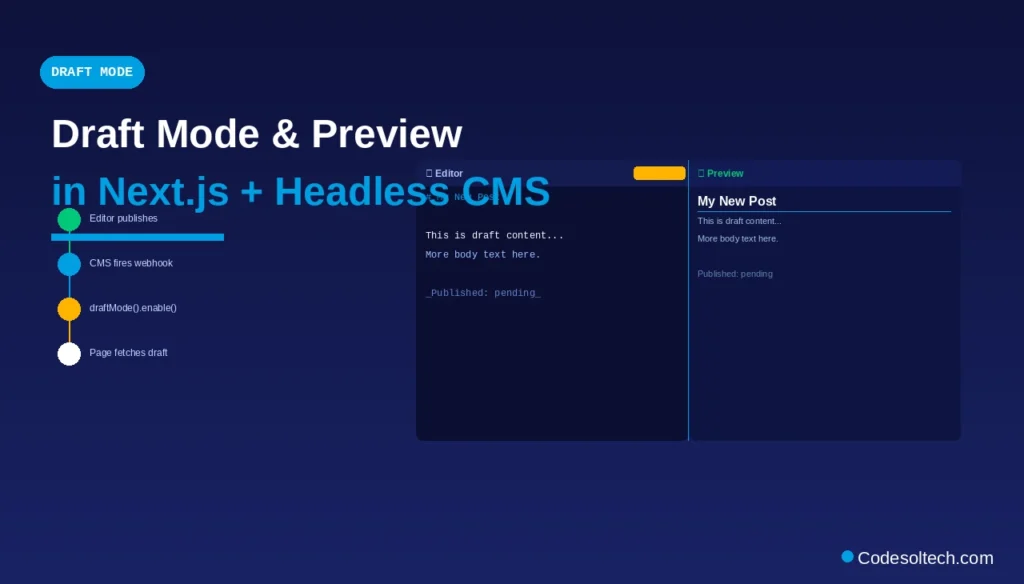
The Draft Mode activation flow executes in 3 steps:
- The content editor clicks a “Preview” button in the CMS dashboard, which redirects to
https://your-nextjs-app.com/api/draft?secret=TOKEN&slug=/blog/my-draft - The Next.js API route validates the token and calls
draftMode().enable(), setting an HTTP-only cookie - Subsequent page requests read the draft cookie, bypass the static cache, and fetch draft content from the CMS API
// app/api/draft/route.js (Next.js App Router)
import { draftMode } from 'next/headers';
import { redirect } from 'next/navigation';

export async function GET(request) {
  const { searchParams } = new URL(request.url);
  if (searchParams.get('secret') !== process.env.DRAFT_SECRET) {
    return new Response('Invalid token', { status: 401 });
  }
  draftMode().enable();
  redirect(searchParams.get('slug'));
}
Performance Architecture: CDN, Edge Functions, and API Caching
The Headless CMS + Next.js stack achieves peak performance through a 3-layer caching architecture that minimizes API calls and maximizes static asset delivery speed.
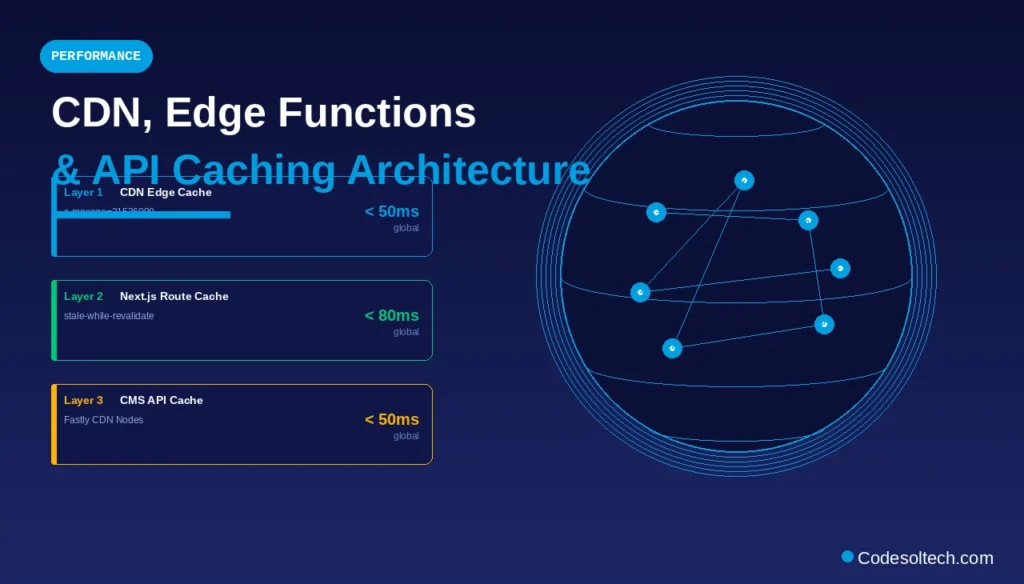
Layer 1 — CDN Edge Cache: Next.js static pages (getStaticProps) are deployed to Vercel’s Edge Network or Netlify’s CDN, serving HTML from 300+ global Points of Presence (PoPs). CDN cache headers (Cache-Control: s-maxage=31536000, stale-while-revalidate) instruct the CDN to serve cached pages indefinitely while revalidating in the background.
Layer 2 — Next.js Route Cache (App Router): The Next.js App Router caches the rendered output of Server Components in the Route Cache for the duration of a navigation session. The fetch() Data Cache stores individual API responses with configurable revalidate intervals.
Layer 3 — CMS API Response Cache: The CMS API (Contentful, Sanity, Hygraph) delivers responses through its own CDN layer. Contentful’s Content Delivery API (CDA) serves cached API responses from Fastly CDN nodes, achieving response times under 50ms globally.
Internationalization (i18n) with Headless CMS and Next.js
Next.js implements internationalization through its built-in i18n routing configuration, which maps locale prefixes (e.g., /en, /de, /ar) to language-specific page builds. The Headless CMS stores locale-specific content as either separate entries per locale or as field-level translations within a single entry.
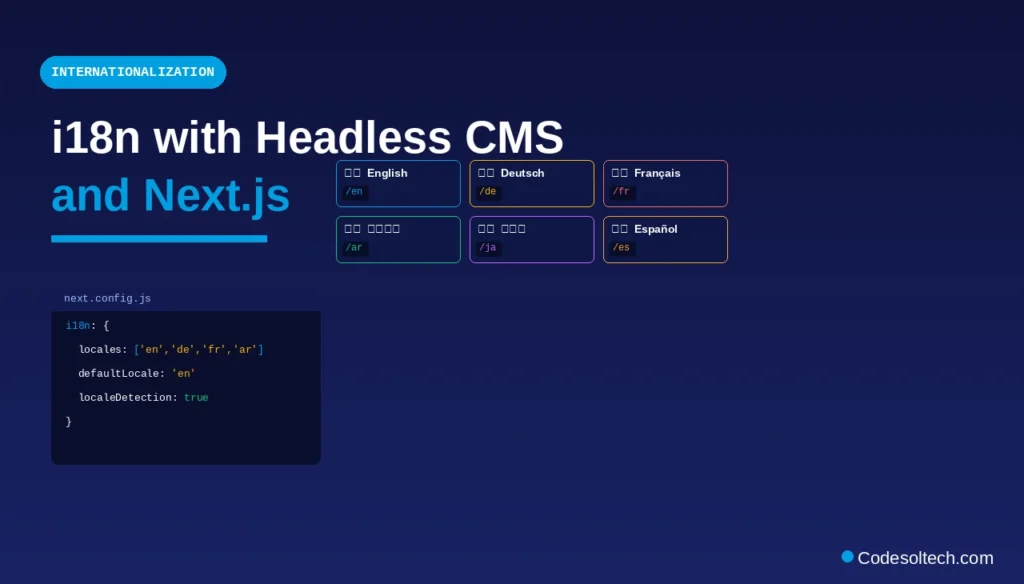
The 2 internationalization strategies available in a Headless CMS are:
- Field-level translation — a single content entry contains translations for each field (e.g.,
title.en,title.de); the CMS API accepts alocalequery parameter to return the correct language - Entry-level translation — separate content entries exist for each locale; Next.js
getStaticPathsgenerates locale-specific paths from each entry’s slug
Contentful, Hygraph, and Storyblok support both strategies natively, with locale fallback chains configurable in the CMS dashboard.
Type Safety: TypeScript Integration Between CMS API and Next.js
TypeScript type definitions for CMS content types prevent runtime errors caused by mismatched API response schemas. 3 tools generate TypeScript interfaces directly from the CMS content model:
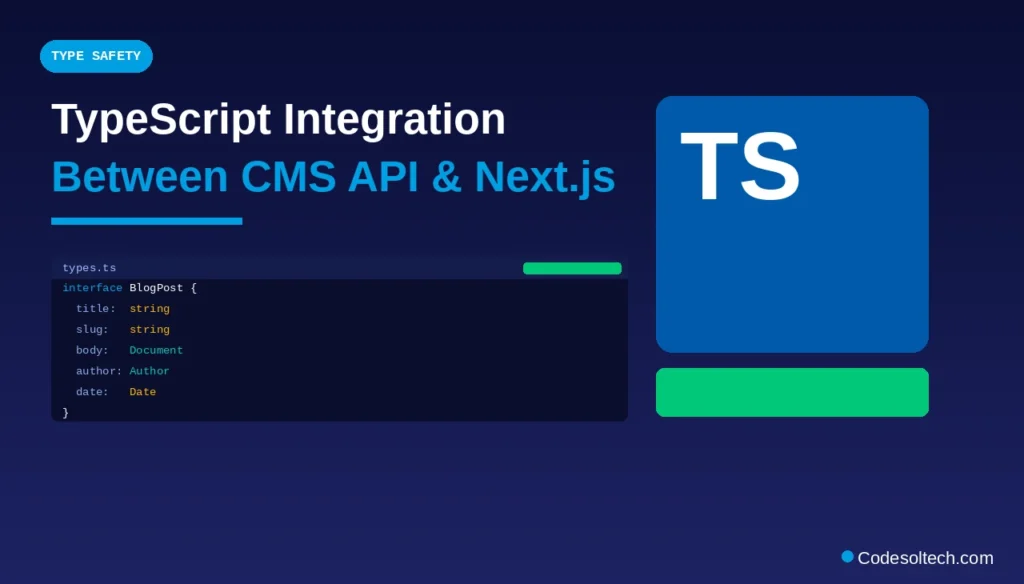
- Contentful TypeGen (
@contentful/rich-text-types,contentful) — generates TypeScript interfaces from Contentful space content types - GraphQL Code Generator (
@graphql-codegen/cli) — generates TypeScript types from any GraphQL CMS schema (Hygraph, Sanity, Strapi) - Sanity TypeGen (
sanity typegen generate) — generates TypeScript types from Sanity GROQ queries
Auto-generated TypeScript interfaces eliminate manual type declarations, enforce API contract consistency, and surface schema changes as compile-time errors before deployment.
Common Integration Errors and Resolutions
The 5 most frequent errors in Headless CMS + Next.js integration are:
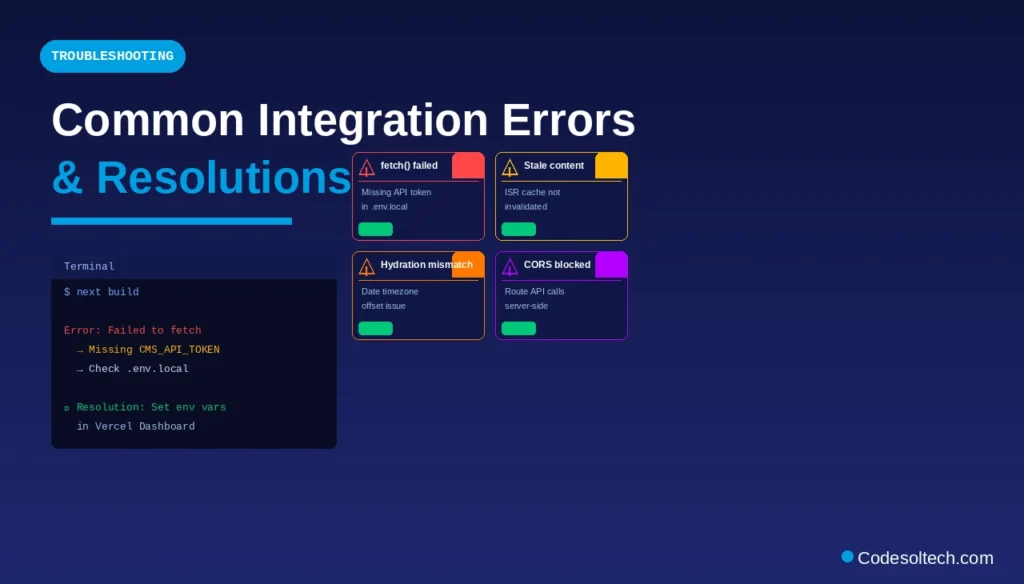
Error: Failed to fetchingetStaticProps— caused by missing or expired CMS API token in environment variables; resolution: verify.env.localcontains the correctCMS_API_TOKENand that Vercel/Netlify environment variables are configured in the deployment dashboard- Stale content after CMS publish — caused by ISR cache not being invalidated; resolution: implement on-demand revalidation via CMS webhook to the Next.js revalidate API route
- Missing
getStaticPathspaths — caused by the CMS returning a paginated API response wheregetStaticPathsonly processes the first page; resolution: implement pagination loop to fetch all slugs across all API pages - Hydration mismatch — caused by rendering CMS date fields differently on the server and client due to timezone offsets; resolution: normalize all date fields to ISO 8601 strings before passing them as props
- CORS error on client-side fetch — caused by calling the CMS API directly from the browser without configuring allowed origins in the CMS dashboard; resolution: route all CMS API calls through Next.js API routes or Server Components to keep requests server-side
Final Words
Headless CMS and Next.js integration establishes a production-grade content architecture that decouples editorial workflows from frontend performance constraints. The API-first delivery model, combined with Next.js rendering strategies, produces measurable gains in TTFB, Core Web Vitals, and SEO indexability.
Teams that adopt this stack gain independent deployability and multi-channel content reach.
→ Start your Headless CMS + Next.js project today: Choose a CMS platform from the list above, configure your API credentials in .env.local, and implement getStaticProps with ISR revalidation as your baseline rendering strategy.
For content that changes frequently, connect your CMS webhook to the Next.js on-demand revalidation endpoint to achieve real-time content delivery at static-site speed.